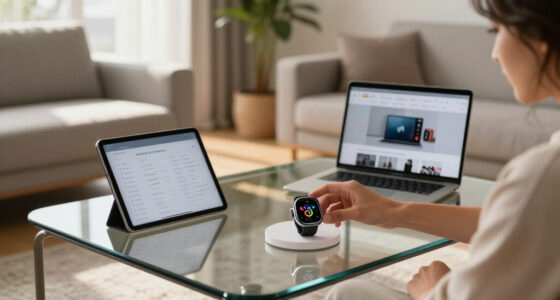
For most conference rooms, I would start with the Barco ClickShare CX-30: it combines wireless presenting with conferencing features for teams that need to use their own laptops in meetings. The BenQ InstaShow WDC25 is a strong alternative when a straightforward, button-based presentation workflow matters most, while the ViewSonic CDE8630 suits rooms that need a large display as well as wireless sharing. The main tradeoff is between a receiver that adds conferencing capabilities, a simpler presentation-only system, and an all-in-one display approach. Room size, meeting software, and whether participants bring their own devices can change which option makes sense. Read on for the full comparison and the factors I would check before choosing.

Get the latest gadgets delivered free with Prime
- Fast, free delivery on millions of items
- Prime Video, Amazon Music and more included
- Member-only deals all year
Complete the kit



Key Takeaways
- Conference-room needs change the ranking: The ClickShare CX-30 is the best overall fit for rooms that need both wireless presenting and conferencing, while simpler ClickShare and InstaShow models focus more narrowly on sharing.
- Receiver systems and display systems solve different problems: The Barco and BenQ units add wireless capability to a compatible room setup; the ViewSonic CDE8630 and CDE9830 combine a large commercial display with presentation use.
- Room size should guide the shortlist: The CX-30 is aimed at medium-sized rooms, the CX-50 at large rooms, and the CSE-200 models at smaller or medium spaces.
- Setup preferences separate BenQ and Barco options: InstaShow models emphasize a direct, button-based or driver-free workflow, while ClickShare choices span basic presenting through wireless conferencing.
- Check model identity and condition carefully: The lineup includes two C-10 listings and both new and renewed CSE-200 options, so buyers should verify the exact model, included components, and condition before ordering.
| MeetHub Kit Wireless Presentation and Conference System |  | Best for Multi-Source 4K Rooms | Resolution: 3840 pixels (4K) | Video codec: H.265/HEVC | Connectivity: Wireless HDMI, USB Type-C | VIEW ON AMAZON | See Our Full Breakdown |
| Barco ClickShare CSE-200 Wireless Presentation System |  | Best for Managed Small and Medium Rooms | Compatible devices: Laptop, tablet, smartphone | Connectivity: USB cable, wireless | Simultaneous presenters: 2 | VIEW ON AMAZON | See Our Full Breakdown |
| BenQ InstaShow WDC25 Wireless Presentation System |  | Best for Secure, Interactive 4K Presentations | Playback: 4K at 60 Hz | Connectivity: HDMI, USB-C, wireless screen mirroring | Setup: Driver-free; no software or network setup required | VIEW ON AMAZON | See Our Full Breakdown |
| ViewSonic CDE8630 86-Inch 4K UHD Wireless Presentation Display |  | Best Large-Format All-in-One Display | Screen size: 86 inches | Resolution: 3840 × 2160 (4K UHD) | Brightness: 450 cd/m² | VIEW ON AMAZON | See Our Full Breakdown |
| Barco ClickShare CS-100 Wireless Presentation System |  | Best for Straightforward Single-Presenter Rooms | Connectivity: Wireless | Video output: HDMI | Maximum resolution: 1920 × 1080 | VIEW ON AMAZON | See Our Full Breakdown |
| Barco ClickShare C-10 Wireless Presentation and Collaboration System |  | Best for Interactive BYOD Presentations | Sharing resolution: Full HD | Maximum simultaneous presenters: 2 | Wireless casting: AirPlay, Google Cast, Miracast | VIEW ON AMAZON | See Our Full Breakdown |
| Barco ClickShare CX-30 Wireless Conferencing System for Medium-Sized Meeting Rooms |  | Best for Medium-Room Collaboration | Model: CX-30 | Product dimensions: 5 × 5 × 1 inches | Item weight: 2.88 pounds | VIEW ON AMAZON | See Our Full Breakdown |
| BenQ InstaShow WDC15 4K UHD Wireless Presentation System |  | Best for App-Free 4K Sharing | Resolution: 4K UHD | Connectivity: Wireless, HDMI, USB-C | Compatible devices: Windows, macOS, iOS, iPadOS | VIEW ON AMAZON | See Our Full Breakdown |
| Barco ClickShare CX-50 Wireless Conferencing System for Large Meeting Rooms |  | Best for Large-Room BYOD Conferencing | Model: CX-50 | Room fit: Large meeting rooms | Hardware interface: HDMI | VIEW ON AMAZON | See Our Full Breakdown |
| ViewSonic CDE9830 98-Inch 4K UHD Commercial Presentation Display |  | Best for Very Large Conference-Room Displays | Screen size: 98 inches | Resolution: 3840 × 2160 (4K UHD) | Display type: LCD | VIEW ON AMAZON | See Our Full Breakdown |
| Barco ClickShare C-10 Wireless Presentation System |  | Best for Medium-to-Large Meeting Rooms | Brand: Barco | Model: C-10 | Recommended use: Wireless presentations and collaboration in medium-to-large meeting rooms | VIEW ON AMAZON | See Our Full Breakdown |
| Barco CSE-200 Wireless Presentation System for Small and Medium Meeting Rooms (Renewed) |  | Best for Multi-Device Collaboration | Brand: Barco | Model: CSE-200 | Condition: Certified refurbished | VIEW ON AMAZON | See Our Full Breakdown |
| BenQ InstaShow VS25 Driver-Free Wireless Conferencing System |  | Best for Driver-Free Conferencing | Brand: BenQ | Model: InstaShow VS25 | Connectivity: HDMI, USB-C | VIEW ON AMAZON | See Our Full Breakdown |
| wireless presentation display conference room | Connectivity |
|---|---|
| MeetHub Kit Wireless Presentat | Wireless HDMI, USB Type-C |
| Barco ClickShare CSE-200 Wirel | USB cable, wireless |
| BenQ InstaShow WDC25 Wireless | HDMI, USB-C, wireless screen mirroring |
| ViewSonic CDE8630 86-Inch 4K U | HDMI, USB, Ethernet, Wi-Fi, Bluetooth, serial |
| Barco ClickShare CS-100 Wirele | Wireless |
| Barco ClickShare C-10 Wireless | — |
| Barco ClickShare CX-30 Wireles | — |
| BenQ InstaShow WDC15 4K UHD Wi | Wireless, HDMI, USB-C |
| Barco ClickShare CX-50 Wireles | — |
| ViewSonic CDE9830 98-Inch 4K U | Wi-Fi, Bluetooth, USB-C |
| Barco ClickShare C-10 Wireless | — |
| Barco CSE-200 Wireless Present | Wi-Fi, radio frequency, AirPlay |
| BenQ InstaShow VS25 Driver-Fre | HDMI, USB-C |
More Details on Our Top Picks
MeetHub Kit Wireless Presentation and Conference System
The MeetHub Kit earns this role by combining 4K sharing, quad-view, and dual HDMI output in a setup that does not need a room Wi-Fi network, apps, or drivers. That makes it a strong fit for conference rooms where guests bring different devices and the team wants several sources visible at once. Its listed compatibility spans Windows, macOS, iOS, and Android, while the wireless link is specified for up to 165 feet. Compared with the Barco ClickShare CSE-200, MeetHub emphasizes higher stated resolution and multiple display outputs; ClickShare instead specifies support for two simultaneous presenters and configurable security. The main limitation is its USB-C transmitter requirement, which may exclude some older laptops. Buyers should also confirm room-device workflows before choosing, since BYOM support is stated but its implementation details are not supplied.
Pros:- Supports stated 4K resolution for detailed slides and video
- Quad-view and dual HDMI output accommodate multi-source room setups
- Works without Wi-Fi, apps, or drivers
- Lists compatibility with Windows, macOS, iOS, and Android
Cons:- The transmitter requires a USB-C connection
- BYOM implementation and security details are not specified
- A one-year warranty is specified
Best for: Conference rooms that need 4K content, multiple visible sources, and a plug-and-play option for mixed desktop and mobile devices.
Not ideal for: Teams whose presenters rely on laptops without USB-C or who need detailed, explicitly specified security and meeting-platform integrations.
- Resolution:3840 pixels (4K)
- Video codec:H.265/HEVC
- Connectivity:Wireless HDMI, USB Type-C
- Wireless transmission range:Up to 165 ft
- Multi-source feature:Quad-view
- Video outputs:Dual HDMI
- Compatible devices:Laptop, smartphone, tablet
- Warranty:1 year
Our verdict“Choose the MeetHub Kit when a room needs 4K multi-source sharing without relying on its Wi-Fi network, provided presenters have USB-C devices.”
Barco ClickShare CSE-200 Wireless Presentation System
I’d place the ClickShare CSE-200 on the shortlist for small and medium conference rooms that need a familiar, controlled way to share from laptops and mobile devices. Its two included ClickShare Buttons support a simple handoff, and the system allows two simultaneous presenters with up to 16 connections. AirPlay support broadens the sharing options, while configurable security settings give IT teams more control than the supplied details describe for the MeetHub Kit. The tradeoff is that the CSE-200 is designed for smaller rooms and requires corded electric power; it is not the pick here for a large room needing an integrated display or stated 4K output. Compared with the ClickShare CS-100, it better suits collaborative sessions because two people can present at once, rather than one.
Pros:- Allows two simultaneous presenters
- Supports up to 16 connections
- Includes two ClickShare Buttons
- Offers AirPlay and configurable security features
Cons:- Designed for small and medium-sized meeting rooms
- Requires corded electric power
- The supplied specifications do not state a maximum video resolution
Best for: IT-managed small and medium conference rooms where users need button-based sharing, AirPlay, and two-person presentation.
Not ideal for: Large rooms seeking a built-in display, or teams that require a specified 4K output or a system independent of corded power.
- Compatible devices:Laptop, tablet, smartphone
- Connectivity:USB cable, wireless
- Simultaneous presenters:2
- Maximum connections:16
- Included buttons:2 ClickShare Buttons
- Wireless feature:AirPlay support
- Power source:Corded electric
- Brand:Barco
Our verdict“Pick the CSE-200 for managed smaller rooms where two presenters and configurable controls matter more than stated 4K output.”
BenQ InstaShow WDC25 Wireless Presentation System
The WDC25 stands out for rooms where a presentation needs to be both sharp and interactive: it specifies 4K UHD playback at 60 Hz, wireless touchback, and a driver-free setup for Windows, macOS, and Linux. Its listed 128-bit encryption, HDCP, and WPA3 Enterprise security provide more explicit security detail than the MeetHub Kit or the supplied CSE-200 information. Touchback can let a presenter control content from the room display, though the stated range is only up to 40 feet, so room layout matters. Phone and tablet mirroring also depends on supported casting technologies, making this less universal than its computer compatibility might suggest. Compared with the MeetHub Kit, the WDC25 foregrounds security and 60 Hz playback; MeetHub specifies quad-view, dual HDMI, and a longer transmission range.
Pros:- Supports 4K UHD playback at 60 Hz
- Driver-free setup requires no software or network setup
- Lists 128-bit encryption, HDCP, and WPA3 Enterprise
- Wireless touchback enables display-side collaboration
Cons:- Touchback control range is limited to up to 40 feet
- Phone and tablet mirroring depends on supported casting technologies
- Listed computer operating systems do not include ChromeOS
Best for: Organizations with Windows, macOS, or Linux laptops that want secure 4K presentations and interactive display control in a defined room layout.
Not ideal for: Rooms that need long-range touchback or guaranteed, straightforward mirroring from a broad mix of phones and tablets.
- Playback:4K at 60 Hz
- Connectivity:HDMI, USB-C, wireless screen mirroring
- Setup:Driver-free; no software or network setup required
- Touchback control range:Up to 40 ft
- Security:128-bit encryption, HDCP, WPA3 Enterprise
- Compatible operating systems:Windows, macOS, Linux
- Item weight:3.9 pounds
Our verdict“Choose the WDC25 when secure, interactive 4K sharing from supported laptops is the priority and its 40-foot touchback range suits the room.”
ViewSonic CDE8630 86-Inch 4K UHD Wireless Presentation Display
Unlike the MeetHub Kit, ClickShare CSE-200, and BenQ WDC25, the ViewSonic CDE8630 is the display itself: an 86-inch commercial screen with 4K resolution and wireless sharing for up to four participants. That distinction matters for rooms outfitting a presentation space from scratch, since the display combines the viewing surface with HDMI, USB, Ethernet, Wi-Fi, Bluetooth, and serial connections. Its 24/7 operation rating and portrait or landscape orientation also suit shared commercial spaces beyond scheduled meetings. The tradeoff is physical: an 86-inch panel needs substantial wall or stand space, and its specified 450 cd/m² brightness may not suit every brightly lit room. Choose a separate wireless system instead if the conference room already has a compatible screen or needs a portable sharing receiver.
Pros:- Large 86-inch 4K UHD screen
- Wireless screen sharing supports up to four participants
- Rated for continuous 24/7 operation
- Supports portrait and landscape orientation
Cons:- 86-inch size requires substantial installation space
- Specified brightness is 450 cd/m², which may not suit every bright room
- Less suitable than a standalone receiver for rooms that already have a display
Best for: Organizations fitting out a large conference or collaboration room that need an 86-inch 4K display with built-in wireless sharing.
Not ideal for: Small rooms, mobile setups, or teams that already own a suitable display and only need a wireless presentation receiver.
- Screen size:86 inches
- Resolution:3840 × 2160 (4K UHD)
- Brightness:450 cd/m²
- Display type:LCD with LED backlighting
- Wireless sharing:Supports up to four participants
- Operating system:Android 11
- Connectivity:HDMI, USB, Ethernet, Wi-Fi, Bluetooth, serial
- Orientation:Portrait or landscape
Our verdict“Choose the CDE8630 when you need the room’s large 4K display and wireless sharing in one commercial panel.”
Barco ClickShare CS-100 Wireless Presentation System
The ClickShare CS-100 is the simplest fit here for a room where people take turns presenting from their own devices. It connects up to eight users, but only one can share at a time; the included ClickShare Button supports a direct laptop workflow, while wireless sharing is also listed for tablets and smartphones. Its clearest limit is video output: the CS-100 tops out at 1920 × 1080, so it is a less suitable choice for rooms where detailed 4K content is central. Compared with the CSE-200, it gives up simultaneous two-person sharing and the second included button, making the CSE-200 a better match for collaborative presentations. In return, this model keeps the use case focused: one presenter on screen, with other attendees ready to take the next turn.
Pros:- Supports wireless sharing from laptops, tablets, and smartphones
- One-click sharing through the included ClickShare Button
- Allows up to eight connected users
- Lists encryption and login management security features
Cons:- Only one user can share at a time
- Maximum video output is 1920 × 1080
- Includes one ClickShare Button, compared with two for the CSE-200
Best for: Small meeting rooms with a single shared display, rotating presenters, and mostly standard-definition-to-Full-HD presentation needs.
Not ideal for: Teams that need 4K output, simultaneous presenters, or multi-source layouts for collaborative meetings.
- Connectivity:Wireless
- Video output:HDMI
- Maximum resolution:1920 × 1080
- Maximum connected users:8
- Simultaneous sharing:1 user
- Included accessories:1 ClickShare Button
- Weight:2 kg
- Brand:Barco
Our verdict“Pick the CS-100 for a simple one-presenter room if Full HD output is sufficient and concurrent sharing is unnecessary.”
Barco ClickShare C-10 Wireless Presentation and Collaboration System
The ClickShare C-10 is a strong fit for conference rooms where people bring different devices and need more than simple screen mirroring. Support for AirPlay, Google Cast, Miracast, the ClickShare Button, and the app gives presenters several ways to connect, while two people can share side by side in full HD. Annotation, blackboarding, and touch-back add value when a group needs to mark up slides or control content from the room display. Compared with the BenQ InstaShow WDC15, which emphasizes app-free 4K sharing, the C-10 offers a broader collaboration toolkit but tops out at full HD. Its meeting-room focus and remote management are useful for organizations, though they may be unnecessary for a single-user setup.
Pros:- Supports AirPlay, Google Cast, Miracast, a dedicated button, and an app
- Allows two presenters to share side by side in full HD
- Includes annotation, blackboarding, and touch-back tools
- Remote management suits multi-room business deployments
Cons:- Full HD sharing falls short of the WDC15’s 4K resolution
- Collaboration and management features may be excessive for individual use
- Specific compatible smartphone models are not listed
Best for: Teams with mixed laptops and mobile devices that want side-by-side sharing, annotation, and touch-back in a managed conference room.
Not ideal for: Solo presenters or rooms where 4K image detail matters more than interactive tools; the WDC15 is the stronger fit for 4K sharing.
- Sharing resolution:Full HD
- Maximum simultaneous presenters:2
- Wireless casting:AirPlay, Google Cast, Miracast
- Frequency:5 GHz
- HDMI connector:19-pin, male-to-male
- Compatible devices:Laptop, PC, tablet
- Ethernet cable category:Cat 5e
- Security certification:ISO 27001
Our verdict“Choose the C-10 when varied device support and interactive collaboration matter more than 4K resolution or a minimal setup.”
Barco ClickShare CX-30 Wireless Conferencing System for Medium-Sized Meeting Rooms
The ClickShare CX-30 is aimed at medium-sized rooms where wireless presenting needs to support live collaboration, not just put a laptop image on a screen. Its full touch interactivity, moderation tools, and BYOD support make it a better match for teams that work with shared displays and varied participant devices than a basic presentation receiver. Compared with the ClickShare C-10, the CX-30 is positioned around wireless conferencing and meeting interaction, while the C-10’s listed details spell out casting methods and two-presenter full-HD sharing more clearly. The CX-30’s room-specific focus helps buyers avoid an oversized large-room system, but also limits its fit as a venue grows. It has no built-in camera or audio hardware, so conferencing still depends on separate equipment.
Pros:- Full touch interactivity supports hands-on group work
- Moderation features help manage collaborative sessions
- BYOD support accommodates participants bringing their own devices
- Wireless installation can reduce cabling around the meeting table
Cons:- Room-size focus may not suit larger venues
- No built-in camera or audio hardware
- Listed product details provide limited technical connection and resolution information
Best for: Organizations equipping medium-sized conference rooms with touch-enabled displays and existing cameras or audio equipment.
Not ideal for: Large venues or teams seeking an all-in-one conferencing unit; it is designed for medium rooms and requires external camera and audio devices.
- Model:CX-30
- Product dimensions:5 × 5 × 1 inches
- Item weight:2.88 pounds
- Room fit:Medium-sized meeting rooms
- Device integration:BYOD support
- Touch features:Full touch interactivity
- Meeting controls:Moderation features
Our verdict“Choose the CX-30 for a medium conference room with a touch display and separate conferencing hardware already in place.”
BenQ InstaShow WDC15 4K UHD Wireless Presentation System
The BenQ InstaShow WDC15 makes the most sense when a conference room needs sharp 4K presentation without asking guests to install software or join a configured network. Its USB-C and HDMI transmitter buttons cover common laptop connections, while support for Windows, macOS, iOS, and iPadOS gives visiting presenters several routes to the display. Touchback from up to 40 feet can let a presenter control a computer while moving around the room. Compared with the Barco ClickShare C-10, the WDC15 prioritizes 4K resolution and a straightforward connection process rather than listing side-by-side presenting and annotation tools. That makes it appealing for slide-heavy rooms, but less compelling for teams seeking richer built-in collaboration features. The product details list only two USB ports, which may constrain peripheral connections.
Pros:- Shares content at 4K UHD resolution
- Works without apps, drivers, or network configuration
- Includes USB-C and HDMI transmitter options
- Touchback control works from up to 40 feet away
Cons:- Only two USB ports are listed
- Product details do not specify simultaneous presenter capacity
- Offers fewer listed collaboration features than the ClickShare C-10
Best for: Conference rooms that host frequent guests and need app-free 4K sharing from USB-C or HDMI-equipped devices.
Not ideal for: Teams that need multiple simultaneous presenters or a clearly specified set of annotation and moderation tools.
- Resolution:4K UHD
- Connectivity:Wireless, HDMI, USB-C
- Compatible devices:Windows, macOS, iOS, iPadOS
- Touchback control range:Up to 40 feet
- Security:128-bit encryption; CVSS 4.0 certified
- USB ports:2
- HDMI ports:1
- Weight:2.6 pounds
Our verdict“Choose the WDC15 when easy guest access and 4K clarity are higher priorities than built-in group collaboration tools.”
Barco ClickShare CX-50 Wireless Conferencing System for Large Meeting Rooms
For a large conference room, the ClickShare CX-50 is the lineup’s room-scale conferencing pick: it supports interactive meetings and moderation while connecting with laptops, conferencing platforms, and USB peripherals. Its BYOD support suits organizations where participants bring their own computers and still need to work with the room’s conferencing setup. Compared with the ClickShare CX-30, which is designed for medium-sized spaces, the CX-50 is the clearer match when the room itself is larger and meetings need moderation. The available product details, however, give less connection and performance detail than the BenQ InstaShow WDC15, whose 4K resolution and touchback range are specified. The CX-50 also has a one-year warranty, so buyers should weigh support coverage when planning a business installation.
Pros:- Designed for large meeting rooms
- Supports interactive meetings and moderation
- BYOD works with laptops and conferencing platforms
- Can connect with USB peripherals
Cons:- One-year warranty
- Product details do not specify sharing resolution
- No built-in camera or audio hardware is listed
Best for: Organizations outfitting large meeting rooms that need BYOD collaboration with existing conferencing platforms and USB peripherals.
Not ideal for: Small or medium rooms seeking a presentation-only device, or buyers who need detailed published resolution specifications and longer stated warranty coverage.
- Model:CX-50
- Room fit:Large meeting rooms
- Hardware interface:HDMI
- Data link protocol:USB
- Compatible devices:Laptop
- Built-in media cable:Yes
- Warranty:1 year
Our verdict“Choose the CX-50 for a large BYOD conference room that already has compatible conferencing hardware and needs interactive meeting controls.”
ViewSonic CDE9830 98-Inch 4K UHD Commercial Presentation Display
The ViewSonic CDE9830 is the only option here that is itself a display, rather than a wireless sharing system to connect to one. Its 98-inch 4K UHD screen gives large conference rooms a substantial shared canvas, and the matte finish can help limit reflections under typical overhead lighting. Wireless presentation, Wi-Fi, Bluetooth, USB-C, and wired commercial connections give integrators several ways to build it into a room. Compared with the BenQ InstaShow WDC15, which adds wireless sharing to an existing screen, the CDE9830 is a much larger installation commitment but supplies the display as well. Portrait or landscape orientation adds flexibility for signage-style uses. The listed dimensions and 2.2-pound weight appear inconsistent with a 98-inch commercial display, so I would verify those figures before planning delivery and mounting.
Pros:- 98-inch screen provides a large shared viewing area
- 4K UHD resolution supports detailed presentation content
- Supports portrait and landscape orientation
- Offers Wi-Fi, Bluetooth, USB-C, HDMI, RJ45, and RS232 connections
Cons:- Requires a large room and a suitable commercial display installation
- Listed weight and dimensions warrant verification
- Limited warranty details are provided
Best for: Organizations furnishing large conference rooms that need a 98-inch 4K display with wireless and commercial AV connectivity.
Not ideal for: Small rooms or buyers who only need a wireless presentation receiver for an existing display; verify the listed dimensions and weight before installation planning.
- Screen size:98 inches
- Resolution:3840 × 2160 (4K UHD)
- Display type:LCD
- Aspect ratio:16:9
- Screen finish:Matte
- Orientation:Portrait or landscape
- Ports:2 HDMI, 1 USB, USB-C, RJ45, RS232
- Connectivity:Wi-Fi, Bluetooth, USB-C
- Dimensions and listed weight:100 × 50 × 20 inches; 2.2 pounds
Our verdict“Choose the CDE9830 when your room needs a large built-in 4K display, not merely a wireless adapter for an existing screen.”
Barco ClickShare C-10 Wireless Presentation System
For a medium or large conference room that needs straightforward wireless sharing from personal computers, the ClickShare C-10 is the clearest fit in this group. Its HDMI and USB connections give the room a path to the central display, while wireless presentation keeps participants from passing around cables. Compared with the Barco CSE-200, this listing gives less detail about simultaneous presenters, mobile sharing, and security controls, so buyers who need those specific capabilities may prefer the CSE-200. The C-10’s stated room size makes it a better match for larger meetings than a small huddle space, but its feature information is limited and its 90-day limited warranty leaves less coverage than some buyers may want. I’d shortlist it when room fit and PC presentations matter more than documented multi-device collaboration.
Pros:- Designed for wireless presentations and collaboration in medium-to-large meeting rooms
- Supports content sharing from personal computers
- Includes HDMI and USB connectors for room-display connections
Cons:- Product details do not specify simultaneous presenters or connection capacity
- The 90-day limited warranty provides a short coverage period
- Listed compatibility centers on personal computers rather than a broad range of mobile devices
Best for: Organizations equipping medium-to-large conference rooms where participants mainly present from personal computers.
Not ideal for: Teams that need clearly documented support for multiple simultaneous presenters, broad mobile-device sharing, or a longer warranty.
- Brand:Barco
- Model:C-10
- Recommended use:Wireless presentations and collaboration in medium-to-large meeting rooms
- Compatible devices:Personal computer
- Connector type:HDMI
- Cable type:USB
- Usage:Indoor
- Warranty:90 days limited
Our verdict“Choose the C-10 for PC-led presentations in a medium-to-large room, but favor the CSE-200 if you need more explicit multi-device and presenter-capacity details.”
Barco CSE-200 Wireless Presentation System for Small and Medium Meeting Rooms (Renewed)
The renewed Barco CSE-200 is the collaboration-focused choice here: it supports up to 16 connections and lets two people present at once, with sharing options for laptops, phones, and tablets. AirPlay support and configurable security levels add flexibility for mixed-device teams. Compared with the ClickShare C-10, whose listing emphasizes PC sharing and medium-to-large rooms, the CSE-200 offers more explicit capacity and mobile-sharing details, but it is aimed at small and medium rooms. Its certified refurbished condition can suit buyers willing to accept repackaged equipment, yet the 90-day warranty and two-presenter limit are meaningful constraints. I’d choose it when varied devices and side-by-side contributions matter more than new-in-box condition or a larger presenter count.
Pros:- Accepts up to 16 wireless connections
- Allows two simultaneous presenters
- Supports laptop and mobile-device sharing, including AirPlay
- Offers configurable security levels and WPA2
Cons:- Certified refurbished condition may come with generic packaging
- Limited to two simultaneous presenters
- Warranty is limited to 90 days
Best for: Small- and medium-room teams that share from a mix of laptops, smartphones, and tablets and want two presenters to contribute at once.
Not ideal for: Buyers who require new equipment, a longer warranty, or more than two simultaneous presenters.
- Brand:Barco
- Model:CSE-200
- Condition:Certified refurbished
- Simultaneous presenters:2
- Simultaneous connections:16
- Wireless compatibility:802.11a, dual-band
- Connectivity:Wi-Fi, radio frequency, AirPlay
- Security protocol:WPA2
- Warranty:90 days limited
Our verdict“Pick the CSE-200 for small or medium rooms with mixed-device collaboration needs, provided refurbished condition and a two-presenter ceiling work for your team.”
BenQ InstaShow VS25 Driver-Free Wireless Conferencing System
The BenQ InstaShow VS25 stands apart for rooms where guests need to present or join conferencing without installing software or configuring the network. Its driver-free setup, BYOD and BYOM support, and HDMI and USB-C connectivity target a broader meeting workflow than the PC-focused ClickShare C-10 listing. The advertised 4K/60Hz playback helps keep detailed content smooth on a compatible display, while touchback control from up to 40 feet can let a presenter operate the room screen from across the table. Compared with the Barco CSE-200, the VS25 emphasizes setup simplicity, conferencing, and security protections rather than a stated connection count or simultaneous-presenter limit. The tradeoff is its listed 6.95-pound weight, and the supplied details do not state how many users can connect at once.
Pros:- Works without drivers, software, or network configuration
- Supports BYOD and BYOM conferencing
- Provides 4K at 60Hz playback and touchback control up to 40 feet
- Includes 128-bit encryption, HDCP, and WPA3 Enterprise
Cons:- Listed weight is 6.95 pounds
- Product details do not specify simultaneous connection or presenter capacity
- Requires compatible HDMI or USB-C connections for the listed wired interfaces
Best for: IT teams and meeting-room managers who host frequent guest presenters and want driver-free BYOD or BYOM sharing without network setup.
Not ideal for: Buyers who need a published simultaneous-user capacity, a lightweight unit, or a system limited to basic PC presentation.
- Brand:BenQ
- Model:InstaShow VS25
- Connectivity:HDMI, USB-C
- Video playback:4K at 60Hz
- Wireless touchback range:Up to 40 feet
- Security:128-bit encryption, HDCP, WPA3 Enterprise
- Dimensions:4.8 x 4.8 x 1.96 inches
- Weight:6.95 pounds
Our verdict“Choose the VS25 for guest-friendly, driver-free conferencing and touchback control; consider the CSE-200 instead if a stated connection capacity matters more.”

How We Picked
I ranked these options by how well their design matches common conference-room jobs: sharing a laptop screen, supporting hybrid meetings, fitting the room size, and working alongside the display and meeting equipment already installed. I gave more weight to clear room fit and useful meeting workflows than to screen size alone, since a large panel cannot replace a conferencing system and a wireless receiver cannot replace a display.
The ranking favors versatile choices for typical business rooms, followed by products that serve a narrower need well, such as large-format display use, simpler presentation workflows, or smaller-room deployment. I also accounted for usability, compatibility needs, and the tradeoff between a standalone display and a separate receiver. The two C-10 listings are treated as the same named model rather than as distinct feature tiers; the renewed CSE-200 is separated because condition and included accessories can affect fit.
Factors to Consider When Choosing Wireless Presentation Display Conference Rooms
Before choosing a wireless presentation system, I would map the purchase to the whole room rather than comparing product names alone. A receiver, a conferencing hub, and a commercial display may all support presentations, but they address different parts of the meeting setup.
Decide Whether You Need Sharing, Conferencing, or Both
Start by listing what happens after someone shares a screen. If meetings mainly involve slides and documents, a presentation-focused receiver may be enough; if remote attendees need the room camera and microphone, look for a system designed for conferencing as well. A common mistake is buying a screen-sharing device and expecting it to provide the room’s audio and video workflow. The opposite mistake is paying for conferencing functions that the room’s users will not use. Check whether participants use their own laptops and whether they need to join meetings through their preferred software. That answer can narrow the field faster than comparing resolution or brand names.
Match the System to Room Size and Seating
Room size affects more than display dimensions: it also shapes how many people need to present, how far they sit from the screen, and how much conferencing coverage the room needs. A large display such as the ViewSonic CDE9830 may suit a spacious room, but a larger panel does not automatically improve collaboration if the content is too small or the screen dominates a compact space. Likewise, a system positioned for small or medium rooms may not be the right fit for a large meeting space with more complex conferencing needs. Check viewing distance, table layout, and the position of cameras and microphones before selecting a room tier. For multiple rooms, standardizing on a few room profiles can simplify training and support.
Check the Existing Display and Room Equipment
A wireless receiver usually works as part of a broader setup, so confirm what display inputs and room equipment are already installed. Buying an all-in-one commercial display when a compatible screen is already in place can duplicate equipment, while choosing a receiver without checking connections can create extra installation work. Identify how the system will connect to the display, and confirm whether the room’s camera, microphone, and speakers need to work with the chosen conferencing setup. Ask the installer or IT team to verify compatibility rather than relying on a product category label. This check can also reveal whether a display upgrade or a presentation system is the more useful purchase.
Choose a Sharing Workflow Staff Will Actually Use
Wireless sharing is only convenient when guests and employees can start a presentation without confusion. Button-based and driver-free workflows can reduce setup friction for visitors, while a more feature-rich system may offer capabilities that regular users value once configured. Think about how often outside guests present, whether users can install software, and how much help the room typically needs. A feature list can hide the real cost of a complicated handoff between presenters. Test the intended workflow with the devices and meeting habits common in your organization before deploying it widely. For shared rooms, simple instructions at the table can prevent more disruption than adding extra controls.
Plan for Compatibility, Security, and IT Support
Wireless presentation touches both user devices and the company network, so involve IT before the equipment is installed. Confirm which operating systems and connection methods are supported, and check how the system behaves on guest networks or in rooms with restricted network access. Do not assume that a device described as wireless will work without configuration or that every laptop can connect in the same way. Consider who will handle updates, troubleshooting, and replacement accessories across the rooms. A system that is easy to support at scale may be a better organizational fit than one with a longer feature list. For regulated or sensitive meetings, review the organization’s security requirements before enabling any wireless sharing workflow.
Compare Total Setup Needs, Not Just the Main Unit
The visible product may be only one part of the room investment. Displays, mounting, cables, conferencing peripherals, installation, and staff training can all affect the final setup. A standalone receiver can make sense when the room already has a suitable display, while an all-in-one panel may simplify a new room build but require a larger change to the space. Renewed equipment adds another check: verify condition details, warranty terms, included accessories, and the seller’s return process. Avoid choosing a system based only on the unit’s headline specifications. Compare the complete room plan and the effort required to keep it usable over time.
Frequently Asked Questions
Should I buy a wireless presentation receiver or a display with presentation features?
I would choose a receiver when the room already has a suitable display and the main gap is easier screen sharing or conferencing. A display-led option makes more sense when the room also needs a large commercial screen or when building a setup from scratch. Compare the full connection and conferencing needs, since a display that supports presentations does not necessarily replace a dedicated room conferencing system. Check what equipment can be reused before buying either route. That avoids paying for overlapping functions or discovering that a key room component is still missing.
Is a wireless presentation system enough for hybrid meetings?
Not always. A presentation system can put a participant’s content on the room display without providing the camera, microphone, speaker, or meeting controls needed for remote attendees. For hybrid meetings, look for a model intended for wireless conferencing or plan to pair the presentation system with compatible room equipment. Confirm how users will join meetings and share content at the same time. If the room mostly hosts in-person presentations, a simpler system may be a better match.
How do I choose between ClickShare and InstaShow for a shared meeting room?
I would compare the workflow your users need rather than treating either brand as a single type of product. The lineup includes ClickShare choices for basic sharing and wireless conferencing, while the InstaShow models include options focused on button-based or driver-free presentation. Check guest access, device compatibility, and whether users need the room’s conferencing equipment. A simpler handoff can be valuable in rooms used by visitors, while added conferencing functions may matter more in regular hybrid meetings. Ask IT to confirm setup and support requirements before standardizing across several rooms.
Do I need a 98-inch display for a large conference room?
Room capacity alone does not decide display size. Seating distance, text size, screen placement, lighting, and the type of content all affect readability. A 98-inch panel can suit a room where participants sit far from the display, but it may be excessive in a shallower space or when a second screen would help. Review the room layout and test typical slides or spreadsheets from the farthest seat. Also confirm that the display can be mounted and connected appropriately in the space.
What should I verify before buying the renewed CSE-200 or either C-10 listing?
For the renewed CSE-200, check the unit’s condition description, warranty, return terms, and which accessories are included. Then confirm that its capabilities match your room rather than assuming a renewed unit is interchangeable with a newer or different model. The lineup contains two C-10 listings, so compare the exact product name and included components to make sure you are not treating duplicate listings as separate feature levels. Verify compatibility with the room display and your organization’s devices. If you are equipping several rooms, keep model and accessory records so support staff know what is installed where.
Conclusion
For a typical medium-sized room that needs both sharing and hybrid-meeting support, my best overall pick is the Barco ClickShare CX-30. For buyers who want a simpler presentation workflow, I would compare the BenQ InstaShow WDC25 with the BenQ InstaShow VS25 and choose based on the room’s preferred connection approach; these are my best value and beginner-friendly directions rather than a claim that one model suits every setup. For a large room that needs a large-format panel, the ViewSonic CDE9830 is the best premium display-led choice, while the Barco ClickShare CX-50 is the more relevant fit when large-room wireless conferencing is the priority. Choose the ViewSonic CDE8630 when an 86-inch display better fits the space, or a presentation-focused CSE-200 or CS-100 when conferencing features are not the main requirement. Before ordering, confirm room size, existing equipment, exact model, and included components; those details matter more than choosing the longest feature list.