
Photographers generate terabytes of RAW files, and a RAID-capable NAS is one of the smartest ways to protect that library while keeping it accessible from every machine you own. After comparing the current field, two picks stand out to me: the TerraMaster F4-212 for shooters who want four bays of growable RAID storage on a modest budget, and the Synology DiskStation DS220+ for anyone who values polished software and rock-solid RAID 1 mirroring. The BUFFALO LinkStation SoHo 220 earns a spot as the only option here that ships with drives already installed, which removes the biggest friction point for first-time NAS buyers.

Get the latest gadgets delivered free with Prime
- Fast, free delivery on millions of items
- Prime Video, Amazon Music and more included
- Member-only deals all year
The core tradeoff in this category is straightforward: diskless models cost less up front and let you choose your own drives, but you are buying hardware twice. Beyond that, you are weighing bay count against software maturity, and network speed against expandability. A four-bay unit gives you RAID 5 room to grow; a two-bay unit locks you into mirroring. And a couple of niche options here trade raw capacity for speed or portability. My breakdown below explains who each one actually fits.
Complete the kit



Key Takeaways
- Four bays on the TerraMaster F4-212 allow RAID 5, giving photographers one-drive-failure protection without sacrificing half their raw capacity like 2-bay RAID 1 setups do.
- The BUFFALO LinkStation SoHo 220 is the only pick that includes drives, but RAID 1 cuts its 8TB of raw storage to 4TB usable.
- The Synology DS220+ has the most mature software ecosystem here, with expandable RAM and hardware encryption that suits long-term photo archives.
- The ASUSTOR AS1202T is the only budget pick with 2.5GbE networking, meaning faster card-to-NAS transfers if your network supports it.
- The StationPC PocketCloud Dock is a companion device, not a standalone NAS, so it only makes sense if you already own a compatible StationPC Portable NAS.
| TerraMaster F4-212 4-Bay NAS, Quad-Core CPU, 2GB RAM, Diskless |  | Best for Growing Archives | Drive Bays: 4 | Processor: ARM v8 quad-core, 1.7 GHz | Memory: 2GB, not upgradeable | VIEW ON AMAZON | See Our Full Breakdown |
| StationPC PocketCloud NAS Dock for Portable NAS, Diskless |  | Best for On-the-Go Backup | Hard Disk Interface: PCIe x4 | Form Factor: M.2 NVMe | Connectivity: Ethernet, USB | VIEW ON AMAZON | See Our Full Breakdown |
| BUFFALO LinkStation SoHo 220 2-Bay NAS, 8TB (2 x 4TB) |  | Best Plug-and-Play Value | Total Capacity: 8 TB (2 x 4 TB included) | Drive Bays: 2 | Usable Capacity RAID 1: 4 TB | VIEW ON AMAZON | See Our Full Breakdown |
| ASUSTOR Drivestor 2 Gen 2 AS1202T 2-Bay NAS (Diskless) |  | Best Budget Speed Pick | Drive Bays: 2 | Processor: Realtek RTD1619B quad-core, 1.7 GHz | Memory: 1 GB DDR4 (maximum) | VIEW ON AMAZON | See Our Full Breakdown |
| Synology DiskStation DS220+ 2-Bay NAS (Diskless, Black) |  | Best Overall Software Experience | Drive Bays: 2 | Processor: Intel dual-core | Memory: 2 GB DDR4, expandable to 6 GB | VIEW ON AMAZON | See Our Full Breakdown |
| nas storage system for photographers raid | Drive Bays | Processor | Memory |
|---|---|---|---|
| TerraMaster F4-212 4-Bay NAS | 4 | ARM v8 quad-core, 1.7 GHz | 2GB, not upgradeable |
| StationPC PocketCloud NAS Dock | — | — | — |
| BUFFALO LinkStation SoHo 220 2 | 2 | — | — |
| ASUSTOR Drivestor 2 Gen 2 AS12 | 2 | Realtek RTD1619B quad-core, 1.7 GHz | 1 GB DDR4 (maximum) |
| Synology DiskStation DS220+ 2- | 2 | Intel dual-core | 2 GB DDR4, expandable to 6 GB |
More Details on Our Top Picks
TerraMaster F4-212 4-Bay NAS, Quad-Core CPU, 2GB RAM, Diskless
Among the options here, the TerraMaster F4-212 is the only four-bay unit, and that single fact shapes its entire value proposition. With four bays, a photographer can run RAID 5 and keep roughly three-quarters of the raw capacity while still surviving a single drive failure. Compare that to the BUFFALO LinkStation SoHo 220, where RAID 1 turns 8TB of drives into 4TB of usable space. If your library is measured in terabytes and still climbing, that efficiency difference compounds quickly.
The ARM v8 quad-core processor handles SMB, NFS, and iSCSI file services without complaint, and the 4K hardware decoding means browsing through video clips from client sessions stays smooth. Supporting drives up to 22TB per bay gives an enormous ceiling of up to 88TB in RAID 0, though most photographers will trade that ceiling for redundancy. The real constraint is the 2GB of non-upgradeable RAM, which limits how aggressively it can index large photo libraries compared to the Synology DS220+, which can be expanded to 6GB. TOS 7 is serviceable software, but it does not match Synology’s ecosystem polish.
Compared to the ASUSTOR AS1202T, this model gives up 2.5GbE networking but gains two extra bays. For photographers whose priority is capacity and protection rather than raw transfer speed, that is the right trade.
Pros:- Four bays enable RAID 5, protecting against a drive failure without halving capacity
- Supports drives up to 22TB per bay for a very large growth ceiling
- Handles SMB, NFS, SFTP/FTP, iSCSI, and WebDAV for flexible workflows
- 4K hardware decoding keeps video previews smooth
Cons:- RAM is fixed at 2GB and cannot be upgraded
- Drives are not included, adding significant cost on top of the enclosure
Best for: Photographers with multi-terabyte libraries who want RAID 5 protection and room to expand over several years
Not ideal for: Anyone wanting a plug-and-play experience, since drives must be sourced and installed separately, and the RAM ceiling limits heavy multitasking
- Drive Bays:4
- Processor:ARM v8 quad-core, 1.7 GHz
- Memory:2GB, not upgradeable
- Maximum Capacity:Up to 22TB per bay; 88TB total in RAID 0
- Operating System:TOS 7
- File Services:SMB, NFS, SFTP/FTP, AFP, iSCSI, WebDAV
- Included Drives:None
- Warranty:2 years
Our verdict“This pick makes the most sense for photographers who need RAID 5 capacity headroom and are willing to buy their own drives to get it.”
StationPC PocketCloud NAS Dock for Portable NAS, Diskless
The StationPC PocketCloud Dock is the odd one out in this lineup, and I want to be upfront about why: it is a companion device, not a standalone NAS. If you do not already own a compatible StationPC Portable NAS, this dock does nothing for you, and that dependency is its biggest limitation compared to everything else here, which works out of the box once drives are added.
Where it earns its place is speed. The M.2 NVMe SSD interface over PCIe x4 delivers far faster read and write speeds than any spinning-disk setup in this group, and the 2.5GbE Ethernet port matches the ASUSTOR AS1202T for network throughput. For a wedding or travel photographer dumping cards in a hotel room, that combination of fast SSD storage and compact 422g aluminum construction is genuinely useful. The magnetic plug-and-play connection and selectable backup modes mean you can run a full backup or just grab new files without fiddling with settings.
The tradeoff versus something like the TerraMaster F4-212 is capacity and architecture. NVMe SSDs cost far more per terabyte than the 3.5-inch drives the TerraMaster accepts, so this is a speed-and-portability play rather than an archive solution. Intelligent cooling matters here too, since NVMe drives run hot during sustained transfers. Think of this as your field backup layer, with a larger RAID array back at the studio as the real archive.
Pros:- M.2 NVMe SSD interface delivers far faster transfers than spinning-disk NAS units
- 2.5GbE Ethernet, PD charging, and USB-A ports in one compact dock
- Full, selective, and automatic backup modes fit different field workflows
- Integrated cooling manages NVMe heat during sustained transfers
Cons:- Only functions with compatible StationPC Portable NAS devices
- SSDs are not included, and NVMe capacity is expensive per terabyte
Best for: Travel and event photographers who already own a StationPC Portable NAS and want fast SSD backup on the road
Not ideal for: Anyone without the compatible StationPC Portable NAS, or photographers who need bulk archive capacity
- Hard Disk Interface:PCIe x4
- Form Factor:M.2 NVMe
- Connectivity:Ethernet, USB
- Data Transfer Rate:2.5 Gbps
- Weight:422 g
- Enclosure Material:Aluminum, plastic
- Included Items:1 dock (no SSD)
Our verdict“This model is better suited to photographers building a fast mobile backup kit than anyone seeking a primary archive.”
BUFFALO LinkStation SoHo 220 2-Bay NAS, 8TB (2 x 4TB)
The BUFFALO LinkStation SoHo 220 solves the problem every other pick here pushes onto the buyer: it ships with two matched 4TB drives already installed. That matters more than it sounds. With the Synology DS220+ or TerraMaster F4-212, you are researching compatible drives, buying them separately, and installing them yourself. Here, you unbox, plug in, and you have a working RAID within the hour, and the 3-year warranty covers the drives themselves, not just the enclosure.
For photographers, the sensible configuration is RAID 1, which means your 8TB of raw drives yields 4TB of usable mirrored storage. That is half the effective capacity, and it is the honest cost of the protection. Compared to the TerraMaster’s RAID 5 option, this is less efficient per terabyte, but for a shooter whose library sits comfortably under 4TB, it is a fair exchange for zero setup friction. The USB direct copy button is a quiet standout feature: plug a card reader or drive into the front port and copy files without touching a computer, which is a genuinely handy ingest path.
The weaknesses are real. This is a 5400rpm spinning-disk system on standard Ethernet, so transfers are slower than the ASUSTOR’s 2.5GbE setup, and macOS support stops at macOS 15, which Apple users should verify against their current OS before buying. Subscription-free remote access is a pleasant change from cloud-storage habits, though.
Pros:- Includes two pre-installed matched drives for true plug-and-play setup
- RAID 1 mirroring protects the library automatically
- USB direct copy simplifies card and drive ingest
- 3-year warranty covers both the unit and the drives
Cons:- RAID 1 leaves only 4TB usable from the included 8TB
- macOS compatibility is limited to macOS 15 and earlier
Best for: Photographers who want a working RAID 1 backup appliance out of the box without researching drives
Not ideal for: Mac users on newer macOS versions, or photographers with libraries that will outgrow 4TB of mirrored capacity
- Total Capacity:8 TB (2 x 4 TB included)
- Drive Bays:2
- Usable Capacity RAID 1:4 TB
- Usable Capacity RAID 0:8 TB
- Drive Speed:5400 rpm, 3.5-inch SATA
- Connectivity:Ethernet, USB
- Compatible Platforms:Mac (macOS 15 and earlier), PC
- Warranty:3 years, including hard drives
Our verdict“This option stands out for buyers who value a complete, warrantied RAID 1 solution over maximum capacity or speed.”
ASUSTOR Drivestor 2 Gen 2 AS1202T 2-Bay NAS (Diskless)
The ASUSTOR Drivestor 2 Gen 2 carves out its niche with one spec none of the other traditional NAS units here can match at its level: 2.5GbE Ethernet. On paper that is 2.5 times the throughput of the Synology DS220+’s 1GbE ports, and in practice it means a 200GB wedding shoot transfers to the NAS noticeably faster, assuming your switch and cabling support it. For photographers whose workflow bottleneck is the ingest, that spec alone justifies a look.
Setup is refreshingly simple thanks to tool-free drive installation, a small nicety the TerraMaster F4-212 does not offer. The Realtek quad-core 1.7GHz processor and ADM operating system handle personal cloud services, scheduled backups, and 4K media serving capably. Where it falls short against the Synology is memory: the 1GB ceiling is the lowest in this lineup, and it shows during photo indexing or when running multiple services simultaneously. The DS220+ starts at 2GB and expands to 6GB, which gives it a longer performance runway.
As a two-bay unit, you are choosing between RAID 1 mirroring or RAID 0 striping, same as the BUFFALO. Compared to that pick, this model trades included drives and a longer warranty for faster networking and the freedom to choose your own disks. If your library is under a few terabytes and your network is ready, that trade favors ASUSTOR; if you want zero-fuss completeness, BUFFALO wins.
Pros:- 2.5GbE networking roughly doubles-plus Gigabit transfer speeds
- Tool-free drive installation makes first-time setup painless
- Personal cloud and scheduled backup features cover core photographer needs
- Handles 4K media serving for client galleries and video
Cons:- Capped at 1GB of memory, the lowest in this lineup
- Drives are not included
Best for: Budget-conscious photographers on a 2.5GbE network who want fast ingest and don’t mind installing their own drives
Not ideal for: Power users running heavy services, since 1GB of RAM caps multitasking headroom
- Drive Bays:2
- Processor:Realtek RTD1619B quad-core, 1.7 GHz
- Memory:1 GB DDR4 (maximum)
- Network:2.5GbE Ethernet
- USB Ports:3
- Operating System:ASUSTOR Data Master (ADM)
- Installation:Tool-free drive installation
- Dimensions:3.94 x 3.94 x 3.94 inches
Our verdict“This pick makes the most sense for shooters prioritizing network transfer speed on a tight budget over raw capacity or expandability.”
Synology DiskStation DS220+ 2-Bay NAS (Diskless, Black)
If I had to recommend one NAS to a photographer who plans to live with it for five years, the Synology DiskStation DS220+ would be it, and the reason is software. Synology’s DSM platform remains the most polished NAS operating system available, with photo management, versioned backups, and sync tools that feel designed rather than assembled. The 15% performance boost for photo indexing on intensive operations speaks directly to this use case: photographers with six-figure image counts feel that difference every time the library rebuilds.
Hardware-wise, the Intel dual-core CPU with AES-NI hardware encryption means you can encrypt your archive without the brutal performance penalty encryption imposes on ARM-based rivals like the TerraMaster F4-212. The 2GB of DDR4 expandable to 6GB gives it upgrade potential nothing else in this two-bay group offers — the ASUSTOR is stuck at 1GB forever. Dual 1GbE LAN ports support failover or link aggregation, so while a single transfer can’t beat ASUSTOR’s 2.5GbE, redundancy and aggregated throughput are on the table.
RAID 1 mirroring across two bays protects your library, though you sacrifice half your raw capacity just like the BUFFALO. The honest drawbacks: it is diskless, so budget for two drives, and at 19.3 dB(A) it is quiet but not silent for bedroom-adjacent setups. Compared with similar options, you are paying a premium for the ecosystem, and for a long-term photo archive, I think it is worth it.
Pros:- RAID 1 mirroring with the most mature NAS software in this lineup
- AES-NI hardware encryption protects archives without killing performance
- Memory expands from 2GB to 6GB for future headroom
- Dual 1GbE LAN supports failover and link aggregation
Cons:- Diskless; two drives must be purchased separately
- No 2.5GbE port, so single-stream transfers trail the ASUSTOR
Best for: Photographers who want the most refined software experience, hardware encryption, and room to upgrade memory over time
Not ideal for: Buyers who need maximum capacity per dollar or faster-than-Gigabit single-stream transfers
- Drive Bays:2
- Processor:Intel dual-core
- Memory:2 GB DDR4, expandable to 6 GB
- Network:Dual 1GbE LAN
- Sequential Read:Over 225 MB/s
- Sequential Write:192 MB/s
- Noise Level:19.3 dB(A)
- RAID:RAID 1 disk mirroring
Our verdict“Compared with similar options, this model’s software polish, encryption hardware, and expandability make it the strongest long-term home for a photo library.”
How We Picked
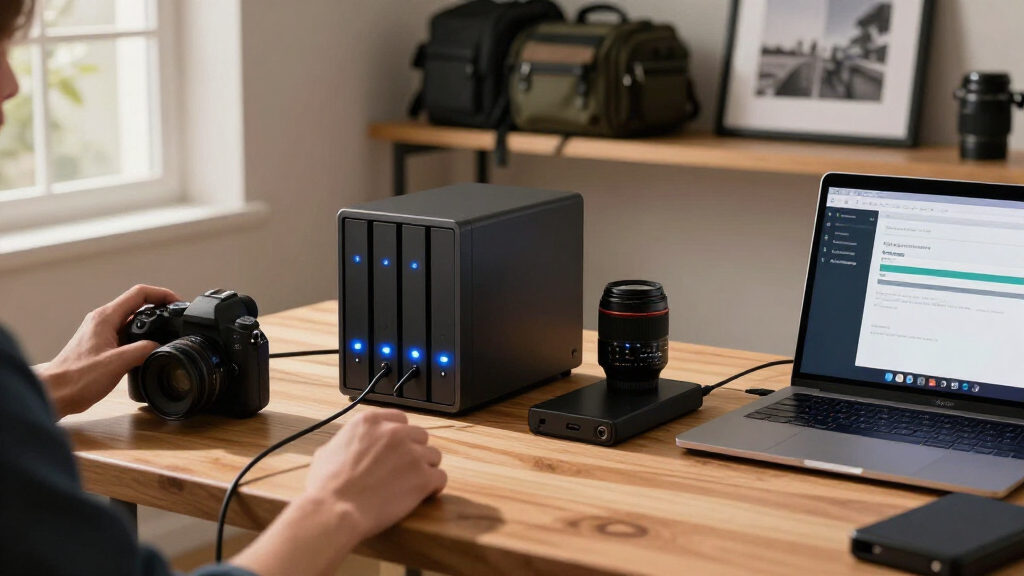
I judged each system through one lens: how well it protects and serves a growing photo library. That meant prioritizing RAID flexibility first, since a photographer losing a year of client shoots to a single drive failure is the exact scenario these devices exist to prevent. Four-bay units that support RAID 5 scored higher on long-term value than two-bay units limited to mirroring, because mirrored pairs give up half their capacity to redundancy.
Second, I weighed network speed and transfer performance, because moving 100GB of RAW files over slow Gigabit Ethernet is painful. Any model with 2.5GbE networking or dual LAN ports earned consideration for that reason alone. Third, I looked at what comes in the box: a diskless NAS is a very different purchase than one bundled with matched drives, and I flagged that clearly rather than treating them as equivalent. Finally, I factored in software maturity, hardware encryption support, and warranty length, since a photo archive is a multi-year commitment and the ecosystem around the drives matters as much as the drives themselves.
| nas storage system for photographers raid | Processor |
|---|---|
| TerraMaster F4-212 4-Bay NAS | ARM v8 quad-core, 1.7 GHz |
| StationPC PocketCloud NAS Dock | — |
| BUFFALO LinkStation SoHo 220 2 | — |
| ASUSTOR Drivestor 2 Gen 2 AS12 | Realtek RTD1619B quad-core, 1.7 GHz |
| Synology DiskStation DS220+ 2- | Intel dual-core |
Factors to Consider When Choosing Nas Storage System For Photographers Raid
Choosing a NAS for photography storage comes down to four decisions: how much capacity you need, what level of RAID protection fits your risk tolerance, how fast your network can move files, and how much setup effort you are willing to invest. Here is how I would think through each one.RAID Levels and What They Mean for Your Library
RAID 1 mirrors two drives, so every file exists twice and you survive one drive failure — but you lose half your raw capacity. Every two-bay unit in this lineup is limited to this or RAID 0, which offers no protection. RAID 5, available on the four-bay TerraMaster, stripes across three or more drives with parity, so a three-drive array loses only one drive’s worth of capacity to protection. For photographers, the practical question is library size: under 4TB and RAID 1 on a two-bay unit is fine; above that, four bays pay for themselves in usable space. Remember that RAID is not a backup — it protects against drive failure, not theft, fire, or accidental deletion, so pair any NAS with an offsite copy.
Diskless vs. Drives Included
Most NAS enclosures ship diskless, meaning you choose your own drives. That gives you control over capacity, drive grade (NAS-rated drives like IronWolf or WD Red are worth the premium), and replacement timing, but it roughly doubles your upfront cost and adds installation steps. The BUFFALO LinkStation is the exception here, arriving with matched drives under a single warranty. Matched drives are not technically required for RAID, but mismatched drives default to the smallest capacity and slowest speed, so buying identical units is the safer path.
Network Speed and Transfer Workflow
Gigabit Ethernet tops out around 110 MB/s in real use, which means a 100GB card dump takes roughly 15 minutes. 2.5GbE, found on the ASUSTOR and the PocketCloud dock, cuts that meaningfully if your switch and cabling support it — otherwise you are capped at Gigabit regardless of the NAS. Dual LAN ports on the Synology enable link aggregation for total throughput or failover for reliability, though a single transfer still runs at 1GbE speeds. Photographers who ingest cards daily will feel this difference more than occasional shooters.
Memory, Encryption, and Software Maturity
RAM determines how well a NAS handles photo indexing, thumbnail generation, and simultaneous services. The Synology’s expandability to 6GB gives it the longest runway; the TerraMaster’s fixed 2GB and the ASUSTOR’s 1GB are workable but tight for large libraries. AES-NI hardware encryption, only on the Synology here, matters if client contracts require encrypted storage, since software encryption on ARM CPUs can halve performance. Finally, software ecosystems differ sharply: Synology’s DSM and ASUSTOR’s ADM are more refined than TOS or BUFFALO’s firmware, which affects day-to-day usability more than spec sheets suggest.
Frequently Asked Questions
Is RAID 1 enough backup for a photography business?
RAID 1 is a strong first layer but not a complete backup strategy. It protects against a single drive failing, which is the most common hardware failure mode, but it does nothing against fire, theft, ransomware, or accidentally deleting a folder — those events destroy both mirrored copies simultaneously. For client work, I would follow the 3-2-1 rule: three copies of your data, on two different media types, with one copy offsite. A RAID 1 NAS can serve as copy two, while an external drive rotated offsite or a cloud backup service covers copy three. Treat RAID as availability and reliability, with a separate backup plan for true data safety.
How many drive bays does a photographer actually need?
Two bays are enough if your finished library sits under roughly 4TB and grows slowly, since RAID 1 on a 2x4TB setup gives you 4TB of protected space. The problem is that photo libraries rarely grow slowly — RAW files keep getting larger, and many photographers keep every original. Four bays unlock RAID 5, where a three-drive array of 8TB drives yields about 16TB usable while surviving one failure, which is far more efficient per terabyte. My practical advice: estimate your library size in three years, double it for safety, and buy bays accordingly, because upgrading to a bigger NAS later means migrating your entire archive.
Should I buy a NAS with drives included or purchase drives separately?
Separate drives usually make sense for photographers who want control. You can choose NAS-rated drives sized to your actual needs, upgrade capacity later, and replace a failed drive without touching the enclosure vendor. The BUFFALO’s bundled approach wins on convenience and warranty simplicity — one warranty covers everything, and setup takes minutes. The compromise with bundled drives is capacity ceiling: you get 4TB usable in RAID 1, and if you outgrow it, you are replacing both drives anyway. If you are comfortable installing drives and matching them correctly, diskless is the more flexible long-term path; if you want an appliance, buy bundled.
Is 2.5GbE networking worth prioritizing for photo transfers?
It depends entirely on the rest of your network. On a standard Gigabit switch, a 2.5GbE NAS performs identically to a 1GbE one — the port downshifts to the slowest link. But if your computer has a 2.5GbE port (increasingly common on modern laptops and desktops) and you connect through a 2.5GbE-capable switch, real-world transfers climb from around 110 MB/s to 250 MB/s or more, which cuts a 200GB wedding dump from half an hour to well under fifteen minutes. Budget 2.5GbE switches are now inexpensive, so the ASUSTOR’s port is a cheap future-proofing win even if you cannot use it today.
Do I need hardware encryption on a photo storage NAS?
For hobbyists, encryption is optional; for professionals handling client images, it is worth having. AES-NI hardware encryption, featured on the Synology DS220+, lets you encrypt shared folders with a negligible performance hit, which matters if contracts, GDPR-style obligations, or simple professional responsibility push you toward protecting client data on physical hardware. Without hardware acceleration, software encryption on ARM-based units like the TerraMaster can cut transfer speeds dramatically, which is why many owners simply leave it off — an unencrypted archive that a thief can read. If encryption matters to your business, choose hardware that makes it painless rather than a performance penalty you will eventually disable.
Conclusion
After comparing all five, my recommendations split cleanly by buyer type. Photographers with large, growing libraries should go with the TerraMaster F4-212, because four bays and RAID 5 give the best protected capacity per dollar once you factor in future drive purchases. Buyers who want zero setup friction should choose the BUFFALO LinkStation SoHo 220 — matched drives, RAID 1, and a three-year warranty covering everything, provided your library fits in 4TB and your Mac is not running a newer OS than macOS 15.
Long-term planners who value software polish get the most from the Synology DS220+, whose expandable RAM, hardware encryption, and mature ecosystem make it the best five-year home for an archive. Speed-focused shooters on modern networks should pick the ASUSTOR AS1202T for its 2.5GbE networking and tool-free setup, accepting the 1GB memory ceiling. And the StationPC PocketCloud Dock belongs only in the bag of a traveling photographer who already owns the compatible portable NAS — as a fast field backup layer, not a primary archive. Whatever you choose, remember that RAID protects against drive failure, not disaster, so pair your NAS with an offsite backup before you load a single RAW file onto it.
Halloween Picks
halloween
As an affiliate, we earn on qualifying purchases.