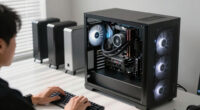
📊 Full opportunity report: Best Quiet Case Fans + the Airflow Setup That Actually Works on ThorstenMeyerAI.com — validation score, market gap, and execution plan.
TL;DR
This article identifies the best quiet case fans for 2026 and explains the airflow setup that achieves optimal cooling with minimal noise. It emphasizes large, slow-moving fans and proper configuration for high-power workstations.
In 2026, the top-rated quiet case fans are the Noctua NF-A12x25 and NF-A14, which combine high airflow with near-silent operation, supported by an airflow setup that prioritizes large, slow-moving fans for effective cooling without noise.
The Noctua NF-A12x25 is widely regarded as the best-engineered 120mm fan, capable of moving over 100 CFM at under 1000 RPM, producing about 16 dB of noise. Its larger counterpart, the NF-A14, offers similar performance at 140mm. Both fans feature refined bearings and motors, ensuring durability and silent operation for continuous use. Arctic’s P12 Pro and P14 PWM PST fans are highlighted as excellent value options, delivering nearly comparable airflow and static pressure at a fraction of the cost, around $8.50 per fan. For ultra-quiet setups, be quiet! Silent Wings 4 fans are recommended, producing approximately 17 dB and maintaining silence even at higher RPMs. When using liquid cooling, static-pressure fans like the Arctic P12 Pro and Noctua NF-F12 are optimal for radiators and dense heatsinks, pushing air through restrictive fin stacks efficiently while remaining quiet. The core principle emphasized is that larger fans spinning slowly move the same amount of air as smaller, faster fans but with significantly less noise, making them ideal for high-performance, quiet workstations.Best quiet case fans
+ the airflow that works.
The best fan won’t help if it’s pointed the wrong way. The whole recipe: big fans, running slowly, in a clean front-to-back path, with slightly more intake than exhaust. Build a config in Part 2 and watch the pressure balance respond.
Why Proper Fan Selection and Setup Matter in 2026
Choosing the right case fans and airflow configuration is crucial for maintaining high-performance workstations that require effective cooling without disruptive noise. Properly configured large, slow fans improve thermal management, extend component lifespan, and create a more comfortable workspace. As AI and high-power computing become more prevalent, optimized airflow setups ensure reliability and user comfort, making this knowledge essential for builders and users aiming for quiet, efficient systems in 2026.

Thermalright TL-C12C-S X3 CPU Fan 120mm ARGB Case Cooler Fan, 4pin PWM Silent Computer with S-FDB Bearing Included, up to 1550RPM Cooling Fan(3 Quantities) (TL-C12C X3)
- High Performance Cooling: Automatic PWM speed control up to 1550RPM
- Premium Bearings: S-FDB bearings reduce noise and extend lifespan
- ARGB Lighting Effects: Up to 17 customizable ARGB lighting modes
As an affiliate, we earn on qualifying purchases.
As an affiliate, we earn on qualifying purchases.
Advances in Quiet Fan Technology and Airflow Principles
Over recent years, fan technology has shifted towards larger, more efficient designs that operate at lower RPMs, significantly reducing noise. The principle that big, slow fans outperform small, fast ones in noise and cooling efficiency is now well-established. Leading brands like Noctua, Arctic, and be quiet! have refined their products to meet the demands of high-performance, quiet systems. This development aligns with the broader trend of building silent, reliable workstations for AI, content creation, and other intensive tasks, where thermal management and noise reduction are both critical.
"The Noctua NF-A12x25 remains the gold standard for quiet, reliable airflow in high-performance setups, thanks to its engineering and low noise profile."
— Thorsten Meyer, tech reviewer
large slow-moving case fans for PC
As an affiliate, we earn on qualifying purchases.
As an affiliate, we earn on qualifying purchases.
Remaining Questions About Long-Term Performance and Compatibility
While current fans are highly rated, long-term durability and consistent performance across different case configurations are still being evaluated. Compatibility with newer case designs and specific hardware setups may vary, and real-world noise levels can differ based on installation and ambient conditions. Further testing and user feedback in 2026 will clarify these aspects.
As an affiliate, we earn on qualifying purchases.
Future Developments in Quiet Cooling Technology and Setup Optimization
Expect ongoing improvements in fan blade design, bearing technology, and smart fan control algorithms that further enhance silence and cooling efficiency. Manufacturers may introduce more adaptive airflow systems that automatically optimize fan speeds based on workload and temperature, simplifying setup for users. Monitoring and adjusting airflow configurations will remain essential as hardware evolves.
As an affiliate, we earn on qualifying purchases.
Key Questions
Why are larger fans better for quiet operation?
Larger fans move the same amount of air at lower RPMs, which produces less noise compared to smaller, faster-spinning fans. This results in quieter operation while maintaining effective cooling.
Can I use these fans in any case?
Most fans are compatible with standard case sizes, but always verify the fan dimensions and mounting options for your specific case before purchasing.
Are static-pressure fans necessary for radiators?
Yes, static-pressure fans are designed to push air through dense fin stacks efficiently, making them ideal for radiators and heatsinks in liquid cooling setups.
How do I tune my fans for quiet operation?
Use fan control software or BIOS settings to set a flat, low RPM curve, ensuring fans run at the slowest speeds that still provide adequate cooling. Larger fans can often be run at lower speeds for minimal noise.
Source: ThorstenMeyerAI.com