
TL;DR

Get the latest gadgets delivered free with Prime
- Fast, free delivery on millions of items
- Prime Video, Amazon Music and more included
- Member-only deals all year
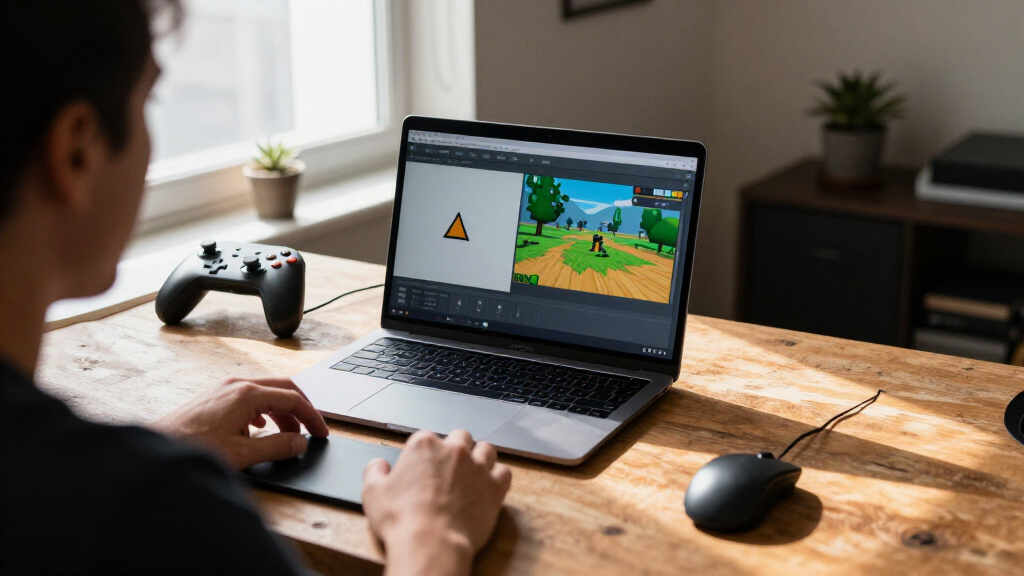
LittleJS has released a major update adding a 3D renderer that shares a canvas and object system with its 2D engine. The update also includes level editors, particle effects, performance changes and tools for AI-assisted game creation; performance comparisons cited by the developer cover two scenes on one machine.
LittleJS has added a 3D renderer that can run alongside its existing 2D engine, in what its developer describes as the project’s largest update since launch. The release also adds built-in 2D and 3D level editors, a particle-effects library and tools for AI-assisted game development, expanding the capabilities of the lightweight, dependency-free HTML5 engine.
The update is designed to let developers combine 2D and 3D content in one project. According to the announcement on Killed By A Pixel, the 3D system includes mesh and shape builders, terrain and voxel maps with collision, shadow maps, colored lights, spotlights, fog, reflections, particle effects, trails, cameras and custom shaders. The developer says 3D objects use the same LittleJS object, physics, child-object and timer systems as 2D objects. That allows, for example, a 2D interface over a 3D scene or 2D gameplay within a 3D environment. A plugin is also offered for developers who prefer Three.js for rendering.
The update adds features to the 2D engine as well, including dynamic lighting, one-way platforms, swept bullet collision, parallax layers and changes intended to improve object-collision performance. In debug builds, users can press Escape to pause and edit a level in place; the editor supports undo, autosave and prefabs. The announcement says 2D levels can be imported and exported as Tiled JSON.
A new particle library provides effects such as fire, smoke, sparks, explosions and rain, with controls for scale, hue and saturation. The developer also reports reworking the rendering core, including batched 2D sprites using WebGL2 and instanced 3D drawing. A browser-based benchmark compares LittleJS with PixiJS, Three.js, PlayCanvas, Phaser and Babylon.js using two scenes—moving sprites and lit cubes—and measures object counts at 60 frames per second. The author says LittleJS matched the fastest paths in some comparisons and outperformed other engines in several, while cautioning that the results came from one machine and two workloads.
One Engine for 2D and 3D
The release matters to developers who want 2D and 3D in a shared project without switching to a separate engine or maintaining separate object systems. If the announced integration works as described, common game elements—such as physics, timers and child objects—can be used across both kinds of content. That could make mixed-format games and prototypes easier to build within LittleJS.
The added editors and ready-made effects also target work that often takes time before gameplay is complete. AI-oriented templates and instructions are another route into the engine: the developer says a coding assistant can produce a playable project with the engine included, without requiring a server or npm installation. These are features and use cases described by the project, not independent evidence that every workflow will be faster or more reliable.
Performance claims need similar care. The published benchmark offers a way to compare engines in specific test scenes, but its results are not a broad, independent assessment of performance across devices, games or workloads. The author invites others to run the browser test and contribute results and scene improvements.
HTML5 game engine with 3D rendering
As an affiliate, we earn on qualifying purchases.
As an affiliate, we earn on qualifying purchases.
From Small 2D Engine to Broader Toolkit
LittleJS began as a small, general-purpose HTML5 game engine, with the developer citing the js13k game competition as an early proving ground. The stated design aim was to keep the core small and simple while allowing developers to make more ambitious games. The new 3D features follow a specific approach: the developer says they were built to feel like the existing 2D system rather than operate as a separate framework.
The announcement also points to contributions from the LittleJS community, including engine fixes, plugins, examples and games. The project’s example browser contains more than 100 short examples, according to the report, with live editing and a feature to share modified code through a link. The developer presents the examples, documentation and community activity as ways to help people learn and build with the engine.
The report describes a LittleJS AI toolkit with starter templates, helper modules and instructions for coding assistants including Claude Code, Copilot, Codex and Cursor. It also mentions a Claude Code plugin, a LittleJS GPT for creating games within ChatGPT, and an open-source arcade containing more than 50 small games. These offerings are part of the project’s announcement; the report does not provide independent testing of their output.
“I wanted the 3D side to feel exactly like the 2D side, same objects, same loop, same small API, not a separate framework bolted on.”
— LittleJS developer, in the Killed By A Pixel announcement
particle effects library for game development
As an affiliate, we earn on qualifying purchases.
As an affiliate, we earn on qualifying purchases.
Benchmark Scope and Adoption
The source report does not give benchmark tables, hardware specifications or detailed test conditions beyond the two scenes and the 60-frames-per-second measure. Its results therefore do not establish how the engines compare across different devices or real-world games. The developer explicitly asks users to run the benchmark on their own machines.
The announcement also does not specify a release version number, provide a date for the update, or explain whether every new feature is available through a stable release or requires a particular setup. It remains unclear how the AI tools perform across different prompts and projects, and how much editing users may need to do after generated games are created. The claims about ease of use and performance come from the project’s developer; independent evaluations are not included in the source material.
As an affiliate, we earn on qualifying purchases.
Try the Tools and Join the Jam
The announcement directs developers to LittleJS’s examples, documentation, GitHub repository and Discord to explore the changes. Users can also test the browser-based engine benchmark and compare its results on their own hardware. The developer says the new LittleJS website demonstrates the engine’s features through an interactive train ride.
The report says the third LittleJS Game Jam is scheduled to run from October 2 to November 2. It does not specify the year in the supplied material, so the dates should be checked against the project’s current event listing. Further information about release packaging, feature support and independent benchmark results may emerge as developers test the update and share their projects.
AI-assisted game development tools
As an affiliate, we earn on qualifying purchases.
As an affiliate, we earn on qualifying purchases.
Key Questions
What is new in the LittleJS update?
The update adds a 3D renderer alongside the 2D engine, as well as level editors, a particle-effects library, changes to the rendering core and tools for AI-assisted game development.
Can 2D and 3D content appear in the same game?
According to the developer, yes. The 3D system shares LittleJS’s object model and can run alongside 2D content, allowing setups such as a 2D interface over a 3D scene.
Does the update require Three.js?
No. The announcement describes LittleJS’s own 3D renderer and says a plugin is available for developers who prefer to use Three.js for rendering.
Are the performance results independently verified?
The source report presents the benchmark as a test built by the LittleJS developer. It covers two scenes on one machine; the report does not provide an independent assessment or results across a range of hardware.
What AI development tools are included?
The developer describes starter templates, helper modules and agent instructions for coding assistants, along with a Claude Code plugin, a LittleJS GPT and an open-source arcade of more than 50 small games. The source does not include independent evaluations of these tools.
Source: hn
Halloween Picks
halloween
As an affiliate, we earn on qualifying purchases.