A motion tracking camera for art creation lets you film tutorials, time-lapses, and live demos without a camera operator — the lens follows your hands as you work. For most artists, the Insta360 Link 2 is the best overall pick thanks to its smooth PTZ tracking, reliable 4K clarity, and gesture controls that free both hands mid-project. If you want more reach and audio flexibility for larger studio setups, the OBSBOT Tiny 3 and its spatial audio array is a strong alternative, while the SVN W2 with its larger 1/2″ CMOS sensor delivers standout low-light footage for dimly lit workspaces. The main tradeoff in this category is between consumer AI webcams, which are affordable and easy but limited in zoom, and professional PTZ cameras like the AVKANS LV20N, which cover whole studios but cost more and demand extra gear. Keep reading for the full breakdown of all 12 options.

Get the latest gadgets delivered free — and shop member deals
- Fast, free delivery on millions of items
- Access to Prime Big Deal Days deals on October 6–7
- Prime Video, Amazon Music and more included
Complete the kit



Key Takeaways
- Gesture control turned out to be the single most useful feature for artists — being able to zoom or pause tracking with a hand sign beats touching a remote with paint-covered fingers. The Insta360 Link 2 and OBSBOT Tiny models lead here.
- Sensor size matters more than resolution for art footage: the SVN W2’s 1/2″ CMOS captured cleaner detail in dim studios than several 4K webcams with smaller sensors.
- The dual-lens EMEET PIXY lineup is the best fit for dual-view art content — one wide framing shot plus a close-up of the work surface — without buying two separate cameras.
- The Canal Toys Studio Creator 360 is really a content-creation starter kit rather than a serious motion tracking camera; it only makes sense for kids or absolute beginners making their first art videos.
- The AVKANS LV20N is the only option with 20X optical zoom and NDI/HDMI/SDI output, making it the clear choice for workshop instructors streaming to large venues or multi-camera rigs — and overkill for everyone else.
| Canal Toys Studio Creator 360 Video Maker Kit with Green Screen, Tripod, and 10″ Light Ring |  | Best for Young Creators | Light Ring Diameter: 25 cm (10″) | Lighting Modes: 18 (3 white, 15 colour) | Tripod Max Height: 100 cm | VIEW ON AMAZON | See Our Full Breakdown |
| SVN W2 4K PTZ Webcam with Adjustable Tripod, 1/2″ CMOS Sensor, AI Tracking |  | Best Value for Studio-Quality 4K | Resolution: 4K | Sensor: 1/2″ CMOS | HDR: Yes | VIEW ON AMAZON | See Our Full Breakdown |
| EMEET PIXY Wireless 4K Dual-Lens AI Tracking Streaming Camera |  | Best for Live Streaming Artists | Resolution: 4K UHD | Lens Design: Dual-lens (video + AI tracking) | Field of View: 97° | VIEW ON AMAZON | See Our Full Breakdown |
| OBSBOT Tiny 3 Lite AI-Powered 4K Webcam with Spatial Audio and AI Tracking |  | Best Compact Pick | Sensor: 1/2″ CMOS | Video Resolution: 4K@30FPS / 1080P@120FPS | ISO Range: 100-6400 | VIEW ON AMAZON | See Our Full Breakdown |
| OBSBOT Tiny 2 Lite 4K AI Tracking PTZ Webcam |  | Best for Hybrid Beginners and Power Users | Resolution: 4K@30FPS, 1080P@60FPS | Sensor: 1/2″ CMOS, 48 MP | Aperture: f/1.8 | VIEW ON AMAZON | See Our Full Breakdown |
| Insta360 Link 2 PTZ 4K Webcam for PC/Mac |  | Best Overall for Studio Demos | Resolution: 4K | Sensor: 1/2 inch | Type: PTZ webcam | VIEW ON AMAZON | See Our Full Breakdown |
| Insta360 Link 2 PTZ 4K Webcam for PC/Mac | | Best Plug-and-Play Pick | Resolution: 4K | Sensor: 1/2 inch | Focus: Phase Detection Auto Focus (PDAF) | VIEW ON AMAZON | See Our Full Breakdown |
| OBSBOT Tiny 3 AI-Powered 4K Webcam with Spatial Audio and AI Tracking PTZ |  | Best Premium Compact | Sensor: 1/1.28″ CMOS | Video Resolution: 4K@30FPS / 1080P@120FPS | Microphones: Triple-mic array (1 omnidirectional + 2 MEMS directional) | VIEW ON AMAZON | See Our Full Breakdown |
| EMEET PIXY Dual-Camera AI-Powered PTZ 4K Webcam Kit with Tripod |  | Best Complete Starter Kit | Resolution: 4K | Sensor: 1/2.55″ | Autofocus: PDAF + AI, 0.2s | VIEW ON AMAZON | See Our Full Breakdown |
| Insta360 Link 2 Pro 4K PTZ Webcam for PC/Mac |  | Best Premium Pick | Resolution: 4K UHD | Sensor: 1/1.3″ CMOS | Aperture: f/1.9 | VIEW ON AMAZON | See Our Full Breakdown |
| AVKANS LV20N AI Auto Tracking NDI 6 PTZ Camera with 20X Optical Zoom, HDMI SDI USB3.0 Outputs, for Church Worship and Live Events |  | Best for Professional Live Streaming and Multi-Output Integration | Optical Zoom: 20X | NDI Support: NDI HX2 & NDI HX3 (license included) | Video Outputs: HDMI, SDI, USB 3.0, NDI | VIEW ON AMAZON | See Our Full Breakdown |
| EMEET PIXY Dual-Camera PTZ 2K Webcam with AI Tracking |  | Best for Creative Streamers and Small-Scale Art Projects | Resolution: 2K | Autofocus: PDAF & AI, 0.2s | Main Sensor: 1/2.55″ | VIEW ON AMAZON | See Our Full Breakdown |
| motion tracking camera for art creation | Resolution | Sensor |
|---|---|---|
| Canal Toys Studio Creator 360 | — | — |
| SVN W2 4K PTZ Webcam with Adju | 4K | 1/2" CMOS |
| EMEET PIXY Wireless 4K Dual-Le | 4K UHD | — |
| OBSBOT Tiny 3 Lite AI-Powered | — | 1/2" CMOS |
| OBSBOT Tiny 2 Lite 4K AI Track | 4K@30FPS, 1080P@60FPS | 1/2" CMOS, 48 MP |
| Insta360 Link 2 PTZ 4K Webcam | 4K | 1/2 inch |
| Insta360 Link 2 PTZ 4K Webcam | 4K | 1/2 inch |
| OBSBOT Tiny 3 AI-Powered 4K We | — | 1/1.28" CMOS |
| EMEET PIXY Dual-Camera AI-Powe | 4K | 1/2.55" |
| Insta360 Link 2 Pro 4K PTZ Web | 4K UHD | 1/1.3" CMOS |
| AVKANS LV20N AI Auto Tracking | — | — |
| EMEET PIXY Dual-Camera PTZ 2K | 2K | — |
More Details on Our Top Picks
Canal Toys Studio Creator 360 Video Maker Kit with Green Screen, Tripod, and 10″ Light Ring
This kit makes the most sense for kids and teens producing their first art or craft videos, because it bundles everything a beginner needs in one box: a 360° tracking base, a 25 cm light ring with 18 colour modes, a tripod, and a 150 x 100 cm green screen for background swaps. Unlike the SVN W2 or OBSBOT Tiny 2 Lite, which assume you already own lighting and a workspace, this gets a young creator filming independently within an hour. The tradeoff is clear when compared to those webcam rivals: image quality depends entirely on the phone you mount, and the plastic build won’t survive rough handling. For a child learning video composition and green-screen effects, though, that simplicity is the point.
Pros:- Complete starter kit with light ring, green screen, tripod, and phone holder included
- 360° face and body tracking lets kids film solo with no camera operator
- 18 lighting modes with remote control for experimenting with mood and colour
- Free Souing app keeps the workflow simple for beginners
Cons:- Requires a compatible smartphone and app download, which excludes some devices
- Plastic construction feels less durable than dedicated webcams
- Image quality is capped by whatever phone camera you own
Best for: Kids and teens aged roughly 8–15 who want to film art tutorials, DIY projects, or green-screen videos without a parent holding the phone
Not ideal for: Adult artists and professional streamers — the plastic construction and phone-dependent image quality can’t match dedicated 4K webcams like the OBSBOT Tiny 2 Lite
- Light Ring Diameter:25 cm (10″)
- Lighting Modes:18 (3 white, 15 colour)
- Tripod Max Height:100 cm
- Green Screen Size:150 x 100 cm
- App:Souing (Google Play and App Store)
- Connectivity:Wireless
- Safety Compliance:Meets European safety standards
Our verdict“A self-contained creative playground for young artists who want to star in their own videos, not a tool for polished professional output.”
SVN W2 4K PTZ Webcam with Adjustable Tripod, 1/2″ CMOS Sensor, AI Tracking
The SVN W2 stands out for delivering a 1/2″ sensor with true 4K and HDR at a mid-range price, a combination that more expensive rivals like the OBSBOT Tiny 2 Lite can’t claim at this tier. Its dual-axis gimbal covers ±170° pan and ±90° tilt, which means an artist moving around a canvas or pottery wheel stays framed without any manual adjustment. Compared with the Canal Toys kit, this is a genuine camera rather than a phone mount, so colour and detail hold up for portfolio footage or online teaching. Two honest caveats: the 6X zoom is digital only, so detail softens at full extension, and the bundled gesture and AI modes add complexity that casual users may never touch. Still, the included tripod and 2.1m cable make it a ready-to-run desk studio.
Pros:- True 4K resolution with a large 1/2″ CMOS sensor and HDR
- Wide ±170° pan / ±90° tilt range keeps moving artists in frame
- Plug-and-play USB setup with no drivers, works on Windows and macOS
- Adjustable tripod and all-in-one remote included in the box
Cons:- 6X digital zoom softens detail at maximum extension
- AI and gesture features add setup complexity for users who just want basic tracking
Best for: Art instructors and studio vloggers who want sharp 4K footage and reliable AI framing without paying premium webcam prices
Not ideal for: Users who need optical zoom for detail shots — the digital-only 6X zoom degrades image quality at full extension
- Resolution:4K
- Sensor:1/2″ CMOS
- HDR:Yes
- Pan/Tilt:±170° pan / ±90° tilt
- Zoom:6X digital
- Field of View:80° wide-angle, distortion-free
- Microphone Pickup:1.5–3m (5–10ft)
- Connectivity:Plug-and-play USB, 2.1m cable
Our verdict“The most balanced price-to-image-quality pick here for creators who want studio-grade 4K tracking footage without premium-model cost.”
EMEET PIXY Wireless 4K Dual-Lens AI Tracking Streaming Camera
This model is better suited to artists who stream live process videos than any tethered webcam in this lineup, because it cuts the cable entirely and runs up to 8 hours on battery — enough for a full painting session. Its dual-lens design gives the AI tracking its own dedicated sensor, so subject recognition holds up during fast movement, something single-lens rivals like the SVN W2 can struggle with. The one-click simultaneous streaming to YouTube, Twitch, and Facebook via EMEET STUDIO is the real differentiator: a ceramicist doing a live throw-along can broadcast everywhere at once. The catch is ecosystem dependence — the multi-cam switching and streaming tools only work through EMEET’s app, so buyers committed to OBS or Stream Deck workflows (where the OBSBOT Tiny 2 Lite excels) should think twice before buying.
Pros:- Dedicated AI tracking lens maintains recognition during fast movement
- 8-hour battery life covers full-day studio sessions without a power cable
- One-click simultaneous streaming to YouTube, Twitch, and Facebook
- Portable carrying case makes location shoots practical
Cons:- Multi-cam and streaming features are locked behind the EMEET STUDIO app
- 97° field of view may require careful positioning to avoid distortion at the edges
Best for: Live-streaming artists and craft creators who want wireless, all-day battery power and multi-platform broadcasting from a single camera
Not ideal for: Creators already built around OBS, Stream Deck, or SDK-driven workflows — the best features here depend on the EMEET STUDIO app
- Resolution:4K UHD
- Lens Design:Dual-lens (video + AI tracking)
- Field of View:97°
- HDR:Supported
- Battery:5200mAh, up to 8 hours
- Microphone:Built-in 48kHz, 3.5mm external mic jack
- Compatibility:Android, iOS, Windows, macOS
- Streaming Platforms:YouTube, Twitch, Facebook, RTMP
Our verdict“The pick for artists whose primary output is live video and who want cable-free flexibility over deep software integration.”
OBSBOT Tiny 3 Lite AI-Powered 4K Webcam with Spatial Audio and AI Tracking
At 48% smaller and 34% lighter than its predecessor, the Tiny 3 Lite is the camera to grab when desk space is limited or you film in multiple locations. What makes it interesting for art creators specifically is AI Tracking 2.0, which recognises not just faces but 200+ object types — meaning it can follow a sculpture, a sketchbook, or your hands rather than only your head. The triple-mic array with five spatial audio modes also captures clear narration while you work, which the SVN W2’s simpler dual-mic setup can’t match. The tradeoff is behaviour: with voice and gesture control both enabled, the gimbal can react unpredictably to your own speaking or movements mid-demo. And the deepest features live in OBSBOT Center software, so expect a learning curve before everything clicks.
Pros:- Genuinely compact and lightweight for mobile or cramped studio setups
- AI Tracking 2.0 follows persons, groups, and 200+ object types
- Strong low-light performance with ISO up to 6400 and PDAF autofocus
- Triple-mic array with five audio modes captures clear working narration
Cons:- Gimbal can behave erratically when voice and gesture control are both active
- Advanced features require learning the OBSBOT Center software
Best for: Space-constrained creators and travelling art tutors who need a pocket-sized camera that can track objects and hands, not just faces
Not ideal for: Users who want zero setup — mastering OBSBOT Center and taming the voice/gesture controls takes patience
- Sensor:1/2″ CMOS
- Video Resolution:4K@30FPS / 1080P@120FPS
- ISO Range:100-6400
- Microphones:Triple-mic array (1 omni + 2 MEMS directional)
- Tracking:AI Tracking 2.0 (persons, groups, 200+ object types)
- Controls:Voice and gesture control
- Software:OBSBOT Center
Our verdict“A small-footprint powerhouse for artists who need object-level tracking and good audio in a camera that fits in a bag.”
OBSBOT Tiny 2 Lite 4K AI Tracking PTZ Webcam
The Tiny 2 Lite earns its place by growing with the user: it’s genuinely plug-and-play on day one, yet supports SDK, OSC, Stream Deck, and global hotkeys for when your channel gets serious. Its 4X optical zoom is the standout against the SVN W2, letting an artist cut to brushwork or fine detail without the softness of digital-only zoom. Compared to its sibling, the OBSBOT Tiny 3 Lite, this model trades the compact body and spatial audio for upper-body and hand tracking modes plus customisable preset positions — a real time-saver when switching between a wide studio shot and a close-up of the easel. The drawbacks are real: no voice control or whiteboard mode (reserved for pricier models), and the stated hardware requirements mean older PCs may struggle with 4K output.
Pros:- 4X optical zoom delivers clean close-ups of detail work
- Upper-body and hand tracking with customisable tracking zones
- Preset positions speed up switching between wide and close-up shots
- SDK, OSC, and Stream Deck support for advanced streaming setups
Cons:- Lacks voice control and whiteboard mode found in higher-end OBSBOT models
- Requires relatively modern hardware (7th Gen Intel i5+, 8GB RAM)
Best for: Art YouTubers and online teachers who want easy setup now but room to expand into Stream Deck and custom workflows later
Not ideal for: Owners of older computers — the 7th Gen Intel i5 / 8GB RAM minimum rules out ageing laptops, and there’s no voice control for hands-busy workflows
- Resolution:4K@30FPS, 1080P@60FPS
- Sensor:1/2″ CMOS, 48 MP
- Aperture:f/1.8
- Zoom:4x digital, 4x optical
- Connectivity:USB-C
- Shooting Modes:Landscape, Portrait, Upside-down
- Compatibility:Windows 10+, macOS 11+
- System Requirements:7th Gen Intel Core i5+, 8GB RAM
Our verdict“The most future-proof choice for creators who want a camera that works simply today and integrates into a pro streaming rig tomorrow.”
Insta360 Link 2 PTZ 4K Webcam for PC/Mac
This configuration of the Insta360 Link 2 stands out as the most complete package for artists who film hands-on creative tutorials. The physical pan/tilt head combined with AI tracking means the camera follows you around the canvas instead of cropping a fixed frame digitally, which is what separates it from cheaper static options like the SVN W2. For art creation specifically, Whiteboard Mode and DeskView are the killer features — they reframe your workspace automatically when you switch from talking to the camera to demonstrating technique. The HDR and 1/2″ sensor hold detail in the uneven lighting typical of home studios. The tradeoff is real: advanced features like bokeh require the Link Controller software, and ARM Windows users are left out entirely. Compared with the OBSBOT Tiny 3, tracking here feels more predictable, though the sensor is slightly smaller.
Pros:- Excellent 4K image quality with HDR and strong low-light performance
- Physical pan/tilt AI tracking keeps you framed without digital cropping
- Best-in-class AI noise-canceling microphones
- Whiteboard Mode and DeskView tailor it directly to art instruction
Cons:- Not compatible with ARM-based Windows or Windows Hello Face Recognition
- Requires Link Controller software for advanced features like bokeh
Best for: Art tutorial creators and streamers who switch between talking-head segments and overhead desk work
Not ideal for: ARM-based Windows laptop owners or anyone needing Windows Hello face login
- Resolution:4K
- Sensor:1/2 inch
- Type:PTZ webcam
- Focus:Phase Detection Auto Focus (PDAF)
- Microphone:AI noise-canceling
- Features:AI Tracking, HDR, Gesture Control, Whiteboard Mode, DeskView, Privacy Mode
- Compatibility:PC/Mac; Zoom, Microsoft Teams, Twitch
Our verdict“The most well-rounded pick for artists who need reliable tracking and workspace modes without managing multiple cameras.”
Insta360 Link 2 PTZ 4K Webcam for PC/Mac
This listing of the Insta360 Link 2 earns a separate spot because of its automatic privacy tilt-down after 10 seconds of inactivity — a small detail that matters if your camera lives above a shared studio desk. Functionally it matches the other Link 2 (B0DM5YP22D) in tracking, HDR, and audio, so the buying decision between the two comes down to price and bundle at checkout rather than hardware. Compared with the EMEET PIXY kit, you give up the bundled tripod and wider 310° pan range, but you gain a tighter, more polished software experience across Zoom, Teams, and Twitch. Gesture and smartphone remote control let you reframe mid-session without touching your keyboard — useful when your hands are covered in paint or clay. The ARM Windows incompatibility remains the biggest dealbreaker.
Pros:- Excellent 4K HDR image with strong low-light performance
- AI tracking physically pans and tilts to keep subjects in frame
- Best-in-class AI noise-canceling audio
- Automatic privacy tilt-down and smartphone remote control
Cons:- Not compatible with ARM-based Windows systems
- No Windows Hello Face Recognition support
Best for: Artists who want a set-it-and-forget-it camera with automatic privacy and hands-free control
Not ideal for: Buyers who need bundled mounting hardware or ARM Windows support
- Resolution:4K
- Sensor:1/2 inch
- Focus:Phase Detection Auto Focus (PDAF)
- Microphone:AI noise-canceling
- Control:Gesture control and smartphone remote
- Special Modes:DeskView, Whiteboard
- Privacy:Auto tilt-down after 10 seconds of inactivity
Our verdict“Choose this over the other Link 2 listing if it’s cheaper at purchase time — the hardware is identical and the privacy tilt is a genuine studio bonus.”
OBSBOT Tiny 3 AI-Powered 4K Webcam with Spatial Audio and AI Tracking PTZ
The OBSBOT Tiny 3 makes sense for artists who need serious tracking in a small footprint. Its 1/1.28″ sensor is the largest in this batch apart from the Link 2 Pro, and the wide ISO range with DCG HDR handles dim studios where cheaper cameras produce muddy footage. What sets it apart from both Insta360 options is AI Tracking 2.0, which can lock onto 200+ object types — not just faces — so it can follow a sculpture, a canvas, or your hands during a close-up demo. The triple-mic spatial audio array also outclasses the Insta360’s stereo setup for narrated tutorials. The compromises are real though: no Wi-Fi or Bluetooth, it’s tethered to a PC or Mac with no standalone recording, and voice/gesture controls can occasionally cause erratic gimbal movement mid-session.
Pros:- Compact and lightweight — 48% smaller, 34% lighter than its predecessor
- Excellent low-light performance with wide ISO range and DCG HDR
- AI tracking for people, groups, and 200+ object types
- Triple-mic spatial audio with five specialized modes
Cons:- No Wi-Fi or Bluetooth connectivity
- Voice/gesture control can cause erratic gimbal behavior
- Requires PC/Mac connection — no standalone memory or processing
Best for: Working artists in small studios who want object-level tracking and top-tier low-light footage
Not ideal for: Anyone wanting wireless operation or standalone recording without a computer attached
- Sensor:1/1.28″ CMOS
- Video Resolution:4K@30FPS / 1080P@120FPS
- Microphones:Triple-mic array (1 omnidirectional + 2 MEMS directional)
- Zoom:4x digital
- Aperture:f/1.8
- ISO Range:0-12800
- Connectivity:USB-C (no Wi-Fi/Bluetooth)
- Weight:310 g
Our verdict“The strongest pick for object tracking and audio quality if your workflow is always tethered to a computer.”
EMEET PIXY Dual-Camera AI-Powered PTZ 4K Webcam Kit with Tripod
The EMEET PIXY Kit is the only option here that arrives ready to shoot out of the box, with an adjustable tripod (6.7–18.5″, 360° swivel head) and universal 1/4″ mount included — a real advantage over the Insta360 Link 2 models, which assume you already own mounting gear. Its dual-camera setup with a dedicated AI sensor delivers 0.2s autofocus and a genuinely wide 310° pan / 180° tilt range, wider than anything Insta360 or OBSBOT offers, so it suits artists who move across a large easel or workbench. The 1/2.55″ sensor is the smallest in this lineup, though, so expect softer footage than the Link 2 Pro in low light. Also note that field-of-view adjustments only work in 1080P/2K 30FPS modes, and the remote is sold separately.
Pros:- Fast 0.2s autofocus via PDAF and AI dual-camera system
- Wide 310° pan / 180° tilt tracking range for large workspaces
- Versatile 3-mic array with live, noise-canceling, and original sound modes
- Includes adjustable tripod with universal 1/4″ screw mount
Cons:- Field of view adjustments only available in 1080P/2K 30FPS modes
- Remote control sold separately
- Smallest sensor in the lineup limits low-light detail
Best for: First-time art streamers who want camera, tracking, and mounting hardware in one purchase
Not ideal for: Detail-obsessed 4K shooters who need full framing control at maximum resolution
- Resolution:4K
- Sensor:1/2.55″
- Autofocus:PDAF + AI, 0.2s
- Pan Range:310°
- Tilt Range:180°
- Microphones:3-mic array
- Tripod Height:6.7–18.5 inches, 360° swivel head
- Software:EMEET STUDIO with presets, whiteboard mode, privacy controls
Our verdict“The easiest on-ramp into tracked art streaming, provided you accept softer 4K footage than pricier rivals.”
Insta360 Link 2 Pro 4K PTZ Webcam for PC/Mac
The Insta360 Link 2 Pro sits at the top of this lineup on image quality alone. Its 1/1.3″ sensor is the largest in the batch, pairing with an f/1.9 aperture for footage that stays clean when your studio lighting is less than ideal — a clear step above the standard Link 2 and its 1/2″ chip. For art creators selling courses or portfolio content, the DSLR-like natural bokeh and beamforming dual-mic system give output a professional finish that cheaper options can’t fake. Compatibility is also the widest here, adding Chrome OS and Linux plus Elgato Stream Deck integration for streamers running multi-scene setups. It costs noticeably more than the EMEET PIXY kit and OBSBOT Tiny 3, and the same ARM Windows limitation applies. No built-in storage means it’s fully dependent on your computer, too.
Pros:- Large 1/1.3″ sensor delivers sharp 4K video with strong low-light performance
- AI tracking with physical pan/tilt keeps you in frame
- Beamforming dual-mic system with directional noise cancellation
- Widest compatibility including Chrome OS, Linux, and Stream Deck
Cons:- Not compatible with ARM-based Windows or Windows Hello Face Recognition
- No built-in storage — fully reliant on PC/Mac
- Priced well above equally capable tracking rivals
Best for: Professional art educators and course creators who sell video content and need the best possible image
Not ideal for: Budget-conscious beginners or ARM Windows users — the standard Link 2 covers most needs for less
- Resolution:4K UHD
- Sensor:1/1.3″ CMOS
- Aperture:f/1.9
- Zoom:4x digital
- Focus:Manual and auto
- Weight:167.5 g
- Connectivity:USB-C
- Compatibility:Windows, macOS, Chrome OS, Linux
- Special Features:AI Tracking, Natural Bokeh, Stream Deck Integration
Our verdict“Worth the premium only if image quality directly earns you money; otherwise the standard Link 2 is the smarter buy.”
AVKANS LV20N AI Auto Tracking NDI 6 PTZ Camera with 20X Optical Zoom, HDMI SDI USB3.0 Outputs, for Church Worship and Live Events
The AVKANS LV20N stands out for its professional-grade features tailored to live event broadcasting, such as extensive output options—including HDMI, SDI, USB 3.0, and NDI support—which make it a versatile choice for complex setups. Compared to the smaller EMEET PIXY, this camera offers a much more robust selection of outputs and supports the latest NDI HX3 protocol, ideal for seamless multi-camera workflows. However, its auto tracking is limited to a single person and it struggles with fast-moving subjects like sports, which might be a drawback if dynamic action is part of your art creation. The inclusion of free software and a one-year warranty adds value for professional users seeking reliability and ongoing support. The tradeoff is that it’s more expensive and requires a dedicated setup space, making it less suitable for casual or home studio use.Pros:- Multiple professional outputs (HDMI, SDI, USB, NDI) in one device
- Supports latest NDI HX3 with included license for seamless network integration
- Configurable AI auto tracking with three modes for flexibility
- Built-in tally light for live preview and program monitoring
Cons:- Auto tracking limited to one person, not suitable for fast-moving subjects
- Requires a significant setup space and professional environment
Best for: Professional content creators and live streamers who need multi-output capabilities and precise auto tracking for studio or event environments.
Not ideal for: Artists seeking a lightweight, simple camera for casual or home art projects, as its bulk and setup complexity may be overkill.
- Optical Zoom:20X
- NDI Support:NDI HX2 & NDI HX3 (license included)
- Video Outputs:HDMI, SDI, USB 3.0, NDI
- Max Resolution:1080P 60fps
- SDI Cable Distance:Up to 300 ft
- Tracking Modes:Presenter, Zone, Hybrid
Our verdict“This camera makes the most sense for professionals who need high-quality, multi-output streaming with reliable auto tracking in a fixed environment.”
EMEET PIXY Dual-Camera PTZ 2K Webcam with AI Tracking
The EMEET PIXY shines with its dual-camera setup that blends a 2K main sensor with AI-powered tracking and a secondary AI camera for skin tones and autofocus, offering a compelling balance of quality and usability. Unlike the AVKANS LV20N, which targets professional broadcasting, the PIXY is designed for creators working in more casual or small studio settings, providing smooth 310° pan and 180° tilt with gesture control for intuitive operation. Its fast autofocus (0.2s) and AI tracking deliver sharp, stable images, but the remote control and tripod mount are sold separately, adding extra costs for a complete setup. Additionally, FOV adjustment locking limits flexibility if you want to change framing on the fly. This makes the PIXY an excellent choice for creators who prioritize ease of use and mobility over extensive output options.Pros:- Rapid 0.2s dual autofocus (PDAF + AI) for sharp, clear images
- Smooth 310° pan and 180° tilt with gesture control for intuitive operation
- Built-in 3-mic array with noise reduction for better audio recording
- Compatible with major streaming platforms like OBS, Twitch, and YouTube
Cons:- Remote control sold separately, adding extra cost
- Tripod mounting requires purchasing additional equipment
- FOV adjustment is locked in 1080P 60FPS mode, limiting framing flexibility
Best for: Content creators and artists who want a versatile, easy-to-use camera with AI tracking for live streaming or recording in small to medium setups.
Not ideal for: Large production environments or those needing multiple outputs and advanced broadcast features, as it lacks extensive connectivity options.
- Resolution:2K
- Autofocus:PDAF & AI, 0.2s
- Main Sensor:1/2.55″
- Pan Range:310°
- Tilt Range:180°
- Microphones:3-mic array
Our verdict“This camera is ideal for creators seeking a user-friendly, AI-powered tracking solution for small-scale streaming and art projects without complex setup requirements.”
How We Picked
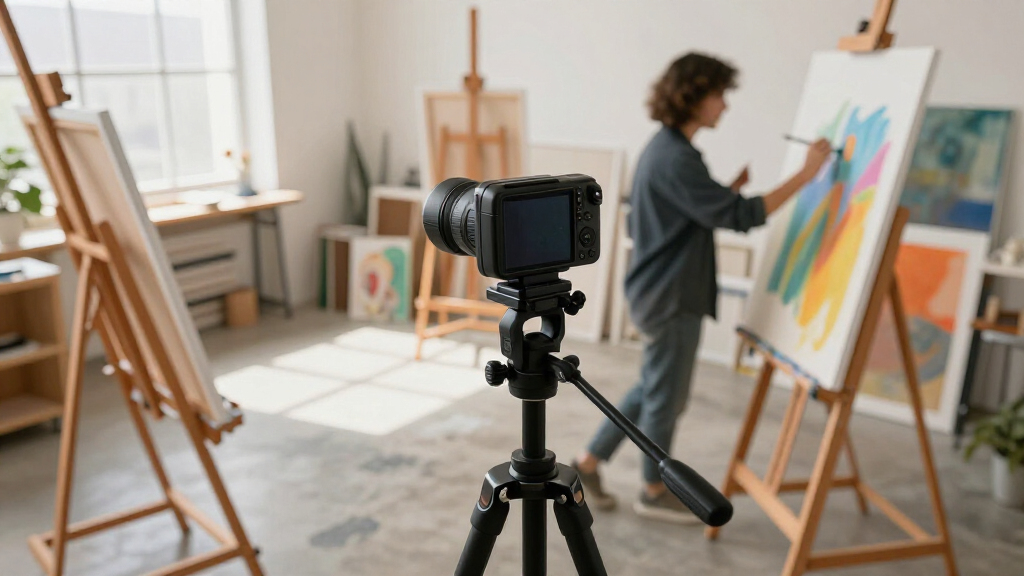
My ranking leans on five criteria tailored to art creation rather than generic video calls. Tracking smoothness under close-range hand movement came first, because art filming happens at 30–60cm from the lens, exactly where cheap AI tracking gets jittery. Second was close-focus capability and detail rendering — a camera that can’t resolve brush strokes or pen lines is useless for tutorials, which is why sensor size and optical quality ranked above headline resolution. Third, I weighed workflow convenience for working artists: gesture control, app control, and whether the mount works with easels, drafting tables, and overhead rigs.
Fourth was output flexibility — cameras with NDI, HDMI, or SDI support ranked higher for studio and live-event use, while USB-only models were judged as desktop tools. Finally, I considered value relative to the intended user: a $1,500 PTZ rig isn’t a better pick than a $150 webcam if the artist films at a desk. That’s why the ordering moves from versatile all-rounders at the top, through specialized mid-range options, to the niche pro rig at the bottom and the beginner kit anchored near the end.
Factors to Consider When Choosing Motion Tracking Camera For Art Creation
Before spending money on any of these cameras, it helps to understand what actually separates a great art-creation tracking camera from a good meeting webcam. These are the factors that shaped my rankings — and the mistakes I see artists make most often.Close-Range Tracking Quality
Most AI tracking webcams are tuned for a person sitting a meter away on a video call. Art creation breaks that assumption: your hands are close to the lens, moving constantly, and often overlapping each other. Cheap trackers lock onto the wrong hand, drift toward your face, or freeze entirely when movements get quick. Ask whether the camera is rated for close-range tracking specifically, and look for user reports involving sketching, crafting, or cooking demos — they stress a tracker the same way art does. A useful habit before buying: check whether the manufacturer offers tracking sensitivity or zone settings, because those controls let you confine tracking to your hands rather than your whole body. This single factor disqualifies more budget cameras than any other.
Sensor Size and Low-Light Performance
Studios are rarely lit like offices. Warm, dim, directional lighting flatters artwork but starves small sensors, producing noisy footage that hides texture and color nuance — the exact things art audiences want to see. A larger sensor, like the 1/2″ chip in the SVN W2, gathers more light and renders finer detail even at the same 4K resolution as a competitor. Resolution alone tells you very little about image quality; two 4K cameras can look dramatically different under a single softbox. If your workspace relies on window light or mood lighting, weight sensor size heavily. If you work under bright, even studio lighting, you can safely prioritize tracking features instead and save money.
One Camera or Two Views
A common mistake is buying one PTZ camera to do a job that really needs two framings: the wide establishing shot of you at the easel, and the tight close-up of the work itself. A single tracking camera has to pan and zoom between them, which means seconds of dead air mid-demo every time it reframes. Dual-lens designs like the EMEET PIXY series solve this by cutting instantly between a wide and a close view, which is why they earned a dedicated spot in my lineup. Alternatively, some artists pair a cheap fixed webcam for the wide shot with a tracking camera for detail work — often cheaper than one premium PTZ and more flexible. Decide your shot structure before deciding your camera count.
Connectivity and Streaming Workflow
USB webcams plug in and just work with OBS, Zoom, and YouTube Live, which covers most tutorial creators. But if you teach workshops, run gallery demos, or stream from a stage, you may need HDMI, SDI, or NDI output to integrate with switchers and multi-camera rigs — the territory of the AVKANS LV20N. Buying a USB-only camera and discovering you need SDI later is an expensive mistake, since no adapter adds professional outputs. NDI in particular is worth understanding: it sends video over your network with low latency, letting you place a camera far from your computer without long cable runs. Match the connectivity to the setups you’ll actually use in the next year, not the ones you imagine someday.
Mounting and Studio Integration
Art filming demands mounting positions webcams weren’t designed for: overhead rigs above a desk, arms clamped to easels, or tripods behind your shoulder. Check the mounting thread (most use 1/4″-20, which fits standard tripods and magic arms), the weight of the camera, and whether its gimbal range can aim straight down. PTZ webcams with built-in gimbals, like the Insta360 Link series, handle odd angles gracefully; boxier PTZ cameras like the AVKANS may need a heavier tripod for overhead work. Also consider cable length and power delivery — a wireless option like the EMEET PIXY frees you from tethering your camera to the computer’s USB range. Sketch your intended setup on paper before buying; it exposes mounting problems instantly.
Budget Tiers and When to Pay More
This category splits into three honest price bands. Under $150 gets you competent AI tracking for desk-based filming — fine for social clips and casual tutorials. The $150–$350 band buys the sweet spot: better sensors, gesture control, 4K PTZ movement, and app ecosystems, which is where most of my top picks sit. Above $500 you’re paying for professional outputs, optical zoom, and broadcast integration — justified only if you teach live events or run multi-camera productions. The mistake to avoid is assuming price buys better tracking; a pro PTZ rig often tracks a close-range artist worse than a $200 AI webcam because it’s designed for stage distances. Pay more for outputs and optics, not for tracking you can get cheaper.
Frequently Asked Questions
Can a motion tracking camera follow my hands while I paint or draw, not just my face?
Most modern AI tracking cameras can, but performance varies a lot at close range. Models like the Insta360 Link 2 and OBSBOT Tiny series use gesture and limb tracking that handles hand movement within about a meter of the lens, which suits most desk and easel setups. Face-priority trackers — common in cheaper webcams — will fight you, constantly drifting back to your head. Look for cameras with adjustable tracking modes or tracking zones so you can confine the lock to your hands. If your work is extremely close to the lens, under 30cm, expect even good trackers to occasionally lose lock; pairing the tracking camera with a fixed close-up webcam solves this completely.
Do I really need 4K for art tutorials, or is 1080p enough?
It depends on where your audience watches and how you edit. If you crop your footage to zoom in on details — a very common editing move for art content — 4K gives you room to punch in without visible softness, and that alone justifies it for tutorial creators. If you stream live and never crop, 1080p from a larger, better sensor will often look sharper than compressed 4K from a small one. Platform matters too: YouTube rewards 4K uploads with better transcoding, while Twitch’s art category streams mostly at 1080p. My advice is to prioritize sensor quality first and resolution second, which is partly why the SVN W2 ranks highly despite stiff 4K competition.
Is the AVKANS NDI camera worth it for a solo artist’s studio?
For most solo creators, no. The AVKANS LV20N earns its place for people teaching in-person workshops, streaming church or community art events, or feeding video into a switcher-based production — its 20X optical zoom and HDMI/SDI/NDI outputs exist for that world. In a solo studio, those features sit idle while you give up the gesture control, app polish, and auto-framing intelligence that make AI webcams so convenient for one-person filming. It also assumes you’ll buy tripods, cabling, and possibly an NDI-capable encoder, which multiplies the real cost. Choose it when venue work is the actual job, not a maybe-someday plan.
Which of these cameras work best for overhead desk filming?
Gimbal-style PTZ webcams handle overhead mounting best because their mechanical heads can angle fully downward and re-aim without physically remounting. The Insta360 Link 2 and the OBSBOT Tiny line are the strongest fits here — their gimbals can look straight down at your desk and still track laterally as your hands move. Dual-lens models like the EMEET PIXY can work overhead, but check the close-lens minimum focus distance, since some wide/close combinations assume a person-size subject. Box-style PTZ cameras like the AVKANS need a sturdy overhead arm and can’t tilt as steeply. Whatever you choose, mount it on a magic arm or boom with a 1/4″-20 thread rather than trying to balance a tripod over your workspace.
Are the cheaper dual-camera kits like the Canal Toys Studio Creator good enough to start making art videos?
They can be a reasonable on-ramp for one specific buyer: kids, teens, or adults making their very first videos who would rather learn framing, editing, and presenting before spending real money. The included green screen, tripod, and ring light teach the basic workflow of content creation, which has genuine value. The tradeoff is image quality and tracking intelligence — the camera itself won’t match even the cheapest dedicated AI webcam in my lineup, and you’ll likely outgrow it within months if you post regularly. If you already know you’ll stick with it, spending $150–$250 on an entry AI tracker like the OBSBOT Tiny 2 Lite is the better long-term buy.
Conclusion
For most artists filming tutorials and demos, the Insta360 Link 2 is my best overall pick — its tracking, gesture control, and 4K PTZ movement cover the widest range of art workflows without complexity. Best value goes to the OBSBOT Tiny 2 Lite, which delivers the core AI tracking experience at a price that leaves room in the budget for lighting and a good tripod. At the premium end, the OBSBOT Tiny 3 justifies its cost with spatial audio and stronger tracking, while the Insta360 Link 2 Pro suits creators who want the Link platform’s best possible image.
Beginners and younger creators should look at the Canal Toys Studio Creator 360 as a low-risk way to learn the craft, and the EMEET PIXY dual-lens family is the right call for anyone whose content needs both a wide shot and a close-up view. For specific needs: the SVN W2 wins for dim studios thanks to its 1/2″ sensor, the wireless EMEET PIXY 4K fits untethered studio layouts, and the AVKANS LV20N is the only sensible choice for workshop instructors streaming live events through professional mixers. Match the camera to the studio you actually have, and the tracking will take care of itself.
Fall Picks
fall essentials
As an affiliate, we earn on qualifying purchases.