
To prevent hand pain while using drawing tablets, focus on maintaining a relaxed grip and proper hand position. Customize your pressure curves to match your drawing style, so you don’t press too hard, which can cause fatigue. Make certain your workspace is ergonomically set up with the tablet at a comfortable height. Taking regular breaks and using supportive tools like grips or gloves can also help. If you keep these tips in mind, you’ll discover even more ways to draw comfortably and effectively.
Key Takeaways
- Maintaining a relaxed grip on the pen reduces hand tension and prevents soreness during extended drawing sessions.
- Customizing pressure curves helps achieve natural stroke variation, minimizing excessive pressing that can cause fatigue.
- Proper ergonomic workspace setup and regular breaks decrease strain and promote comfortable, sustainable drawing habits.
- Applying consistent, gentle pressure enhances control and prevents overexertion of hand muscles.
- Using ergonomic tools like gloves or specialized pens can reduce friction and improve grip comfort.

Have you ever wondered how digital artists create such detailed and vibrant artwork? The secret often lies in the tools they use, especially the digital pen. A good digital pen mimics the feel of traditional drawing instruments, giving you control over your strokes. One of its key features is pressure sensitivity, which allows you to vary the thickness and opacity of your lines based on how hard you press. When you press lightly, your lines stay thin and delicate; press harder, and they become bold and expressive. This dynamic capability lets you craft artwork with depth and nuance, making your digital creations feel more organic and lively.
Pressure sensitivity is a game-changer because it bridges the gap between digital and traditional art. It provides a natural, intuitive experience that responds to your hand’s movements in real-time. If you’re used to pencil or brush work, you’ll find that pressure-sensitive tablets give you a familiar sense of control. However, mastering the pressure curves—how the pressure sensitivity varies across your strokes—can be tricky at first. Some tablets have adjustable pressure curves, allowing you to customize how sensitive the pen feels, giving you more precision over your artistic expression. This means you can fine-tune the tablet to match your drawing style, whether you prefer subtle shading or bold lines.
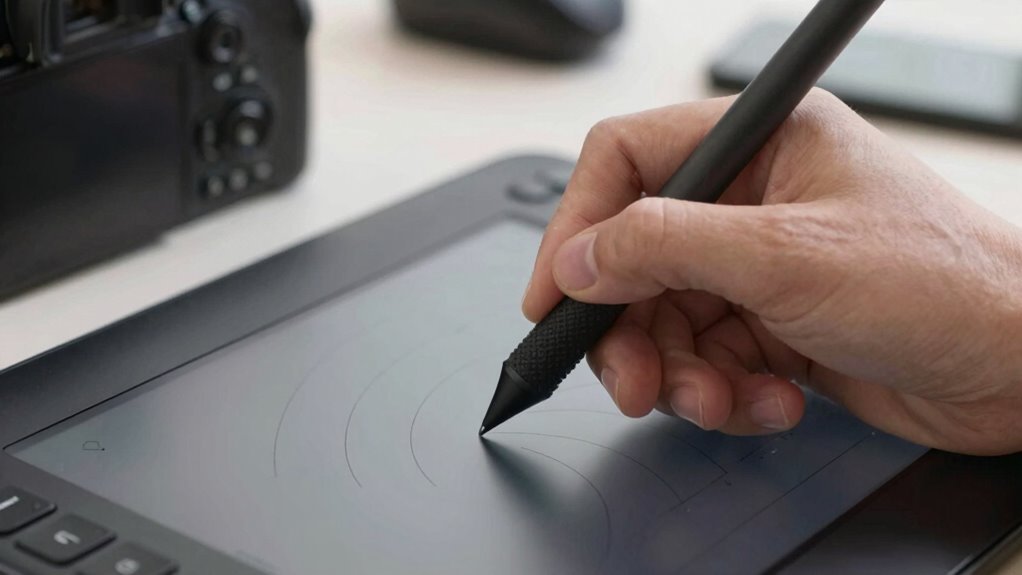
But as you immerse yourself in digital drawing, you might notice your hand gets tired or sore. This is common, especially if you’re unfamiliar with the grip you should maintain or if your tablet’s grip isn’t comfortable. A proper grip on your digital pen is essential to prevent fatigue. Hold it comfortably, with a relaxed but controlled grip, avoiding the death grip that can cause tension. Also, pay attention to the angle and position of your hand; staying relaxed reduces strain and allows for smoother, more natural strokes. The pressure curves, while an amazing feature, can lead you to press too hard if you’re not mindful, which can contribute to hand pain over time.
In addition to grip and pressure curves, consider how long you work at your drawing tablet. Frequent breaks and stretching your hand can prevent soreness. Some artists prefer ergonomic pens or gloves designed to reduce friction and support a relaxed grip. Keeping your workspace comfortable and ensuring your tablet is positioned at an ideal height also makes a big difference. Remember, the more comfortable and natural your setup, the less strain you’ll experience, and the more you can focus on your art rather than your aching hand. Mastering pressure sensitivity and maintaining a relaxed grip will ultimately help you create stunning artwork without suffering discomfort.
Frequently Asked Questions
How Do I Choose the Right Grip Technique for My Drawing Tablet?
To choose the right pen grip, experiment with different hand positioning to find comfort and control. You might try a relaxed grip, holding the pen lightly between your fingers, or a more traditional tripod grip. Pay attention to how your hand feels during extended use, avoiding tension that causes fatigue or pain. Adjust your grip until it feels natural, giving you steady movements and reducing strain during your digital drawing sessions.
What Factors Influence Pressure Sensitivity Beyond the Tablet Itself?
Pressure sensitivity depends on software calibration and ambient lighting. You, as the user, should fine-tune your tablet’s settings to match your drawing style, ensuring accurate pressure response. Good ambient lighting reduces glare and eye strain, helping you maintain steady pressure. Adjusting calibration and working in ideal lighting conditions improve sensitivity, giving you better control and preventing frustration when creating detailed or delicate artwork.
Can Hand Pain Be Prevented With Specific Drawing Postures?
Yes, you can prevent hand pain by maintaining ergonomic hand positioning and using wrist support techniques. Keep your wrist straight and relaxed, avoiding unnecessary tension, and hold your stylus lightly. Take regular breaks to stretch your hand and fingers, and use a supportive wrist rest to reduce strain. Proper posture and positioning help prevent repetitive strain injuries, ensuring your hand stays comfortable during long drawing sessions.
Are There Recommended Exercises to Reduce Hand Fatigue During Digital Art?
Ever wonder how to reduce hand fatigue during digital art? You should try hand stretches and grip strengthening exercises regularly. These help loosen tight muscles and improve your grip, making drawing more comfortable. Do you take breaks often? Incorporate short hand stretches every 20-30 minutes and gently strengthen your grip with squeezing stress balls. These simple steps can make a big difference in preventing discomfort and keeping your hand healthy.
How Does Hand Size Affect Grip and Comfort on Different Tablets?
Your hand size directly influences grip comfort on different tablets. If you have larger hands, look for tablets with broader or more textured grips to avoid strain, while smaller hands benefit from more precise, lightweight styluses. Choosing a tablet that fits your hand size helps reduce fatigue and enhances control, making your drawing experience more comfortable. Always test different sizes to find the one that offers ideal grip comfort for you.
Conclusion
Imagine your hand gliding smoothly across the tablet’s surface, each stroke flowing effortlessly like ink on paper. When you understand grip and pressure curves, you’ll feel more connected to your art, your hand no longer aching from strain. With the right tools and technique, your creative journey becomes a dance of precision and comfort. So, embrace these insights, and let your drawing experience be as seamless and inspiring as the images you bring to life.