
To fix your screen printing process in one afternoon, start by checking your ink’s consistency—make sure it flows smoothly without being too thick or runny. Next, verify your screen tension with a tension meter and tighten if needed, ensuring evenness. Adjust your squeegee pressure and angle for consistent application, and clean your screens thoroughly between prints. Paying attention to these details transforms your results—and if you keep exploring, you’ll master it even faster.
Key Takeaways
- Ensure consistent ink viscosity by thorough mixing and testing on scrap to prevent uneven coverage.
- Properly tension screens with a tension meter to avoid blurry edges and uneven ink deposit.
- Maintain a steady squeegee angle of around 45 degrees and apply consistent pressure during each pass.
- Regularly clean screens and equipment to prevent residual ink buildup and maintain optimal performance.
- Address all process factors—ink, tension, technique, maintenance—in one session for professional, reliable results.
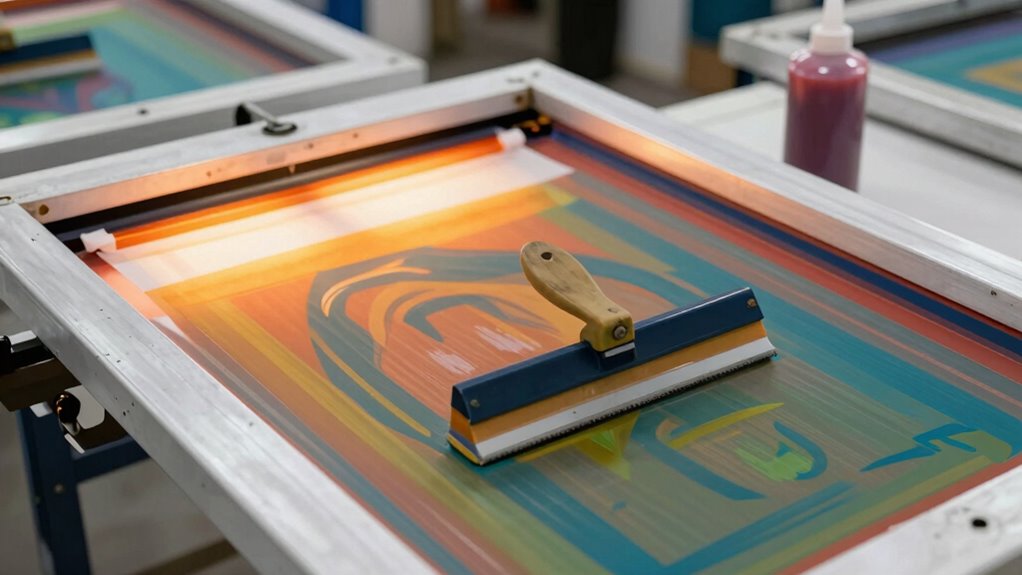
If you’ve encountered issues with your screen printing process, don’t worry—many common problems can be fixed with some straightforward adjustments. One of the most frequent causes of inconsistent prints is the ink itself. When your ink isn’t the right consistency, it can lead to uneven coverage or dull colors. To address this, start by checking your ink’s viscosity. It should flow smoothly but not be so thin that it drips off the squeegee or so thick that it’s difficult to spread. Use a stir stick to mix the ink thoroughly, and if needed, add small amounts of reducer or thickener to reach the ideal consistency. Testing on a scrap piece can help you dial in the perfect flow before printing on your final material.
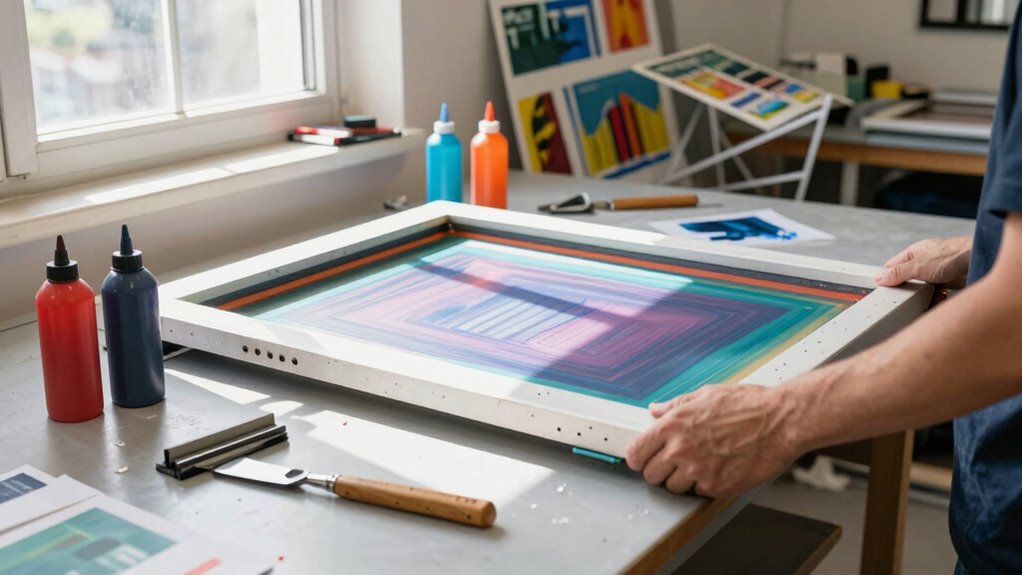
Another key factor influencing print quality is screen tension. Low or uneven tension in your screen can cause blurry edges and inconsistent ink deposit. To fix this, you need to ensure your screen is properly tensioned—tight enough so that it doesn’t sag or flutter during printing, but not so tight that it risks tearing. Use a tension meter if available, and tighten the screen evenly across its frame. Proper tension ensures that your stencil remains sharp and that the ink is pushed through uniformly with each stroke. Regularly inspecting your screens and re-tensioning when necessary can prevent many issues down the line.
Additionally, pay attention to your squeegee pressure and angle. Proper pressure helps you distribute ink evenly across the stencil, reducing the chances of streaks or missing spots. Maintain a consistent angle—usually around 45 degrees—and apply steady pressure throughout each pass. This consistency, combined with well-maintained ink and tension, drastically improves your results.
Cleaning your screens thoroughly between prints is equally important. Residual ink or debris can interfere with ink flow and cause unintended blotches or faded areas. Use an appropriate cleaning solution, and make sure your screens are completely dry before reusing them. This attention to detail keeps your ink consistency predictable and your screen tension reliable, leading to cleaner, more professional-looking prints. Maintaining proper equipment maintenance is essential to achieving consistent results and prolonging the lifespan of your tools.
Frequently Asked Questions
What Are Common Mistakes Beginners Make in Screen Printing?
You often make mistakes like poor color separation, which leads to blurry or mismatched prints. Another common error is rushing emulsion removal, causing incomplete stencil cleanup and ghosting on your shirts. To improve, take your time during these steps, double-check your color separations before printing, and make certain thorough emulsion removal. These small adjustments can drastically boost your print quality and confidence in your process.
How Do I Troubleshoot Inconsistent Ink Coverage?
If you notice inconsistent ink coverage, check your ink consistency first—thoroughly stir or remix it. For example, a beginner once had patchy prints because their ink was too thick. Also, verify stencil alignment is precise; misaligned stencils can cause uneven ink transfer. By maintaining proper ink consistency and double-checking stencil alignment, you’ll achieve even coverage every time, avoiding those frustrating inconsistencies.
Which Tools Can Improve My Screen Printing Process?
To improve your screen printing process, invest in quality tools like a squeegee with the right durometer and a good exposure unit for precise screen preparation. Use a mixing palette to make certain of consistent ink colors and better coverage. These tools help you control ink flow and achieve even coverage. Proper screen preparation combined with accurate ink mixing minimizes errors, making your process smoother and more professional-looking every time.
How Long Should Screens Last Before Replacement?
You should consider replacing your screens when their lifespan starts to decline, typically after 10-15 uses, or if you notice print quality issues like blurring or uneven ink coverage. Regularly inspect your screens for damage or emulsion breakdown, as these are signs it’s time for replacement. Proper maintenance can extend your screen’s life, but knowing the right replacement timing ensures consistent, professional results every time you print.
What Safety Precautions Are Essential During Screen Printing?
You’ve got to prioritize safety like it’s your top mission! Wear proper safety gear—gloves, masks, and goggles—like you’re gearing up for a space mission. Make sure your ventilation systems are working perfectly to keep fumes out of your face. Never skip these precautions; they’re your shield against hazards. Stay alert, follow safety rules, and you’ll print confidently without risking your health or your workspace’s vibe!
Conclusion
Remember, mastering screen printing isn’t as tough as it seems—you just need to fix your process. With a little troubleshooting and practice, you can boost your efficiency and quality. Did you know that over 70% of hobbyists improve their results markedly within just one afternoon? So, don’t get discouraged. Embrace the challenge, make those adjustments, and enjoy the creative journey. Before you know it, screen printing will become second nature!