🔍 Read the full analysis: 11 Tools That Use AI To Transcribe Audio In 2027 on ThorstenMeyerAI.com

Get the latest gadgets delivered free with Prime
- Fast, free delivery on millions of items
- Prime Video, Amazon Music and more included
- Member-only deals all year
TL;DR
A guide from ThorstenMeyerAI.com compares 11 tools for transcribing audio, spanning desktop software, dictation systems and dedicated AI recording devices. Its central finding is that the right choice depends on workflow, correction needs, audio quality, language support and data handling; the source does not provide independent accuracy tests or enough detail to verify every product claim.
ThorstenMeyerAI.com has published a guide to 11 tools for transcribing audio, comparing desktop software and dictation systems with recorders that combine audio capture and AI processing. The guide says the best fit depends less on a single accuracy ranking than on whether users need manual correction, specialized workflows, hardware integration or privacy controls; it does not supply independent test results for the products.
ThorstenMeyerAI.com’s guide singles out Express Scribe Pro for workflows in which a person listens, edits and corrects a transcript, citing playback controls, hotkeys and foot pedals. The guide describes Philips SpeechExec as an option for medical and legal work because of its ecosystem integrations and security features. These are the guide’s assessments, not results from a published comparative accuracy test.
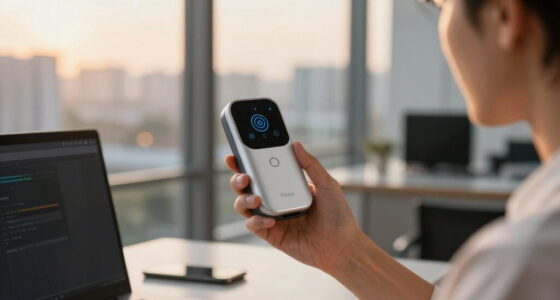
The guide also points to Vobot and OLZO devices as examples of recorders that combine capture with transcription, potentially reducing steps after a recording. It names the OM SYSTEM AS-2700 as another hardware-integrated option. The source does not provide consistent pricing, test conditions or feature-by-feature results for all 11 products, so readers cannot use it to verify a definitive ranking.
ThorstenMeyerAI.com’s selection criteria include audio input quality, language support, editing tools, export options and subscription costs, considerations that also feature in choosing versatile AI tools. The guide cautions that a stated language count does not necessarily mean equally strong transcription across every language, and that background noise, accents and overlapping speech can affect results. The supplied material includes no quoted product representatives or independent researchers.
The 11 picks
- 1
 Philips SpeechExec Transcription Kit with USB Foot Switch and HeadphonesView on Amazon →
- 2
 OM SYSTEM AS-2700 Audio Transcription Kit with USB Foot Pedal, Stereo Headpho…View on Amazon →
- 3
 Express Scribe Professional Transcription Software with Infinity IN-USB-3 Foo…View on Amazon →
- 4
 Philips SpeechExec Transcribe Software, 2-Year Subscription, Version 11.5View on Amazon →
- 5
 AI Voice Recorder with Automatic Transcription and 140+ Language TranslationView on Amazon →
- 6
 AI Podcast Summaries from Transcripted.aiView on Amazon →
- 7
 Vobot AI Voice Recorder with Transcription, Summaries, and NFC Business CardView on Amazon →
- 8
 Express Scribe Software Pro Transcription Software (CD-ROM)View on Amazon →
- 9
 OLZO AI Voice Recorder with Transcription and SummaryView on Amazon →
- 10
 Express Scribe Transcription SoftwareView on Amazon →
- 11
 AI VoiceWriter Dictation and AI Writing Assistant with USB Dongle and Mobile AppView on Amazon →
Choosing Between Software and Recorders
The comparison reflects a practical choice facing people who transcribe interviews, dictation and professional records: automating the first draft can save time, but errors may still require careful review. A recorder that processes audio as it is captured may suit mobile work, while desktop software can provide more control over playback and corrections.
That distinction matters most where transcripts need to be reliable or where recordings contain medical, legal or otherwise confidential information. The guide raises privacy and compliance as selection concerns, but does not document audits or establish that any listed product meets a particular legal standard. Users should check current vendor policies and their own organization’s requirements before uploading sensitive audio.
Products Worth Considering

Amazon Kindle Scribe Colorsoft 64GB with Premium Pen

DJI Mini 3 Drone with DJI RC Controller

Apple Watch Series 12 GPS 42mm Smartwatch
As an affiliate, we earn on qualifying purchases.
How the Guide Compares Tools
ThorstenMeyerAI.com’s guide says it assessed its choices around transcription accuracy, workflow efficiency and integration. For software, it considered playback, shortcut customization and export formats; for recorder bundles, it considered the recording hardware as well as the transcription process. The guide also favors tools that permit human correction, reflecting its view that automated output can contain errors.
The guide frames subscriptions and one-time purchases as a cost tradeoff: subscriptions may include ongoing updates or cloud services, while a perpetual license can avoid recurring payments. It mentions SpeechExec version 11.5, but does not state when that version was released or establish that it is current in 2027. Pricing and plan terms can change, so the guide’s general comparison should not be treated as a current quote.
Evidence and Product Details Missing
The supplied ThorstenMeyerAI.com material does not name all 11 tools in a way that supports a reliable, complete list, nor does it include standardized accuracy scores, test audio, sample sizes or independent reviewers. It also offers no direct product-company statements. Descriptions such as “gold standard” and “superior” are the guide author’s judgments and should not be read as verified industry-wide findings.
Several details remain open, including current pricing, supported languages by quality, data retention practices and processing locations. The source begins to discuss privacy but cuts off before providing a full comparison. It also does not specify the exact publication date, despite framing the subject for 2027. Product features and subscriptions may have changed since the guide was assembled.
Verify Features Before Buying
Readers considering a tool should compare the current vendor specifications with their own workflow, then test it on representative audio before committing. That test should include the accents, background noise, terminology and speaker overlap likely in real recordings, with attention to how much correction the transcript requires.
For sensitive files, the next step is to confirm where audio is processed and stored, who can access it, how long it is retained and whether the service fits applicable organizational rules. ThorstenMeyerAI.com’s guide provides no follow-up testing or update schedule, so future product changes and a verified 11-tool ranking remain unclear.
Key Questions
Which transcription tool does the guide favor for manual correction?
ThorstenMeyerAI.com’s guide favors Express Scribe Pro for human-in-the-loop correction, citing playback controls, hotkeys and foot-pedal workflows. That is the source’s assessment, not an independently verified ranking.
What is the difference between transcription software and an AI recorder?
Desktop software generally processes audio supplied by the user and can offer more editing control. AI recorder devices combine capture and transcription, which may simplify field work but can tie users to a specific device or service ecosystem.
Does the guide prove which tool is most accurate?
No. The supplied source gives no standardized accuracy scores, test methodology or independent results. Its recommendations should be treated as editorial judgments rather than proof that one product performs best.
What should users check before transcribing confidential audio?
Check the vendor’s current data-processing, storage, retention and access policies, and confirm that use fits applicable legal and organizational requirements. The guide does not establish that every listed tool meets a particular compliance standard.
Source: ThorstenMeyerAI.com