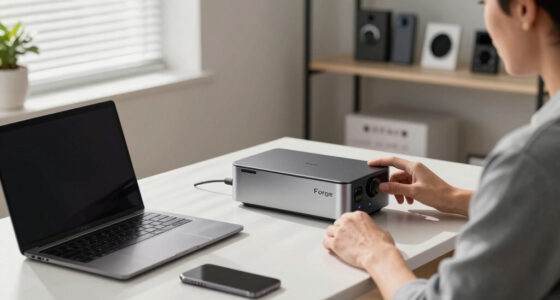
A NAS storage system centralizes your data, offering organized, secure, and easy access for multiple devices. It uses RAID configurations to protect against drive failures, ensuring your files stay safe even if a drive goes down. Combining local storage with cloud backup adds extra security, so you won’t panic over lost data. If you want to understand how NAS can prevent drive panic, there’s more to discover about its features and benefits.

Get the latest gadgets delivered free with Prime
- Fast, free delivery on millions of items
- Prime Video, Amazon Music and more included
- Member-only deals all year
Key Takeaways
- NAS storage centralizes data, making management easier and reducing the risk of drive failure panic.
- Implementing RAID configurations enhances data protection and minimizes drive panic during disk failures.
- NAS offers automated backups and cloud integration for reliable, panic-free data recovery.
- Modern NAS features manage thermal behavior and simplify setup, extending drive lifespan and preventing panic.
- Hybrid storage solutions combine local NAS and cloud backups, ensuring continuous access and peace of mind.

Have you ever wondered how many homes and businesses store and share large files effortlessly? The answer often lies in NAS storage, a device that acts as a centralized hub for all your data. Unlike traditional external drives or server setups, NAS offers a streamlined way to access, back up, and manage your files from multiple devices. It’s especially handy if you’re concerned about data security or need seamless sharing across your network. One of the key features that make NAS a reliable choice is its ability to incorporate RAID configurations, which markedly enhance data protection and performance. RAID—Redundant Array of Independent Disks—allows you to combine multiple disks into a single logical unit, reducing the risk of data loss. Depending on your needs, you can choose from various RAID setups, like RAID 1 for mirroring, which duplicates data across disks, or RAID 5 that stripes data with parity, offering a good balance of speed and redundancy. This means if one drive fails, your data remains safe and accessible, minimizing downtime and preventing “drive panic” moments.
But RAID isn’t just about redundancy—it also boosts performance. For example, RAID 0 stripes data across disks, increasing read and write speeds, ideal for tasks demanding quick access. You have the flexibility to configure your NAS system based on your priorities—whether that’s maximum fault tolerance or peak performance. Additionally, integrating cloud backup with NAS storage creates an extra layer of security. Cloud backup ensures your critical files are safely stored off-site, protecting you from physical damage, theft, or hardware failure. This hybrid approach combines local access speed with remote safety, giving you peace of mind that your data is always protected and accessible.
Modern NAS devices also leverage thermal behavior management to keep drives cool and extend their lifespan, which is crucial for reliable long-term operation. Setting up your NAS with RAID configurations and cloud backup might sound complex, but modern NAS devices simplify the process with user-friendly interfaces and guided setups. Once configured, you’ll find your data management becomes much more straightforward. Files are centralized, backups run automatically, and sharing files with colleagues or family becomes seamless. Plus, the redundancy built into RAID configurations means you won’t have to worry about losing everything if a drive unexpectedly fails. Instead of frantic “drive panic,” you can rest assured knowing your data is protected by multiple layers of redundancy and off-site backups. In the end, NAS storage isn’t just a device; it’s a smart upgrade that keeps your data safe, accessible, and organized—saving you time, preventing stress, and giving you reliable control over your digital life.
NAS storage device with RAID support
As an affiliate, we earn on qualifying purchases.
As an affiliate, we earn on qualifying purchases.
Frequently Asked Questions
Can NAS Storage Be Integrated With Cloud Backup Solutions?
Yes, you can integrate NAS storage with cloud backup solutions. This setup allows for seamless cloud integration, ensuring your data is automatically backed up to the cloud through backup automation. By configuring your NAS for cloud sync, you enhance data security and recovery options. This integration simplifies managing backups, reduces manual effort, and provides a reliable way to protect your data against hardware failures or disasters.
What Are the Energy Consumption Differences Between NAS and DAS?
Think of NAS and DAS like two different engines: one runs with steady power efficiency, while the other consumes more energy. NAS typically offers better energy savings and lower power consumption because it’s optimized for continuous operation and shared access. DAS, on the other hand, may use more power due to direct connection needs. So, if you’re aiming to cut energy costs, NAS is the more energy-efficient choice.
How Secure Is Data Stored on NAS Devices?
You can make your data on NAS devices quite secure by using data encryption and access controls. Encryption protects your information from unauthorized access, even if the drives are physically stolen. Access controls limit who can view or modify your data, ensuring only trusted users get access. While no system is completely foolproof, combining these security measures keeps your stored data safer from cyber threats and unauthorized personnel.
Are There Compatibility Issues With Different Operating Systems?
You can’t judge a book by its cover, and that’s true for NAS compatibility too. Generally, NAS devices support multiple operating systems, guaranteeing smooth cross-platform compatibility and broad operating system support. However, some features might vary depending on your OS. To avoid surprises, check the device’s specifications for OS compatibility and make sure your system’s requirements align with the NAS’s capabilities, so you stay connected effortlessly.
What Is the Typical Lifespan of a NAS Device?
A typical NAS device lasts around 3 to 5 years, but drive reliability can vary based on usage and environment. Regular firmware updates help maintain performance and security, potentially extending its lifespan. You should monitor drive health and perform timely replacements to prevent data loss. Proper maintenance and keeping firmware current guarantee your NAS stays reliable and efficient, giving you peace of mind over its operational years.
As an affiliate, we earn on qualifying purchases.
Conclusion
Now that you’ve revealed the secrets of NAS storage, you’re like a captain steering through stormy seas, confidently avoiding the dreaded “drive panic.” With this upgrade, your data’s protected like treasure hidden in a vault, safe from sudden crashes. Think of your NAS as a sturdy bridge—strong enough to carry your digital world forward without collapse. Embrace this upgrade, and let your data flow smoothly, turning chaos into calm on your tech voyage.
Hybrid NAS cloud backup solution
As an affiliate, we earn on qualifying purchases.
As an affiliate, we earn on qualifying purchases.
As an affiliate, we earn on qualifying purchases.
Columbus Day / Indigenous Peoples' Day Picks
long weekend sales
As an affiliate, we earn on qualifying purchases.