
TL;DR

Get the latest gadgets delivered free with Prime
- Fast, free delivery on millions of items
- Prime Video, Amazon Music and more included
- Member-only deals all year
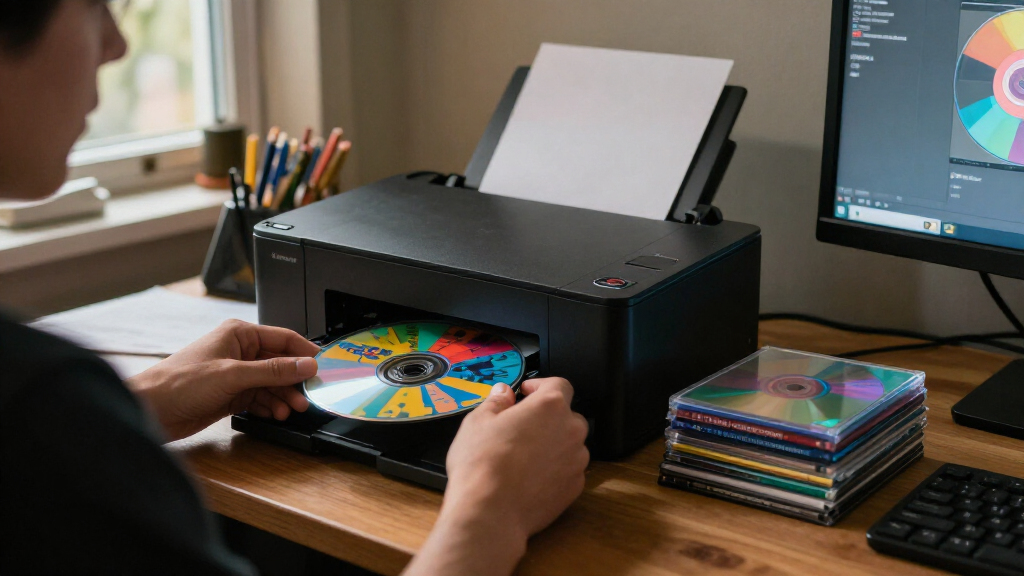
Disc Image Studio is a GitHub-hosted tool that converts images into data patterns intended to produce visible artwork on CDs, DVDs and single-layer BD-R discs. It can export files for separate burning or write directly to discs, but the project labels direct burning experimental and advises using disposable test media.
Disc Image Studio is a software project for turning an image into data patterns intended to make artwork visible on the recording surface of CDs, DVDs and single-layer Blu-ray BD-R discs. Its GitHub documentation describes image-design tools and several export formats, while warning that its feature for burning directly from the app is experimental and should be tested only on disposable blank media.
The project says it transforms an image to fit the physical constraints of supported optical media, then generates data that can be written to a disc. Users can choose a disc type, arrange an image with layers, and adjust image treatment such as dithering, gamma, brightness and grayscale levels. A preview is provided before export. The resulting visible pattern is not guaranteed to look the same on every setup: the documentation says results depend on the disc, burner, firmware and writing strategy.
For output, the documented options vary by medium. CD projects can export a WAV audio track with a CUE file, or a RAW track; the project says these can be used with compatible burning software. DVD output is an ISO image. The Blu-ray mode supports single-layer 25 GB BD-R, with either a drawing-only project or UDF 2.01 file data. The project also supports placing files in designated inner or outer disc areas and previewing those areas in mixed data-and-artwork layouts.
Direct streaming burn is documented for CD, DVD and BD-R, so data can be generated while writing rather than first saving a complete image. The project says BD-R uses sequential writing. Its safety notes warn that interruption, power loss or insufficient generation speed may ruin a disc; interrupted BD-R writing generally cannot be resumed on the same disc. Windows direct burning uses the system’s IMAPI2 interface and rejects nonblank media, according to the project documentation.
Artwork Without Printed Labels
The tool offers a way to put an image directly into the recorded pattern of a disc instead of relying on a printed label or a compatible label-printing system. That could appeal to people making personalized discs, archival copies or physical media for small projects, particularly where a conventional printer or label supplies are unavailable. The output also keeps the artwork tied to the disc itself, although its visibility and quality depend on hardware and media.
Its practical reach is limited by the continued need for a compatible optical drive, blank recordable discs and careful testing. The direct-write option carries a real risk of wasting media, and the documentation says validation across devices, media and burning paths remains limited. Users can reduce reliance on the experimental feature by exporting an image or track and using separate burning software, where supported.
The project could also matter to technically minded users because it exposes image-generation and calibration workflows rather than presenting the effect as a simple cosmetic overlay. Still, the repository description is the source for its capabilities; it does not provide independent test results establishing consistent visual quality across different brands or burners.
Products Worth Considering

Bose SoundLink Flex Bluetooth Speaker (2nd Gen), Waterproof, Dustproof, USB‑C, Up to 12 hr Battery, Black

DJI Osmo Mobile 8 Gimbal with Mic Mini Transmitter, Infinity Black
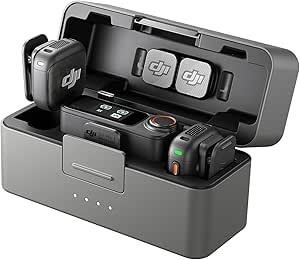
DJI Mic 3 Wireless Microphone Kit (2 Transmitters, 1 Receiver, Charging Case)
As an affiliate, we earn on qualifying purchases.
How Disc Image Studio Works
Unlike artwork printed onto a disc, this approach encodes a pattern through the recording process. The project says its generator accounts for the physical constraints of each supported format. Its documentation cites standards for recordable CDs, DVDs and Blu-ray discs, and describes separate generation and encoding components for each medium.
Disc Image Studio is presented as a Windows desktop application, with Windows 10 version 2004 or later and Windows 11 listed as supported. The release executable includes its runtime, according to the documentation. Linux and macOS users are directed to experimental command-line packages matched to their processor; the command-line tool generates images locally, while actual disc writing can be handled by compatible burning software.
The project also includes a calibration workflow intended to account for disc geometry. The repository describes comparing projected patterns with measured disc images and fitting track-spacing parameters, but its claims about improved calibration precision come from the project itself. The source material provides no independent evaluation of those measurements.
Device Compatibility Still Varies
The documentation does not specify a release date or version for the described build, nor does the supplied material establish how many users or devices have tested it. The project says it has received some reports from real-disc testing but that coverage across burners, media and writing methods remains limited. Consistent image quality and compatibility therefore cannot be assumed from the repository description alone.
It is also unclear how the artwork will appear under different lighting or with particular disc brands, and no independent review or comparative testing was supplied. The calibration accuracy figures and other engineering claims are attributed to the project; they are not independently verified here. Users should treat the stated privacy and safety properties as project claims unless verified through a separate audit.
Test Before Burning Keepsakes
The project’s documentation points users to GitHub Releases for downloads and provides guides for installation, calibration, media presets and format-specific workflows. Windows users who want direct burning need a recognized CD, DVD or BD burner and blank media; BD-R direct writes require a supported single-layer blank disc. Linux and macOS users are directed to the experimental command-line tools and should use separate software for writing generated files.
For anyone trying the tool, the safest next step described by the project is to begin with a disposable blank disc rather than valuable media. Users can first export an image or audio-track file, check the preview and use a compatible burning application. Further confidence will depend on additional testing across disc types and hardware, which the documentation says remains limited.
Key Questions
What does Disc Image Studio do?
It converts an image into data intended to create a visible pattern on a CD, DVD or single-layer BD-R when burned. It includes tools for arranging and adjusting the image and previewing the projected result.
Can it burn a disc directly?
Yes. The project documents direct, streaming burns for CD, DVD and BD-R. It labels this feature experimental and recommends using disposable test media because interrupted or failed writes can ruin a disc.
Does the Blu-ray mode support dual-layer discs?
The supplied documentation lists support for single-layer 25 GB BD-R. It says dual-layer BD-R is not currently supported.
Which operating systems are supported?
The documented desktop app supports Windows 10 version 2004 or later and Windows 11. Experimental command-line packages are available for Linux and macOS processor types; actual disc burning on those systems can be done with compatible separate software.
Will the artwork look the same on every disc?
No fixed result is promised. The project says visibility depends on the disc, burner, firmware and writing strategy, and notes that testing across devices and media remains limited.
Source: github.com