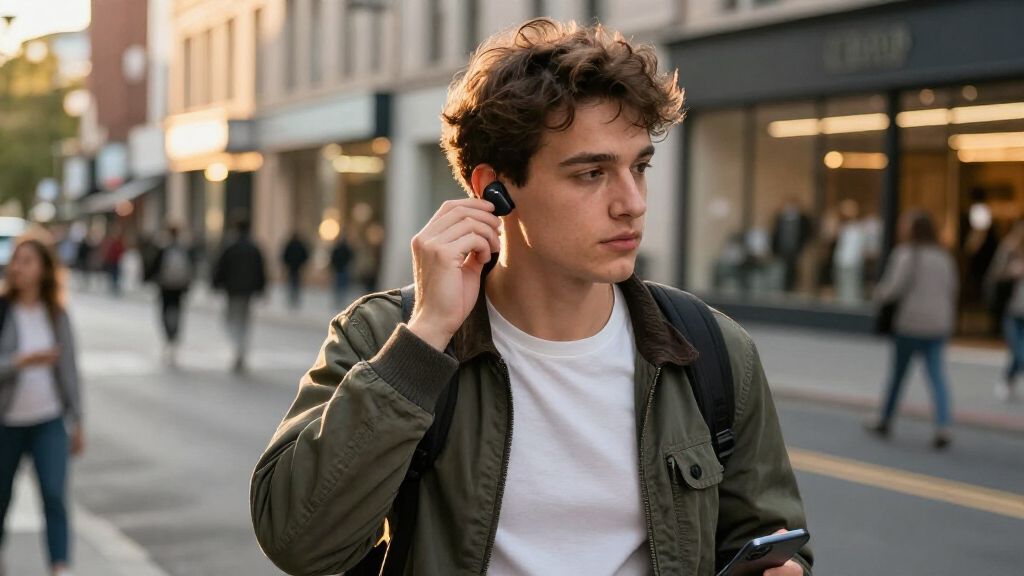

Use this guide to choose wireless earbuds for under $50, check that they work with your phone, and test them before deciding to keep them. It is for first-time buyers and anyone replacing a budget pair. Plan on 30-60 minutes to compare options, then 1-2 days to check comfort, sound, calls, and battery life at home.

Get the latest gadgets delivered free with Prime
- Fast, free delivery on millions of items
- Prime Video, Amazon Music and more included
- Member-only deals all year

Soundcore P30i by Anker Noise-Cancelling Wireless Earbuds with Phone-Stand Case
- ✔ Connectivity: Bluetooth 5.4
- ✔ Drivers: 10 mm
- ✔ Noise control: Adaptive ANC and transparency mode

KTGEE T08 Wireless Earbuds with Bluetooth 5.3
- ✔ Connectivity: Bluetooth 5.3
- ✔ Design: Semi-in-ear
- ✔ Drivers: 13.2 mm dynamic

Kurdene S8 Pro Wireless Earbuds, Bluetooth 5.3, Black
- ✔ Connectivity: Bluetooth 5.3
- ✔ Driver type and size: 10 mm dynamic
- ✔ Battery life: 4.5 hours listed
Difficulty: Beginner | Time: 30-60 minutes to compare and order; 1-2 days to test after delivery
What You’ll Need
Tools & Materials:
- A phone or other device you plan to use with the earbuds
- Internet access to compare listings and read recent reviews
- A way to note prices, features, and return deadlines
Knowledge:
- Basic Bluetooth settings on your phone
- Your approximate listening and call needs
Set a firm total budget below $50, including tax and shipping. Prices and features change, so check the current listing, seller, warranty, and return terms before buying. Avoid listings that do not clearly identify the model or seller.
Soundcore P30i by Anker Noise-Cancelling Wireless Earbuds with Phone-Stand Case
The Soundcore P30i earns the top spot by covering more everyday situations than the other two picks. Its adaptive active noise cancellation and transparency mode let us choose between reducing surrounding sound and hearing more of it. The Kurdene S8 Pro has no noise-control modes listed, and the KTGEE T08’s semi-in-ear design is a different route to a less sealed feel rather than an adjustable isolation feature. For commutes, shared spaces, or switching between listening and awareness, that flexibility makes the P30i the most complete choice in this group.Its battery figures are strong on paper: up to 10 hours per charge without ANC and up to 45 hours with the case. Keeping ANC on cuts the stated earbud time to up to 6 hours and case total to 25 hours, so the headline total does not describe every listening pattern. A 10-minute charge is listed to provide up to two hours of use. Compared with the T08, the P30i offers more explicit noise-control options but a lower stated case total; compared with the S8 Pro, it gives us substantially more stated listening time and a fuller set of features.The case’s built-in phone stand is an unusual convenience for watching hands-free, and IP54 protection is specified for the earbuds. Four microphones and AI processing are designed to support calls, though the specifications alone do not tell us how they sound in difficult environments. We should choose another model if we prefer a semi-in-ear fit, or if keeping ANC active for the longest possible stretch is the priority. The case stand and touch controls add utility, but they will not matter to everyone.
Pros:
- Adaptive ANC and transparency mode provide two ways to handle surrounding sound.
- Up to 10 hours per charge without ANC and up to 45 hours with the case are listed.
- The case doubles as a phone stand for hands-free viewing.
- IP54 earbuds and four call microphones are specified.
Cons:
- Stated playback falls to up to 6 hours per charge with ANC enabled.
- The feature set may be unnecessary for listeners who only want basic wireless audio.
Best for: Listeners who want noise cancellation, transparency mode, and an unusually useful charging case in one pair.
Not ideal for: People who prefer semi-in-ear earbuds, or who need the longest stated per-charge playback while ANC stays on.
Bottom line: We recommend the P30i as the most versatile pick here when adjustable noise control matters more than a semi-in-ear fit or the T08’s higher stated case total.
“We recommend the P30i as the most versatile pick here when adjustable noise control matters more than a semi-in-ear fit or the T08’s higher stated case total.”
KTGEE T08 Wireless Earbuds with Bluetooth 5.3
The KTGEE T08 is the fit-first alternative in this roundup. Its semi-in-ear design avoids the silicone-tip setup used by the Kurdene S8 Pro, which includes three sizes for listeners seeking a more adjustable seal. That can make the T08 a better starting point for people who find sealed in-ear tips uncomfortable, though fit is personal and a less-sealed design may not suit listeners who want strong passive isolation. Unlike the Soundcore P30i, it does not list ANC or transparency mode, so we should not choose it for adjustable noise control.KTGEE lists up to 8 hours per charge and up to 40 hours with the case. The overall figure depends on using the case and listening at 50%–60% volume, so it should be read as a best-case claim rather than a guaranteed routine. A 15-minute charge is listed for up to 90 minutes of playback. The P30i has a higher stated case total when ANC is off and more listening modes; the T08’s appeal is instead its lightweight semi-in-ear shape and its IPX7-rated earbuds.That water rating applies to the earbuds only, not the charging case. This distinction matters if we carry the case during workouts or in wet conditions. The case does provide a dual LED power display and USB-C charging, making its remaining charge easier to check than a case with no listed display. The T08 is the clearest choice for listeners who value fit style and water protection for the earbuds, but we should skip it if we need noise cancellation, a sealed-tip fit, or documented protection for the full charging set.
Pros:
- Semi-in-ear design weighs 3.9 g per earbud.
- Up to 8 hours per charge and up to 40 hours with the case are listed.
- IPX7 water resistance is specified for the earbuds.
- The case has a dual LED display and USB-C charging.
Cons:
- The case is not covered by the stated IPX7 rating.
- The 40-hour total depends on case use and listening at 50%–60% volume.
- ANC and transparency mode are not listed.
Best for: Listeners who prefer a lightweight semi-in-ear shape and want water resistance specified for the earbuds.
Not ideal for: People who need ANC, a secure silicone-tip seal, or water protection for the charging case.
Bottom line: Choose the T08 if a semi-in-ear fit and rated earbud water resistance matter more to us than ANC or the P30i’s broader feature set.
“Choose the T08 if a semi-in-ear fit and rated earbud water resistance matter more to us than ANC or the P30i’s broader feature set.”
Kurdene S8 Pro Wireless Earbuds, Bluetooth 5.3, Black
The Kurdene S8 Pro keeps its proposition simple: 10 mm dynamic drivers, touch controls, a charging case, and three silicone ear-tip sizes. That makes it a reasonable basic pick for listeners who want a conventional in-ear shape and do not need the P30i’s ANC or the T08’s semi-in-ear design. The included tips offer more opportunity to adjust the fit than the T08’s listed design, although the product information does not establish that any one size will work for every ear.Its clearest tradeoff is the listed 4.5-hour battery life, the shortest per-charge figure in this comparison. The P30i lists up to 10 hours without ANC, while the T08 lists up to 8; both offer more stated time between charging the earbuds. The S8 Pro’s included case is useful for carrying and charging, but no total playback figure with the case is supplied here, so we cannot compare its full-cycle endurance on equal terms.Bluetooth 5.3 supports automatic pairing with compatible iOS and Android devices when the case opens, and built-in microphones are described as using an AI algorithm for calls. Those are practical basics, but the microphone count, water-resistance rating, and fast-charge performance are not specified. The supplied guidance recommends a standard 5V USB charger and says a fast charger is not required. Choose this pair for simple controls, tip-size options, and automatic pairing; skip it if longer listening sessions between charges or clearer published durability details are central to our decision.
Pros:
- Three silicone ear-tip sizes offer fit options.
- Automatic pairing is described for compatible iOS and Android devices.
- Touch controls and a charging case are included.
- Built-in microphones are listed for calls.
Cons:
- Listed battery life is 4.5 hours, shorter than the other two picks.
- No water-resistance rating is provided in the supplied specifications.
- No total playback figure with the case is provided.
Best for: Listeners looking for basic in-ear earbuds with multiple silicone tip sizes and automatic pairing.
Not ideal for: People who need long per-charge playback, ANC, or a published water-resistance rating.
Bottom line: The S8 Pro makes sense for straightforward listening and tip-size choice, but its short listed battery life keeps it behind the other two.
“The S8 Pro makes sense for straightforward listening and tip-size choice, but its short listed battery life keeps it behind the other two.”
As an Amazon Associate we earn from qualifying purchases.
Before You Start
Decide what matters most: comfortable fit, music, calls, workouts, or long time between charges. Under $50, no pair is likely to excel at every feature. Treat advertised battery figures as estimates; actual playback time varies with volume, calls, settings, and the age of the battery. Do not assume a specific phone brand is required: most Bluetooth earbuds work with both iPhone and Android, though some app features may be limited.
Step-by-Step Instructions
Step 1: Set your budget and main use
Write down the maximum amount you will pay after tax and shipping, then choose your top two needs. For example, you might prioritize a secure fit for walking and clear voice pickup for calls. Decide whether you need noise cancellation, water resistance, an app, or multipoint connections before comparing products. These extras can narrow the options and may come with trade-offs in sound, battery life, or fit.
Tip:If you mainly listen at home, comfort and straightforward controls may matter more than workout features. If you take calls outside, look for reviews that discuss microphone performance in wind and background noise.
Check: You have a total spending limit and two ranked priorities that you can use to compare listings.
Step 2: Check phone compatibility
Open your phone’s Bluetooth settings and confirm Bluetooth is available. Search the product listing or manufacturer’s support page for the exact earbud model and your phone’s operating system. Check whether any feature you want requires a companion app, and confirm that app supports your phone. Standard Bluetooth audio and calls usually work across current phones, but branded controls or advanced settings may not.
Tip:Look up the model number, not just the product family name. Sellers sometimes group several versions on one page, and compatibility details can differ.
Check: You can identify the exact model and see that its basic Bluetooth functions support your device.
Step 3: Compare a short list of models
Choose three or four models priced within your limit. For each, check the fit style, controls, charging connector, stated playback time, water-resistance rating, and whether the case supports wireless charging. Compare features you will use; a charging case with USB-C may be more useful than an app full of settings. Check the listing for included ear-tip sizes and whether replacement tips are available.
Tip:Water-resistance ratings describe protection under specific test conditions; they do not make earbuds waterproof. Do not plan to swim with them unless the manufacturer explicitly rates the model for that use.
Check: Your shortlist contains models that fit your budget and have the practical features you need.
Step 4: Read reviews for repeat problems
Read recent reviews for each exact model, focusing on patterns rather than one unusually positive or negative report. Search for comments about fit, one earbud disconnecting, charging failures, microphone quality, touch controls, and battery decline. Check whether reviewers describe using the same phone type and setting you have. Give more weight to repeated, specific reports than to vague claims such as “great sound.”
Tip:Reviews can refer to different model versions or sellers. Confirm that the review matches the exact item and version in your cart.
Check: You have ruled out models with recurring problems that conflict with your priorities.
Step 5: Confirm seller, price, and return terms
Open the final listing and verify the model name, seller, total cost, delivery estimate, warranty details, and return window. Check whether opened earbuds can be returned, since hygiene rules vary. Save the order confirmation and note the last day to start a return. Buy from a seller with a clear returns process and support contact information.
Tip:Do not treat a low price as proof of a bargain. A listing with unclear model details or no usable return path can leave you stuck with earbuds that do not fit.
Check: The exact model is under budget, the seller is identifiable, and you know the return deadline and conditions.
Step 6: Pair the earbuds and update settings
Charge the case and earbuds as directed, then remove any temporary films covering the charging contacts. Put the earbuds in pairing mode using the manufacturer’s instructions. On your phone, open Bluetooth settings, select the matching device name, and approve pairing if prompted. Install the companion app only if you need its features, then check for firmware updates and set controls or equalizer options to your preference.
Tip:If the earbuds appear under several similar names, use the name in the manual. Do not pair them with a device you do not recognize.
Check: Your phone shows the earbuds as connected, and audio plays through both sides.
Step 7: Test fit, sound, calls, and charging
Try the included tip sizes and choose the smallest size that seals comfortably without slipping. Play familiar music at a moderate volume and check that both sides sound balanced. Record a short voice memo or make a brief call in a quiet room, then repeat in a mildly noisy place. Wear the earbuds for at least 30 minutes and check for pressure or looseness. Finally, place them in the case and confirm that the charging indicators respond.
Tip:Start with a comfortable volume. If one side sounds weak, reseat it and inspect the tip and speaker opening for an obstruction before changing audio settings.
Check: Both earbuds stay in place, sound balanced, handle the calls you need, and charge when returned to the case.
Step 8: Decide whether to keep or return them
Use the earbuds through a normal listening session and note how much battery remains, how often the connection drops, and whether controls behave reliably. Compare that experience with your priorities and the return deadline. If the fit, calls, or charging fail to meet your needs, follow the seller’s return instructions promptly and include the case, tips, and accessories.
Tip:Battery performance may improve after a complete charge, but do not wait until the return period is nearly over to test the basics.
Check: You have made a keep-or-return decision based on actual use while the return option remains available.
Common Mistakes to Avoid
- Choosing a model based only on advertised battery life or noise cancellation. — Check independent, recent reports of real use and give fit, calls, and reliable charging weight in your decision.
- Ignoring the total price or return rules. — Check tax, shipping, seller identity, warranty, and whether opened earbuds can be returned before placing the order.
- Keeping the first ear-tip size even when the earbuds feel loose or painful. — Try the included sizes in both ears and wear the pair for at least 30 minutes before judging comfort.
- Assuming every listed feature works fully with every phone. — Confirm app and operating-system support for the exact model; test basic audio and calls after pairing.
Troubleshooting
Problem: The earbuds do not appear in the phone’s Bluetooth list.
Solution: Charge them, put them into pairing mode using the manual, and move them close to the phone. If they were paired to another device, disconnect or unpair them there, then retry. Use the manufacturer’s reset instructions if pairing still fails.
Problem: Only one earbud connects or plays sound.
Solution: Place both earbuds in the case, confirm they are charging, and reconnect them as a pair. Check the manual for a sync or reset procedure, and make sure the phone’s audio balance is centered.
Problem: Calls sound muffled or pick up too much background noise.
Solution: Check that the phone is using the earbuds as its call audio device, clean the microphone openings gently, and test in a quieter location. If call quality still misses your needs, use the return window.
Problem: The case or one earbud does not charge.
Solution: Check for protective films, reseat the earbuds, and inspect the contacts for dirt or moisture. Use the supplied cable or a compatible charger, then follow the manual’s charging indicators. Contact the seller if charging remains unreliable.
What Success Looks Like
You have a pair that costs less than $50 in total, pairs with your device, fits securely without discomfort, plays balanced audio, handles the calls you care about, and charges reliably. You have also checked its real battery performance and made a keep-or-return decision before the return deadline.
Next Steps
Keep the receipt, manual, and return information until the warranty period ends. Clean the ear tips and charging contacts according to the manufacturer’s instructions, and store the earbuds in their case to reduce loss and debris buildup. Recheck battery life and connection stability during the return period. If performance changes later, consult the model’s support page before resetting or replacing the earbuds.
Frequently Asked Questions
Can wireless earbuds under $50 work with both iPhone and Android?
Most standard Bluetooth earbuds can pair with either platform for audio and calls. Companion apps, device switching, and branded features may have limited support, so check the exact model’s compatibility information.
Do earbuds under $50 have active noise cancellation?
Some budget models advertise active noise cancellation, but its strength and effect on battery life vary. Read recent reviews that test it in the places where you plan to listen, and compare it with passive isolation from a good ear-tip fit.
How long should budget earbuds last on one charge?
Playback time depends on the model, volume, calls, and settings. Use the manufacturer’s figure as a guide, then test a normal listening session soon after delivery while you can still return the pair.
Are inexpensive earbuds suitable for exercise?
They can be, if they stay secure and have a water-resistance rating suited to sweat or light rain. Check the rating and care instructions for the exact model; water resistance does not mean safe for swimming.