

For most students, I’d choose the Samsung Galaxy Tab S10 FE for its balanced study features, while the Lenovo Idea Tab 11-Inch stands out for a pen-and-folio setup and the Apple iPad mini for compact portability. The lineup ranges from entry-level Android bundles to larger, sharper-screen Lenovo tablets and Samsung models with room to expand storage. The main tradeoffs are screen size versus carrying comfort, included accessories versus long-term flexibility, and older or basic hardware versus a more capable study setup. I rank these tablets by how well their features support everyday student tasks, not by how many accessories come in the box. Read on for the full breakdown and a pick for different study styles.

Get the latest gadgets delivered free with Prime
- Fast, free delivery on millions of items
- Prime Video, Amazon Music and more included
- Member-only deals all year
Complete the kit



Key Takeaways
- The Samsung Galaxy Tab S10 FE is my best overall pick for students who want a balanced tablet for notes, reading, and general coursework without choosing an unusually small or large screen.
- Lenovo’s Idea Tab models pair a pen with a folio, making them practical starting points for handwritten notes; the Plus and Pro models trade easier portability for larger, higher-resolution displays.
- The iPad mini is the portability specialist, but its 8.3-inch display gives students less room for split-screen work and long documents than the 10- to 12.7-inch choices.
- The TECLAST and ECOPAD bundles include keyboard, mouse, and case, which can help a student get started with typing, but accessory bundles alone do not establish that a tablet will suit demanding coursework.
- The renewed 7th-generation iPad is the oldest platform here, so its low storage and age make it a narrower choice than the newer tablets for students who need a device to support several years of study.
| Apple iPad mini (A17 Pro), 128GB, Wi-Fi 6E, 8.3-inch Liquid Retina Display, Purple |  | Best Compact Study Companion | Display: 8.3-inch Liquid Retina | Processor: Apple A17 Pro | Storage: 128GB | VIEW LATEST PRICE | See Our Full Breakdown |
| TECLAST P33 10.1-Inch Android Tablet Bundle with Keyboard, Mouse, and Case |  | Best Accessory Bundle | Display: 10.1-inch IPS, 1280 × 800 | Operating system: Android 15 in description; Android 14 also mentioned | Memory: 9GB listed (3GB physical + 6GB virtual) | VIEW LATEST PRICE | See Our Full Breakdown |
| ECOPAD K12E 10.1-Inch Android Tablet with Keyboard and Mouse |  | Best for Basic Typing | Display: 10.1-inch IPS, 1280 × 800 | Operating system: Android 15 in description; Android 13 also listed | RAM: 12GB listed | VIEW LATEST PRICE | See Our Full Breakdown |
| Lenovo Idea Tab Plus 12.1-Inch 2.5K Tablet with Tab Pen and Folio Case |  | Best for Handwritten Notes | Display: 12.1-inch 2.5K IPS touchscreen | Refresh rate: 90Hz | Processor: MediaTek Dimensity 6400 | VIEW LATEST PRICE | See Our Full Breakdown |
| URAO X7L 11-Inch Android 16 Tablet, Octa-Core, 36GB RAM, 128GB Storage |  | Best for Expandable Storage | Display: 11-inch IPS, 1280 × 800 | Operating system: Android 16 | Processor: 1.8GHz octa-core | VIEW LATEST PRICE | See Our Full Breakdown |
| Lenovo Idea Tab 11-Inch 2.5K Tablet with Tab Pen and Folio Case |  | Best for Students Who Want a Ready-to-Study Bundle | Display: 11-inch 2.5K IPS touchscreen | Refresh rate: 90Hz | Processor: MediaTek Dimensity 6300 | VIEW LATEST PRICE | See Our Full Breakdown |
| Evermyth 10-Inch Android 16 Tablet, 64GB Storage, Wi-Fi 6 and Bluetooth 5.4 |  | Best for Basic Coursework and Expandable Storage | Operating system: Android 16 | Processor: 5-core, up to 1.8GHz | Display: 10-inch IPS, 1280 × 800 | VIEW LATEST PRICE | See Our Full Breakdown |
| Apple iPad (7th Generation), 10.2-inch, Wi-Fi, 32GB, Space Gray (Renewed) |  | Best for Students Already Using Apple Apps | Model year: 2019 | Display: 10.2-inch Retina | Processor: A10 Fusion | VIEW LATEST PRICE | See Our Full Breakdown |
| Lenovo Tab M11 11-Inch Tablet with Pen, 4GB RAM, 64GB Storage, Luna Grey |  | Best for Handwritten Notes on a Familiar Android Setup | Display: 11-inch, 1920 × 1200 | Processor: MediaTek Helio G88 Octa-Core | RAM: 4GB | VIEW LATEST PRICE | See Our Full Breakdown |
| Lenovo Idea Tab Pro 12.7-Inch 3K Tablet with Pen and Folio Case | 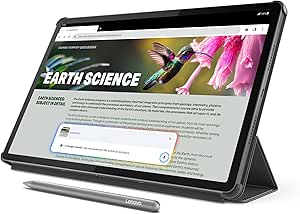 | Best Premium Large-Screen Study Tablet | Display: 12.7-inch 3K LCD | Memory: 8GB | Storage: 128GB | VIEW LATEST PRICE | See Our Full Breakdown |
| Lenovo Idea Tab 11-Inch 2.5K Tablet with Tab Pen and Folio Case | 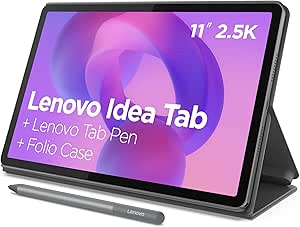 | Best for Handwritten Notes | Display: 11-inch 2.5K IPS touchscreen, 90Hz | Processor: MediaTek Dimensity 6300 | Memory: 8 GB | VIEW LATEST PRICE | See Our Full Breakdown |
| Lenovo Tab M11 11-Inch Tablet, 4GB RAM, 128GB Storage, Luna Grey, with Folio Case |  | Best for Straightforward Schoolwork | Display: 11-inch, 1920 × 1200 WUXGA | Processor: MediaTek Helio G88 octa-core | RAM: 4 GB | VIEW LATEST PRICE | See Our Full Breakdown |
| Samsung Galaxy Tab S10 Lite, 6GB RAM, 128GB Storage, Expandable up to 2TB, 10.9-inch LCD, Gray |  | Best for Expandable Storage | Display: 10.9-inch LCD | Processor: Exynos 1380 | RAM: 6 GB | VIEW LATEST PRICE | See Our Full Breakdown |
| Samsung Galaxy Tab S10 FE 128GB Wi-Fi Android Tablet, Blue |  | Best for Rugged Campus Use | Display refresh rate: 90Hz | Storage: 128 GB | Connectivity: Wi-Fi | VIEW LATEST PRICE | See Our Full Breakdown |
| tablet computers for student | Display | Processor | Storage | Operating system |
|---|---|---|---|---|
| Apple iPad mini | 8.3-inch Liquid Retina | Apple A17 Pro | 128GB | — |
| TECLAST P33 10.1-Inch Android | 10.1-inch IPS, 1280 × 800 | 1.8GHz quad-core | 64GB, expandable up to 4TB | Android 15 in description; Android 14 also mentioned |
| ECOPAD K12E 10.1-Inch Android | 10.1-inch IPS, 1280 × 800 | ARM Cortex | — | Android 15 in description; Android 13 also listed |
| Lenovo Idea Tab Plus 12.1-Inch | 12.1-inch 2.5K IPS touchscreen | MediaTek Dimensity 6400 | 128GB | — |
| URAO X7L 11-Inch Android 16 Ta | 11-inch IPS, 1280 × 800 | 1.8GHz octa-core | 128GB, expandable up to 1TB via TF card | Android 16 |
| Lenovo Idea Tab 11-Inch 2.5K T | 11-inch 2.5K IPS touchscreen | MediaTek Dimensity 6300 | 128GB | — |
| Evermyth 10-Inch Android 16 Ta | 10-inch IPS, 1280 × 800 | 5-core, up to 1.8GHz | — | Android 16 |
| Apple iPad | 10.2-inch Retina | A10 Fusion | 32GB | — |
| Lenovo Tab M11 11-Inch Tablet | 11-inch, 1920 × 1200 | MediaTek Helio G88 Octa-Core | 64GB | Android 13 |
| Lenovo Idea Tab Pro 12.7-Inch | 12.7-inch 3K LCD | MediaTek Dimensity 8300 | 128GB | — |
| Lenovo Idea Tab 11-Inch 2.5K T | 11-inch 2.5K IPS touchscreen, 90Hz | MediaTek Dimensity 6300 | 256 GB | — |
| Lenovo Tab M11 11-Inch Tablet | 11-inch, 1920 × 1200 WUXGA | MediaTek Helio G88 octa-core | 128 GB | Android 13 |
| Samsung Galaxy Tab S10 Lite | 10.9-inch LCD | Exynos 1380 | — | — |
| Samsung Galaxy Tab S10 FE 128G | — | — | 128 GB | Android |
More Details on Our Top Picks
Apple iPad mini (A17 Pro), 128GB, Wi-Fi 6E, 8.3-inch Liquid Retina Display, Purple
The iPad mini is the easiest pick here to carry between classes, use on a crowded desk, or hold while reviewing notes. Its 8.3-inch Liquid Retina display and A17 Pro chip make it better suited to reading, annotation, and responsive everyday apps than the larger-screen TECLAST P33, though the smaller canvas leaves less room for split-screen work or long typing sessions. It supports Apple Pencil Pro and Apple Pencil (USB-C), but neither is included, so students should account for that separately. The 128GB storage and Wi-Fi 6E offer more headroom and newer connectivity than the entry-level Android bundles. Choose it for portability and Apple’s compact tablet experience; skip it if lecture notes and documents need a laptop-sized workspace.
Pros:- Light 10.4-ounce body is easy to carry between classes
- A17 Pro chip supports responsive use across demanding apps
- 128GB storage provides more room than the 64GB Android bundles
- Supports Apple Pencil Pro and Apple Pencil (USB-C)
Cons:- Apple Pencil and Smart Folio are sold separately
- Small display limits comfortable split-screen study and extended typing
Best for: Students who commute with a full bag and mainly read, annotate, and use study apps on the move
Not ideal for: Students who regularly type essays or keep several documents open side by side, since the 8.3-inch screen is compact and the keyboard is not included
- Display:8.3-inch Liquid Retina
- Processor:Apple A17 Pro
- Storage:128GB
- Connectivity:Wi-Fi 6E, USB-C
- Front camera:12MP Ultra Wide with Center Stage
- Biometrics:Touch ID
- Weight:10.4 ounces
Our verdict“Choose the iPad mini if easy portability matters more than having a large workspace or included accessories.”
TECLAST P33 10.1-Inch Android Tablet Bundle with Keyboard, Mouse, and Case
The TECLAST P33 bundle is aimed at students who want a tablet, keyboard, mouse, and protective extras together. That makes it more ready for basic document work than the URAO X7L, whose keyboard and other accessories are only described as compatible. The P33 also offers expandable storage and Wi-Fi 6, useful for keeping course files and downloaded media on hand. Its 10.1-inch, 1280 × 800 screen is a practical reading and video size, but it gives up the sharper, roomier workspace of the Lenovo Idea Tab Plus. There are listing caveats: Android is described as both version 14 and 15, and Netflix HD playback is not supported. The listed 9GB RAM includes virtual memory, so it should not be read as 9GB of physical RAM.
Pros:- Keyboard, mouse, case, screen protector, and other accessories are included
- Storage can be expanded up to 4TB
- Wi-Fi 6 and Bluetooth 5.4 support
- 3.5mm headphone jack offers a wired listening option
Cons:- Listing conflicts on whether the operating system is Android 14 or Android 15
- Netflix HD playback is not supported
- The 9GB RAM figure includes 6GB of virtual memory
Best for: Students who want a ready-to-use Android setup for basic notes, web research, and streaming, with keyboard and mouse included
Not ideal for: Students who need a dependable Android-version specification, Netflix HD playback, or a sharp screen for detailed reading
- Display:10.1-inch IPS, 1280 × 800
- Operating system:Android 15 in description; Android 14 also mentioned
- Memory:9GB listed (3GB physical + 6GB virtual)
- Storage:64GB, expandable up to 4TB
- Processor:1.8GHz quad-core
- Connectivity:Wi-Fi 6, Bluetooth 5.4
- Battery:6000mAh; claimed 10–12 hours of video playback
- Included accessories:Keyboard, mouse, case, screen protector, stylus, headphones, stand, and more
Our verdict“Pick the TECLAST P33 for its included study accessories, provided its display and listing caveats fit your needs.”
ECOPAD K12E 10.1-Inch Android Tablet with Keyboard and Mouse
The ECOPAD K12E gives students a keyboard and mouse for simple typing tasks without relying on accessories being merely compatible, as with the URAO X7L. Its 10.1-inch IPS display and Google Play access suit web research, reading, and lightweight school apps, while microSD expansion can help when 64GB fills with downloaded materials. The screen’s 1280 × 800 resolution is less suited to dense pages or detailed diagrams than the 2.5K display on the Lenovo Idea Tab Plus. Listing details also disagree on whether Android 13 or Android 15 is installed, which makes software expectations harder to pin down. This is a basic productivity bundle rather than a tablet built around a high-resolution note-taking experience.
Pros:- Keyboard and mouse are included for basic laptop-style tasks
- microSD storage expansion up to 1TB
- Wi-Fi 6 support
- Google Play provides access to Android apps
Cons:- Listing gives conflicting Android versions, 13 and 15
- 1280 × 800 resolution is limited for dense reading and diagrams
- 64GB internal storage may require regular file management
Best for: Students who need an inexpensive-feeling, basic Android setup for typing short assignments and browsing course materials
Not ideal for: Students who annotate dense PDFs, need clearly specified software support, or want a high-resolution display
- Display:10.1-inch IPS, 1280 × 800
- Operating system:Android 15 in description; Android 13 also listed
- RAM:12GB listed
- Internal storage:64GB
- Expandable storage:Up to 1TB via microSD
- Processor:ARM Cortex
- Connectivity:Wi-Fi 6, Bluetooth 5.0
- Included components:Keyboard and mouse
Our verdict“Choose the ECOPAD K12E for straightforward typing and browsing with bundled input devices, not demanding screen work.”
Lenovo Idea Tab Plus 12.1-Inch 2.5K Tablet with Tab Pen and Folio Case
The Lenovo Idea Tab Plus makes the strongest case for students who want one large screen for lecture notes, reading, and video. Its 12.1-inch 2.5K display offers noticeably more workspace and detail than the 10.1-inch TECLAST P33 and ECOPAD K12E, while the included Tab Pen and folio case make it ready for handwriting and protection. A 90Hz refresh rate supports smoother scrolling, and the quad speakers suit recorded lectures without headphones. The larger body is less convenient to carry than the iPad mini, and the product data does not say whether storage can be expanded. Its stated video playback of up to 13 hours is a claim, not a guarantee for mixed coursework. This pick favors screen comfort and pen use over compactness.
Pros:- Sharp 12.1-inch 2.5K touchscreen provides room for documents and notes
- Tab Pen and folio case are included
- 90Hz refresh rate supports smoother scrolling
- Quad Dolby Atmos-tuned speakers suit lecture playback
Cons:- Larger screen and body are less portable than the iPad mini
- Storage expandability is not specified
- Up to 13 hours of video playback may not reflect mixed school use
Best for: Students who annotate PDFs, handwrite lecture notes, and watch recorded classes on a larger tablet
Not ideal for: Students who prioritize a small, lightweight device for commuting or need confirmed expandable storage
- Display:12.1-inch 2.5K IPS touchscreen
- Refresh rate:90Hz
- Processor:MediaTek Dimensity 6400
- Memory:8GB
- Storage:128GB
- Brightness:Up to 800 nits
- Battery life:Up to 13 hours of video playback
- Included accessories:Lenovo Tab Pen and folio case
Our verdict“Choose the Idea Tab Plus if a roomy, pen-ready screen matters more than a compact carry.”
URAO X7L 11-Inch Android 16 Tablet, Octa-Core, 36GB RAM, 128GB Storage
The URAO X7L offers 128GB onboard storage and support for a TF card up to 1TB, giving students room to keep course downloads and media together. That storage flexibility is a clearer differentiator than its 36GB listed memory, which includes 30GB of virtual memory rather than representing all physical RAM. Its 11-inch screen is larger than the iPad mini’s, but the 1280 × 800 resolution is much less detailed than the Lenovo Idea Tab Plus’s 2.5K panel. The 7,800mAh battery is rated for up to eight hours of mixed use, and GPS is not included. A keyboard, mouse, and stylus may be compatible, but none is listed among the included components, so students seeking a ready-made typing kit should look to the TECLAST P33 instead.
Pros:- 128GB internal storage plus support for a TF card up to 1TB
- Wi-Fi 6 and Bluetooth 5.4 connectivity
- 7,800mAh battery rated for up to eight hours of mixed use
- Two-year warranty is listed
Cons:- 36GB memory figure includes 30GB of virtual memory
- Keyboard, mouse, and stylus are not listed as included
- GPS is not included and the 1280 × 800 display is relatively low resolution
Best for: Students who store many offline files and want expandable capacity on an 11-inch Android tablet
Not ideal for: Students who need GPS, included typing accessories, or a sharper screen for detailed documents
- Display:11-inch IPS, 1280 × 800
- Operating system:Android 16
- Processor:1.8GHz octa-core
- Memory:36GB listed (6GB + 30GB virtual)
- Storage:128GB, expandable up to 1TB via TF card
- Battery:7800mAh; up to 8 hours mixed use
- Connectivity:Wi-Fi 6, Bluetooth 5.4, USB Type-C
- GPS:Not included
Our verdict“Pick the URAO X7L for flexible file storage, but choose the TECLAST P33 if you need keyboard and mouse in the box.”
Lenovo Idea Tab 11-Inch 2.5K Tablet with Tab Pen and Folio Case
The 11-inch 2.5K display, included Tab Pen, and folio case make this a well-rounded choice for students who want to start taking notes and reading without sourcing accessories separately. Its 90Hz refresh rate gives scrolling a smoother feel, while the quad Dolby Atmos-tuned speakers suit lectures and video breaks. Compared with the Lenovo Tab M11, this model offers a sharper screen and a bundled folio, making it a stronger fit for visual study materials. The tradeoff is 4GB of memory, which may limit heavy multitasking with several demanding apps open. Lenovo’s battery claim is based on YouTube playback, so actual study-day endurance will depend on how it is used.
Pros:- Sharp 2.5K display with a 90Hz refresh rate
- Tab Pen and folio case are included
- Quad Dolby Atmos-tuned speakers
- Circle to Search and study apps support learning tasks
Cons:- 4GB of memory may constrain demanding multitasking
- The up-to-12-hour battery claim is based on YouTube playback
Best for: Students who want a pen and protective folio included for handwritten notes, reading, and everyday coursework.
Not ideal for: Students who regularly run several demanding apps at once or need proven all-day battery life across mixed school tasks.
- Display:11-inch 2.5K IPS touchscreen
- Refresh rate:90Hz
- Processor:MediaTek Dimensity 6300
- Memory:4GB
- Storage:128GB
- Speakers:Quad Dolby Atmos-tuned speakers
- Battery life:Up to 12 hours of YouTube playback
- Included accessories:Lenovo Tab Pen and folio case
Our verdict“Choose it if you want a sharp-screen study tablet with a pen and folio in the box, and your coursework does not demand heavy multitasking.”
Evermyth 10-Inch Android 16 Tablet, 64GB Storage, Wi-Fi 6 and Bluetooth 5.4
The Evermyth is aimed at students whose tablet time centers on browsing, video, calls, and light school tasks. Its 64GB internal storage can be expanded with a TF card, which gives it more room for downloaded materials than the Apple iPad (7th Generation) and its 32GB capacity, though the card is sold separately. Wi-Fi 6 and Bluetooth 5.4 cover current wireless connections, and USB-C charging is convenient for daily use. The main compromise is the 1280 × 800 screen, which gives text and study materials less detail than the Lenovo Idea Tab or Tab M11 displays. Its 3GB of physical RAM also sets a modest ceiling for multitasking; virtual RAM does not replace physical memory.
Pros:- Storage can be expanded up to 1TB with a TF card
- Wi-Fi 6 and Bluetooth 5.4 connectivity
- USB-C charging
- Front and rear cameras for calls and casual scanning
Cons:- 1280 × 800 resolution is less detailed than the Lenovo options
- Only 3GB of physical RAM; virtual RAM is not equivalent
- TF card for added storage is not included
Best for: Students on a tight device budget who mainly browse, stream, join video calls, and want the option to add TF-card storage.
Not ideal for: Students who read dense PDFs, keep many apps open, or need a detailed screen for diagrams and fine text.
- Operating system:Android 16
- Processor:5-core, up to 1.8GHz
- Display:10-inch IPS, 1280 × 800
- Memory:3GB physical RAM plus 21GB virtual RAM
- Internal storage:64GB
- Expandable storage:Up to 1TB via TF card, not included
- Battery:6000mAh; up to 8 hours mixed use
- Connectivity:Dual-band Wi-Fi 6 and Bluetooth 5.4
Our verdict“Pick the Evermyth for basic school tasks and expandable storage, but choose a higher-resolution model for long reading sessions or demanding multitasking.”
Apple iPad (7th Generation), 10.2-inch, Wi-Fi, 32GB, Space Gray (Renewed)
This renewed iPad makes the most sense for students who rely on Apple apps or already share files and notes across Apple devices. The 10.2-inch Retina display and Touch ID provide a familiar setup for reading, calls, and everyday schoolwork, while support for the first-generation Apple Pencil and Smart Keyboard offers optional ways to take notes and type. Those accessories are sold separately. Compared with the newer Lenovo Idea Tab, this iPad has a smaller storage allotment and an older connector, but it may fit more naturally into an Apple-centered workflow. Its 32GB storage leaves limited room for apps and offline files, and the renewed condition adds uncertainty that a new Lenovo tablet avoids.
Pros:- 10.2-inch Retina display
- Touch ID fingerprint sensor
- Supports first-generation Apple Pencil and Smart Keyboard
- Stereo speakers and front and rear cameras
Cons:- 32GB storage can fill quickly with apps and offline course files
- Apple Pencil and Smart Keyboard are sold separately
- Renewed condition and 90-day limited warranty
Best for: Students who already use Apple devices and need a familiar iPad for basic coursework, reading, and communication.
Not ideal for: Students who need substantial local storage, a pen included in the box, or a new device with a current connector.
- Model year:2019
- Display:10.2-inch Retina
- Processor:A10 Fusion
- Storage:32GB
- Rear camera:8MP
- Front camera:1.2MP FaceTime HD
- Connector:Lightning
- Warranty:90-day limited warranty
Our verdict“Choose this renewed iPad if Apple app compatibility matters most and your coursework fits within its limited storage.”
Lenovo Tab M11 11-Inch Tablet with Pen, 4GB RAM, 64GB Storage, Luna Grey
The Tab M11 pairs an 11-inch 1920 × 1200 display with an included digital pen, giving students a straightforward setup for annotating readings and writing by hand. Its screen is more detailed than the Evermyth’s 1280 × 800 panel, which can make small text easier to follow, while the included pen avoids an extra accessory purchase. Battery life is listed at up to 10 hours, and the USB-C port plus 3.5 mm audio jack are useful for school routines. The tradeoffs are 4GB RAM and 64GB storage: students who keep many apps or large media files may run short on room or smooth multitasking. Its Android 13 software is also older than the Android 16 on the Evermyth.
Pros:- Digital pen included for notes and annotations
- 1920 × 1200 resolution on an 11-inch display
- Up to 10 hours of stated battery life
- USB-C and 3.5 mm audio jack
Cons:- 4GB RAM may constrain demanding multitasking
- 64GB storage can be restrictive for large apps and media
- Runs Android 13
Best for: Students who want an included pen for handwritten notes and annotations, plus a sharper screen than entry-level tablets offer.
Not ideal for: Students who need large local storage, heavier multitasking, or the newest Android version in this group.
- Display:11-inch, 1920 × 1200
- Processor:MediaTek Helio G88 Octa-Core
- RAM:4GB
- Storage:64GB
- Operating system:Android 13
- Battery capacity:7040mAh
- Battery life:Up to 10 hours
- Ports:USB-C and 3.5 mm audio jack
Our verdict“The Tab M11 suits students who value pen-based note-taking and a clear 11-inch screen more than generous memory or storage.”
Lenovo Idea Tab Pro 12.7-Inch 3K Tablet with Pen and Folio Case
For students who want a large workspace for split-screen reading, notes, and media, the Idea Tab Pro brings a 12.7-inch 3K display together with 8GB of memory and a Dimensity 8300 processor. That gives it a more capable study setup than the 11-inch Lenovo Idea Tab, whose 4GB of memory is a greater constraint when switching among apps. The included Tab Pen Plus and folio case also make it ready for handwriting and carrying between classes. Wi-Fi 6E, 45W charging, and quad JBL speakers round out a feature-rich package. Its size may feel cumbersome in a crowded lecture hall or small bag, and the supplied battery claim is based on video streaming rather than a full day of mixed coursework.
Pros:- Large 12.7-inch 3K LCD
- 8GB memory and Dimensity 8300 processor
- Tab Pen Plus and folio case included
- Wi-Fi 6E and 45W quick charge
Cons:- Larger screen makes it less convenient to carry and use in tight spaces
- Battery claim is based on video streaming
- The product description does not provide independent performance or battery measurements
Best for: Students who want a roomy screen for split-screen study, handwritten notes, and entertainment, and can carry a larger tablet.
Not ideal for: Students who prioritize compact portability or need independently established battery endurance for a full day of mixed school use.
- Display:12.7-inch 3K LCD
- Memory:8GB
- Storage:128GB
- Processor:MediaTek Dimensity 8300
- Wireless:Wi-Fi 6E
- Speakers:Quad JBL speakers with Dolby Atmos
- Charging:45W quick charge
- Included accessories:Tab Pen Plus and folio case
Our verdict“Choose the Idea Tab Pro if screen space and stronger multitasking matter more to you than carrying a compact tablet.”
Lenovo Idea Tab 11-Inch 2.5K Tablet with Tab Pen and Folio Case
The included Tab Pen and folio make this Lenovo a ready-to-use study setup for annotating readings, writing notes, and carrying the tablet between classes. Its 11-inch 2.5K screen gives text and diagrams more room and detail than the Lenovo Tab M11’s 1920 × 1200 display, while the 90Hz refresh rate makes scrolling feel smoother. With 8 GB of memory and 256 GB of storage, it also has more headroom for keeping course files and switching among apps than the M11’s 4 GB and 128 GB. Quad Dolby Atmos-tuned speakers suit recorded lectures and video lessons. The tradeoff is that the up-to-12-hour battery figure applies to YouTube playback, so it does not establish a full-day class runtime; the Dimensity 6300 also makes this a study-focused pick rather than a performance-first tablet.
Pros:- Tab Pen and folio case are included
- Sharp 2.5K display with a 90Hz refresh rate
- 256 GB of storage and 8 GB of memory
- Quad Dolby Atmos-tuned speakers for recorded lectures
Cons:- Battery figure is based on YouTube playback, not mixed school use
- Dimensity 6300 is a study-oriented processor rather than a high-performance option
Best for: Students who annotate PDFs and handwritten notes, and want a pen, case, and ample built-in storage in the box
Not ideal for: Students who need verified all-day mixed-use battery life or prioritize demanding creative and gaming workloads
- Display:11-inch 2.5K IPS touchscreen, 90Hz
- Processor:MediaTek Dimensity 6300
- Memory:8 GB
- Storage:256 GB
- Graphics:Arm Mali-G57 MC2 integrated graphics
- Speakers:Quad Dolby Atmos-tuned speakers
- Battery:Up to 12 hours of YouTube playback
- Included accessories:Tab Pen and folio case
Our verdict“Choose this Idea Tab for a pen-ready note-taking setup with a sharper screen and more storage than the Lenovo Tab M11.”
Lenovo Tab M11 11-Inch Tablet, 4GB RAM, 128GB Storage, Luna Grey, with Folio Case
The Lenovo Tab M11 covers everyday school tasks with an 11-inch 1920 × 1200 screen, 128 GB of storage, and a folio case included. That gives students room for readings and lecture videos without jumping to a more elaborate setup. Compared with the Lenovo Idea Tab, its display is less detailed and it has half the memory and storage, so the Idea Tab is the stronger fit for frequent multitasking, large files, or pen-based note-taking. The M11’s 3.5 mm audio jack is useful for students who rely on wired headphones, and its stated battery life reaches up to 10 hours. Four gigabytes of RAM is the main constraint: keeping several demanding apps open may feel limiting. Android 13 is the listed operating system, so this is a simpler pick for core coursework than a tablet chosen for newer extras.
Pros:- 11-inch 1920 × 1200 display for readings and video
- 128 GB of built-in storage
- Folio case included
- 3.5 mm audio jack alongside USB-C
Cons:- 4 GB of RAM may constrain heavier multitasking
- No pen is listed among the included accessories
- Less detailed display and less memory than the Lenovo Idea Tab
Best for: Students who mainly read, browse, stream lectures, and want a folio case and wired headphone connection
Not ideal for: Students who frequently multitask across demanding apps or want a bundled pen for handwritten notes
- Display:11-inch, 1920 × 1200 WUXGA
- Processor:MediaTek Helio G88 octa-core
- RAM:4 GB
- Storage:128 GB
- Operating system:Android 13
- Battery life:Up to 10 hours
- Ports:USB-C and 3.5 mm audio jack
- Included accessory:Folio case
Our verdict“Pick the Tab M11 for core coursework and wired listening, provided you do not need pen-based work or heavy multitasking.”
Samsung Galaxy Tab S10 Lite, 6GB RAM, 128GB Storage, Expandable up to 2TB, 10.9-inch LCD, Gray
Expandable microSD storage is the Galaxy Tab S10 Lite’s clearest student advantage: it lets students add room for downloaded lectures and project files without relying only on its 128 GB internal capacity. The included S Pen supports note-taking and drawing, while the 10.9-inch display keeps the tablet manageable for a backpack. Compared with the Lenovo Tab M11, the S10 Lite has 6 GB rather than 4 GB of RAM and adds pen support, giving it a better fit for students who switch between class materials and handwritten notes. Samsung lists up to 16 hours of video playback, though real runtime varies with settings and use. The charger is a separate purchase, and the display is listed as LCD, without a resolution specified here. Choose it for expandable capacity and pen input, not for a complete charging bundle.
Pros:- Included S Pen supports note-taking and drawing
- MicroSD expansion supports up to 2 TB
- 6 GB of RAM, more than the Lenovo Tab M11’s 4 GB
- Up to 16 hours of video playback is stated
Cons:- 45W charger is sold separately
- Actual battery life varies with settings and use
- Display resolution is not specified in the supplied product data
Best for: Students who save many offline course materials and want a bundled stylus for notes or diagrams
Not ideal for: Students who need a wall charger included or require a specified high-resolution display for detailed visual work
- Display:10.9-inch LCD
- Processor:Exynos 1380
- RAM:6 GB
- Internal storage:128 GB
- Expandable storage:Up to 2 TB via microSD card
- Battery life:Up to 16 hours of video playback
- Included accessory:S Pen
- Charging:Super Fast Charging; 45W charger sold separately
Our verdict“Choose the Galaxy Tab S10 Lite if pen input and expandable offline storage matter more than having a charger in the box.”
Samsung Galaxy Tab S10 FE 128GB Wi-Fi Android Tablet, Blue
IP68 water and dust resistance gives the Galaxy Tab S10 FE a practical advantage for students carrying a tablet through busy campus days, where spills and dust are more likely than on a desk at home. The included S Pen and handwriting tools support class notes and equation work, while the 90Hz display can make scrolling through readings feel fluid. Compared with the Galaxy Tab S10 Lite, this model’s supplied details emphasize durability and longer advertised battery life—up to 20 hours—rather than a stated processor or RAM configuration. That makes it a compelling study companion, though there is not enough information here to compare its processing performance directly. The 45W wall charger is sold separately, and the battery claim depends on use and settings. Its 128 GB of storage is expandable by microSD, according to the product details.
Pros:- IP68 water and dust resistance
- S Pen included with handwriting and equation tools
- 90Hz display
- MicroSD storage expansion is listed
Cons:- 45W wall charger is sold separately
- Up-to-20-hour battery figure depends on settings and use
- Processor and RAM are not specified in the supplied product data
Best for: Students who carry a tablet daily and want water and dust resistance plus a pen for notes and equations
Not ideal for: Students who need confirmed processor and memory details before choosing or want the wall charger included
- Display refresh rate:90Hz
- Storage:128 GB
- Connectivity:Wi-Fi
- Operating system:Android
- Water and dust resistance:IP68
- Battery life:Up to 20 hours; depends on usage and settings
- Included accessory:S Pen
- Color:Blue
Our verdict“Choose the Galaxy Tab S10 FE for a pen-equipped campus tablet with IP68 protection, if its unspecified processor and RAM are acceptable.”

How We Picked
I ranked these tablet computers for students by how well they match common study routines: reading course material, annotating PDFs, taking notes, typing short assignments, and carrying a device between classes. Screen size, display resolution, storage, memory, included pen or keyboard accessories, and stated connectivity all shaped the comparison. A pen or keyboard mattered most when it served a clear student task; a bundle did not automatically outrank a tablet with a more useful display or a stronger overall fit.
The order reflects study versatility, portability, and the tradeoffs buyers can see from the listed specifications. Larger Lenovo tablets suit split-screen reading and note-taking but take more space in a bag. The iPad mini favors compactness, while the Samsung options offer a more conventional all-around size, and the Tab S10 Lite adds expandable storage. The older renewed iPad and basic Android bundles rank lower because their listed age, storage, or entry-level positioning leaves less flexibility for a student’s changing workload. I treat unlisted details, such as battery life or software support duration, as unknown rather than assuming an advantage.
| tablet computers for student | Operating system |
|---|---|
| Apple iPad mini | — |
| TECLAST P33 10.1-Inch Android | Android 15 in description; Android 14 also mentioned |
| ECOPAD K12E 10.1-Inch Android | Android 15 in description; Android 13 also listed |
| Lenovo Idea Tab Plus 12.1-Inch | — |
| URAO X7L 11-Inch Android 16 Ta | Android 16 |
| Lenovo Idea Tab 11-Inch 2.5K T | — |
| Evermyth 10-Inch Android 16 Ta | Android 16 |
| Apple iPad | — |
| Lenovo Tab M11 11-Inch Tablet | Android 13 |
| Lenovo Idea Tab Pro 12.7-Inch | — |
| Lenovo Idea Tab 11-Inch 2.5K T | — |
| Lenovo Tab M11 11-Inch Tablet | Android 13 |
| Samsung Galaxy Tab S10 Lite | — |
| Samsung Galaxy Tab S10 FE 128G | Android |
Factors to Consider When Choosing Tablet Computers For Students
Choosing a student tablet starts with the work it needs to handle across a full school week. I’d match the screen, input method, storage, and platform to the student’s habits before treating included accessories or headline specifications as deciding factors.
Choose a Screen for the Work, Not Just the Bag
A compact tablet is easier to carry and hold for reading, but it can feel cramped when a student keeps lecture notes beside a textbook or reference page. Larger displays give documents and split-screen apps more room, which can reduce constant zooming and window switching. That extra workspace matters most for research, annotation, and long study sessions. It matters less if the tablet mainly handles flashcards, reading, or quick notes between classes. A common mistake is buying the biggest screen available without checking whether it will be comfortable to carry every day. I’d picture the student’s most frequent task and pick the smallest display that handles it comfortably.
Decide Whether Handwriting or Typing Comes First
A pen can make diagrams, equations, and handwritten annotations feel natural, but it does not replace a keyboard for essays or longer assignments. A keyboard helps with drafting and email; a mouse can help with pointer-based work, though many students may rarely pack it. Bundled accessories lower the number of separate choices a buyer has to make, but they can also lock the setup into accessories the student may not prefer. Before paying extra for a bundle, check whether the pen is included, whether the keyboard is a comfortable size, and whether the case supports a useful typing angle. If most schoolwork is typed, a reliable keyboard fit may matter more than pen support. If coursework involves math or sketching, prioritize a pen-friendly workflow instead.
Treat Storage as a Semester-Long Planning Choice
Course PDFs and notes may take little space individually, but downloaded videos, creative projects, and offline materials can accumulate over a term. Students who stream most content and keep files in cloud storage may manage with less built-in capacity than someone who saves large files locally. Expandable storage can offer another path for media and documents, although app storage and removable storage do not always serve the same purpose. Avoid choosing by storage number alone: think about internet access, school file rules, and whether the student needs to work offline. Also check whether the school’s required apps or materials have specific storage needs. A modest amount of planning now can prevent a midyear cleanup routine.
Check App and School Compatibility Before Committing
Students often need specific learning platforms, exam software, ebook tools, or creative apps, so operating-system fit can matter more than a small hardware difference. Check the school’s device guidance and confirm that required apps run on the tablet’s operating system and version. If the student already uses a phone or computer in one ecosystem, shared files and familiar apps can make daily work simpler. That convenience should not override a school requirement or a needed app that works better elsewhere. For a device expected to last through several school years, investigate the manufacturer’s software support and update policy before buying. Compatibility checks are especially useful for older or renewed models, where current support should not be assumed.
Pay More for a Capability the Student Will Use
A larger high-resolution display can help with detailed documents, creative coursework, and side-by-side apps, but it may be unnecessary for basic reading and note review. Better performance is most valuable when the student keeps several apps open, works with demanding creative tools, or wants the tablet to remain useful as coursework grows. A premium device can also be a poor fit if the student mainly needs a dependable screen for class materials. Set a priority order: required apps first, then input method and screen, then performance and storage. Accessories should count as part of the setup only when the student will carry and use them. This approach ties a higher-spec choice to a real school need rather than an impressive product name.
Frequently Asked Questions
Is a tablet enough for college coursework, or does a student still need a laptop?
A tablet can handle reading, handwritten notes, web research, and many everyday assignments, especially with a suitable keyboard. Some courses and exam systems require desktop software, advanced file handling, or tools that work better on a laptop. Check the student’s program requirements before treating a tablet as the only computer. If those requirements are unclear, keeping access to a school library or family computer can fill occasional gaps. The right answer depends on the actual apps and assignments, not the student’s level alone.
Should I choose an included keyboard bundle or buy accessories separately?
A bundle can make setup simpler when the student needs a case and keyboard immediately, and it may include a mouse for pointer-based tasks. Separate accessories give more choice over typing comfort, layout, and how much weight the student carries. Check whether the keyboard is detachable and whether its layout suits the student’s usual writing. Also confirm that any pen advertised in a tablet listing is included in that specific configuration. Choose the bundle when its parts match daily use, not just because the box contains more items.
Is the renewed 7th-generation iPad a sensible choice for a student?
It may suit a student whose needs are limited to reading, basic browsing, and note review, provided the required apps still support the device. Its 32GB capacity leaves less room for offline files and apps than several newer options in this lineup. Because it is an older model, verify current software compatibility and the seller’s renewal condition and return terms before buying. I would avoid making it the sole device for a student who needs a long support runway or a wide range of current coursework tools. A newer tablet is the safer fit when longevity matters more than reusing an older iPad.
How much storage does a student tablet need if school files are stored online?
Cloud storage can reduce the need to keep every document on the tablet, but offline access still matters during travel, outages, or restricted campus connections. Apps, downloads, and media also use local storage, so an online-first workflow does not make capacity irrelevant. Students who download lectures, keep large creative projects, or save many textbooks should plan for more room. Expandable storage can help with some files, but it may not expand the space available for every app or system function. Estimate what the student keeps offline and leave space for new coursework over the term.
Is a smaller tablet like the iPad mini practical for taking class notes?
It can work well for quick notes, reading, and students who prioritize a light, compact device. The smaller screen leaves less room for long handwritten pages, detailed diagrams, or viewing a lecture slide beside notes. Try to match the screen to the student’s note style: short lists and annotations are different from full-page handwriting. A larger tablet is usually easier for split-screen study, while the mini is easier to carry and hold. Students who want one device for both extensive notes and document work should weigh workspace more heavily than pocketability.
Conclusion
I’d choose the Samsung Galaxy Tab S10 FE as best overall for a student who wants a balanced, conventional-size study tablet. For best value and beginners, the Lenovo Idea Tab 11-Inch with pen and folio offers a ready-to-use note-taking setup, while the TECLAST or ECOPAD bundle may suit someone who specifically wants keyboard accessories included. The Lenovo Idea Tab Pro is my premium pick for students who benefit from a larger, sharper workspace; the iPad mini is the specific-needs choice for maximum portability. Students who need expandable storage should compare the Galaxy Tab S10 Lite, and anyone considering the renewed iPad should first verify app support and whether its storage fits the workload.
Fall Picks
fall essentials
As an affiliate, we earn on qualifying purchases.