Among these best 3D printers, I’d name the Bambu Lab P2S Combo best overall for its enclosed design and bundled AMS 2 Pro, while the Bambu Lab A1 is a strong pick for approachable multicolor FDM printing and the Creality Ender 3 V3 SE keeps things simpler for basic projects. The main choice is between an easy-to-run machine and a more capable printer that may need more space, setup, or upkeep. Multicolor systems and multiple toolheads widen what you can make, but add complexity and can change the amount of filament or maintenance each job requires. Enclosed printers suit more demanding materials better than open-frame designs, while compact models trade build room for a smaller footprint. Read on for the full breakdown of where all 15 printers fit and which tradeoffs match your projects.

Get the latest gadgets delivered free with Prime
- Fast, free delivery on millions of items
- Prime Video, Amazon Music and more included
- Member-only deals all year
Complete the kit


Key Takeaways
- The P2S Combo leads as the broadest all-rounder: its enclosure and included AMS 2 Pro make it a more adaptable package than the open-frame A1 models.
- Multicolor printing comes in different forms: CFS and AMS systems feed multiple filaments, while the Creator 5 and Snapmaker U1 use multiple toolheads—a distinction that can affect workflow, material changes, and waste.
- Enclosures separate general-purpose printers from open-frame picks: the P1S, K2 models, and Adventurer 5M Pro are better aligned with buyers who want a more contained setup or plan to explore materials that benefit from controlled conditions.
- Large, feature-rich machines are not automatic upgrades: the K2 Plus Combo and industrial Creator 5 Pro make most sense when their capacity or production-oriented design matches a real need.
- Beginner-friendly choices span very different budgets and footprints: the A1 Mini Combo prioritizes compactness, the A1 offers more room, and the Ender 3 V3 SE suits buyers seeking a straightforward entry point without a multicolor system.
| ANYCUBIC Kobra X 3D Printer |  | Best for High-Throughput Multicolor Printing | Technology: FDM | Build volume: 260 × 260 × 260 mm | Maximum print speed: 600 mm/s | VIEW LATEST PRICE | See Our Full Breakdown |
| Bambu Lab A1 FDM 3D Printer |  | Best for Straightforward Single-Color Printing | Printing technology: FDM | Acceleration: 10,000 mm/s² | Calibration: Automatic, including Z-offset and bed leveling | VIEW LATEST PRICE | See Our Full Breakdown |
| Creality K2 Combo 3D Printer with CFS Multicolor Printing | 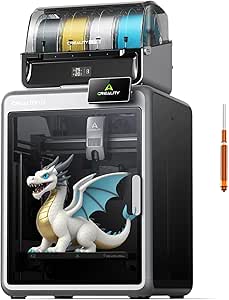 | Best Balanced CFS Multicolor Combo | Build volume: 260 × 260 × 260 mm | Maximum print speed: 600 mm/s | Acceleration: 20,000 mm/s² | VIEW LATEST PRICE | See Our Full Breakdown |
| Flashforge Creator 5 3D Printer with Four Independent Toolheads |  | Best for Multi-Material Printing with Less Purging | Toolheads: 4 independent toolheads | Tool change time: About 7 seconds | Maximum print speed: 600 mm/s | VIEW LATEST PRICE | See Our Full Breakdown |
| Creality K2 Plus Combo 3D Printer |  | Best for Large-Format and Engineering-Filament Projects | Build volume: 350 × 350 × 350 mm | Maximum print speed: 600 mm/s | Maximum acceleration: 30,000 mm/s² | VIEW LATEST PRICE | See Our Full Breakdown |
| FLASHFORGE Adventurer 5M Pro 3D Printer |  | Best Enclosed Printer for Fast Everyday Prototyping | Build volume: 220 × 220 × 220 mm | Maximum print speed: 600 mm/s | Acceleration: 20,000 mm/s² | VIEW LATEST PRICE | See Our Full Breakdown |
| Creality K2 Pro Combo 3D Printer with CFS Multicolor System |  | Best for Large, Heated-Chamber Multicolor Printing | Build volume: 300 × 300 × 300 mm | Maximum print speed: 600 mm/s | Maximum acceleration: 20,000 mm/s² | VIEW LATEST PRICE | See Our Full Breakdown |
| Bambu Lab A1 Mini 3D Printer Combo with AMS lite |  | Best Compact Multicolor Starter | Included system: A1 Mini 3D printer and AMS lite | Acceleration: 10,000 mm/s² | Calibration: Automatic, including Z-offset and bed leveling | VIEW LATEST PRICE | See Our Full Breakdown |
| Creality K2 Combo 3D Printer with CFS Multicolor System |  | Best Mid-Size Multicolor Workhorse | Build volume: 260 × 260 × 260 mm | Maximum print speed: 600 mm/s | Included CFS units: 1 | VIEW LATEST PRICE | See Our Full Breakdown |
| FLASHFORGE Creator 5 Pro Industrial 3D Printer |  | Best for Multi-Material Engineering Prints | Chamber temperature: Up to 65°C | Filtration: HEPA13 | Extruders: 4 independent toolheads | VIEW LATEST PRICE | See Our Full Breakdown |
| Snapmaker U1 3D Printer with 4 Toolheads |  | Best for Multi-Material Printing | Toolheads: 4 independent toolheads | Tool change time: 5 seconds | Maximum print speed: 500 mm/s | VIEW LATEST PRICE | See Our Full Breakdown |
| Bambu Lab P2S Combo 3D Printer with AMS 2 Pro |  | Best All-in-One High-Speed Combo | Printer type: FDM | Maximum print speed: 600 mm/s | Included system: AMS 2 Pro | VIEW LATEST PRICE | See Our Full Breakdown |
| Creality Ender 3 V3 SE 3D Printer |  | Best for Budget-Conscious Beginners | Maximum print speed: 250 mm/s | Acceleration: 2500 mm/s² | Build volume: 8.66 × 8.66 × 9.84 inches | VIEW LATEST PRICE | See Our Full Breakdown |
| Anycubic Kobra X Multicolor 3D Printer |  | Best Expandable Multicolor Pick | Printing technology: FDM | Native colors: 4 | Maximum colors: 19 with four ACE 2 Pro units | VIEW LATEST PRICE | See Our Full Breakdown |
| Bambu Lab P1S Enclosed FDM 3D Printer |  | Best Enclosed Printer for Advanced Filaments | Printer type: FDM | Design: Enclosed CoreXY | Maximum print speed: 500 mm/s | VIEW LATEST PRICE | See Our Full Breakdown |
| 3D printer | Maximum print speed | Build volume | Weight | Dimensions |
|---|---|---|---|---|
| ANYCUBIC Kobra X 3D Printer | 600 mm/s | 260 × 260 × 260 mm | 20.9 pounds | 17.93 × 17.53 × 18.16 inches |
| Bambu Lab A1 FDM 3D Printer | — | — | 22 pounds | 21.76 × 20.83 × 12.87 inches |
| Creality K2 Combo 3D Printer w | 600 mm/s | 260 × 260 × 260 mm | 55 pounds | — |
| Flashforge Creator 5 3D Printe | 600 mm/s | — | 30.8 pounds | 16 × 14 × 18 inches |
| Creality K2 Plus Combo 3D Prin | 600 mm/s | 350 × 350 × 350 mm | 70.4 pounds | — |
| FLASHFORGE Adventurer 5M Pro 3 | 600 mm/s | 220 × 220 × 220 mm | — | — |
| Creality K2 Pro Combo 3D Print | 600 mm/s | 300 × 300 × 300 mm | — | — |
| Bambu Lab A1 Mini 3D Printer C | — | — | 22 pounds | 16.77 × 14.82 × 19.5 inches |
| Creality K2 Combo 3D Printer w | 600 mm/s | 260 × 260 × 260 mm | 65.9 pounds | 16.93 × 16.54 × 21.06 inches |
| FLASHFORGE Creator 5 Pro Indus | 600 mm/s | 256 mm³ as stated in the supplied product data; dimensions are unclear | — | — |
| Snapmaker U1 3D Printer with 4 | 500 mm/s | 270 × 270 × 270 mm | — | 22.6 × 13 × 14.2 inches |
| Bambu Lab P2S Combo 3D Printer | 600 mm/s | — | 46.3 pounds | 18 × 22 × 18 inches |
| Creality Ender 3 V3 SE 3D Prin | 250 mm/s | 8.66 × 8.66 × 9.84 inches | — | — |
| Anycubic Kobra X Multicolor 3D | 600 mm/s | 260 × 260 × 260 mm | — | — |
| Bambu Lab P1S Enclosed FDM 3D | 500 mm/s | — | 38.9 pounds | 15.31 × 18.03 × 15.31 inches |
More Details on Our Top Picks
ANYCUBIC Kobra X 3D Printer
The ANYCUBIC Kobra X is a strong fit for buyers who want fast FDM production with multicolor capability built into the printer. Its 600 mm/s maximum speed, 260 mm cubed build volume, and 49-point LeviQ 3.0 leveling suit repeat jobs where a reliable first layer can save setup time. Unlike the Bambu Lab A1, which needs a separately purchased AMS lite or the Combo configuration for multicolor work, the Kobra X offers native four-color printing. It can expand to 19 colors, but that requires additional ACE 2 Pro units, so the maximum is not available from the base setup alone. The top-mount layout can help make better use of a crowded workbench, though its footprint and 20.9-pound weight still make it a substantial machine for a small workspace.
Pros:- Native four-color printing supports multicolor projects without requiring an added color system for basic use.
- Maximum speed of 600 mm/s can shorten production runs when the model and print settings allow it.
- 49-point LeviQ 3.0 auto-leveling reduces manual bed setup.
- 720P AI camera with spaghetti detection adds remote print monitoring.
Cons:- Expanding to 19 colors requires up to four additional ACE 2 Pro units.
- Its 17.93 × 17.53-inch footprint and 20.9-pound weight can be awkward in compact or mobile workspaces.
Best for: Small print-farm operators and makers who want fast, native four-color printing and may expand their setup later.
Not ideal for: Buyers with limited bench space or anyone who needs 19-color printing without buying extra ACE 2 Pro units.
- Technology:FDM
- Build volume:260 × 260 × 260 mm
- Maximum print speed:600 mm/s
- Color capability:Native 4-color; expandable to 19 colors with four ACE 2 Pro units
- Auto leveling:LeviQ 3.0, 49-point mesh
- Monitoring:720P AI camera with spaghetti detection
- Dimensions:17.93 × 17.53 × 18.16 inches
- Weight:20.9 pounds
Our verdict“Choose the Kobra X if you want fast native four-color printing with room to expand, and skip it if workspace or add-on costs are your main constraint.”
Bambu Lab A1 FDM 3D Printer
The Bambu Lab A1 makes the most sense for buyers who want calibration and extrusion adjustments handled automatically rather than spending time tuning each job. Automatic Z-offset and bed leveling simplify setup, while active flow rate compensation helps keep extrusion consistent as printing conditions change. Its quick-swap nozzle is useful for owners who expect to change nozzle types or perform maintenance. Compared with the ANYCUBIC Kobra X, the A1 is less compelling as a ready-to-run multicolor pick: multicolor printing requires an AMS lite sold separately or the A1 Combo. The listed acceleration of 10,000 mm/s² supports responsive movement, and motor noise cancellation targets quieter operation, but this model’s appeal is ease of use rather than a large build volume or an included multicolor setup.
Pros:- Automatic calibration includes Z-offset and bed leveling, reducing manual setup.
- Active flow rate compensation supports more consistent extrusion.
- One-clip quick-swap nozzle makes nozzle changes more convenient.
- Active motor noise cancellation supports quieter printing.
Cons:- Multicolor printing requires a separately purchased AMS lite unless bought as the A1 Combo.
- The listed acceleration is lower than the 20,000 mm/s² specified for the Creality K2 Combo.
Best for: New and intermediate hobbyists who want automated setup, convenient nozzle changes, and mostly single-color printing.
Not ideal for: Buyers who want multicolor printing included in the base setup or need a printer selected for a larger stated build volume.
- Printing technology:FDM
- Acceleration:10,000 mm/s²
- Calibration:Automatic, including Z-offset and bed leveling
- Multicolor printing:Requires AMS lite, sold separately, or A1 Combo
- Nozzle:1-Clip quick-swap
- Noise level:≤48 dB
- Dimensions:21.76 × 20.83 × 12.87 inches
- Weight:22 pounds
Our verdict“Pick the A1 for automated, mostly single-color printing and convenient maintenance, but compare bundle options if multicolor is part of your plan.”
Creality K2 Combo 3D Printer with CFS Multicolor Printing
The Creality K2 Combo pairs a 260 mm cubed build volume with a CFS unit for automatic filament identification and switching, making it a more complete multicolor package than the single-color Bambu Lab A1 configuration. Its direct-drive extruder and 300°C hardened-steel nozzle broaden its material options beyond basic PLA, including ABS, PETG, and engineering-grade filaments listed by the manufacturer. Automatic leveling and an AI chamber camera add convenience for users managing longer prints. The 600 mm/s maximum speed and 20,000 mm/s² acceleration give it a fast-motion profile, though speed alone does not guarantee a particular print time or finish. The included setup has only one CFS unit, so reaching 16 colors means adding more hardware; at 55 pounds, this is also a printer to place deliberately rather than move often.
Pros:- Included CFS unit supports multicolor printing with automatic filament identification and switching.
- Direct-drive extruder and 300°C hardened-steel nozzle support a broad range of listed filament types.
- Auto leveling and an AI chamber camera add setup and monitoring assistance.
- Maximum speed of 600 mm/s and acceleration of 20,000 mm/s² support fast motion.
Cons:- The included configuration has one CFS unit; up to four units are needed for the stated 16-color maximum.
- At 55 pounds, it is difficult to reposition compared with lighter printers such as the A1.
Best for: Makers who want an included CFS multicolor system, a 260 mm build volume, and material flexibility for varied projects.
Not ideal for: Users who need a lightweight, frequently moved printer or expect 16-color capability from the included CFS unit alone.
- Build volume:260 × 260 × 260 mm
- Maximum print speed:600 mm/s
- Acceleration:20,000 mm/s²
- CFS units included:1
- Maximum color capacity:Up to 16 colors with up to four CFS units
- Maximum nozzle temperature:300°C
- Nozzle:Hardened steel
- Weight:55 pounds
Our verdict“Choose the K2 Combo for an included CFS system and broad material options, provided you can accommodate its weight and treat 16 colors as an expanded setup.”
Flashforge Creator 5 3D Printer with Four Independent Toolheads
The Flashforge Creator 5 takes a different route to multicolor work than the CFS-based Creality K2 Combo: it uses four independent toolheads, which can keep separate colors and materials on their own nozzles instead of repeatedly swapping filament through one path. That approach is especially useful when a project needs support material or combinations such as PLA and TPU. Background preheating brings tool changes to about seven seconds, while the CoreXY motion system supports speeds up to 600 mm/s. Automatic calibration, vibration compensation, and flow calibration reduce some of the setup burden. The tradeoff is a narrower stated material list than the K2 Combo, which includes engineering-grade filaments, and four toolheads do not by themselves establish a maximum color count. At 30.8 pounds, it is also less suited to frequent relocation than a lighter desktop machine.
Pros:- Four independent toolheads keep materials separate during multi-color and multi-material jobs.
- Background preheating supports tool changes in about seven seconds.
- CoreXY motion system supports speeds up to 600 mm/s.
- Automatic calibration includes vibration and flow compensation.
Cons:- The listed material support is limited to PLA, PETG, TPU, PETG-CF, and support materials.
- Its 30.8-pound weight makes it less convenient to move than lighter desktop printers.
Best for: Makers printing multi-material parts or support-heavy models who value separate toolheads and reduced color mixing.
Not ideal for: Buyers seeking a broad stated range of engineering filaments or a lightweight printer for frequent moves.
- Toolheads:4 independent toolheads
- Tool change time:About 7 seconds
- Maximum print speed:600 mm/s
- Motion system:CoreXY
- Supported materials:PLA, PETG, TPU, PETG-CF, and support materials
- Calibration:Automatic calibration, vibration compensation, and flow calibration
- Dimensions:16 × 14 × 18 inches
- Weight:30.8 pounds
Our verdict“Choose the Creator 5 for separate-toolhead multi-material work and reduced purging, but look elsewhere if broad engineering-filament support is your priority.”
Creality K2 Plus Combo 3D Printer
The Creality K2 Plus Combo is the clear choice here when a standard 260 mm build volume is too limiting. Its 350 mm cubed build area can accommodate larger parts or more pieces per batch than the K2 Combo and ANYCUBIC Kobra X, both of which list 260 mm cubed volumes. A heated chamber rated to 60°C and a nozzle rated to 350°C make it better suited to demanding filament workflows than those smaller-volume alternatives, while dual AI cameras support monitoring and flow optimization. The CFS system enables multicolor printing, but the stated 16-color capacity requires four connected CFS units, not just the included basic system. This is a substantial machine at 70.4 pounds, so its extra capacity comes with a real placement and relocation commitment.
Pros:- 350 mm cubed build volume handles larger models and bigger batches than the 260 mm cubed K2 Combo.
- 350°C maximum nozzle temperature and a 60°C heated chamber support demanding material workflows.
- Dual AI cameras provide print monitoring and flow optimization.
- Maximum print speed of 600 mm/s and acceleration of 30,000 mm/s² support high-speed motion.
Cons:- At 70.4 pounds, it is difficult to move and needs a sturdy, dedicated location.
- Reaching the stated 16-color capacity requires four connected CFS units.
Best for: Makers and small production teams printing large parts, batching components, or working with engineering filaments.
Not ideal for: Beginners with limited workspace, buyers who need a portable printer, or anyone expecting 16-color printing without four CFS units.
- Build volume:350 × 350 × 350 mm
- Maximum print speed:600 mm/s
- Maximum acceleration:30,000 mm/s²
- Maximum nozzle temperature:350°C
- Maximum chamber temperature:60°C
- Maximum flow rate:40 mm³/s
- Multicolor printing:Up to 16 colors with four CFS units
- Weight:70.4 pounds
Our verdict“Choose the K2 Plus Combo when large parts and higher-temperature materials matter more than portability or a simple multicolor setup.”
FLASHFORGE Adventurer 5M Pro 3D Printer
I’d choose the Adventurer 5M Pro for a buyer who wants a fast, enclosed printer without stepping up to a larger, heavier machine. Its CoreXY system reaches 600 mm/s, while automatic bed leveling and a tool-free quick-swap nozzle reduce setup and maintenance work. The enclosure, dual filtration, and support for materials such as ABS and ASA make it more versatile than the open-frame Bambu Lab A1 Mini Combo for projects that benefit from a controlled printing environment.
The tradeoff is its 220 mm cubed build volume: the Creality K2 Pro Combo can handle larger parts, and its heated chamber is better suited to demanding engineering materials. The Adventurer’s monitoring camera, filament detection, and power-loss recovery are useful safeguards, but its enclosure still takes dedicated space. I’d pick it for compact, practical versatility rather than oversized prints or advanced chamber heating.
Pros:- CoreXY motion supports print speeds up to 600 mm/s.
- Automatic leveling and a tool-free quick-swap nozzle simplify routine setup and maintenance.
- Enclosure and dual filtration support a more controlled printing environment.
- Camera, filament detection, and power-loss recovery add useful monitoring and recovery features.
Cons:- The 220 × 220 × 220 mm build volume limits one-piece prints.
- The enclosure and filtration system need dedicated space.
- It lacks the active chamber heating offered by the Creality K2 Pro Combo.
Best for: Makers who want a fast enclosed printer for everyday prototypes and occasional ABS or ASA parts, but do not need a large build area.
Not ideal for: Buyers printing large parts or demanding engineering materials that benefit from active chamber heating; the K2 Pro Combo offers more room and a heated chamber.
- Build volume:220 × 220 × 220 mm
- Maximum print speed:600 mm/s
- Acceleration:20,000 mm/s²
- Maximum nozzle temperature:280°C
- Maximum heated bed temperature:110°C
- Supported materials:PLA, PETG, ABS, ASA, PETG-CF
- Nozzle sizes:0.25, 0.4, 0.6, and 0.8 mm
- Noise level:Under 50 dB
- Dimensions and weight:16 × 14 × 18 inches; 22 pounds
Our verdict“Choose the Adventurer 5M Pro for fast, enclosed general-purpose printing in a moderate footprint, not for large parts or heated-chamber material work.”
Creality K2 Pro Combo 3D Printer with CFS Multicolor System
The K2 Pro Combo is the strongest fit here for makers who need both a large 300 mm cubed build area and a path to complex multicolor work. Its included CFS system supports up to 16 colors, while active chamber heating to 60°C and compatibility with materials such as PPA-CF give it a more production-minded range than the FLASHFORGE Adventurer 5M Pro. Dual AI cameras add print monitoring and real-time flow tuning, useful when longer or more involved jobs are running.
That capability comes with a substantial footprint and 61.6-pound weight, so this is not the easy-to-relocate choice. The Creality K2 Combo is lighter on features and has a smaller build volume, but may suit buyers who do not need the Pro’s heated chamber or advanced material support. The K2 Pro makes most sense when its capacity and material range will be used regularly.
Pros:- 300 × 300 × 300 mm build volume accommodates larger parts than the other printers in this batch.
- CFS system supports up to 16-color printing.
- Active chamber heating up to 60°C and broad material support suit engineering-oriented work.
- Dual AI cameras provide monitoring and real-time flow tuning.
Cons:- At 61.6 pounds, it is difficult to move and needs a stable, dedicated location.
- Its large dimensions can be challenging in a small workshop.
- The added chamber and multicolor capabilities may be unnecessary for buyers focused on basic PLA printing.
Best for: Experienced makers, small product teams, and engineering hobbyists who need larger prints, multicolor output, and support for reinforced materials.
Not ideal for: Beginners with limited workspace or anyone who mainly prints small PLA parts; its size, weight, and advanced capabilities may be more machine than needed.
- Build volume:300 × 300 × 300 mm
- Maximum print speed:600 mm/s
- Maximum acceleration:20,000 mm/s²
- Maximum chamber temperature:60°C
- Multicolor capacity:Up to 16 colors
- Extruder flow rate:40 mm³/s
- Supported materials:PLA, ABS, ASA, PPA, PPA-CF, PET-CF
- Connectivity:Wi-Fi and LAN
- Dimensions and weight:17 × 20 × 18 inches; 61.6 pounds
Our verdict“Pick the K2 Pro Combo when you need a large build area, heated chamber, and multicolor capability in one machine and have space to keep it set up.”
Bambu Lab A1 Mini 3D Printer Combo with AMS lite
I’d point new makers toward the A1 Mini Combo when easy setup and multicolor printing in a compact machine matter more than enclosure or large parts. It arrives pre-assembled, takes about 20 minutes to set up, and handles calibration—including bed leveling and Z-offset—automatically. The included AMS lite enables multicolor prints without buying a separate color system, while active flow-rate compensation helps maintain consistent extrusion. Compared with the enclosed FLASHFORGE Adventurer 5M Pro, this is a more approachable route into multicolor printing, but it gives up chamber protection and material range.
The A1 Mini’s 10,000 mm/s² acceleration is lower than the 20,000 mm/s² figures listed for the Adventurer and K2 Pro, and the supplied data does not give its build volume. Buyers planning large objects or regular ABS and ASA work should look at an enclosed option instead. The AMS lite is part of the appeal, but multicolor printing depends on that system being connected.
Pros:- AMS lite is included for multicolor printing.
- Automatic calibration reduces manual bed setup.
- Pre-assembled design and roughly 20-minute setup lower the entry barrier.
- Quick-swap nozzle and active flow-rate compensation support easier upkeep and consistent extrusion.
Cons:- Multicolor printing depends on using the included AMS lite.
- The supplied specifications do not state a build volume, making print-size comparison difficult.
- Its open design is less suited than the Adventurer 5M Pro to enclosed printing of materials such as ABS and ASA.
Best for: First-time makers, students, and hobbyists who want an easy setup and included multicolor printing for small projects.
Not ideal for: Buyers who need an enclosed printer for ABS or ASA, or who plan to print large parts; the Adventurer 5M Pro is better suited to enclosed material work.
- Included system:A1 Mini 3D printer and AMS lite
- Acceleration:10,000 mm/s²
- Calibration:Automatic, including Z-offset and bed leveling
- Noise level:≤48 dB
- Setup time:About 20 minutes
- Nozzle:1-Clip quick-swap
- Dimensions:16.77 × 14.82 × 19.5 inches
- Weight:22 pounds
- Model number:PF002-M+SA005-AU
Our verdict“Choose the A1 Mini Combo for a low-fuss introduction to multicolor printing, provided a compact, open printer suits your projects.”
Creality K2 Combo 3D Printer with CFS Multicolor System
The K2 Combo gives multicolor printing a larger, more flexible platform than the A1 Mini Combo, with a 260 mm cubed build volume and one CFS unit included. It can support up to 16 colors when expanded to four CFS units, so buyers can begin with the supplied setup and add capacity later. Auto leveling, a direct-drive extruder, and an AI camera make it a capable option for regular printing; step-servo motors and a silent mode also address noise during longer jobs.
Its main distinction from the K2 Pro Combo is a simpler material and chamber setup: the Pro adds active heating and a larger 300 mm cubed build area. The K2 Combo is the more restrained choice for multicolor PLA, PETG, or ABS work, though four-color printing is the included-system limit; additional CFS units are needed for more. At 65.9 pounds, it still calls for a permanent workspace.
Pros:- 260 × 260 × 260 mm build volume offers more room than the A1 Mini Combo.
- Included CFS enables multicolor printing, with expansion up to 16 colors using four units.
- Auto leveling and an AI camera support easier setup and print monitoring.
- Step-servo motors and silent mode are designed to reduce operating noise.
Cons:- The included bundle has one CFS unit, so printing beyond four colors requires additional units.
- The 65.9-pound weight makes frequent relocation impractical.
- It lacks the K2 Pro Combo’s active chamber heating and larger build volume.
Best for: Makers who want a roomy multicolor printer for PLA, PETG, and ABS and may expand their color setup over time.
Not ideal for: Users who need active chamber heating or frequently print larger engineering parts; the K2 Pro Combo has a larger build area and heated chamber.
- Build volume:260 × 260 × 260 mm
- Maximum print speed:600 mm/s
- Included CFS units:1
- Maximum color capacity:Up to 16 colors with up to 4 CFS units
- Compatible materials:PLA, PETG, ABS, PLA-CF, PET
- Features:Auto leveling, AI camera, silent mode, direct-drive extruder
- Assembly:Pre-assembled
- Dimensions:16.93 × 16.54 × 21.06 inches
- Weight:65.9 pounds
Our verdict“Choose the K2 Combo for a substantial mid-size multicolor printer if you do not need the K2 Pro’s heated chamber or larger capacity.”
FLASHFORGE Creator 5 Pro Industrial 3D Printer
The Creator 5 Pro is the specialist pick for buyers who want four independent toolheads rather than a single nozzle switching between colors or materials. That arrangement supports multicolor and multi-material jobs without relying on single-nozzle color purging. Its sealed enclosure, chamber heating up to 65°C, and HEPA13 filtration are aimed at engineering materials such as ABS, ASA, PC, and Nylon. Compared with the Creality K2 Pro Combo, the Creator 5 Pro’s key distinction is its independent-toolhead setup; the K2 Pro instead pairs a larger stated build volume with CFS filament feeding.
There is an important data limitation: the supplied build volume is listed as 256 mm³, which does not provide usable width, depth, and height dimensions. I would confirm the manufacturer’s actual build volume before choosing it for a specific part. Its 30.9-pound weight is lower than the K2 Pro’s, but the listed dimensions and sealed enclosure still call for dedicated space. This makes more sense for material separation than for buyers seeking a clearly documented large print area.
Pros:- Four independent toolheads support multi-material and multicolor printing without single-nozzle color purging.
- Heated chamber up to 65°C supports printing engineering materials.
- HEPA13 filtration is included in the sealed enclosure.
- Automatic leveling, toolhead offset calibration, and a flexible magnetic PEI plate aid setup and part removal.
Cons:- The supplied build-volume value, 256 mm³, appears incomplete and does not identify printable dimensions.
- The sealed enclosure and listed dimensions require dedicated workspace.
- Its advanced toolhead and chamber features may be unnecessary for buyers focused on basic PLA printing.
Best for: Advanced makers and small engineering teams printing multiple materials or colors, especially when a heated enclosure and filtration are priorities.
Not ideal for: Buyers who need a clearly specified build area before purchase, or who mainly print basic PLA; the supplied volume figure is incomplete and the industrial features may be unnecessary.
- Chamber temperature:Up to 65°C
- Filtration:HEPA13
- Extruders:4 independent toolheads
- Maximum print speed:600 mm/s
- Acceleration:30,000 mm/s²
- Build volume:256 mm³ as stated in the supplied product data; dimensions are unclear
- Supported materials:ABS, ASA, PC, Nylon
- Frame and motion system:All-metal frame, CoreXY
- Dimensions and weight:18.9 × 16.06 × 17.17 inches; 30.9 pounds
Our verdict“Choose the Creator 5 Pro for independent multi-material toolheads and a heated, filtered enclosure, but verify its actual build dimensions before ordering.”
Snapmaker U1 3D Printer with 4 Toolheads
The Snapmaker U1 is the strongest fit here for prints that combine colors or materials, thanks to four independent toolheads and a stated five-second tool change. Independent heads can reduce the filament purging associated with swapping colors through a single nozzle, which can mean less waste on complex jobs. Its 270 mm cubic build volume is also slightly larger than the Anycubic Kobra X’s 260 mm cube. Both offer multi-color capability, but the Kobra X has four native colors and a path to expansion, while the U1’s toolhead setup is its defining advantage for material changes. Automatic calibration, AI monitoring, and a touchscreen add convenience, but this is a substantial machine: at 57.9 pounds and 22.6 inches long, it needs a dedicated, sturdy spot. I’d choose it for frequent multi-material work, not for a compact starter setup.
Pros:- Four independent toolheads support multi-color and multi-material printing.
- Five-second automatic tool changes can reduce swap delays and filament purging.
- 270 mm cubic build volume accommodates larger parts than the Anycubic Kobra X.
- Automatic calibration and AI print monitoring assist with routine operation.
Cons:- At 57.9 pounds, it is difficult to move once positioned.
- Its 22.6-inch length calls for substantial setup space.
- The multi-toolhead system may be unnecessary for buyers who mainly print single-color parts.
Best for: Makers who regularly print multi-color or multi-material parts and have a dedicated, sturdy workspace.
Not ideal for: Apartment users or beginners seeking a lightweight, space-saving printer; its 57.9-pound weight and long footprint make placement less flexible.
- Toolheads:4 independent toolheads
- Tool change time:5 seconds
- Maximum print speed:500 mm/s
- Build volume:270 × 270 × 270 mm
- Compatible materials:PLA, PVA, TPU, PETG, PCTG, ABS, ASA, PA, PC, and more
- Dimensions:22.6 × 13 × 14.2 inches
- Item weight:57.9 pounds
- Display:3.5-inch touchscreen
- Warranty:1 year
Our verdict“Choose the Snapmaker U1 if frequent multi-material printing matters more than a compact footprint.”
Bambu Lab P2S Combo 3D Printer with AMS 2 Pro
The P2S Combo pairs a fast FDM printer with an included AMS 2 Pro, making it a more ready-to-go multi-color package than the Bambu Lab P1S, which needs a separately purchased AMS for that capability. Its stated 600 mm/s maximum speed, automatic calibration, and AI failure detection are aimed at reducing wait time and catching some print problems early. The AMS 2 Pro also dries filament at up to 65 °C, a practical addition for users working with moisture-sensitive spools. Adaptive airflow and a chamber rated up to 50 °C give it flexibility across filament types, though that chamber limit is a constraint for buyers seeking higher-temperature enclosure performance. I’d favor the P2S Combo over the P1S when an included filament system and drying matter; buyers printing mostly single-color parts may not need the added system.
Pros:- Included AMS 2 Pro supports multi-color and multi-material printing.
- Filament drying up to 65 °C helps manage moisture-sensitive spools.
- Automatic calibration and AI failure detection reduce hands-on monitoring.
- Quick-swap nozzles and adaptive airflow support practical changes between jobs.
Cons:- The multi-color feature is tied to the Combo version and its AMS system.
- The chamber temperature is limited to 50 °C.
- At 46.3 pounds, it is not an especially easy printer to relocate.
Best for: Makers who want a fast printer with multi-color capability and filament drying in the included package.
Not ideal for: Single-color hobbyists or users who need a chamber temperature above 50 °C.
- Printer type:FDM
- Maximum print speed:600 mm/s
- Included system:AMS 2 Pro
- Filament drying temperature:Up to 65 °C
- Chamber temperature:Up to 50 °C
- Dimensions:18 × 22 × 18 inches
- Weight:46.3 pounds
- Model number:PF004-U+SA007-AU
Our verdict“Pick the P2S Combo if you want an included multi-color and filament-drying system alongside high-speed printing.”
Creality Ender 3 V3 SE 3D Printer
The Ender 3 V3 SE is the straightforward choice in this group for buyers who want to learn single-color FDM printing without taking on a multi-color system. Its CR Touch bed leveling and strain-sensor Z-offset help reduce two common early setup frustrations, while partial preassembly and automatic filament loading make the first steps less involved. The Sprite direct-drive extruder supports PLA, PETG, and TPU, giving it useful material range for a basic machine. It is much lighter than the 46.3-pound Bambu Lab P2S Combo, but also has a smaller build volume and a lower stated maximum speed. Unlike the P2S, it has no included enclosed chamber or multi-color system. Assembly is still required, and the 250 mm/s maximum may call for slower settings when print quality takes priority.
Pros:- Automatic bed leveling and Z-offset sensing simplify initial setup.
- Direct-drive extruder supports PLA, TPU, and PETG.
- Automatic filament loading and unloading ease routine filament changes.
- At 15.66 pounds, it is lighter and easier to place than the larger enclosed options.
Cons:- Assembly is required despite partial preassembly.
- Its 250 mm/s maximum speed is below the listed speeds of the P2S Combo and Kobra X.
- It lacks an enclosure and built-in multi-color printing.
Best for: First-time makers who want an approachable, partially preassembled printer for PLA, PETG, and TPU projects.
Not ideal for: Buyers who want enclosed printing, multi-color output, or high-volume production speeds without additional setup.
- Maximum print speed:250 mm/s
- Acceleration:2500 mm/s²
- Build volume:8.66 × 8.66 × 9.84 inches
- Extruder:Sprite full-metal dual-gear direct extruder
- Leveling:CR Touch auto leveling with strain-sensor auto Z-offset
- Supported filament:PLA, TPU, PETG
- Item weight:15.66 pounds
- Warranty:12 months
Our verdict“Choose the Ender 3 V3 SE if you want a lighter, beginner-oriented machine for basic single-color printing.”
Anycubic Kobra X Multicolor 3D Printer
The Kobra X makes multi-color printing accessible without starting with a separate add-on: it supports four colors natively and can expand to as many as 19 with four ACE 2 Pro units. That gives it a broader stated color ceiling than the Snapmaker U1’s four-toolhead setup, though expansion requires extra hardware and the listed ACE Pro is incompatible. The Kobra X also matches the P2S Combo’s stated 600 mm/s maximum speed and offers a 260 mm cubic build volume, just smaller than the Snapmaker’s 270 mm cube. Its 49-point automatic bed calibration, Wi-Fi, LAN, and AI detection features suit users who want remote oversight. Filament is not included, and buyers should factor in the additional units needed for expanded colors. I’d pick it for color flexibility, not for the simplest single-color setup.
Pros:- Four-color printing is supported natively, with expansion up to 19 colors using four ACE 2 Pro units.
- 49-point automatic bed calibration helps simplify setup.
- Supports flexible TPU alongside PLA, PETG, PVA, and ASA.
- Wi-Fi and LAN enable remote control and status monitoring.
Cons:- Filament is sold separately.
- Expansion to 19 colors requires four ACE 2 Pro units.
- ACE Pro is listed as incompatible, so buyers need to select the specified expansion system.
Best for: Makers who want four-color printing out of the box and may later expand to a larger palette.
Not ideal for: Buyers who need an all-in-one expanded-color setup or want filament included; extra ACE 2 Pro units are required for expansion.
- Printing technology:FDM
- Native colors:4
- Maximum colors:19 with four ACE 2 Pro units
- Build volume:260 × 260 × 260 mm
- Maximum print speed:600 mm/s
- Nozzle temperature:Up to 300 °C
- Bed leveling:LeviQ 3.0, 49-point automatic calibration
- Supported filaments:PLA, PETG, TPU, PVA, ASA
- Connectivity:Dual-band 2.4/5 GHz Wi-Fi, LAN
Our verdict“Choose the Kobra X if native four-color printing and a future path to a much larger palette are your priorities.”
Bambu Lab P1S Enclosed FDM 3D Printer
The P1S is the more focused pick for buyers who want an enclosed CoreXY printer rather than an included multi-color package. Its enclosure and stated support for materials such as ABS and ASA make it better suited to users exploring those filaments than the open-frame Ender 3 V3 SE. At up to 500 mm/s, it is also built for faster jobs, while automatic bed leveling and a stated setup time of about 15 minutes reduce initial effort. The tradeoff is that multi-color and multi-material printing requires a separate Bambu Lab AMS, unlike the P2S Combo, which includes an AMS 2 Pro. Carbon- and glass-fiber-reinforced polymers are not recommended, so this is not a universal materials machine. I’d choose it for enclosed single-color work, with AMS as a later option.
Pros:- Enclosed CoreXY design suits users printing listed materials such as ABS and ASA.
- Automatic bed leveling simplifies setup.
- Maximum speed of 500 mm/s and acceleration of 20,000 mm/s² support faster printing.
- Can support up to 16 colors when paired with a Bambu Lab AMS.
Cons:- A Bambu Lab AMS is required for multi-color and multi-material printing.
- Carbon- and glass-fiber-reinforced polymers are not recommended.
- The listed supported-filament range may not suit buyers seeking a specialized reinforced-material printer.
Best for: Makers who want an enclosed printer for ABS, ASA, and other listed filaments, with the option to add multi-color capability later.
Not ideal for: Buyers who want multi-color printing included or need recommended support for carbon- or glass-fiber-reinforced polymers.
- Printer type:FDM
- Design:Enclosed CoreXY
- Maximum print speed:500 mm/s
- Maximum acceleration:20,000 mm/s²
- Multi-color capacity:Up to 16 colors with Bambu Lab AMS
- Supported filaments:PLA, PETG, TPU, PVA, PET, ABS, ASA; also capable of PA and PC
- Dimensions:15.31 × 18.03 × 15.31 inches
- Weight:38.9 pounds
- Setup time:About 15 minutes
Our verdict“Choose the P1S if an enclosed printer for listed advanced filaments matters more than having multi-color hardware included.”
How We Picked
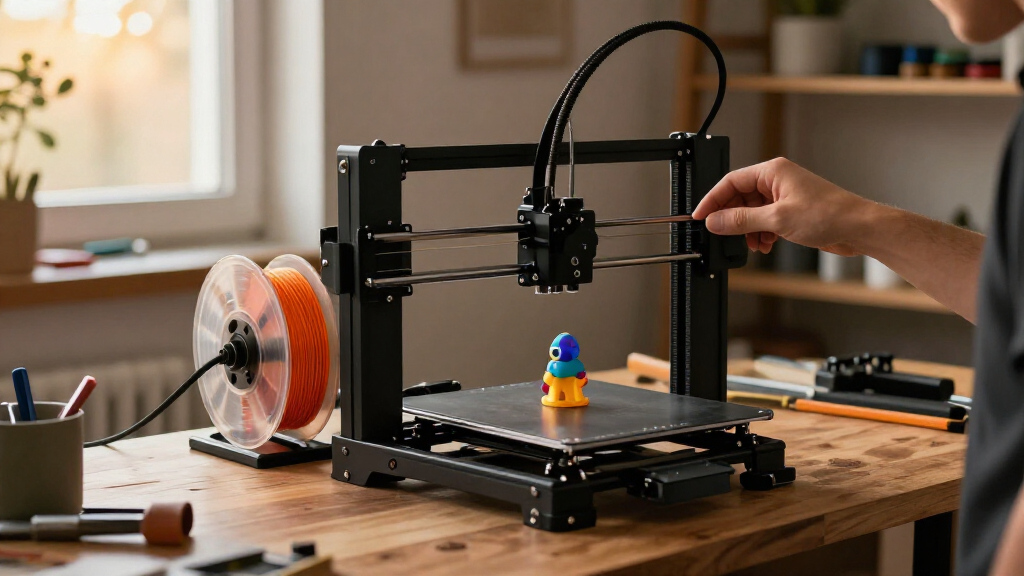
I compared the 15 printers by the things that change the ownership experience: printing approach, enclosure, build scale, material and color workflow, setup demands, and the maintenance that can come with added mechanisms. I also looked at whether a printer’s included system makes sense as a complete package or whether its key advantage depends on a buyer needing a particular accessory, material, or production workflow. Those factors matter more than a long feature list when deciding whether a machine fits a home workspace, a first printer, or a more specialized project.
The ranking favors useful capability without asking every buyer to take on extra complexity. The P2S Combo ranks first for its balance of enclosure and bundled multicolor functionality; simpler open-frame machines rank well for accessible everyday printing but are less versatile for some materials. Larger enclosed printers, industrial machines, and multiple-toolhead designs earn their place for specific needs, not as universal upgrades. I treat repeated product listings as distinct entries only where the supplied names describe a different package or configuration, so buyers should check the exact model and bundle before choosing.
Factors to Consider When Choosing Best 3D Printers
Specs only tell part of the story. I’d start with the jobs you expect to print, how much room you can dedicate to a machine, and how much setup or maintenance you’re willing to handle. These choices can matter more than a headline feature such as multicolor capability or a larger build area.
Match the Printer to the Parts You’ll Actually Make
Before choosing a build volume, measure the largest object you expect to print and the space available around the printer for access and ventilation. A larger bed can save you from splitting models, but it also takes up more room and may encourage you to print bigger objects that use more filament and time. Smaller machines can handle many miniatures, fixtures, and household parts without dedicating a large area to the printer. A common mistake is buying for a rare oversized project rather than the work you do repeatedly. If occasional large parts are the only reason to choose a bigger machine, check whether splitting and joining those models is acceptable. Pick capacity for frequent work, not hypothetical ambition.
Choose an Open Frame or Enclosure for Your Materials and Space
An open-frame printer is easier to access and can suit many common PLA projects, while an enclosure can help contain drafts and keep the printing area more controlled. That difference matters more as your material plans become more demanding, but an enclosure alone does not make every filament suitable for every machine. Think about where the printer will sit: an enclosure can reduce exposure to moving parts, yet the printer still needs an appropriate, ventilated location. Buyers sometimes choose an enclosed model assuming it removes the need to learn material settings or follow handling guidance. It does not. If your work will stay with basic materials and occasional prints, an open model may be a simpler fit. Choose enclosure features for a specific use, not as a badge of quality.
Decide Whether Multicolor Is Worth the Added Workflow
Multicolor printing is useful for labels, decorative models, and parts where color is built into the design. Filament-feeding systems such as AMS and CFS handle multiple spools through one print path, while independent toolheads offer another way to work with different materials or colors. Neither approach is automatically better for every job: each has its own setup, material-management, and maintenance demands. Color changes can also create purge material, so a multicolor print may use more filament than its finished object suggests. If you mostly print functional parts in one material, a simpler single-color workflow may save time and reduce waste. Choose a multicolor system when you can name projects that will use it often.
Treat Ease of Setup and Ongoing Care as Separate Questions
A printer can be quick to get running yet still need routine attention as parts wear or print conditions change. Automatic setup features can reduce initial adjustment, but they cannot replace clean build surfaces, sensible filament storage, or occasional maintenance. Multiple toolheads and filament systems add capability alongside more components to keep in working order. Ask what tasks you are comfortable doing before choosing a machine with a more involved feed or toolhead setup. New buyers often focus on the first print and overlook the time needed to keep a printer producing reliable results over many projects. If you prefer less hands-on ownership, favor a simpler workflow and a model with clear support documentation. If you enjoy tuning and tinkering, added mechanical complexity may be a reasonable trade.
Pay for Capability You Can Use, Not a Spec You May Never Need
Premium and industrial-style printers can make sense when throughput, a specialized workflow, or greater capacity is central to the work. For a home user printing occasional models, those capabilities may bring a larger footprint and more systems to manage without improving everyday results. Compare what is included in the package, especially when a product name identifies a combo with a multicolor accessory. Do not assume two similarly named bundles contain the same equipment; confirm the exact printer, feeder, and included components before ordering. It is also easy to confuse a higher machine category with a better match for your needs. Write down the jobs that require the upgrade, then choose the least complex option that can handle them.
Frequently Asked Questions
Should I choose a multicolor printer or a single-color model?
Choose multicolor if you regularly make models with separate colors, clear labels, or visual details that would be difficult to add after printing. If most of your parts are functional and use one filament, a single-color printer can make the workflow simpler. Multicolor systems may need extra setup and can use more filament during color changes, so the finished object is not the only measure of material use. Also distinguish filament-feeding systems from independent toolheads, since they handle color and material changes differently. I’d pay for multicolor capability when it supports projects you expect to print often.
Is an enclosed 3D printer necessary for a first printer?
No. For many first projects using common materials, an open-frame printer can be a practical way to learn the basics without adding enclosure size and complexity. An enclosure becomes more appealing when your planned materials or printing location benefit from a more controlled environment. It can also help contain access to moving components, but it does not remove the need for sensible placement or material-specific settings. Consider what you will print in the first few months rather than buying an enclosure for an uncertain future project. A beginner can succeed with either design if the machine matches the intended work.
How much build volume should I look for?
Start by measuring the largest object you expect to print regularly, then allow room for the printer itself and access to its parts. Build volume is most valuable when it lets you print a useful object in one piece; it matters less if your projects are small or can be joined from sections. A larger printer also takes more workspace and may lead to longer jobs for large models. Avoid choosing a machine solely because its build area is the largest in the group. If you only need extra capacity occasionally, model splitting may be a better compromise than living with a bigger printer every day.
What should I check before buying a printer bundle?
Confirm the exact model name and list of included components rather than relying on a broad family name. Bundles can pair a printer with a filament system, and those additions may be the main reason to choose one configuration over another. Check whether the system is included in the box, whether it supports the workflow you want, and whether any required parts are sold separately. This is especially useful when similar product names appear more than once in a roundup. Also make sure you have room for the full setup, not only the printer frame.
Should I buy a multi-toolhead or industrial-style printer for home use?
It can be a good fit if you have recurring projects that benefit from separate toolheads, specialized material handling, or production-focused capacity. For occasional home printing, those systems may add cost, space needs, and maintenance without changing the results you care about. A filament-feeding multicolor system may suit decorative models, while multiple toolheads can fit a different workflow; compare the method to your actual designs. Consider how often you will use the extra capability and how comfortable you are maintaining a more involved machine. If the answer is rarely, a simpler model is likely a more sensible choice.
Conclusion
For the widest mix of everyday capability and room to grow, I’d choose the Bambu Lab P2S Combo as the best overall pick. The Creality Ender 3 V3 SE is my best value-style recommendation for buyers who want a straightforward machine without a bundled multicolor workflow, while the Bambu Lab A1 Mini Combo is the best fit for beginners with limited space who want to try multicolor printing. For a premium, larger-scale setup, I’d shortlist the Creality K2 Plus Combo or the FLASHFORGE Creator 5 Pro Industrial only when their added capacity suits the work. Buyers who need multiple toolheads should compare the Snapmaker U1 and Flashforge Creator 5 against their specific workflow; those who want enclosed printing in a more general-purpose package should look at the Bambu Lab P1S or FLASHFORGE Adventurer 5M Pro. The right choice is the one whose build space, material approach, and ongoing demands fit the prints you actually plan to make.