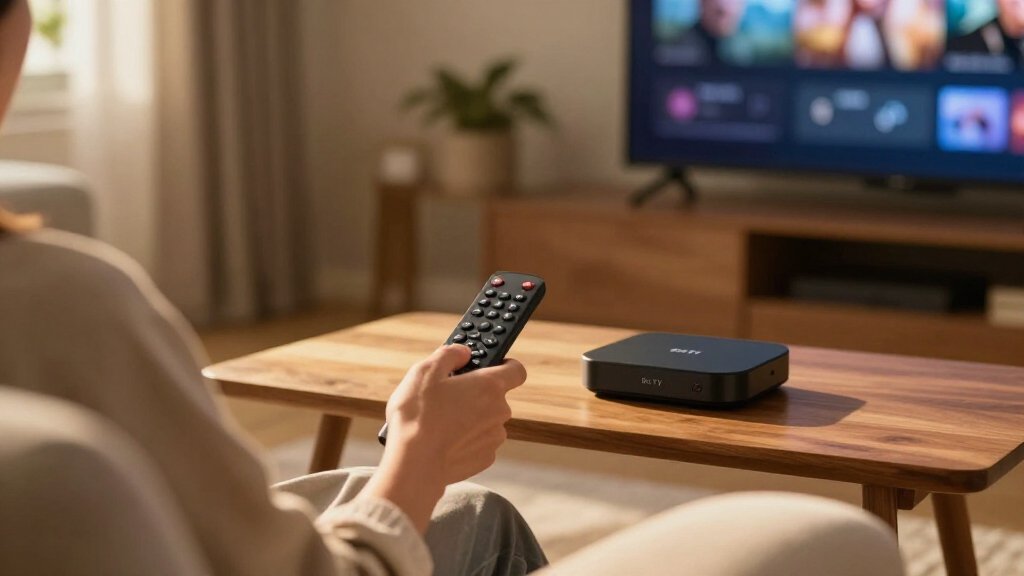

Amazon Fire TV streaming devices come in enough variations that the hardest part of buying one is figuring out where the real differences sit. After comparing the full lineup, the Fire TV Stick 4K Max (2nd Gen) stands out as the best overall pick for most households thanks to its fast performance and Wi-Fi 6E support. The Fire TV Cube (3rd Gen) is the premium alternative if you want hands-free Alexa and a device that can control your entire entertainment setup, while the Fire TV Stick HD covers basic 1080p streaming for older TVs at the lowest entry point. The main tradeoff you face is speed and features versus price — and whether you need 4K at all. Read on for the full breakdown.

Get the latest gadgets delivered free — and shop member deals
- Fast, free delivery on millions of items
- Access to Prime Big Deal Days deals on October 6–7
- Prime Video, Amazon Music and more included
Complete the kit



Key Takeaways
- The amazon.com/dp/B0DJGDC3BD?tag=cornfordandcross-20&ascsubtag=dc-1107028″ target=”_blank” rel=”nofollow sponsored noopener”>amazon.com/dp/B0H6C5KW2D?tag=cornfordandcross-20&ascsubtag=dc-1107028″ target=”_blank” rel=”nofollow sponsored noopener”>Fire TV Stick 4K Max (2nd Gen) earns the top spot because it matches the Cube’s Wi-Fi 6E connectivity at a lower complexity level — most buyers don’t need the Cube’s built-in smart speaker.
- Wi-Fi support is the biggest hidden differentiator in this lineup: the 4K Max and Cube models carry Wi-Fi 6E, the 4K Plus has Wi-Fi 6, and the remaining sticks stay on older standards that can bottleneck 4K streams on busy networks.
- The Fire TV Stick HD is the only model without 4K output — it’s a deliberate pick for older 1080p TVs, not a downgrade mistake.
- The refurbished Fire TV Cube is the smartest way into flagship performance if you’re comfortable with like-new condition, but the 4K Select is the better pure-value choice for casual 4K viewers.
- The Luna controller bundle only makes sense if you actually plan to game — otherwise the standalone 4K Select is the identical streaming device for less.
| Amazon Fire TV Stick 4K Plus with Wi-Fi 6 and Alexa Voice Remote |  | Best for Wi-Fi 6 and Home Theater | Processor: Quad-core 1.7 GHz | Storage: 8 GB | Wi-Fi: Dual-band Wi-Fi 6 | VIEW LATEST PRICE | See Our Full Breakdown |
| Amazon Fire TV Stick 4K Select with Alexa Voice Remote |  | Best Value 4K Pick | Processor: Quad-core 1.7 GHz | Storage: 8 GB | Wi-Fi: Dual-band, dual-antenna MIMO; 802.11a/b/g/n/ac | VIEW LATEST PRICE | See Our Full Breakdown |
| Amazon Fire TV Cube (3rd Gen) 4K Streaming Media Player with Alexa |  | Best Premium Fire TV Device | Processor: Octa-core: 4 × 2.2 GHz and 4 × 2.0 GHz | Storage and memory: 16 GB storage; 2 GB memory | Wi-Fi: Wi-Fi 6E tri-band | VIEW LATEST PRICE | See Our Full Breakdown |
| Amazon Fire TV Cube (Refurbished/Like-New) with Alexa, Wi-Fi 6E, and 4K Ultra HD |  | Best Refurbished Premium Pick | Condition: Like-New / Refurbished | Processor: Octa-core | Connectivity: Wi-Fi 6E | VIEW LATEST PRICE | See Our Full Breakdown |
| Fire TV Stick 4K Select + Luna Controller Game Streaming Bundle |  | Best for Luna Gaming | Included items: Fire TV Stick 4K Select and Luna Controller | Connectivity: Wi-Fi with Cloud Direct; Bluetooth | Service: Amazon Luna | VIEW LATEST PRICE | See Our Full Breakdown |
| Amazon Fire TV Stick HD (Newest Model) with Alexa Voice Remote |  | Best Budget Pick for HD TVs | Resolution: Full HD | Connectivity: Wi-Fi 6, Bluetooth | Power Source: TV USB port (Direct Power via USB-C) | VIEW LATEST PRICE | See Our Full Breakdown |
| Amazon Fire TV Stick 4K Max (2nd Gen) Streaming Device |  | Best Premium Streaming Stick | Maximum Resolution: 2160p (4K) at up to 60 fps | HDR Formats: Dolby Vision, HDR10, HDR10+, HLG | Audio: Dolby Atmos, 7.1 surround, 2-channel stereo, HDMI passthrough up to 5.1 | VIEW LATEST PRICE | See Our Full Breakdown |
| Amazon Fire TV streaming device | Processor | Wi-Fi | Bluetooth |
|---|---|---|---|
| Amazon Fire TV Stick 4K Plus w | Quad-core 1.7 GHz | Dual-band Wi-Fi 6 | Bluetooth 5.2 + BLE |
| Amazon Fire TV Stick 4K Select | Quad-core 1.7 GHz | Dual-band, dual-antenna MIMO; 802.11a/b/g/n/ac | Bluetooth 5.0 and Bluetooth Low Energy |
| Amazon Fire TV Cube | Octa-core: 4 × 2.2 GHz and 4 × 2.0 GHz | Wi-Fi 6E tri-band | Bluetooth 5.0 + LE |
| Amazon Fire TV Cube | Octa-core | — | — |
| Fire TV Stick 4K Select + Luna | — | — | — |
| Amazon Fire TV Stick HD | — | — | — |
| Amazon Fire TV Stick 4K Max | Quad-core 2.0 GHz with 850 MHz GPU | Wi-Fi 6E tri-band (2.4, 5, and 6 GHz) | Bluetooth 5.2 + BLE |
More Details on Our Top Picks
Amazon Fire TV Stick 4K Plus with Wi-Fi 6 and Alexa Voice Remote
The Fire TV Stick 4K Plus makes the most sense for viewers who want advanced picture and audio support in a small HDMI stick. It handles Dolby Vision, HDR10+, and Dolby Atmos, while Wi-Fi 6 can help keep streams responsive on a compatible, busy home network. Compared with the Fire TV Stick 4K Select, it adds Wi-Fi 6 and Dolby Vision support; the Select may suit viewers whose TV setup does not use those features. The Plus also includes Alexa voice search and smart home controls, and supports Xbox cloud gaming with a separate Game Pass subscription. Its 8 GB of storage is modest, and Wi-Fi 6 benefits depend on your router. For buyers without a compatible 4K HDR TV, much of its video support may go unused.
Pros:- Supports 4K video with Dolby Vision and HDR10+
- Wi-Fi 6 support for compatible home networks
- Dolby Atmos audio support
- Alexa remote adds voice search and compatible smart home controls
Cons:- Only 8 GB of storage
- Wi-Fi 6 requires a compatible router
- 4K, HDR, and cloud gaming availability depends on compatible equipment, services, and subscriptions
Best for: Viewers with a Dolby Vision capable 4K TV and Wi-Fi 6 router who want a compact streamer with voice controls
Not ideal for: Buyers with a 1080p TV or a router without Wi-Fi 6 who would not benefit from its higher-end formats and network support
- Processor:Quad-core 1.7 GHz
- Storage:8 GB
- Wi-Fi:Dual-band Wi-Fi 6
- Bluetooth:Bluetooth 5.2 + BLE
- Video formats:Dolby Vision, HDR10, HDR10+, HLG, H.265, H.264, VP9, AV1
- Audio support:Dolby Atmos, 7.1 surround sound, stereo, HDMI pass-through up to 5.1
- Maximum resolution:2160p up to 60 fps
- Dimensions:99 × 30 × 14 mm housing; 108 × 30 × 14 mm including connector
Our verdict“Choose the 4K Plus if your TV and router can use its Dolby Vision and Wi-Fi 6 support; otherwise, the 4K Select covers core 4K streaming with fewer premium capabilities.”
Amazon Fire TV Stick 4K Select with Alexa Voice Remote
The Fire TV Stick 4K Select is a straightforward route to 4K streaming when advanced network features are not a priority. It supports HDR10+ and common video formats, and the included Alexa remote handles voice search and compatible device controls. Against the Fire TV Stick 4K Plus, it gives up Wi-Fi 6 and Dolby Vision, so buyers with a Dolby Vision TV or a crowded Wi-Fi 6 network may prefer the Plus. The Select still reaches 2160p and supports Xbox cloud gaming with a Game Pass subscription and compatible controller. Its Wi-Fi tops out at Wi-Fi 5, and the 90-day limited warranty is shorter than many buyers may expect. This is a practical pick for a basic 4K setup, provided those omissions fit your equipment.
Pros:- 4K output with HDR10+ and HLG support
- Includes Alexa Voice Remote
- Supports a broad set of video formats including AV1
- Xbox cloud gaming support with a subscription and compatible controller
Cons:- Does not list Dolby Vision support
- Wi-Fi is dual-band 802.11ac rather than Wi-Fi 6
- 90-day limited warranty
Best for: Viewers moving to 4K who want a compact streamer and Alexa remote without needing Dolby Vision or Wi-Fi 6
Not ideal for: Owners of Dolby Vision TVs or Wi-Fi 6 routers seeking those specific capabilities from their streaming device
- Processor:Quad-core 1.7 GHz
- Storage:8 GB
- Wi-Fi:Dual-band, dual-antenna MIMO; 802.11a/b/g/n/ac
- Bluetooth:Bluetooth 5.0 and Bluetooth Low Energy
- Video formats:HDR10, HDR10+, HLG, H.265, H.264, VP9, AV1
- Audio support:HDMI pass-through for Dolby-encoded audio
- Output resolution:2160p up to 60 fps
- Warranty:90-day limited warranty and service
Our verdict“Pick the 4K Select for capable everyday 4K streaming; step up to the 4K Plus if Dolby Vision or Wi-Fi 6 matters to your setup.”
Amazon Fire TV Cube (3rd Gen) 4K Streaming Media Player with Alexa
The Fire TV Cube (3rd Gen) is the premium choice for a living room where the streamer should also control compatible devices. Its hands-free Alexa, HDMI input and output, and included Ethernet connection give it a broader role than either the Fire TV Stick 4K Plus or the 4K Select. The octa-core processor and 16 GB storage also provide more hardware headroom than those sticks, while Wi-Fi 6E supports tri-band networking. Buyers pay for that flexibility in physical space: at 513 g, the Cube is a tabletop unit rather than a discreet HDMI stick. Its HDMI input can connect another entertainment source, but it does not make the device a game console. Choose it when hands-free control and multiple connections matter more than a compact, simple setup.
Pros:- Built-in microphones and speakers enable hands-free Alexa
- Octa-core processor and 16 GB internal storage
- Wi-Fi 6E tri-band support and Ethernet port
- HDMI input and output support multiple entertainment connections
Cons:- Larger and heavier than the Fire TV Stick models
- Some streaming services require separate subscriptions
- 4K and HDR require compatible equipment and supported content
Best for: Living room users who want hands-free Alexa, wired Ethernet, and connections for another HDMI entertainment device
Not ideal for: Buyers who want a small stick hidden behind a TV or only need basic streaming without device control
- Processor:Octa-core: 4 × 2.2 GHz and 4 × 2.0 GHz
- Storage and memory:16 GB storage; 2 GB memory
- Wi-Fi:Wi-Fi 6E tri-band
- Bluetooth:Bluetooth 5.0 + LE
- Ports:HDMI 2.1 input and output, IR extender, USB-A 2.0, Ethernet, power
- Video support:4K Ultra HD, Dolby Vision, HDR10, HDR10+, HLG
- Audio support:Dolby Atmos, 7.1 surround sound, stereo, HDMI pass-through up to 5.1
- Dimensions and weight:86 × 86 × 77 mm; 513 g
Our verdict“Choose the Cube when hands-free control and connection options justify a larger device; choose a Fire TV Stick for a simpler, more compact streaming setup.”
Amazon Fire TV Cube (Refurbished/Like-New) with Alexa, Wi-Fi 6E, and 4K Ultra HD
This refurbished Fire TV Cube targets buyers who want the premium Cube experience and are comfortable choosing a Like-New unit. Its listed features include Wi-Fi 6E, hands-free Alexa, 4K video, Dolby Vision, and Dolby Atmos. Compared with the new Fire TV Cube (3rd Gen), the supplied product data gives fewer hardware details, so I cannot make a precise processor, storage, or port comparison from this listing. It shares the Cube’s more substantial tabletop format rather than the compact design of the Fire TV Stick 4K Select. The stated warranty matches the new device’s limited warranty, but refurbished units may arrive in generic packaging. Buyers who value complete specifications and new-device presentation should favor the new Cube; this one fits someone prioritizing the listed premium capabilities.
Pros:- Wi-Fi 6E support
- Hands-free Alexa with built-in microphone
- Supports 4K Ultra HD, Dolby Vision, HDR, and Dolby Atmos
- Same limited warranty as the new device, according to the listing
Cons:- Refurbished condition may mean generic packaging
- Listing does not provide detailed processor, storage, or port specifications
- Most streaming services require separate subscriptions
Best for: Buyers seeking Cube features such as hands-free Alexa and Wi-Fi 6E who are comfortable with a refurbished unit
Not ideal for: Shoppers who want a new device, complete hardware specifications, or original packaging
- Condition:Like-New / Refurbished
- Processor:Octa-core
- Connectivity:Wi-Fi 6E
- Video quality:4K Ultra HD, Dolby Vision, HDR
- Audio:Dolby Atmos
- Voice assistant:Alexa, hands-free with built-in microphone
- Warranty:Same limited warranty as new device
Our verdict“Consider this Like-New Cube if its listed premium features matter more than new packaging and fuller hardware details.”
Fire TV Stick 4K Select + Luna Controller Game Streaming Bundle
The Fire TV Stick 4K Select + Luna Controller bundle is the most gaming-focused option here: it pairs a 4K streamer with a controller designed for Amazon Luna. Cloud Direct connects the controller to the game service over Wi-Fi, which can reduce the delay associated with routing input through the streaming stick. That makes this bundle a more direct choice for Luna than buying a Fire TV Stick 4K Select alone, while the Fire TV Cube (3rd Gen) offers broader hardware connections for general entertainment. The tradeoff is dependence on a steady internet connection and a Prime or Luna subscription for access to the game library. The listing also supplies fewer technical details about the stick itself than the standalone Select listing. Pick this bundle for Luna; for streaming alone, a standard Fire TV stick is simpler.
Pros:- Includes both Fire TV Stick 4K Select and Luna Controller
- Cloud Direct technology is designed for low-latency gameplay
- No separate game console required for supported cloud games
- Controller can connect to other compatible devices over Bluetooth
Cons:- A Prime or Luna subscription is required for game library access
- Gameplay depends on a stable internet connection
- Listing provides limited hardware specifications for the included stick
Best for: TV gamers who want to play supported Amazon Luna games without buying a console and already have reliable internet
Not ideal for: Viewers who only want streaming apps, have unstable internet, or do not want a subscription tied to cloud gaming
- Included items:Fire TV Stick 4K Select and Luna Controller
- Connectivity:Wi-Fi with Cloud Direct; Bluetooth
- Service:Amazon Luna
- Resolution:4K
- Subscription:Prime or Luna subscription required
- Controller use:Luna Controller also supports compatible devices via Bluetooth
Our verdict“Choose the bundle if Luna gaming is a main reason for buying; for ordinary streaming, the standalone 4K Select avoids an unnecessary controller.”
Amazon Fire TV Stick HD (Newest Model) with Alexa Voice Remote
Not every TV needs 4K, and this is where the Fire TV Stick HD earns its spot. It is the fastest HD stick Amazon makes, and the Direct Power over USB-C feature means you can plug it straight into your TV’s USB port instead of hunting for a wall outlet — a small thing that makes a big difference behind a mounted TV. Compared with the Fire TV Stick 4K Max, it costs far less but caps out at Full HD, with no HDR or Dolby Vision. Wi-Fi 6 keeps streaming smooth on crowded networks, and the compact housing won’t block neighboring HDMI ports. The tradeoff is simple: if your TV is 4K, this stick wastes its panel. For a bedroom, kitchen, or older set, this pick makes the most sense.
Pros:- Fastest HD streaming performance in Amazon’s HD stick lineup
- Direct Power via USB-C eliminates the need for a wall adapter
- Ultra-portable design that won’t block adjacent HDMI ports
- Wi-Fi 6 support keeps streams stable on busy home networks
Cons:- Limited to Full HD — no 4K, HDR, or Dolby Vision support
- Most premium streaming apps require their own separate subscriptions
Best for: Owners of 1080p or 720p TVs who want fast streaming and simple setup without paying for 4K hardware they can’t use
Not ideal for: Anyone with a 4K or HDR TV — this stick can’t output above Full HD, so the Fire TV Stick 4K Plus or 4K Max is the better fit
- Resolution:Full HD
- Connectivity:Wi-Fi 6, Bluetooth
- Power Source:TV USB port (Direct Power via USB-C)
- Remote:Alexa Voice Remote
- Interface:Fire TV OS (2026 update with Alexa+)
- Supported Apps:Prime Video, Netflix, YouTube, Disney+, Apple TV, HBO Max, Hulu, Peacock, Paramount+
- Private Listening:Bluetooth headphones supported
Our verdict“The right choice if your TV is 1080p — anything more expensive is wasted pixels.”
Amazon Fire TV Stick 4K Max (2nd Gen) Streaming Device
The Fire TV Stick 4K Max sits at the top of the stick family, and the gap between it and the standard HD Stick is bigger than resolution alone. You get Dolby Vision, HDR10+, and Dolby Atmos, plus a quad-core 2.0 GHz processor that handles the interface and cloud gaming with noticeably less hesitation. Compared with the Fire TV Cube, it matches nearly all the picture and sound capabilities in a stick that hides behind your TV — the Cube’s advantage is hands-free Alexa and faster internals, not image quality. Wi-Fi 6E tri-band is the headline spec, but there’s the catch: without a 6E router, you’re paying for bandwidth you can’t access. The 16 GB of storage is generous for a stick, giving apps and downloads room to breathe.
Pros:- Full 4K Ultra HD with Dolby Vision, HDR10+, and Dolby Atmos support
- 16 GB of storage — generous for apps, games, and downloads
- Wi-Fi 6E tri-band plus a quad-core 2.0 GHz processor for smooth performance
- Alexa Voice Remote Enhanced controls compatible TVs and audio gear
Cons:- Wi-Fi 6E only works with a compatible 6E router, otherwise it falls back to older bands
- Streaming services and premium content still require separate subscriptions
- Cloud gaming performance trails the Fire TV Cube despite the capable processor
Best for: Home theater enthusiasts with 4K HDR TVs and a modern router who want flagship picture and audio quality in a stick format
Not ideal for: Households with older Wi-Fi 5 routers or HD-only TVs — the Wi-Fi 6E and 4K hardware go unused, and the HD Stick covers those needs for less
- Maximum Resolution:2160p (4K) at up to 60 fps
- HDR Formats:Dolby Vision, HDR10, HDR10+, HLG
- Audio:Dolby Atmos, 7.1 surround, 2-channel stereo, HDMI passthrough up to 5.1
- Processor:Quad-core 2.0 GHz with 850 MHz GPU
- Storage:16 GB
- Wi-Fi:Wi-Fi 6E tri-band (2.4, 5, and 6 GHz)
- Bluetooth:Bluetooth 5.2 + BLE
- Ports:HDMI 2.1 output with ARC support; micro USB
- Dimensions:99 × 30 × 14 mm; 43.5 g
Our verdict“The most capable Fire TV stick you can buy — ideal if you have the 4K TV and router to match it.”
How We Picked
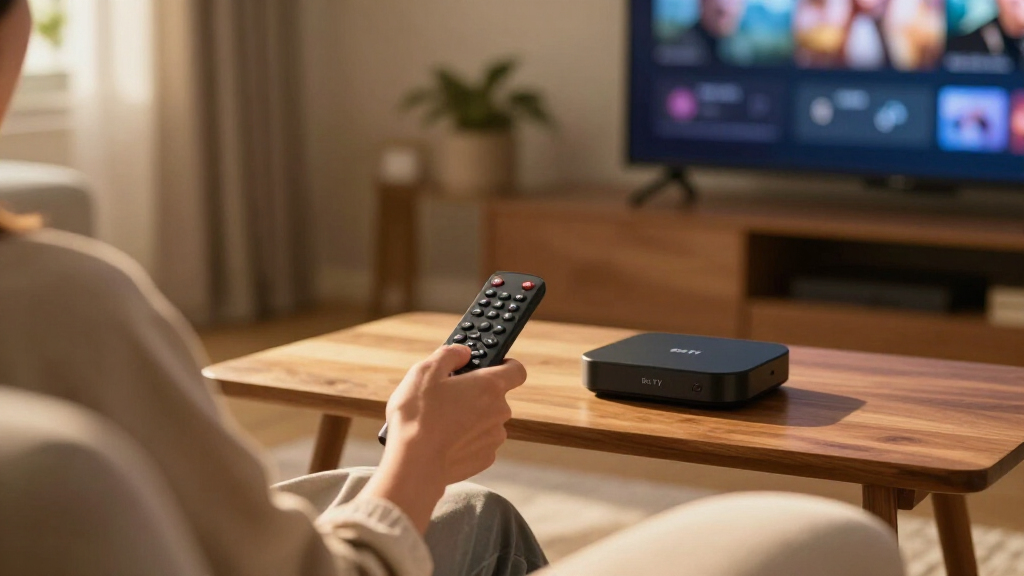
I evaluated each device against the factors that actually change day-to-day streaming: processor speed and interface responsiveness, Wi-Fi generation, video output quality including HDR format support, remote features, and overall value relative to the rest of the lineup. A streaming stick that lags when opening apps or scrubbing through menus frustrates daily, so processing power carried real weight in the ranking. Wi-Fi standard mattered almost as much, since a 4K-capable stick stuck on congested older Wi-Fi can still deliver a stuttery picture.
The ranking logic is straightforward: devices that combine fast chips, modern connectivity, and 4K HDR output land at the top, with the tiebreakers being unique capabilities like hands-free Alexa on the Cube. Value picks earned their positions by trimming the right features — not the ones most buyers notice. Finally, I treated every entry as a choice within this lineup rather than in isolation, so each recommendation comes with a clear “who should buy this instead” answer.
| Amazon Fire TV streaming device | Processor | Wi-Fi | Bluetooth |
|---|---|---|---|
| Amazon Fire TV Stick 4K Plus w | Quad-core 1.7 GHz | Dual-band Wi-Fi 6 | Bluetooth 5.2 + BLE |
| Amazon Fire TV Stick 4K Select | Quad-core 1.7 GHz | Dual-band, dual-antenna MIMO; 802.11a/b/g/n/ac | Bluetooth 5.0 and Bluetooth Low Energy |
| Amazon Fire TV Cube | Octa-core: 4 × 2.2 GHz and 4 × 2.0 GHz | Wi-Fi 6E tri-band | Bluetooth 5.0 + LE |
| Amazon Fire TV Cube | Octa-core | — | — |
| Fire TV Stick 4K Select + Luna | — | — | — |
| Amazon Fire TV Stick HD | — | — | — |
| Amazon Fire TV Stick 4K Max | Quad-core 2.0 GHz with 850 MHz GPU | Wi-Fi 6E tri-band (2.4, 5, and 6 GHz) | Bluetooth 5.2 + BLE |
Factors to Consider When Choosing Amazon Fire TV Streaming Devices
Before picking a specific model, it helps to understand what actually separates these devices — and where buyers commonly overspend or underbuy.Match the Device to Your TV Before Anything Else
The most common mistake in this category is buying a 4K stick for a TV that can’t display 4K, or the reverse — pairing a 1080p-only Stick HD with a new 4K panel and losing picture quality you’ve already paid for. Check your TV’s resolution and HDR format support before choosing. A 4K HDR-capable stick plugged into an older television delivers nothing extra, which makes the Stick HD the smarter allocation of money for that setup. Conversely, if your TV supports Dolby Vision, you’ll want one of the upper-tier sticks to actually feed it that signal.
Wi-Fi Standard Matters More Than Most Buyers Realize
Across this lineup, the wireless radio is a bigger performance differentiator than most spec sheets suggest. If your router is Wi-Fi 6 or 6E capable, devices like the Fire TV Stick 4K Max or the Cube can take advantage of less congested bands, which translates directly into fewer buffering pauses during 4K playback. In a household with a dozen connected devices, an older Wi-Fi 5 stick may struggle at peak evening hours even with fast internet. If you live alone with a simple network, this matters far less and a cheaper stick is a perfectly rational choice.
Decide Whether You Want Hands-Free Alexa
Only the Fire TV Cube offers far-field microphones and a built-in speaker, meaning you can talk to Alexa without touching the remote at all — and control soundbars, cable boxes, and TVs that lack smart features. That’s a genuinely different experience from a stick, which requires a button press on the remote for voice commands. Buyers who already own Echo devices may find this redundant, since an Echo can often control a Fire TV stick already. Think of the Cube as a streaming device plus smart speaker plus universal remote hybrid, and decide if that combination fits your setup.
Processor Speed Determines How the Device Feels a Year Later
Streaming devices slow down as apps grow heavier over time, and a budget chip that feels fine on day one can feel sluggish within a couple of years. The higher-tier models carry faster processors that keep app launches, menu navigation, and live guide scrolling responsive for longer. This is the strongest argument for stepping up from an entry-level stick even if your needs seem basic today. If you’re the type who replaces electronics every two years, this matters less; if you buy and keep, spending up front pays off.
Weigh the Refurbished Route Honestly
A refurbished flagship can deliver premium performance at a mid-tier price, and manufacturer-refurbished Fire TV Cubes typically carry the same warranty as new units. The honest tradeoff is cosmetic uncertainty and sometimes non-original packaging — functionally, you’re getting the same device. This route makes the most sense for buyers who want Cube-level performance but not Cube-level pricing. If a sealed box matters to you or the device is a gift, the premium for new is reasonable.
Don’t Pay for Bundles You Won’t Use
Bundle pricing only works in your favor when you’d buy every component anyway. The Luna controller bundle is a good deal for someone who intends to stream games, but a wasted expense for a household that only watches video. The same logic applies to premium sticks: paying for Wi-Fi 6E on a basic router, or Dolby Vision on a TV without it, is money spent on capability you’ll never access. Audit your actual habits first, then match the device to them.
Frequently Asked Questions
Is the Fire TV Cube worth it over the Fire TV Stick 4K Max?
The Cube justifies itself in two scenarios: you want hands-free Alexa without pressing a remote button, or you need its infrared and HDMI features to control a soundbar, cable box, or older TV that lacks smart functions. Its processor also edges out the 4K Max, though in everyday streaming the difference is subtle. If neither applies, the 4K Max delivers nearly identical picture quality and app support in a simpler, cheaper package. Households with an existing Echo speaker covering voice duties get even less value from the Cube’s extra hardware.
Will a 4K Fire TV stick work on a 1080p TV?
Yes, every 4K-capable Fire TV device is fully backward compatible with 1080p and 720p televisions — it simply downscales the output. The stick will work perfectly well, but you’re paying for 4K decoding hardware and HDR support your screen can’t display. That’s why the Fire TV Stick HD exists as a deliberate choice for older TVs rather than a compromised one. If there’s any chance you’ll upgrade the TV within a year or two, buying the 4K stick now is defensible so you don’t have to rebuy later.
What’s the actual difference between the Fire TV Stick 4K, 4K Select, 4K Plus, and 4K Max?
The differences come down to processor generation, Wi-Fi standard, and remote features as you move up the ladder. The 4K Select covers the basics with a solid chip for standard 4K streaming, the 4K Plus adds Wi-Fi 6 and faster internals for smoother navigation, and the 4K Max sits at the top with Wi-Fi 6E and the quickest response times. Picture quality on static content is similar across all of them; where you feel the difference is app load times, menu responsiveness, and stability on congested home networks. Heavy streamers and gamers notice the gap more than casual viewers ever will.
Is a refurbished Fire TV Cube a safe buy compared to new?
Manufacturer-refurbished units are inspected, repaired where needed, and generally ship with the same warranty and software support as new devices, so the functional risk is low. The realistic downsides are cosmetic — minor scuffs or non-retail packaging — which matters most if the device will sit visibly on a shelf, as the Cube does. Performance is identical to new, and the savings can be substantial enough to move you up a performance tier. If saving money on a flagship matters more than an unopened box, the refurbished Cube is one of the smarter plays in this lineup.
Do I need the Luna controller bundle to play games on Fire TV?
No — Fire TV devices support cloud gaming through Luna and other services using compatible Bluetooth controllers you may already own, and many casual games work with the included Alexa remote. The bundle only makes sense when you specifically want the dedicated Luna controller’s low-latency wireless connection and its ability to move between devices like a PC. If gaming is a serious secondary use for your Fire TV setup, the bundle pricing typically beats buying the controller separately. If gaming is an occasional curiosity, skip the bundle and put the difference toward a higher-tier stick.
Conclusion
For most buyers, the Fire TV Stick 4K Max (2nd Gen) is the best overall choice — it pairs the fastest stick performance in the lineup with Wi-Fi 6E and full 4K HDR support without asking you to manage a set-top box. The Fire TV Stick 4K Select takes the value crown for casual streamers who want 4K without paying for speed they won’t push, while the Fire TV Cube (3rd Gen) is the premium pick for buyers building a hands-free, voice-controlled entertainment center — or the refurbished Cube for those wanting flagship hardware at a mid-tier price. Beginners and owners of older 1080p TVs should start with the Fire TV Stick HD, which covers the essentials without paying for unused capability. Finally, the Luna controller bundle is the niche pick for gamers who plan to stream games as well as shows. Match the device to your TV, your network, and your habits, and the right choice becomes obvious.
Fall Picks
fall essentials
As an affiliate, we earn on qualifying purchases.