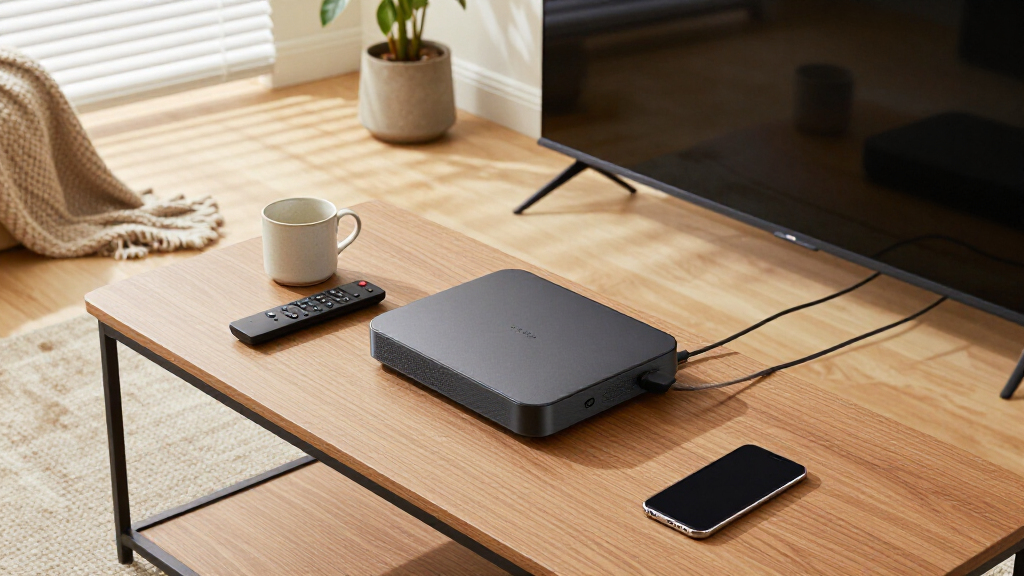

The best wireless streaming media player for most people is the Roku Ultra, thanks to its fast interface, 4K HDR10+ and Dolby Vision playback, wired Ethernet option, and hands-free voice remote. If you want streaming and better sound in one box, the Roku Streambar SE bundles a 4K streaming device into a compact soundbar. Budget shoppers should look at the Roku Streaming Stick 4K, which delivers nearly the Ultra’s picture quality in a cheaper stick format. The main tradeoff in this category is between full streaming platforms with app stores and simple wireless display adapters that mirror your phone or laptop instead. This roundup covers both types so you can match the device to how you actually watch. Keep reading for the full breakdown of all eight options.

Get the latest gadgets delivered free with Prime
- Fast, free delivery on millions of items
- Prime Video, Amazon Music and more included
- Member-only deals all year
Complete the kit



Key Takeaways
- The Roku Ultra took the top spot because it is the only pick in this lineup with a wired Ethernet port, making it the most reliable choice for 4K streaming on busy home networks.
- Six of the eight products come from Roku, so the real decision within that brand is between speed and features (Ultra), portability (sticks), and audio bundling (Streambar SE) — not app selection.
- The two wireless display adapters (4K Wireless HDMI Adapter and j5create ScreenCast 4K Max) are not streaming players at all; they mirror devices and suit presentations, travel, and TVs without smart features, not everyday app-based viewing.
- The Roku Streaming Stick HD and Premiere are the value plays, but both make picture-quality sacrifices — HD-only on the Stick, and no Dolby Vision on the Premiere.
- If your TV speakers are weak, the Streambar SE replaces both a streaming stick and a sound upgrade in a single purchase, which no other pick can do.
| Roku Ultra Streaming Player – 4K, HDR10+, Dolby Vision, Dolby Atmos |  | Best Overall | Streaming Resolution: 4K, HDR10+, Dolby Vision | Audio: Dolby Atmos | Remote: Rechargeable Voice Remote Pro, backlit, hands-free voice, USB-C, lost remote finder | VIEW LATEST PRICE | See Our Full Breakdown |
| Roku Streambar SE 4K Soundbar with Built-in Streaming Device |  | Best Two-in-One for Older TVs | Resolution: 4K HDR | Built-in Streaming: Yes, full Roku platform | Speakers: Two premium speakers with dedicated bass port | VIEW LATEST PRICE | See Our Full Breakdown |
| Roku Streaming Stick HD with Voice Remote |  | Best Budget Pick for 1080p TVs | Supported Resolutions: 1080p | Connectivity: Wi-Fi, Bluetooth | Connector: HDMI | VIEW LATEST PRICE | See Our Full Breakdown |
| 4K 1080P Wireless HDMI Display Adapter for iPhone, iPad, Android, and Windows Devices |  | Best for Screen Mirroring and Presentations | Resolution Support: 4K x 2K at 30Hz, 1080p at 60Hz, 720p | Compatibility: iPhone (7 and later), iPad, iPod Touch, Android, Windows | Minimum iOS: iOS 9.0 and above | VIEW LATEST PRICE | See Our Full Breakdown |
| Roku Streaming Stick Plus with Voice Remote – 4K & HDR10+ |  | Best Value 4K Pick | Resolution: 4K with HDR10+ | Connectivity: Wi-Fi, Bluetooth | Connector: HDMI | VIEW LATEST PRICE | See Our Full Breakdown |
| Roku Premiere HD/4K/HDR Streaming Media Player with Simple Remote and Premium HDMI Cable |  | Best for a Simple 4K Upgrade | Video resolution: HD, 4K, HDR | Connectivity: Wi-Fi | Remote: Simple remote with shortcut buttons | VIEW LATEST PRICE | See Our Full Breakdown |
| Roku Streaming Stick 4K with Voice Remote – HDR10+ & Dolby Vision |  | Best Compact 4K Pick | Form factor: TV stick | Connector: HDMI | Resolution: 4K | VIEW LATEST PRICE | See Our Full Breakdown |
| j5create ScreenCast 4K Max Wireless Display Adapter with Enhanced Antenna |  | Best for Cross-Device Screen Mirroring | Device compatibility: Windows, macOS, iOS, Android | Wireless standards: AirPlay, Miracast, Chromecast | Signal range: Up to 50 feet | VIEW LATEST PRICE | See Our Full Breakdown |
| wireless streaming media player | Connectivity |
|---|---|
| Roku Ultra Streaming Player | Wi-Fi 6, Ethernet |
| Roku Streambar SE 4K Soundbar | — |
| Roku Streaming Stick HD with V | Wi-Fi, Bluetooth |
| 4K 1080P Wireless HDMI Display | — |
| Roku Streaming Stick Plus with | Wi-Fi, Bluetooth |
| Roku Premiere HD/4K/HDR Stream | Wi-Fi |
| Roku Streaming Stick 4K with V | Wi-Fi with long-range reception |
| j5create ScreenCast 4K Max Wir | — |
More Details on Our Top Picks
Roku Ultra Streaming Player – 4K, HDR10+, Dolby Vision, Dolby Atmos
This option earns the top spot because it does everything a wireless streaming media player should do, and then some. Compared with the Roku Streaming Stick Plus, the Ultra adds Ethernet and Wi-Fi 6, which matters if your router lives far from the TV or your Wi-Fi gets congested during peak hours. The Dolby Vision and Dolby Atmos support also puts it ahead of the stick lineup for home theater setups. The rechargeable Voice Remote Pro with backlit buttons feels like a genuine upgrade over the basic remotes bundled with cheaper Roku models, though you’ll need to remember to charge it and replacement costs sting. Setup is slightly more involved than a stick, but the payoff in speed and picture quality is real.
Pros:- Wi-Fi 6 and Ethernet for stable streaming even on busy networks
- Full HDR10+, Dolby Vision, and Dolby Atmos support
- Rechargeable backlit Voice Remote Pro with lost remote finder
- Bluetooth Headphone Mode for private listening
Cons:- Premium remote is expensive to replace if lost or damaged
- Requires periodic recharging of the remote
- Boxed design needs shelf space and a separate HDMI run, unlike stick models
Best for: Home theater enthusiasts who want the fastest interface, wired networking, and full HDR/Atmos support in a main-room player
Not ideal for: Casual viewers with a 1080p TV — the premium features go unused and the simpler Streaming Stick HD costs far less
- Streaming Resolution:4K, HDR10+, Dolby Vision
- Audio:Dolby Atmos
- Remote:Rechargeable Voice Remote Pro, backlit, hands-free voice, USB-C, lost remote finder
- Connectivity:Wi-Fi 6, Ethernet
- Private Listening:Bluetooth Headphone Mode
- Interface:Fast, full Roku platform
Our verdict“If streaming is the centerpiece of your living room, this is the player that justifies its spot at the top of the list.”
Roku Streambar SE 4K Soundbar with Built-in Streaming Device
The Streambar SE takes a different approach than every other pick here: instead of adding a streaming player to your TV, it replaces the TV’s weak built-in audio while streaming 4K HDR content. Compared with the Roku Ultra, you give up Dolby Vision, Atmos, and Ethernet, but you gain two premium speakers with a dedicated bass port — a meaningful upgrade for older flat panels with tinny sound. It beats the Streaming Stick HD for anyone whose TV both sounds bad and lacks smart features, since one purchase solves both problems. The tradeoff is honest physics: a compact bar can’t match larger soundbars for room-filling bass, and this model is really built for smaller rooms and bedroom setups, not a big living room.
Pros:- Combines 4K HDR streaming and audio upgrades in a single device
- Compact size with guided, quick setup
- Bluetooth headphone support and mobile streaming
- Enhanced speech clarity for dialogue-heavy content
Cons:- Bass and overall output limited by compact size
- No Dolby Vision, Atmos, or Ethernet compared with the Roku Ultra
Best for: Owners of older or small TVs with poor built-in speakers who want streaming and audio fixed in one purchase
Not ideal for: Large living rooms or buyers who already own a soundbar — the audio adds nothing and a cheaper stick does the streaming
- Resolution:4K HDR
- Built-in Streaming:Yes, full Roku platform
- Speakers:Two premium speakers with dedicated bass port
- Remote:All-in-one Roku remote
- Bluetooth:Yes, headphones and mobile streaming
- Setup:Guided, quick setup
Our verdict“Buy this when your TV needs both a brain and a voice — skip it if you only need one or the other.”
Roku Streaming Stick HD with Voice Remote
Not every TV needs 4K, and this stick is proof that spending less doesn’t mean sacrificing usability. The interface is identical to what you get on the pricier Roku Ultra, and the voice remote still works with Alexa, Google Home, and Apple HomeKit — but you’re capped at 1080p, so 4K TV owners should step up to the Streaming Stick Plus instead. The value case is strong: access to 500+ free channels covering live news, sports, and entertainment, plus every major service, in a stick that hides behind the TV without blocking other HDMI ports. Compared with the wireless HDMI display adapter in this lineup, it’s far better for everyday streaming because it plays protected apps like Netflix without workarounds. The main limitation is dependence on stable Wi-Fi.
Pros:- Same Roku interface and channel selection as premium models
- Compact stick design doesn’t block adjacent HDMI ports
- Voice remote with Alexa, Google Home, and Apple HomeKit support
- Access to 500+ free live and on-demand channels
Cons:- Capped at 1080p with no HDR
- Wi-Fi only, so performance suffers on weak networks
Best for: Budget-conscious buyers with 1080p TVs who want the full Roku experience for the lowest possible cost
Not ideal for: 4K TV owners — the resolution cap wastes the panel, and the Streaming Stick Plus covers 4K for a modest step up
- Supported Resolutions:1080p
- Connectivity:Wi-Fi, Bluetooth
- Connector:HDMI
- Smart Home:Alexa, Apple AirPlay and HomeKit, Google Home, Roku Smart Home
- Streaming Services:Netflix, Hulu, Disney+, Prime Video, Apple TV+ and more
- Free Content:500+ free HD channels
Our verdict“The smartest cheap upgrade for an older HD TV — just don’t pair it with a 4K panel.”
4K 1080P Wireless HDMI Display Adapter for iPhone, iPad, Android, and Windows Devices
This adapter solves a different problem than the Roku options around it. Where the Roku Ultra and sticks are app-driven streaming platforms, this is a wireless HDMI cable replacement — it mirrors or extends whatever is on your phone, tablet, or laptop. That makes it the standout pick for presentations, photo slideshows, and travel, since no apps or Bluetooth pairing are required and it works across iOS, Android, and Windows. The extend mode is genuinely useful for multitasking on a second screen, something no Roku device offers. The tradeoff is serious for streamers: HDCP-protected apps like Netflix and Hulu won’t play, latency can creep in on some devices, and it needs external power. If your goal is binge-watching rather than mirroring, pick a Roku instead.
Pros:- Mirrors or extends screens from iOS, Android, and Windows devices
- 4K at 30Hz and 1080p at 60Hz output support
- No apps or Bluetooth pairing required
- Extend mode enables true second-screen multitasking
Cons:- Incompatible with HDCP-protected streaming apps like Netflix and Hulu
- Requires an external power source
- Occasional latency and connectivity issues depending on the source device
Best for: Professionals and travelers who need to mirror or extend laptop and phone screens onto TVs and projectors
Not ideal for: Streaming-first buyers — HDCP blocks Netflix, Hulu, and other protected apps, which a Roku handles natively
- Resolution Support:4K x 2K at 30Hz, 1080p at 60Hz, 720p
- Compatibility:iPhone (7 and later), iPad, iPod Touch, Android, Windows
- Minimum iOS:iOS 9.0 and above
- Connection:Wireless, no apps or Bluetooth needed
- Extend Mode:Supported
- Power:External power source required
Our verdict“A screen-mirroring tool, not a streaming player — choose it for presentations and travel, not for Netflix night.”
Roku Streaming Stick Plus with Voice Remote – 4K & HDR10+
This stick occupies the sweet spot between the Streaming Stick HD and the Roku Ultra. You get 4K with HDR10+ for vivid picture quality on a modern TV, the same pocketable stick design that tucks behind the panel, and a voice remote with full smart-home integration — all without paying for the Ultra’s Ethernet port or Atmos support. Compared with the 1080p-only Streaming Stick HD, the step up is worth it for anyone with a 4K panel, since HDR10+ adds noticeably better contrast and color. The remote is more basic than the Ultra’s Voice Remote Pro — no backlighting, no rechargeable battery — and there’s no physical media playback of any kind. For most living rooms with decent Wi-Fi, though, those omissions barely register day to day.
Pros:- 4K HDR10+ picture quality at a mid-tier price
- Compact stick design hides behind the TV
- Works with Alexa, Google Home, and Apple AirPlay/HomeKit
- Bluetooth Headphone Mode for private listening
Cons:- Wi-Fi only, with no Ethernet option
- Basic remote lacks the Ultra’s backlit, rechargeable design
Best for: 4K TV owners who want vivid HDR streaming in a compact, affordable stick without paying Ultra-level prices
Not ideal for: Home theater builders who want Ethernet, Dolby Vision, and Atmos — the Ultra covers those bases
- Resolution:4K with HDR10+
- Connectivity:Wi-Fi, Bluetooth
- Connector:HDMI
- Form Factor:TV stick
- Smart Home:Alexa, Apple AirPlay and HomeKit, Google Home, Roku Smart Home
- Streaming Services:Netflix, Hulu, Disney+, Prime Video, Apple TV+ and more
- Free Content:500+ free channels
Our verdict“The best balance of price, picture quality, and simplicity for a typical 4K household.”
Roku Premiere HD/4K/HDR Streaming Media Player with Simple Remote and Premium HDMI Cable
The Roku Premiere is a straightforward way to add HD, 4K, and HDR streaming to a TV, with an included HDMI cable that removes one setup step. It suits viewers who want Roku’s mix of free, live, and premium channels without needing a stick-style design. Compared with the Roku Streaming Stick 4K, this player uses a separate HDMI connection and its listed specs do not name Dolby Vision or HDR10+, so buyers with a compatible high-end TV may prefer the Stick’s more specific format support. The Premiere’s appeal is its simple remote and broad device compatibility, including Apple AirPlay and voice assistants. The tradeoff is limited detail about the remote and app support, and streaming depends on Wi-Fi and an internet connection.
Pros:- Supports HD, 4K, and HDR video
- Includes a Premium High Speed HDMI cable for setup
- Works with Apple AirPlay, Siri, Alexa, and Google Assistant
- Roku mobile app adds remote control and other features
Cons:- Listed specs do not specify Dolby Vision or HDR10+ support
- Remote feature details and internal storage information are limited
- Requires Wi-Fi and an internet connection for streaming
Best for: Viewers upgrading a 4K TV who want a simple Roku player, an included HDMI cable, and AirPlay compatibility.
Not ideal for: Buyers seeking confirmed Dolby Vision or HDR10+ support, wired networking, or detailed information about app storage.
- Video resolution:HD, 4K, HDR
- Connectivity:Wi-Fi
- Remote:Simple remote with shortcut buttons
- Included cable:Premium High Speed HDMI Cable
- Voice assistant compatibility:Siri, Alexa, Google Assistant
- AirPlay compatibility:Apple AirPlay
- Mobile app:Roku mobile app with remote control and additional features
Our verdict“Choose the Roku Premiere for a simple Roku 4K setup with an included HDMI cable, but pick the Streaming Stick 4K if Dolby Vision support matters.”
Roku Streaming Stick 4K with Voice Remote – HDR10+ & Dolby Vision
The Roku Streaming Stick 4K is the strongest fit here for a crowded TV setup: its stick form plugs into HDMI, and its compact design is intended to avoid blocking nearby ports. Support for Dolby Vision and HDR10+ gives compatible TVs access to more specific HDR formats than the listed Roku Premiere specs provide. Long-range Wi-Fi can help when the router is not close to the screen, though it still depends on a stable wireless connection. The voice remote and access to free channels make everyday browsing easy, while the Roku Ultra is a better match for shoppers who want a fuller player feature set. The Stick’s main compromises are no Ethernet port and limited listed memory, which may matter to people who prefer wired networking or want more detail about storage.
Pros:- Supports 4K, Dolby Vision, and HDR10+
- Compact HDMI stick design helps preserve space around TV ports
- Long-range Wi-Fi supports streaming farther from the router
- Voice control and access to over 500 free channels
Cons:- Requires stable Wi-Fi and has no built-in Ethernet port
- Listed memory is limited to 1 GB
- HDR benefits depend on having a compatible TV
Best for: Owners of a Dolby Vision or HDR10+ television who need a compact Roku player for an HDMI port with limited space.
Not ideal for: Viewers with unreliable Wi-Fi who need Ethernet, or buyers looking for more detailed storage information.
- Form factor:TV stick
- Connector:HDMI
- Resolution:4K
- HDR formats:Dolby Vision, HDR10+
- Connectivity:Wi-Fi with long-range reception
- Memory:1 GB RAM
- Control:Remote control and voice control
- Supported services:Hulu, Netflix, Pandora, Prime Video, Vudu
Our verdict“Pick this stick for compact 4K streaming with Dolby Vision and HDR10+, provided Wi-Fi is dependable where the TV sits.”
j5create ScreenCast 4K Max Wireless Display Adapter with Enhanced Antenna
The j5create ScreenCast 4K Max serves a different purpose from Roku players: it sends or extends a device’s screen to a TV, projector, or monitor rather than centering the experience on a streaming channel interface. Its support for AirPlay, Miracast, and Chromecast makes it a flexible choice for households or workplaces that mix Apple, Android, and Windows devices. The external antenna and stated range of up to 50 feet may help when the display is across a room. Compared with the Roku Premiere, it is more useful for sharing presentations or casting content already on a phone or laptop, but it does not promise the same dedicated channel-browsing experience. It also needs external power, and older devices may not work smoothly with it.
Pros:- Supports AirPlay, Miracast, and Chromecast standards
- Works with Windows, macOS, iOS, and Android
- External high-gain antenna and dual-band Wi-Fi support a stated range up to 50 feet
- PIN protection and an admin gateway password add security controls
Cons:- Requires an external power source
- Older devices may have compatibility issues
- Screen mirroring is a different use case from a dedicated Roku channel player
Best for: Teams and mixed-device households that need to mirror or extend screens from phones, tablets, and computers to a shared display.
Not ideal for: Viewers who want a dedicated streaming player with a built-in channel interface, or users with older devices and no convenient power source.
- Device compatibility:Windows, macOS, iOS, Android
- Wireless standards:AirPlay, Miracast, Chromecast
- Signal range:Up to 50 feet
- Antenna:External high-gain antenna
- Frequency support:Dual-band 2.4 GHz and 5 GHz
- Security:PIN protection and admin gateway password
- Use:Screen mirroring or extending
- Power:External power source required
Our verdict“Choose the j5create adapter for cross-platform screen sharing and presentations, rather than for a Roku-style streaming channel experience.”

How We Picked
I ranked these wireless streaming media players on four factors: streaming performance (resolution, HDR support, and how smoothly the interface loads apps), ease of setup and use (remote quality, voice search, and how quickly a non-technical person could be watching), versatility (network options, portability, and whether the device plays well with different TVs and phones), and long-term value (build quality and how much capability you get for the asking price). Because this lineup mixes full streaming platforms with wireless display adapters, I also judged each product against its intended job — an adapter that mirrors a laptop well should not be penalized for lacking Netflix, but it also should not be recommended to someone who wants an app-based player.
The ranking logic follows a simple hierarchy: the Roku Ultra leads because it wins on raw performance and flexibility, followed by the Streaming Stick 4K and Streaming Stick Plus for delivering most of that experience in cheaper, more portable forms. The Streambar SE earns its spot as the best two-in-one solution, while the Premiere and Streaming Stick HD fill out the value tier. The two display adapters sit at the end because they serve a narrower, more specific use case rather than general streaming.
| wireless streaming media player | Connectivity |
|---|---|
| Roku Ultra Streaming Player | Wi-Fi 6, Ethernet |
| Roku Streambar SE 4K Soundbar | — |
| Roku Streaming Stick HD with V | Wi-Fi, Bluetooth |
| 4K 1080P Wireless HDMI Display | — |
| Roku Streaming Stick Plus with | Wi-Fi, Bluetooth |
| Roku Premiere HD/4K/HDR Stream | Wi-Fi |
| Roku Streaming Stick 4K with V | Wi-Fi with long-range reception |
| j5create ScreenCast 4K Max Wir | — |
Factors to Consider When Choosing Wireless Streaming Media Players
Before picking a specific model, it helps to understand what actually separates these devices — and where buyers most often go wrong. The biggest mistake in this category is buying a wireless display adapter when you really want a streaming player, or vice versa.Streaming Player or Display Adapter?
This is the single most consequential decision in this category, and confusing the two is the most common buying mistake. A streaming player like any Roku in this lineup runs apps directly on the device — Netflix, YouTube, and hundreds of others — so your phone or laptop can be off or in another room entirely. A wireless display adapter mirrors or casts whatever is on your phone, tablet, or computer, which means your source device stays busy and its battery drains. Adapters work well for presentations, vacation rentals, and older TVs without smart features, but they are a frustrating everyday streaming solution. If you watch apps nightly, buy a player. If you need to throw a laptop screen onto a TV occasionally, an adapter is the cheaper, lighter tool.
Match the Player to Your TV’s Ceiling
Paying for capability your television cannot display is wasted money, and under-buying wastes the TV you already own. A 4K HDR10+ player like the Roku Ultra only shows its advantage on a 4K television with HDR support; plugged into an older 1080p set, it performs no better than the HD Streaming Stick. On the flip side, if you own a nice 4K panel, choosing an HD-only player means you are watching downscaled, softer picture every single night. Check your TV’s maximum resolution and HDR formats before you buy — Dolby Vision support in the player matters only if the TV supports it too, while HDR10+ is more common on certain brands. The safest future-proof play is a 4K player with both formats even if your current TV uses only one.
Wired Versus Wireless Networking
All eight products connect over Wi-Fi, but that does not mean Wi-Fi is equal everywhere. If your router sits far from the TV or your household streams on many devices at once, 4K content can stutter — and this is where the Roku Ultra’s Ethernet port becomes a genuine differentiator rather than a spec-sheet line. A wired connection removes wireless interference from the equation and delivers the consistent bandwidth that high-bitrate 4K HDR demands. Sticks and adapters lack this option, so if you go wireless-only, position the device away from the TV’s own electronics and consider a mesh node nearby. Buyers in apartments with crowded wireless airspace should weight the Ethernet option more heavily than they might expect.
Remote and Voice Features Shape Daily Use
The remote is the part of a streaming player you touch every day, and it separates models more than most buyers realize. Voice remotes let you search across apps by speaking instead of typing letter-by-letter with a directional pad — a genuine quality-of-life difference for anyone who watches across multiple services. Some remotes also include TV power and volume buttons, which lets you retire your television’s remote entirely and live with one controller. The Premiere’s simple remote keeps costs down but gives up voice search, which matters if you search for content often or share the player with kids or older relatives. Think about who will hold the remote daily, not just who sets the device up once.
Hidden HDMI Ports and Portability
Stick-style players and adapters plug directly into an HDMI port, which is a blessing and a limitation. Direct mounting keeps cables out of sight and makes sticks genuinely portable — you can move one between TVs or take it traveling in a pocket. But a stick plugged into a wall-mounted TV’s recessed HDMI bay may not fit or may block adjacent ports, so measure the clearance before committing. Box-style players like the Ultra and Premiere need a shelf and a cable run, yet they include flexible HDMI leads that solve the clearance problem outright. If you travel or switch TVs often, portability wins; if your setup is permanent, a box with an Ethernet port serves you better.
When Bundling Audio Makes Sense
Most streaming players output great picture while relying entirely on your TV’s built-in speakers, and modern thin TVs often sound thin and hollow. A soundbar-streamer hybrid like the Streambar SE addresses both problems in one purchase and one HDMI connection, which also simplifies your setup and frees an input. The tradeoff is less flexibility: if the streaming hardware ages before the speaker does, you replace both. Buyers happy with a separate sound system or an AV receiver should skip hybrids and put the savings toward a stronger standalone player. Buyers with a bare TV and no audio plans, though, get more real-world improvement from a hybrid than from any picture-quality upgrade.
Frequently Asked Questions
Is the Roku Ultra worth it over the cheaper Streaming Stick 4K?
The gap comes down to three things: the Ethernet port, a faster processor, and the more capable remote. If your Wi-Fi is strong and your TV is near the router, the Streaming Stick 4K delivers nearly identical picture quality — the same 4K, HDR10+, and Dolby Vision support — and the Ultra’s advantages will barely register. Where the Ultra justifies itself is on congested networks, since a wired connection eliminates the buffering and quality drops that plague 4K streaming over busy wireless. The Ultra also feels snappier when jumping between apps, which matters if you are impatient with load screens. Households with several simultaneous streamers or a wall-mounted TV far from the router get the most from the upgrade.
Can a wireless display adapter replace a streaming player?
For everyday app-based viewing, no — and this is where many buyers waste money. A display adapter like the j5create ScreenCast 4K Max mirrors your phone, tablet, or laptop screen, so the source device has to stay powered on, stay in range, and keep its screen active while you watch. That drains batteries, interrupts your viewing when a call or notification arrives, and ties up the device you would rather be using for something else. A true streaming player runs apps independently, so your phone can be across the house. Where an adapter wins is flexibility: it displays anything your device can show, including apps no streaming platform carries, slideshows, and work presentations. Choose it for occasional casting, not as your main streaming device.
Do I need Dolby Vision, or is HDR10+ enough?
This depends almost entirely on your television, because the player can only deliver formats the TV also supports. Most TVs handle standard HDR10; from there, brands tend to split, with some panels supporting Dolby Vision and others leaning toward HDR10+. If your TV supports both, a player like the Roku Ultra or Streaming Stick 4K covers you either way, which is the safest position. If your TV supports only one format, paying extra for a player that supports both buys you nothing today — but it does protect you if you upgrade the TV later. The Streaming Stick Plus omits Dolby Vision to hit a lower price, which is a reasonable compromise if your TV never uses it anyway.
Will the Streambar SE actually improve my TV’s sound, or should I buy a player and soundbar separately?
The Streambar SE makes a real, audible difference over typical built-in TV speakers, and for smaller rooms it is often all the audio upgrade most people need. The appeal is simplicity: one purchase, one HDMI connection, and a streaming interface and soundbar that power on together with a single remote. Buying separately gives you better long-term flexibility, since you can upgrade the player or the speaker independently and choose a larger soundbar or a subwoofer setup for a bigger room. The hybrid makes the most sense in bedrooms, offices, and apartments where space and cabling are limited. In a large living room used for movies, a dedicated audio system will outperform it.
Which of these should I buy for an older HD TV?
Spending on 4K capability for a 1080p television is wasted, which makes the Roku Streaming Stick HD and the Roku Premiere the logical choices here. The Premiere is the better pick if you might upgrade to a 4K TV within a couple of years, since it already supports 4K and HDR and will simply reveal that quality when the new TV arrives. The HD Streaming Stick is the better pick if the old TV is a permanent fixture — it costs less, plugs straight into the HDMI port, and includes the voice remote the Premiere’s simple remote lacks. One caution: make sure the older TV actually has an HDMI port, because some legacy sets do not, and none of these devices connect any other way without additional converters.
Conclusion
The right pick here depends less on specs and more on how you watch. For best overall, the Roku Ultra is the clear call — it is the only player in this lineup with wired Ethernet, the fastest interface, and the fullest HDR support, which makes it the safest choice for a main living-room TV. The best value goes to the Roku Streaming Stick 4K, which delivers nearly the Ultra’s picture quality in a cheaper, more portable form for anyone with solid Wi-Fi. For best premium, the Roku Streambar SE earns its place by combining streaming and room-filling audio in one device — the closest thing this lineup has to a home-theater-in-a-box upgrade. Beginners should start with the Roku Premiere, whose simple remote and included HDMI cable make setup nearly foolproof. For specific needs: the Streaming Stick HD suits older 1080p TVs, the Streaming Stick Plus fits 4K TVs that skip Dolby Vision, and the 4K Wireless HDMI Adapter and j5create ScreenCast 4K Max serve travelers and presenters who need to mirror a laptop or phone rather than run apps. Match the device to the room, the TV, and the network, and any of these eight will stream reliably for years.
Halloween Picks
halloween
As an affiliate, we earn on qualifying purchases.