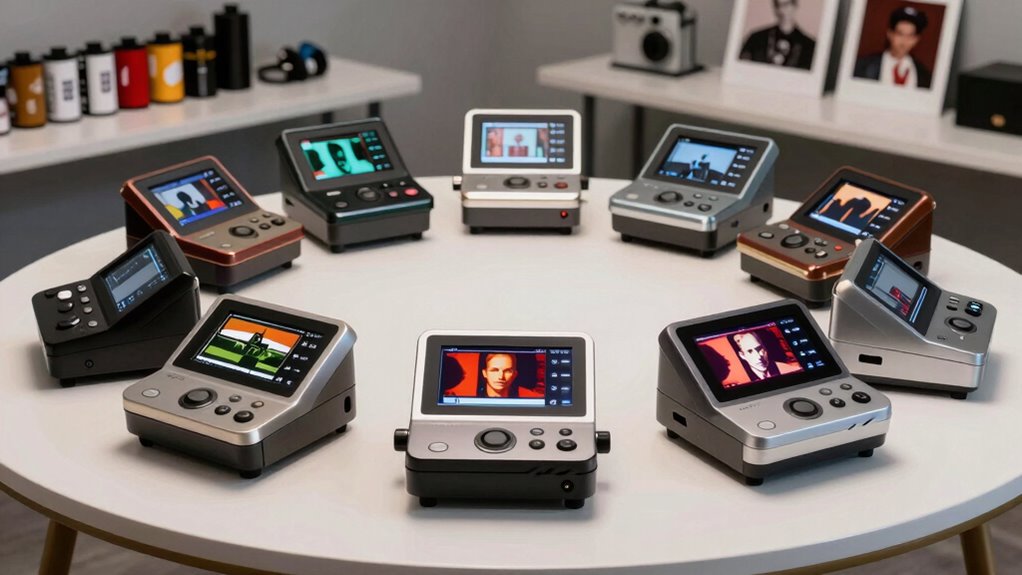

Choosing a film scanner for both 35mm and medium format means deciding what matters more: a simple standalone workflow, a lower-cost way to use gear you already own, or greater control over image quality. My strongest fit for people who need both formats is the JJC Film Digitizer, which pairs 35mm and 120 holders with your camera and macro lens. For unattended batches of 35mm strips, the Pacific Image PrimeFilm XA Plus models add automatic feeding and autofocus. The 22MP standalone scanner is the more self-contained choice, with an LCD and no computer required.

Get the latest gadgets delivered free with Prime
- Fast, free delivery on millions of items
- Prime Video, Amazon Music and more included
- Member-only deals all year
There is a key format compromise in this group: the dedicated PrimeFilm options scan 35mm film, not 120 medium format. The JJC camera rig and mobile phone rig accept both, but depend on your camera or phone and capture setup. I rank these options by how well they serve the stated 35mm plus medium-format need, while weighing workflow, control, and the limits each product description makes clear.
Complete the kit



Key Takeaways
- The JJC Film Digitizer is my strongest match for 35mm and 120 negatives if you already have a camera and macro lens.
- The 22MP standalone scanner accepts 35mm and 120 film, works without a computer, and saves JPEG files; its headline resolution is interpolated.
- The JJC Mobile Film Scanner supports both formats but relies on a smartphone camera, and film-conversion software is not included.
- Both PrimeFilm XA Plus listings focus on automatic 35mm strip and roll scanning; neither is described as supporting 120 medium-format film.
- The two PrimeFilm listings describe closely related hardware but differ in listed color-depth details, so check the exact version and included software before choosing.
| JJC Film Digitizer Scanner for 35mm & 120 Format Film Negative to Digital |  | Best Overall for Both Film Formats | Film formats: 35mm and 120 medium format | Capture method: Camera and macro lens | Backlight: LED with 10 brightness levels | VIEW ON AMAZON | See Our Full Breakdown |
| 22MP 35mm and Medium Format Film Scanner |  | Best Standalone Option | Supported formats: 135 (35mm), 120, 127, 126K | Maximum resolution: 22MP interpolated | Optical resolution: 14MP | VIEW ON AMAZON | See Our Full Breakdown |
| JJC Mobile Film Scanner for 35mm and 120 Film |  | Best Phone-Based Budget Workflow | Film formats: 35mm and 120 medium format | Capture device: Smartphone camera | Resolution: 1080p | VIEW ON AMAZON | See Our Full Breakdown |
| Pacific Image PrimeFilm XA Plus Film Scanner – Automatic Roll and 35mm Strip Scanning, 10,000 DPI, 48-bit Color, 4.2 Dynamic Range, Mac/Windows Compatible |  | Best for 35mm Batch Scanning | Film focus: Automatic roll and 35mm strip scanning | Maximum resolution: 10,000 dpi | Color depth: 48-bit | VIEW ON AMAZON | See Our Full Breakdown |
| Pacific Image PrimeFilm XA Plus Film Scanner – Auto Roll and 35mm Strip Scanning, 10,000 DPI, 48-bit Output, 4.2 Dynamic Range, Mac/Windows Support |  | Best 35mm Scanner with Built-In Workflow Tools | Media types: Filmstrip, mounted slide, roll film | Resolution: 10,000 dpi | Color depth: 16 bits as listed | VIEW ON AMAZON | See Our Full Breakdown |
| film scanner for 35mm and medium format | Color depth |
|---|---|
| JJC Film Digitizer Scanner for | — |
| 22MP 35mm and Medium Format Fi | — |
| JJC Mobile Film Scanner for 35 | 24 bits |
| Pacific Image PrimeFilm XA Plu | 48-bit |
| Pacific Image PrimeFilm XA Plu | 16 bits as listed |
More Details on Our Top Picks
JJC Film Digitizer Scanner for 35mm & 120 Format Film Negative to Digital
This is my first pick for a buyer who genuinely needs to digitize both 35mm and 120 negatives. Instead of operating as a conventional scanner, the JJC provides a light source, holders, and a rail so a compatible camera and macro lens can photograph the film. That setup gives the user more control over camera settings and file handling than the standalone 22MP unit, while avoiding the phone-camera dependency of the other JJC option.
The ten-level adjustable LED lets users vary illumination, and the sliding rail supports precise positioning. Its aluminum body and Arca-Swiss base make it a more substantial camera-rig choice than a simple phone holder. The central tradeoff is that this is not a complete imaging system: the camera and macro lens are essential parts of the workflow, and the listing does not state a scanning resolution. It is intended for negatives rather than positive slides, so buyers who need slide digitizing should look at a different option, such as the standalone scanner or PrimeFilm models.
Compared with the JJC mobile rig, this model offers a camera-first workflow rather than relying on a smartphone sensor. Compared with the PrimeFilm XA Plus, it covers 120 film but gives up automatic feeding and a defined scanner resolution. I would choose it for format flexibility and an existing camera kit, not for a one-button scanning experience.
Pros:- Includes holders for both 35mm and 120 medium-format negatives.
- Ten brightness levels allow adjustment of the LED backlight.
- Aluminum body and Arca-Swiss base suit a stable camera setup.
- Sliding rail helps with positioning and focus adjustment.
Cons:- Requires a camera and macro lens for image capture.
- No scanning resolution is advertised.
- Not designed for positive-slide digitizing.
Best for: Photographers who own a camera and macro lens and want a controlled setup for 35mm and 120 negatives.
Not ideal for: People seeking a standalone scanner, positive-slide support, or a clearly specified optical scanning resolution.
- Film formats:35mm and 120 medium format
- Capture method:Camera and macro lens
- Backlight:LED with 10 brightness levels
- Focus adjustment range:10.4–18.5 in (265–470 mm)
- Power:USB Type-C
- Construction:Aluminum body, ABS film holders
- Mounting:Arca-Swiss base and threaded holes
- Media supported:Negative film; not designed for positive slides
Our verdict“I rank the JJC first for its direct 35mm-and-120 fit, provided you already have the camera gear and accept a hands-on workflow.”
22MP 35mm and Medium Format Film Scanner
For someone who wants to scan without building a camera rig or using a phone, this standalone scanner is the most self-contained pick here. It accepts 35mm and 120 negatives as well as 127 and 126K film, and its 4.3-inch LCD supports preview, playback, exposure adjustment, and color adjustment. The listed 1–3 second scan time and HDMI output also make it easier to review images on the unit or a connected display than either JJC capture rig.
The workflow is direct: scans are saved as JPEG files to internal memory or an SD card, with the card sold separately. The headline 22MP figure is interpolated, while the stated optical resolution is 14MP. That distinction matters to buyers who expect the larger number to represent additional captured detail. Compared with the JJC Film Digitizer, this scanner avoids the need for a macro lens but offers less camera-based control. Compared with the PrimeFilm XA Plus, it supports 120 film and does not depend on a computer, but lacks the latter’s advertised automatic 40-frame feeding.
I would place it ahead of the phone rig for users who want a dedicated, screen-equipped device, yet below the JJC camera rig for buyers prioritizing flexibility over convenience. Its JPEG-only output may also limit a workflow built around extensive editing.
Pros:- Supports 35mm and 120 film, plus 127 and 126K formats.
- Works without a computer and includes a 4.3-inch LCD.
- Offers on-device preview, playback, exposure, and color adjustments.
- Provides HDMI and USB connectivity.
Cons:- 22MP maximum resolution is interpolated; optical resolution is listed as 14MP.
- Saves JPEG files rather than a stated RAW or DNG format.
- SD card is required for external storage and is not included.
Best for: People who want to digitize 35mm and 120 film with a dedicated device, onboard preview, and no computer during scanning.
Not ideal for: Users who need RAW or DNG files, a bundled SD card, or resolution claims based solely on optical capture.
- Supported formats:135 (35mm), 120, 127, 126K
- Maximum resolution:22MP interpolated
- Optical resolution:14MP
- File format:JPEG
- Display:4.3-inch LCD
- Scan speed:1–3 seconds
- Storage:128MB built-in; SD card up to 32GB
- Connections:HDMI and USB
Our verdict“I recommend this for straightforward, computer-free digitizing across 35mm and 120, with the reminder that its output and resolution claims are more modest than the headline suggests.”
JJC Mobile Film Scanner for 35mm and 120 Film
The JJC Mobile Film Scanner uses a phone clamp and illuminated holders to capture 35mm and 120 film with a smartphone camera. This makes it a lighter-complexity alternative to the camera-based JJC digitizer: there is no separate camera body or macro lens requirement, and an included wireless remote can help trigger capture without touching the phone. Eleven brightness levels offer more adjustment steps than the camera rig’s ten, though that count alone does not establish better image quality.
The tradeoff is that the phone supplies the camera, processing, and much of the workflow. The listing gives a 1080p resolution and 24-bit color depth, but film-conversion software is not included. Buyers should check that their phone camera and preferred app can handle negative inversion and color correction before choosing this option. Compared with the standalone scanner, it depends on another device and software; compared with the JJC camera rig, it is less suited to someone seeking a camera-and-macro-lens capture chain. Its metal base and anti-slip pads help keep the setup steady, but do not remove the phone’s image-quality limits.
I see it as a practical entry point for casual digitizing, especially when a compatible smartphone is already available. I would not treat it as the best route for demanding archival work or a batch workflow where repeatable, high-resolution capture is the main goal.
Pros:- Supports both 35mm and 120 medium-format film.
- Eleven-level LED brightness adjustment.
- Includes a detachable wireless remote.
- Metal base with anti-slip pads supports a steady phone setup.
Cons:- Requires a smartphone camera to capture images.
- Film-conversion software is not included.
- The listed resolution is 1080p, limiting its appeal for detailed archival work.
Best for: Casual users with a compatible smartphone who want a compact way to capture both 35mm and 120 film.
Not ideal for: Buyers who need included conversion software, camera-independent scanning, or a dedicated scanner workflow.
- Film formats:35mm and 120 medium format
- Capture device:Smartphone camera
- Resolution:1080p
- Color depth:24 bits
- Backlight:LED with 11 brightness levels
- Phone clamp width:2.2–3.5 in (55–90 mm)
- Power:USB Type-C
- Included control:Detachable wireless remote
Our verdict“I would choose the JJC mobile rig for casual phone-based capture, but not when I need the control of a camera rig or the independence of a standalone scanner.”
Pacific Image PrimeFilm XA Plus Film Scanner – Automatic Roll and 35mm Strip Scanning, 10,000 DPI, 48-bit Color, 4.2 Dynamic Range, Mac/Windows Compatible
The PrimeFilm XA Plus is the strongest choice here for a buyer whose archive is mostly 35mm strips or rolls and who values repeatable, automatic handling over support for 120 film. Its feeder can process up to 40 frames, while autofocus and a CCD sensor are aimed at sharp, consistent scans. The listed 10,000 dpi and 48-bit color depth describe a high-spec workflow, though actual results also depend on the film, software settings, and scan time.
This model sits below the multi-format options for a reader who needs medium format: the product information names automatic roll and 35mm strip scanning but does not list 120 support. That makes it a poor fit for the roundup’s dual-format requirement despite its stronger scanning feature set. Against the 22MP standalone unit, it offers a computer-based workflow with dust-removal tools and DNG support rather than an onboard LCD and computer-free operation. Compared with the other PrimeFilm listing below, this one explicitly states 48-bit color and cites compatibility with Windows and macOS.
The cost in convenience is a heavier, less portable unit and substantial computer storage requirements: the supplied minimum calls for 4GB RAM and 50GB of free disk space. I would select it for repeated 35mm batches, not for a mixed-format collection or a laptop-free setup.
Pros:- Automatic feed handles up to 40 frames.
- Autofocus and CCD sensor support a repeatable 35mm workflow.
- Lists 10,000 dpi and 48-bit color depth.
- Software tools include dust removal and DNG support.
Cons:- The listed film support does not identify 120 medium-format film.
- Requires a computer and substantial free disk space.
- Weighs 3kg, making it less convenient to move.
Best for: Film photographers digitizing many 35mm frames who can use a computer-based, automated scanning workflow.
Not ideal for: Anyone who needs stated 120 medium-format support, a portable scanner, or a computer-free workflow.
- Film focus:Automatic roll and 35mm strip scanning
- Maximum resolution:10,000 dpi
- Color depth:48-bit
- Sensor:CCD
- Dynamic range:4.2
- Feeding:Automatic feed for up to 40 frames
- Connections:USB
- Computer requirements:Windows 7 or later listed; 4GB RAM and 50GB free disk space
Our verdict“I rank this highly for automated 35mm batches, but its missing 120 support keeps it behind the format-flexible picks for a true dual-format buyer.”
Pacific Image PrimeFilm XA Plus Film Scanner – Auto Roll and 35mm Strip Scanning, 10,000 DPI, 48-bit Output, 4.2 Dynamic Range, Mac/Windows Support
This second PrimeFilm XA Plus listing describes the same basic role as the previous entry: automatic scanning for 35mm strips and rolls, with autofocus, up to 40 frames of feeding, and software for dust removal and color adjustment. It also calls out one-touch operation, an observation window, and DNG export. Those workflow touches may appeal to someone who wants to monitor a strip and make adjustments without turning each frame into a separate manual positioning task.
It remains a 35mm-focused choice rather than a complete answer for buyers scanning both 35mm and 120. The JJC camera digitizer and standalone scanner are better matches for that format requirement, while this unit is better suited to a large 35mm archive. I place it just below the other PrimeFilm listing because its provided specifications state 16-bit color depth, while the B0DFPQFJJL listing specifies 48-bit color. The listings may describe closely related hardware, but the discrepancy means I would verify the exact version and software details before treating the color specifications as interchangeable.
Like its sibling, this scanner calls for a computer with at least 4GB RAM and 50GB of free space, and the supplied compatibility notes exclude PowerPC Macs. Its automation can save handling time in a 35mm batch, but the weight and computer dependency make it less appealing for occasional scans or a mobile setup. I would compare the exact listing contents before choosing between the two PrimeFilm versions.
Pros:- Automatic feeder supports up to 40 frames.
- Includes autofocus and one-touch operation.
- Magic Touch software lists dust removal, color adjustment, and DNG export.
- Observation window helps monitor film during feeding.
Cons:- Product details do not list 120 medium-format support.
- The supplied color-depth figure is 16 bits, unlike the other PrimeFilm listing’s 48-bit claim.
- Requires a computer with substantial free storage; PowerPC Macs are not supported.
Best for: Users with a substantial 35mm archive who want automatic feeding, an observation window, and dust-removal and DNG tools.
Not ideal for: People who need 120 support, a self-contained scanner, or unambiguous color-depth specifications without checking the exact version.
- Media types:Filmstrip, mounted slide, roll film
- Resolution:10,000 dpi
- Color depth:16 bits as listed
- Dynamic range:4.2
- Sensor:CCD
- Feeding:Automatic feed for up to 40 frames
- Software features:Dust removal, color adjustment, DNG export
- Warranty:1-year manufacturer warranty
Our verdict“I would pick this PrimeFilm version for automated 35mm work only after confirming its color-depth specification and software details against the exact listing.”

How We Picked
I ranked these products around the actual promise in the title: digitizing both 35mm and medium-format film. That immediately separates the JJC camera-based and phone-based rigs, plus the standalone scanner, from the PrimeFilm XA Plus units, whose listed media formats cover film strips, mounted slides, and roll film but do not identify 120 film support. The PrimeFilm scanners may be stronger choices for repeated 35mm work, but format fit matters more than an impressive resolution figure when a buyer needs medium format.
I also weighed how each product handles the capture workflow. A standalone unit can preview and save scans without a computer; a camera digitizer offers a flexible light source and camera-based capture but requires a macro lens; a smartphone rig is convenient only if the phone camera and software meet the buyer’s needs. For the dedicated 35mm scanners, I considered their automatic feeding, autofocus, software, and stated computer demands. I treated interpolated resolution differently from optical resolution and did not assume missing specifications were guaranteed performance. The two PrimeFilm entries are kept separate because the supplied listings give different color-depth details, even though their core functions appear similar.
Factors to Consider When Choosing Film Scanner For 35mm And Medium Format
I would decide first whether your collection really includes 120 film, then choose the capture workflow that fits your equipment and editing habits. Scanner specifications matter, but format compatibility and file handling determine whether a device fits your archive.Check format support before comparing resolution
For a mixed collection of 35mm and 120 negatives, start with the JJC Film Digitizer, JJC Mobile Film Scanner, or the standalone 22MP model; all three explicitly list both formats. The PrimeFilm XA Plus listings emphasize 35mm strips and rolls and do not identify 120 support. They may suit a large 35mm archive, but I would not buy either for medium-format work based on the supplied specifications. Also check whether you need negatives, slides, or both: the camera-based JJC is described as not designed for positive slides, while the standalone and PrimeFilm descriptions include slide-related support.
Choose a capture workflow you can repeat
A camera digitizer can fit neatly into a photography workflow if you already own a macro lens and camera. It gives you camera controls and avoids the mobile rig’s reliance on a phone sensor, but alignment and capture take hands-on effort. The phone rig is simpler to set up around a smartphone, though the phone and conversion app become essential parts of the system. A standalone scanner is the most independent option among the dual-format picks: it provides its own screen and does not need a computer to scan. The PrimeFilm models automate 35mm feeding, making them more attractive when processing repeated strips matters more than flexibility.
Read resolution and color claims carefully
Do not treat every resolution number as equivalent. The standalone model lists 14MP optical resolution and a 22MP interpolated maximum, so the larger figure is not a straightforward measure of captured detail. The JJC camera rig does not advertise a scanning resolution; the resulting image depends on the camera and lens combination. The PrimeFilm units list 10,000 dpi, but I would also check the file output, software, and computer requirements. Their product entries differ on color depth—48-bit in one and 16-bit in the other—so confirm the exact version rather than assuming the specifications match.
Match output formats to your editing plans
If you want quick files for sharing, JPEG output from the standalone scanner may be enough. If your process includes more editing latitude, check the file formats before buying: the PrimeFilm descriptions list DNG support, while the standalone unit specifies JPEG. The JJC camera rig uses your camera’s capture workflow, so the camera and software shape the available file types. The mobile scanner does not include film-conversion software, which means buyers must arrange negative inversion and color correction separately. A convenient holder does not replace the software decisions needed to turn a negative into a finished positive image.
Plan around computer, storage, and portability
The standalone scanner and JJC rigs are easier fits for users who do not want to run a demanding desktop scan workflow. Both PrimeFilm listings specify a computer-based process with at least 4GB RAM and 50GB free disk space, and each weighs around 3kg according to the supplied details. That may be manageable at a dedicated desk but less convenient for portable use or older computers with crowded storage. For the standalone unit, remember that the SD card is not included. For the JJC setups, account for the camera or phone, lens where required, power, and a stable surface as part of the full system.
Frequently Asked Questions
Which option supports both 35mm and 120 medium-format film?
The JJC Film Digitizer, JJC Mobile Film Scanner, and 22MP standalone scanner all explicitly list 35mm and 120 film. The two PrimeFilm XA Plus listings describe 35mm strip and roll scanning but do not specify 120 support. I would choose one of the first three for a mixed-format collection and confirm holder compatibility for the exact film you have.
Do I need a camera or phone to use the JJC film digitizers?
The JJC Film Digitizer requires a camera and macro lens for capture. The JJC Mobile Film Scanner instead uses a smartphone camera held by its clamp. Neither is a fully self-contained scanner in the way the 22MP unit is, and the mobile model does not include film-conversion software. Check your camera or phone workflow before choosing either rig.
Is the standalone scanner’s 22MP figure its optical resolution?
No. The supplied specifications separate a 14MP optical resolution from a maximum of 22MP interpolated resolution. Interpolation increases the output pixel dimensions, but it should not be read as the same claim as additional optical detail. The scanner may still suit quick JPEG digitizing, especially for users who value its LCD and computer-free operation.
Are the two PrimeFilm XA Plus listings different scanners?
The descriptions share major features, including automatic feeding for up to 40 frames, 10,000 dpi, autofocus, and a 4.2 dynamic range. Their listed color-depth details differ: one says 48-bit and the other says 16-bit. I would verify the exact model version, software, and included items from the specific listing before deciding that their output specifications are identical.
Which scanner is better for a large batch of 35mm film?
For repeated 35mm strips, I would look first at either PrimeFilm XA Plus because both descriptions include automatic feeding for up to 40 frames and autofocus. Their advantage is batch handling, not medium-format flexibility or computer-free operation. If you also need to scan 120 film, consider the standalone scanner or a JJC rig instead, accepting a more manual process.
Conclusion
My recommendation depends on the collection and the tools already on hand. For a photographer with a camera and macro lens who needs both 35mm and 120 negatives, I would choose the JJC Film Digitizer. For a buyer who wants those formats in a self-contained device, the 22MP standalone scanner is the more convenient fit, provided JPEG output and interpolated resolution suit the job. Phone-first users can choose the JJC Mobile rig for casual capture, but should plan for separate conversion software.
If your archive is almost entirely 35mm film and you want automatic batch feeding, choose between the PrimeFilm XA Plus listings only after checking their differing color-depth claims and computer requirements. Neither is my pick for medium-format scanning based on the supplied product details. That distinction is the main decision: choose format coverage first, then weigh convenience, editing flexibility, and automation.
Halloween Picks
halloween
As an affiliate, we earn on qualifying purchases.