Choosing the right monitor colorimeter is essential for photographers and designers who demand accurate color and consistent results. The top picks this year include the Calibrite Display Pro HL for high luminance displays, the Calibrite Creator Kit for comprehensive workflow control, the Datacolor Spyder for quick calibration, and the Calibrite Display 123 for simplicity and multi-monitor support. Each offers unique strengths, but tradeoffs like complexity, price, and display compatibility influence the best choice for different users.

Get the latest gadgets delivered free with Prime
- Fast, free delivery on millions of items
- Prime Video, Amazon Music and more included
- Member-only deals all year
Complete the kit



Key Takeaways
- The Calibrite Display Pro HL excels with high luminance and HDR display calibration but is more complex and expensive.
- The Calibrite Creator Kit is ideal for photographers needing integrated camera and monitor calibration, though it can be complex for beginners.
- The Datacolor Spyder offers a quick, easy setup suitable for both amateurs and professionals working with OLED and mini-LED screens.
- The Calibrite Display 123 provides straightforward calibration for up to two monitors, making it perfect for casual users or those with simple workflows.
- All options support modern display technologies, but their workflows and target users differ significantly.
| Calibrite Display Pro HL Monitor Calibration Colorimeter for LCD, Mini LED, and OLED Displays |  | Best Overall for High-Luminance HDR and Modern Displays | Measurement Range: up to 3000 nits | Display Compatibility: LCD, Mini LED, OLED, Projectors | Software: Calibrite PROFILER for Mac and Windows | VIEW ON AMAZON | See Our Full Breakdown |
| Calibrite Creator Kit with Display 123 Colorimeter and ColorChecker Passport Video 2 |  | Best for Photographers and Videographers Seeking Workflow Integration | Includes: Display 123 colorimeter, ColorChecker Passport Video 2 | Purpose: Monitor calibration, video and photo capture control | Compatibility: Multiple cameras, monitors, software platforms | VIEW ON AMAZON | See Our Full Breakdown |
| Datacolor Spyder Monitor Calibrator & Screen Color Calibration Tool |  | Best for Easy, Fast Calibration for All Skill Levels | Compatibility: Windows and Mac | Display Types: OLED, mini-LED, Apple Liquid Retina XDR | Calibration Time: Approx. 90 seconds | VIEW ON AMAZON | See Our Full Breakdown |
| Calibrite Display 123 Monitor Calibration Colorimeter for Photo Editing and Color Accurate Viewing |  | Best for Beginners and Multi-Monitor Setups | Connection: USB C | Supports: 2 displays | Height: 34mm | VIEW ON AMAZON | See Our Full Breakdown |
| monitor colorimeter for photographers and designer | Connection | Compatibility |
|---|---|---|
| Calibrite Display Pro HL Monit | USB C with USB A adapter | — |
| Calibrite Creator Kit with Dis | — | Multiple cameras, monitors, software platforms |
| Datacolor Spyder Monitor Calib | — | Windows and Mac |
| Calibrite Display 123 Monitor | USB C | — |
More Details on Our Top Picks
Calibrite Display Pro HL Monitor Calibration Colorimeter for LCD, Mini LED, and OLED Displays
The Calibrite Display Pro HL stands out for its high measurement range of up to 3000 nits, making it perfect for HDR and high-brightness screens. Its advanced sensors deliver precise calibration on LCD, mini LED, OLED, and even projectors. Compared with the Spyder, it provides better support for high luminance displays, but requires more setup and familiarity with calibration workflows, making it less suited for casual users. Its support for multi-display profiling and validation tools makes it a versatile choice for professionals who need consistent, accurate color across multiple screens.
Pros:- High luminance measurement for HDR and bright screens
- Supports a wide range of modern display types
- Includes validation tools for performance verification
Cons:- Requires software installation and setup
- Price may be prohibitive for casual users
Best for: Professionals working with HDR and high-luminance displays who need precise control.
Not ideal for: Casual users or those on a tight budget who prefer plug-and-play simplicity.
- Measurement Range:up to 3000 nits
- Display Compatibility:LCD, Mini LED, OLED, Projectors
- Software:Calibrite PROFILER for Mac and Windows
- Connection:USB C with USB A adapter
- Mounting:Built-in 1/4″ mount thread
- Additional Features:Validation tools, multi-display profiling, custom patch sets
Our verdict“A top-tier choice for professionals needing accurate calibration for high-brightness and HDR displays.”
Calibrite Creator Kit with Display 123 Colorimeter and ColorChecker Passport Video 2
The Calibrite Creator Kit combines the Display 123 colorimeter with the ColorChecker Passport Video 2, making it a comprehensive tool for photographers and videographers who need consistent color across monitors and cameras. It excels at white balance, exposure, and color management, streamlining complex workflows. Compared to dedicated calibration tools, this kit offers more versatility but requires a grasp of color management principles. It suits those who want integrated control over both their display and camera settings but may be overwhelming for absolute beginners.
Pros:- Ensures consistent color across monitors and cameras
- Includes tools for exposure and white balance control
- Streamlines professional workflows
Cons:- More complex setup and operation
- Requires some technical knowledge
Best for: Photographers and videographers managing multiple cameras and displays demanding consistent color workflows.
Not ideal for: Beginners or users solely focused on casual or single-monitor calibration.
- Includes:Display 123 colorimeter, ColorChecker Passport Video 2
- Purpose:Monitor calibration, video and photo capture control
- Compatibility:Multiple cameras, monitors, software platforms
Our verdict“Ideal for professionals needing integrated calibration for both screens and cameras, albeit with a learning curve.”
Datacolor Spyder Monitor Calibrator & Screen Color Calibration Tool
The Datacolor Spyder offers a quick and straightforward calibration process, making it well-suited for users who want reliable results without fuss. It supports OLED, mini-LED, and other modern screens and features an ambient light sensor for adaptive calibration. Compared with the Calibrite options, it emphasizes speed and simplicity, which can be a double-edged sword for demanding workflows. While it’s perfect for casual professionals or those new to calibration, power users might find its advanced features somewhat limited.
Pros:- Quick and easy calibration process
- Supports latest display tech like OLED and mini-LED
- Ambient light sensor for adaptive calibration
Cons:- Limited advanced customization
- May not satisfy users with complex workflows
Best for: Users seeking a fast, reliable calibration tool that’s easy to operate.
Not ideal for: Those needing detailed customization or working with very high luminance HDR displays.
- Compatibility:Windows and Mac
- Display Types:OLED, mini-LED, Apple Liquid Retina XDR
- Calibration Time:Approx. 90 seconds
- Features:DevicePreview Beta, ambient light sensor, customizable profiles
Our verdict“A reliable, user-friendly option perfect for quick calibration needs across a range of modern displays.”
Calibrite Display 123 Monitor Calibration Colorimeter for Photo Editing and Color Accurate Viewing
The Calibrite Display 123 is a compact, easy-to-use device tailored for photographers and creators who need simple, reliable calibration. Supporting up to two monitors with a straightforward 1-2-3 workflow, it’s ideal for those starting out or managing a small multi-monitor environment. Its built-in before-and-after comparison helps verify calibration results quickly. Compared to more advanced tools, it lacks support for more than two screens and doesn’t include HDR or high-luminance features, but its simplicity makes it highly accessible for casual or semi-professional use.
Pros:- Easy guided workflow for beginners
- Supports calibration of two displays
- Built-in verification with before-and-after comparison
Cons:- Limited to two monitors
- No support for advanced HDR or high-luminance displays
Best for: Beginners or users with simple, two-monitor setups seeking quick, guided calibration.
Not ideal for: Professionals with complex workflows or those needing HDR calibration support.
- Connection:USB C
- Supports:2 displays
- Height:34mm
- Diameter:37mm
- Brightness Targets:Native or Photo
Our verdict“A practical, straightforward calibration device for small setups and those new to color management.”
How We Picked
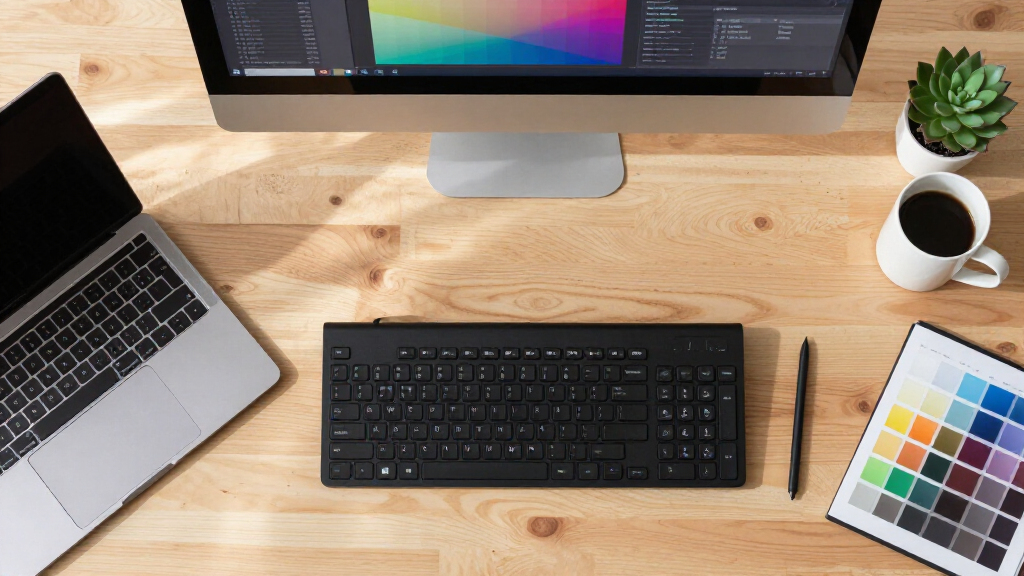
Our selection process focused on calibration accuracy, display compatibility, ease of use, and value. We prioritized products that support the latest display technologies, including HDR, OLED, and mini-LED, ensuring relevance for professional workflows. Ease of setup and software reliability also played key roles, along with consideration of price and intended user skill levels. Our goal was to identify options that cater to a broad spectrum of photographers and designers, from beginners to advanced professionals.
| monitor colorimeter for photographers and designer | Connection | Compatibility |
|---|---|---|
| Calibrite Display Pro HL Monit | USB C with USB A adapter | — |
| Calibrite Creator Kit with Dis | — | Multiple cameras, monitors, software platforms |
| Datacolor Spyder Monitor Calib | — | Windows and Mac |
| Calibrite Display 123 Monitor | USB C | — |
Factors to Consider When Choosing Monitor Colorimeter For Photographers And Designers
Selecting the right monitor colorimeter depends on your specific needs—whether you’re working with HDR content, managing multiple devices, or just starting out. Key factors include display compatibility, calibration precision, ease of use, and workflow integration. Understanding these will help you choose a device that fits your skill level and professional requirements.Display Compatibility and Features
Ensure your chosen colorimeter supports your display type, especially if you work with HDR, OLED, or high-brightness screens. Professional-grade models like the Calibrite Display Pro HL excel here, but simpler devices like the Calibrite Display 123 focus on basic calibration for standard monitors. Consider whether advanced features like multi-display support, validation tools, or camera integration are necessary for your workflow.
Ease of Use and Workflow
If you’re a beginner or prefer quick results, models like the Datacolor Spyder or Calibrite Display 123 offer intuitive interfaces and fast calibration times. Professionals needing detailed control and validation might favor the Calibrite Display Pro HL, which, while more complex, provides comprehensive profiling and verification options.
Price and Value
Cost varies widely from budget-friendly options like the Calibrite Display 123 to high-end tools like the Pro HL. Balance your budget against your calibration needs; investing in a more advanced device makes sense if you handle high-luminance HDR content or multi-monitor setups regularly.
Frequently Asked Questions
What is a monitor colorimeter used for?
A monitor colorimeter measures and calibrates your display’s color output to ensure accurate and consistent colors across different screens. It’s essential for photographers and designers who need precise color management for editing, printing, or client presentations.
Can I calibrate HDR displays with these devices?
Yes, some models like the Calibrite Display Pro HL are designed specifically for high luminance and HDR displays, supporting luminance levels up to 3000 nits. Others may have limited HDR capabilities, so check the specifications if HDR calibration is critical for your work.
Is calibration software included, and is it easy to use?
Most products include dedicated calibration software, with varying levels of complexity. The Calibrite Display 123 and Spyder focus on simplicity, making setup quick and straightforward. Advanced models like the Pro HL may require more familiarity but offer greater control and accuracy.
Are these devices compatible with Mac and Windows?
Compatibility varies, but all four options support both Mac and Windows. Confirm specific software requirements and connection types (USB-C, USB-A) to ensure smooth integration with your system before purchasing.
How often should I calibrate my monitor?
It’s recommended to calibrate your monitor at least once a month, especially if you work in color-sensitive fields. Regular calibration maintains color accuracy over time, compensating for display aging and environmental changes.
Conclusion
If you’re a professional working with HDR and high-brightness displays, the Calibrite Display Pro HL offers unmatched accuracy and flexibility, though it comes at a higher price and complexity. For photographers and videographers needing integrated camera and monitor calibration, the Calibrite Creator Kit provides excellent workflow tools despite a steeper learning curve. Casual users or those with small multi-monitor setups will find the Calibrite Display 123 or Datacolor Spyder more suitable, emphasizing ease and speed over advanced features. Your choice should align with your specific workflow needs, display types, and skill level.
Halloween Picks
halloween
As an affiliate, we earn on qualifying purchases.