For a premium 3D printer on Amazon, I’d start with the Bambu Lab P2S Combo as the best overall pick for buyers seeking a capable printer bundled with multicolor printing. The QIDI Max4 Combo stands out for shoppers who prioritize a larger, more versatile machine, while the Snapmaker U1 offers a distinct four-toolhead approach. The main tradeoffs are print volume, material range, color-changing workflow, and how much setup and upkeep you’re willing to handle. A multicolor system can expand what you make, but it may add complexity and material waste compared with single-color printing. Read on for the full breakdown of all 15 options and guidance on choosing by project and experience.

Get the latest gadgets delivered free with Prime
- Fast, free delivery on millions of items
- Prime Video, Amazon Music and more included
- Member-only deals all year
Complete the kit


Key Takeaways
- The P2S Combo is the strongest all-round starting point in this lineup for shoppers who want a premium printer and multicolor capability together, rather than choosing a printer and add-on system separately.
- Large-format and high-capability machines serve a different buyer: the QIDI Max4 Combo and Creality K2 Plus options are better matched to bigger projects than compact or entry-oriented printers.
- Multicolor is not one single workflow. Bambu Lab, Creality CFS, and four-toolhead designs handle filament changes differently, so buyers should compare the system’s day-to-day operation, not just the number of colors advertised.
- The Snapmaker U1 and Flashforge Creator 5 Pro stand apart through multiple toolheads. That approach may suit frequent material or color changes, but it is not automatically the simplest choice for a first printer.
- Premium does not always mean the most machine. The Bambu Lab A1 and FLASHFORGE Adventurer 5M Pro may make more sense for buyers who value a simpler or more focused setup over maximum size and feature count.
| QIDI Max4 Combo 3D Printer |  | Best for Large Engineering Parts | Build volume: 390 × 390 × 340 mm | Maximum print speed: 800 mm/s | Maximum acceleration: 30,000 mm/s² | VIEW ON AMAZON | See Our Full Breakdown |
| Bambu Lab P2S Combo – P2S 3D Printer & AMS 2 Pro Multi-Color Printing |  | Best Ready-to-Run Multicolor Combo | Maximum print speed: 600 mm/s | Setup time: About 15 minutes | Extruder: PMSM servo extruder | VIEW ON AMAZON | See Our Full Breakdown |
| ELEGOO Centauri Carbon 2 Combo Multicolor 3D Printer |  | Best Mid-Size Four-Color Pick | Printing system: Four-color CANVAS system | Build volume: 256 × 256 × 256 mm | Maximum print speed: 500 mm/s | VIEW ON AMAZON | See Our Full Breakdown |
| Creality K2 Plus Combo High-Speed Multicolor 3D Printer |  | Best Large-Format Multicolor Workhorse | Build volume: 350 × 350 × 350 mm | Maximum print speed: 600 mm/s | Maximum acceleration: 30,000 mm/s² | VIEW ON AMAZON | See Our Full Breakdown |
| Bambu Lab A1 FDM 3D Printer |  | Best Simple Single-Color Starter | Printing technology: FDM | Maximum acceleration: 10,000 mm/s² | Calibration: Automatic, including Z-offset and bed leveling | VIEW ON AMAZON | See Our Full Breakdown |
| Creality K2 Combo Multicolor 3D Printer | 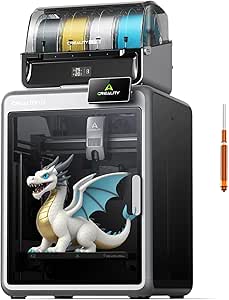 | Best for Materials Flexibility | Build volume: 260 × 260 × 260 mm | Maximum print speed: Up to 600 mm/s | Acceleration: 20,000 mm/s² | VIEW ON AMAZON | See Our Full Breakdown |
| Creality K2 Combo 3D Printer with CFS Multicolor System |  | Best for Straightforward Setup | Build volume: 260 × 260 × 260 mm | Maximum printing speed: 600 mm/s | Multicolor system: One CFS unit included; up to 16 colors with four CFS units | VIEW ON AMAZON | See Our Full Breakdown |
| Bambu Lab P1S Combo 3D Printer with AMS |  | Best for Fast, Enclosed Multicolor Printing | Printer type: Enclosed 3D printer | Included system: AMS | Maximum colors: Up to 16 with AMS | VIEW ON AMAZON | See Our Full Breakdown |
| Creality K2 Plus Combo 3D Printer with CFS |  | Best for Large-Format, Advanced-Material Work | Build volume: 350 × 350 × 350 mm | Maximum printing speed: 600 mm/s | Acceleration: 30,000 mm/s² | VIEW ON AMAZON | See Our Full Breakdown |
| Anycubic Kobra X Multicolor 3D Printer |  | Best for Built-In Four-Color Printing | Printer type: FDM 3D printer | Build volume: 260 × 260 × 260 mm | Built-in colors: 4 | VIEW ON AMAZON | See Our Full Breakdown |
| FLASHFORGE Adventurer 5M Pro High-Speed 3D Printer |  | Best Enclosed Printer for Fast Everyday Printing | Build volume: 220 × 220 × 220 mm | Maximum print speed: 600 mm/s | Acceleration: 20,000 mm/s² | VIEW ON AMAZON | See Our Full Breakdown |
| Creality K2 Pro Combo 3D Printer with CFS Multicolor Filament System |  | Best for Large Multicolor and Engineering Prints | Build volume: 300 × 300 × 300 mm | Maximum print speed: 600 mm/s | Maximum acceleration: 20,000 mm/s² | VIEW ON AMAZON | See Our Full Breakdown |
| Creality SPARKX i7 Combo Multicolor 3D Printer with CFS Lite |  | Best for a Straightforward Start with Four-Color Printing | Build volume: 260 × 260 × 255 mm | Color printing: Four colors | Setup: 95% pre-assembled | VIEW ON AMAZON | See Our Full Breakdown |
| Flashforge Creator 5 Pro 4-Toolhead 3D Printer |  | Best for Multi-Material Printing with Less Purge Waste | Toolheads: Four independent toolheads | Tool change time: 7 seconds | Maximum chamber temperature: 65°C | VIEW ON AMAZON | See Our Full Breakdown |
| Snapmaker U1 3D Printer with Four Toolheads |  | Best Four-Toolhead Balance for Larger Projects | Toolheads: Four independent toolheads | Tool change time: About 5 seconds | Maximum print speed: 500 mm/s | VIEW ON AMAZON | See Our Full Breakdown |
| premium 3d printer on amazon | Build volume | Maximum print speed |
|---|---|---|
| QIDI Max4 Combo 3D Printer | 390 × 390 × 340 mm | 800 mm/s |
| Bambu Lab P2S Combo | — | 600 mm/s |
| ELEGOO Centauri Carbon 2 Combo | 256 × 256 × 256 mm | 500 mm/s |
| Creality K2 Plus Combo High-Sp | 350 × 350 × 350 mm | 600 mm/s |
| Bambu Lab A1 FDM 3D Printer | — | — |
| Creality K2 Combo Multicolor 3 | 260 × 260 × 260 mm | Up to 600 mm/s |
| Creality K2 Combo 3D Printer w | 260 × 260 × 260 mm | — |
| Bambu Lab P1S Combo 3D Printer | — | 500 mm/s |
| Creality K2 Plus Combo 3D Prin | 350 × 350 × 350 mm | — |
| Anycubic Kobra X Multicolor 3D | 260 × 260 × 260 mm | — |
| FLASHFORGE Adventurer 5M Pro H | 220 × 220 × 220 mm | 600 mm/s |
| Creality K2 Pro Combo 3D Print | 300 × 300 × 300 mm | 600 mm/s |
| Creality SPARKX i7 Combo Multi | 260 × 260 × 255 mm | — |
| Flashforge Creator 5 Pro 4-Too | — | 600 mm/s |
| Snapmaker U1 3D Printer with F | 270 × 270 × 270 mm | 500 mm/s |
More Details on Our Top Picks
QIDI Max4 Combo 3D Printer
The QIDI Max4 Combo is the strongest fit here when part size and demanding materials matter more than an all-in-one multicolor setup. Its 390 × 390 × 340 mm build volume is larger than the Creality K2 Plus Combo’s 350 mm cubed workspace, giving you more room for bulky prototypes or multiple components in one run. A 65°C heated chamber and hardened-steel nozzle rated to 370°C support materials such as carbon-fiber nylon and PPS-CF, while the AI camera can pause a print after detecting a failure. The tradeoff is that the “Combo” does not include the extras needed for every advertised capability: QIDI BOX is sold separately for multicolor printing, as is the Polar Cooler. At 120 pounds and 28 inches wide, it also calls for a sturdy, dedicated spot.
Pros:- 390 × 390 × 340 mm build volume accommodates parts too large for the smaller ELEGOO Centauri Carbon 2 Combo.
- 65°C active heated chamber and 370°C hardened-steel nozzle support engineering and abrasive materials.
- AI camera can detect print failures and pause the job.
- Up to 800 mm/s speed and 30,000 mm/s² acceleration target fast production runs.
Cons:- QIDI BOX is required for multicolor printing and is sold separately.
- Polar Cooler is an additional purchase.
- Its 120-pound weight and large footprint make placement and relocation difficult.
Best for: Engineers and makers printing large, heat-sensitive or abrasive-material parts who have room for a heavy, dedicated machine.
Not ideal for: Buyers seeking included multicolor printing, a compact desktop setup, or a printer that is easy to move; the QIDI BOX and Polar Cooler are separate purchases.
- Build volume:390 × 390 × 340 mm
- Maximum print speed:800 mm/s
- Maximum acceleration:30,000 mm/s²
- Heated chamber:65°C
- Hotend flow rate:40 mm³/s
- Nozzle:Hardened steel; up to 370°C
- Supported materials:PLA, ABS, carbon fiber-reinforced nylon, ABS-CF, PC, PPS-CF
- Product dimensions and weight:28 × 28 × 30 inches; 120 pounds
- Multicolor capability:Up to 16 colors with QIDI BOX, sold separately
Our verdict“Choose the Max4 if large engineering parts and high-temperature materials outweigh the extra space and separately sold accessories.”
Bambu Lab P2S Combo – P2S 3D Printer & AMS 2 Pro Multi-Color Printing
The P2S Combo makes the most sense for buyers who want multicolor printing built into the purchase, rather than adding a separate filament system later. Its included AMS 2 Pro handles multicolor and multi-material jobs, and its drying function reaches 65°C—a useful feature for keeping moisture-sensitive filament ready to print. Setup is listed at about 15 minutes, with automatic calibration, AI-assisted failure detection and quick-swap nozzles aimed at reducing routine setup work. The printer reaches 600 mm/s, below the QIDI Max4 Combo’s 800 mm/s headline speed, but the PMSM servo extruder and active flowrate compensation are designed to maintain accuracy at speed. Its stated optional chamber temperature is 50°C, so it is less suited to demanding high-temperature materials than the QIDI. The P2S alone does not provide multicolor printing; this combo’s included AMS 2 Pro is the key distinction.
Pros:- Included AMS 2 Pro enables multicolor and multi-material printing without a separate system purchase.
- AMS 2 Pro dries filament at up to 65°C.
- Automatic calibration, AI failure detection and stated 15-minute setup reduce setup and monitoring work.
- PMSM servo extruder and active flowrate compensation are designed to support accurate high-speed printing.
Cons:- The P2S printer alone cannot print multiple colors; that capability depends on the AMS 2 Pro combo.
- Its 600 mm/s maximum speed is lower than the QIDI Max4 Combo’s stated 800 mm/s.
- The stated optional 50°C chamber is less suited to high-temperature materials than the QIDI Max4’s 65°C chamber.
Best for: Newer users and frequent multicolor printers who want an included filament system, automated setup and filament drying in one package.
Not ideal for: Buyers prioritizing a very large build area or a hotter chamber for engineering materials; the provided specs do not state a build volume and list an optional 50°C chamber.
- Maximum print speed:600 mm/s
- Setup time:About 15 minutes
- Extruder:PMSM servo extruder
- Filament drying temperature:Up to 65°C
- Optional chamber temperature:50°C
- Airflow system:Adaptive airflow with carbon filter
- Multicolor system:AMS 2 Pro included in this combo
Our verdict“Pick the P2S Combo if an included multicolor system and easier setup matter more than maximum build size or chamber heat.”
ELEGOO Centauri Carbon 2 Combo Multicolor 3D Printer
The Centauri Carbon 2 Combo offers a self-contained four-color route for buyers who do not need the expansive build space of the QIDI Max4 or Creality K2 Plus. Its 256 mm cubed build volume suits many desk-scale models and functional parts, while the CANVAS system adds smart filament detection, auto refill and tangle detection to reduce interruptions during color changes. At up to 500 mm/s, it is slower on paper than the Bambu Lab P2S Combo’s 600 mm/s, but the aluminum frame and vibration compensation are intended to help keep fast prints controlled. A 350°C nozzle broadens material options, though the supplied details do not list a heated chamber, making this a less compelling choice for chamber-dependent engineering filaments than the QIDI Max4. Its stated 42.6-pound weight is also worth factoring into a permanent setup.
Pros:- CANVAS system supports four-color printing with filament detection, auto refill and tangle detection.
- Automated calibration reduces manual setup.
- Aluminum frame and vibration compensation are designed to support precise printing at speed.
- 350°C nozzle supports a broad range of filament types.
Cons:- 256 mm cubed build volume is substantially smaller than the QIDI Max4 Combo’s workspace.
- Maximum speed of 500 mm/s is lower than the Bambu Lab P2S Combo’s stated 600 mm/s.
- The listed 42.6-pound weight may be a drawback for users who need to move the printer often.
Best for: Makers who want an included four-color workflow and a mid-size machine for models, gifts and everyday parts.
Not ideal for: Users printing oversized components or relying on a heated chamber for demanding materials; its build volume is smaller than the QIDI Max4 and no chamber temperature is specified.
- Printing system:Four-color CANVAS system
- Build volume:256 × 256 × 256 mm
- Maximum print speed:500 mm/s
- Maximum acceleration:20,000 mm/s²
- Nozzle temperature:350°C
- Frame:Aluminum
- Dimensions:18.9 × 19.7 × 29.3 inches
- Weight:42.6 pounds
Our verdict“Choose the Centauri Carbon 2 Combo for included four-color printing in a mid-size format, not for oversized parts or chamber-dependent materials.”
Creality K2 Plus Combo High-Speed Multicolor 3D Printer
The K2 Plus Combo is the better fit than the ELEGOO Centauri Carbon 2 when large prints and multicolor capability need to coexist. Its 350 × 350 × 350 mm build volume leaves far more room for big models or batch jobs than the ELEGOO’s 256 mm cubed space, and a 60°C chamber supports materials that benefit from controlled warmth. It reaches 600 mm/s and includes two AI cameras for print monitoring and flow optimization, alongside automatic bed leveling with an independently motorized dual Z-axis. The headline of up to 16 colors depends on connecting four CFS units, so buyers should not assume that maximum color capacity comes from the printer alone. Compared with the QIDI Max4, the K2 Plus has a smaller build volume and cooler chamber, but offers a specified CFS-based multicolor path.
Pros:- 350 mm cubed build volume suits larger models and batch printing.
- Up to 16-color printing is supported with four CFS units.
- Two AI cameras monitor print activity and support flow optimization.
- 60°C chamber, 350°C nozzle and automatic dual-Z bed leveling support a broad range of jobs.
Cons:- Four CFS units are required for the stated maximum of 16 colors.
- Its large-format design needs more dedicated workspace than the ELEGOO Centauri Carbon 2.
- Its 60°C chamber and 350°C nozzle are below the QIDI Max4 Combo’s stated 65°C chamber and 370°C nozzle.
Best for: Makers and small print operations that need a large build area, high-speed production and a path to multi-color jobs.
Not ideal for: Buyers with limited workspace or those who want maximum multicolor capability without adding CFS units.
- Build volume:350 × 350 × 350 mm
- Maximum print speed:600 mm/s
- Maximum acceleration:30,000 mm/s²
- Maximum chamber temperature:60°C
- Maximum nozzle temperature:350°C
- Maximum colors:Up to 16 with four CFS units
- Cameras:Two AI cameras
- Bed leveling:Automatic, with independently motorized dual Z-axis
Our verdict“Choose the K2 Plus Combo if you need a large-format machine with a scalable multicolor system and have room for its footprint and CFS units.”
Bambu Lab A1 FDM 3D Printer
The A1 is the most approachable choice here for buyers who want automatic setup and straightforward FDM printing without committing to a bundled multicolor system. Automatic Z-offset and bed leveling take common calibration chores off the user’s plate, while the touchscreen and 1-Clip quick-swap nozzle make everyday operation and maintenance more accessible. Active flow-rate compensation and acceleration up to 10,000 mm/s² support brisk printing, though this is not the pick for buyers chasing the faster headline speeds of the P2S, QIDI Max4 or Creality K2 Plus. Multicolor printing is possible with the separately sold AMS lite, but that changes the value calculation and adds equipment. Compared with the included AMS 2 Pro in the P2S Combo, the A1 is better treated as a simpler single-color starting point unless you already plan to add the AMS lite.
Pros:- Automatic Z-offset and bed leveling reduce manual calibration.
- 1-Clip quick-swap nozzle simplifies nozzle changes.
- Active motor noise cancellation supports quieter operation.
- AMS lite can add multicolor printing when purchased separately.
Cons:- AMS lite is required for multicolor printing and is sold separately.
- Its 10,000 mm/s² acceleration is below the listed acceleration of the QIDI Max4 and Creality K2 Plus.
- The provided product data does not specify a heated chamber for engineering-material printing.
Best for: First-time hobbyists and home makers who want automated calibration, simpler nozzle maintenance and a capable single-color printer.
Not ideal for: Buyers who expect multicolor printing in the box, need a heated chamber for engineering materials, or prioritize the highest listed speed.
- Printing technology:FDM
- Maximum acceleration:10,000 mm/s²
- Calibration:Automatic, including Z-offset and bed leveling
- Multicolor printing:Supported with AMS lite, sold separately
- Nozzle:1-Clip quick-swap
- Noise control:Active motor noise cancellation
Our verdict“Choose the A1 for accessible, automated single-color printing, and pick the P2S Combo instead if included multicolor capability is a priority.”
Creality K2 Combo Multicolor 3D Printer
The K2 Combo suits buyers who want multicolor capability without limiting themselves to basic PLA projects. Its 260 mm cube build area and support for PLA, ABS, PETG, and engineering-grade filaments make it a more versatile material choice than the Bambu Lab P1S Combo, which does not recommend carbon- or glass-fiber-reinforced polymers. A 300°C nozzle and 40 mm³/s flow rate support that broader remit, while automatic leveling and AI camera monitoring reduce routine oversight.
The tradeoff is that the included single CFS unit does not provide the full 16-color capacity; reaching it calls for three additional units. At 55 pounds, this is also a substantial machine to place and move. I’d rank it for material range over out-of-the-box color capacity or compact convenience.
Pros:- Supports a broad range of materials, including engineering-grade filaments
- 260 × 260 × 260 mm build volume accommodates sizable parts
- Automatic leveling and AI camera monitoring help reduce manual supervision
- CFS system can expand to support up to 16 colors
Cons:- Only one CFS unit is included, so full 16-color capability requires additional units
- At 55 pounds, placement and relocation take more effort
- The 16-color setup depends on buying and connecting extra CFS units
Best for: Makers who want an enclosed-style multicolor workflow and plan to print varied materials, including engineering-grade filaments.
Not ideal for: Buyers who want 16-color printing from the included hardware or need a lightweight printer that is easy to relocate.
- Build volume:260 × 260 × 260 mm
- Maximum print speed:Up to 600 mm/s
- Acceleration:20,000 mm/s²
- Color capacity:Up to 16 colors with up to four CFS units
- CFS units included:1
- Maximum nozzle temperature:300°C
- Supported materials:PLA, ABS, PETG, and engineering-grade filaments
- Connectivity and storage:Wi-Fi; 8 GB local storage
Our verdict“Choose the K2 Combo if material flexibility matters more to you than getting the full multicolor setup in the box.”
Creality K2 Combo 3D Printer with CFS Multicolor System
For buyers wary of a long assembly process, this K2 Combo arrives 95% preassembled, leaving less setup work than a kit-style machine. It keeps the same 260 mm cube build volume and 600 mm/s stated maximum speed as the other K2 Combo listing, while adding targeted auto leveling, silent mode, and AI camera monitoring to the practical appeal. Compared with the Anycubic Kobra X, it includes one CFS unit for multicolor printing; the Kobra X instead has four colors built in.
The K2’s path to up to 16 colors requires four CFS units, so the included hardware is only a starting point for larger palettes. Its 65.9-pound weight also makes it a poor fit for a desk that needs frequent rearranging. I’d choose this version for reduced setup friction, not for the lightest footprint or maximum color capacity straight out of the box.
Pros:- 95% preassembled design reduces setup effort
- Targeted auto leveling limits unnecessary leveling work
- AI camera can monitor prints for failures and idle states
- Silent mode offers a quieter operating option
Cons:- One CFS unit is included; reaching 16 colors requires four units
- At 65.9 pounds, it is difficult to reposition
- The maximum color setup requires additional hardware
Best for: First-time premium-printer buyers who want a mostly assembled machine, guided leveling, and the option to expand into multicolor printing.
Not ideal for: Makers who need a printer they can move often or expect 16-color printing using only the included CFS hardware.
- Build volume:260 × 260 × 260 mm
- Maximum printing speed:600 mm/s
- Multicolor system:One CFS unit included; up to 16 colors with four CFS units
- Assembly:95% preassembled
- Supported materials:PLA, PETG, ABS, PLA-CF, PET
- Features:AI camera, targeted auto leveling, silent mode
- Dimensions:16.93 × 16.54 × 21.06 inches
- Weight:65.9 pounds
Our verdict“Pick this K2 Combo if a mostly assembled setup and monitoring features matter more than a lighter machine or built-in four-color printing.”
Bambu Lab P1S Combo 3D Printer with AMS
The P1S Combo pairs an enclosed printer with the included AMS, giving buyers a ready route to multicolor and multi-material projects without adding a separate filament system later. Its stated 500 mm/s maximum is below the 600 mm/s figures for the Creality K2 Combo and Anycubic Kobra X, but the difference matters less to buyers who value an enclosure and a broad filament menu. Automatic bed leveling and a setup estimate of about 15 minutes make it a relatively approachable option in this premium group.
Its up-to-16-color capability depends on the AMS, and the supported-material list comes with a clear limit: carbon- and glass-fiber-reinforced polymers are not recommended. Compared with the Creality K2 Combo, the P1S is less suited to those reinforced materials, but its enclosed design and included AMS make for a more self-contained multicolor package.
Pros:- Enclosed design supports a wide range of listed filaments
- Included AMS enables multicolor and multi-material printing
- Automatic bed leveling reduces setup adjustments
- About 15-minute setup estimate supports a quick start
Cons:- The up-to-16-color workflow requires the AMS
- Carbon- and glass-fiber-reinforced polymers are not recommended
- Its 500 mm/s stated maximum is lower than the 600 mm/s figures of the K2 Combo and Kobra X
Best for: Makers who want an enclosed printer with an included AMS for multicolor projects and support for materials such as ABS, ASA, PA, and PC.
Not ideal for: Buyers focused on carbon- or glass-fiber-reinforced filaments, or those prioritizing a 600 mm/s stated maximum speed.
- Printer type:Enclosed 3D printer
- Included system:AMS
- Maximum colors:Up to 16 with AMS
- Maximum print speed:500 mm/s
- Acceleration:20,000 mm/s²
- Bed leveling:Automatic
- Setup time:About 15 minutes
- Supported filaments:PLA, PETG, TPU, PVA, PET, ABS, ASA, PA, PC
Our verdict“Choose the P1S Combo for an enclosed, AMS-equipped multicolor setup, but look elsewhere if reinforced filaments are central to your work.”
Creality K2 Plus Combo 3D Printer with CFS
The K2 Plus Combo is the clear choice here for oversized prints: its 350 mm cube build volume gives substantially more room than the 260 mm cube K2 Combo, P1S Combo, and Kobra X. It also pairs a 600 mm/s stated maximum with an actively heated chamber and hardened-steel nozzle, a combination aimed at buyers working with materials such as PA-CF, PPA-CF, and ASA. Dual AI cameras and automatic leveling with dual motorized Z-axes add monitoring and bed-control support to a large, demanding setup.
That capacity comes with a practical caveat: the listed combo includes only one CFS unit, while up to 16 colors requires four. Its dimensions also call for more dedicated space than the smaller printers in this group. I’d rank it above the standard K2 Combo for build size and demanding materials, but not for compact placement or included color capacity.
Pros:- 350 × 350 × 350 mm build volume handles larger parts than the other listed printers
- Actively heated chamber supports work with a broader set of demanding materials
- Hardened-steel nozzle is suited to abrasive filament use
- Dual AI cameras and automatic leveling add monitoring and bed-control support
Cons:- Only one CFS unit is included; up to 16 colors requires four units
- Its large dimensions need more dedicated workspace than the 260 mm cube alternatives
- The advanced material and large-format focus may be unnecessary for basic, small prints
Best for: Product designers, model makers, and workshops printing large parts or using higher-demand materials such as PA-CF and PPA-CF.
Not ideal for: Buyers with limited workspace or anyone expecting the included CFS unit to provide the full 16-color setup.
- Build volume:350 × 350 × 350 mm
- Maximum printing speed:600 mm/s
- Acceleration:30,000 mm/s²
- Maximum flow rate:40 mm³/s
- Filament system:CFS; up to 16 colors with four CFS units
- Supported materials:PLA, ABS, PETG, PA-CF, PLA-CF, PET, ASA, PPA-CF
- Nozzle:High-temperature nozzle with hardened-steel tip
- Included:K2 Plus, 1 CFS unit, 2 × 250 g filament
Our verdict“Choose the K2 Plus Combo if large build capacity and advanced-material support outweigh space demands and extra CFS hardware.”
Anycubic Kobra X Multicolor 3D Printer
The Kobra X starts with four built-in colors, which gives it a more immediate multicolor setup than either Creality K2 Combo listing, each of which includes one CFS unit. Its 260 mm cube build volume and stated 600 mm/s maximum keep it in the same broad size-and-speed class as those Creality models, while the LeviQ 3.0 49-point auto bed leveling and AI monitoring add practical support for routine printing. It also lists TPU alongside rigid filaments, a useful distinction for makers who print flexible parts.
The color system can expand to 19 colors, but that calls for four compatible ACE 2 Pro units, so the larger palette is not included by default. Filament is also not included. Compared with the P1S Combo, the Kobra X has four colors built in and a higher stated maximum speed, while the P1S offers an enclosure and a broader listed material range.
Pros:- Four-color printing is built in
- Expandable to up to 19 colors with compatible ACE 2 Pro units
- Supports both rigid filaments and flexible TPU
- 49-point automatic bed leveling and AI monitoring support routine operation
Cons:- Filament is not included
- Expanding beyond four colors requires compatible ACE 2 Pro units
- Compared with the enclosed P1S Combo, the listed product data does not specify an enclosure
Best for: Makers who want four-color printing available from the printer’s built-in system and also plan to use flexible TPU filament.
Not ideal for: Buyers who need an enclosed printer, want filament included, or expect expansion to 19 colors without extra ACE 2 Pro units.
- Printer type:FDM 3D printer
- Build volume:260 × 260 × 260 mm
- Built-in colors:4
- Maximum colors:19 with four ACE 2 Pro units
- Print speed:Up to 600 mm/s
- Nozzle temperature:Up to 300°C
- Bed leveling:LeviQ 3.0, 49-point auto bed leveling
- Supported filaments:PLA, PETG, TPU, PVA, ASA
- Connectivity:Dual-band 2.4G/5G Wi-Fi, LAN
Our verdict“Pick the Kobra X if built-in four-color printing and TPU support appeal more than an enclosed design or included filament.”
FLASHFORGE Adventurer 5M Pro High-Speed 3D Printer
The Adventurer 5M Pro suits buyers who want fast, enclosed printing without moving up to a large multicolor machine. Its CoreXY system reaches a listed 600 mm/s, while automatic leveling and a quick-swap nozzle make routine setup and nozzle changes less involved. The 220 mm cube build area is ample for many functional parts, though the Creality K2 Pro Combo offers a much larger 300 mm cube and multicolor capability for bigger, more complex jobs.
This Flashforge’s material range and dual filtration give it more flexibility than a basic open-frame printer, and its camera supports remote checks. The tradeoff is that the enclosure still takes up desk space, and its single-toolhead design is not the pick for frequent multicolor work. I’d choose it for quick, contained single-material jobs rather than the K2 Pro Combo’s larger, more ambitious projects.
Pros:- CoreXY system with a listed maximum speed of 600 mm/s and vibration compensation
- Automatic bed leveling reduces manual setup
- Quick-swap nozzle supports four listed nozzle sizes
- Enclosure, dual filtration, and built-in camera support contained operation and remote checks
Cons:- 220 × 220 × 220 mm build volume is smaller than the Creality K2 Pro Combo’s
- Single-toolhead configuration does not provide automatic multicolor printing
- Enclosed footprint may be difficult to fit on a crowded desk
Best for: Home makers who want an enclosed, fast printer for functional parts in materials such as ABS or ASA, with remote monitoring and straightforward leveling.
Not ideal for: Buyers who regularly need multicolor prints or oversized parts, or who have very limited desk space.
- Build volume:220 × 220 × 220 mm
- Maximum print speed:600 mm/s
- Acceleration:20,000 mm/s²
- Nozzle temperature:Up to 280°C
- Heated bed temperature:Up to 110°C
- Nozzle sizes:0.25, 0.4, 0.6, and 0.8 mm
- Filtration:Dual filtration system
- Dimensions and weight:16 × 14 × 18 inches; 22 pounds
Our verdict“Choose the Adventurer 5M Pro for fast, enclosed single-material printing, but pick the K2 Pro Combo if you need a larger build area or multicolor capability.”
Creality K2 Pro Combo 3D Printer with CFS Multicolor Filament System
The K2 Pro Combo is the lineup’s fit for buyers who want large-format multicolor printing alongside support for more demanding materials. Its 300 mm cube build volume gives it a clear size advantage over the FLASHFORGE Adventurer 5M Pro, and the included CFS supports up to 16 colors. Active chamber heating, a hardened steel direct-drive extruder, and a listed 60°C chamber ceiling make the K2 Pro better equipped for materials such as ASA and carbon-fiber-filled filaments than a simpler enclosed machine.
Dual AI cameras add print monitoring, while Wi-Fi and LAN provide connection options. The tradeoff is a 61.6-pound chassis that is not easy to relocate, and the high speed and material range may call for careful setup. Compared with the more modest SPARKX i7 Combo, this is the more capable but substantially heavier choice for ambitious parts and larger jobs.
Pros:- 300 × 300 × 300 mm build volume accommodates larger parts than the Adventurer 5M Pro
- Included CFS supports up to 16-color printing and automatic filament feeding
- Active chamber heating and hardened steel extruder support a broad set of listed materials
- Dual AI cameras, Wi-Fi, and LAN add monitoring and connectivity options
Cons:- At 61.6 pounds, it is difficult to move or reposition
- Advanced speed and material capabilities may require careful setup
- Large enclosure needs substantial dedicated space
Best for: Experienced makers and small workshops producing large parts, multicolor models, or prints in supported engineering materials.
Not ideal for: First-time buyers seeking a light, simple desktop printer, or anyone without a stable, dedicated place for a 61.6-pound machine.
- Build volume:300 × 300 × 300 mm
- Maximum print speed:600 mm/s
- Maximum acceleration:20,000 mm/s²
- Maximum chamber temperature:60°C
- Color printing:Up to 16 colors
- Extruder flow rate:40 mm³/s
- Supported materials:PLA, ABS, ASA, PPA-CF, and PET-CF
- Connectivity and weight:Wi-Fi and LAN; 61.6 pounds
Our verdict“Choose the K2 Pro Combo if large multicolor jobs and engineering materials justify its weight and setup demands.”
Creality SPARKX i7 Combo Multicolor 3D Printer with CFS Lite
The SPARKX i7 Combo is the more approachable multicolor pick here: it arrives 95% pre-assembled, includes automatic leveling, and handles up to four colors. Its 260 × 260 × 255 mm build area is larger than the Adventurer 5M Pro’s, giving buyers room for broader models without stepping up to the much heavier K2 Pro Combo. An AI camera is listed for detecting common print failures, while Night Mode and CubeMe AI add quieter operation and a photo-to-3D workflow.
Those extra software features may appeal to curious newcomers, but the product details leave two buying questions unanswered: print speed and material compatibility. That makes it harder to judge against the Snapmaker U1, which lists both a speed ceiling and a broad material range. I’d choose the SPARKX for its ready-to-start setup and four-color focus, not for specialized material work where published specifications matter more.
Pros:- Four-color printing adds color options without requiring a single-color workflow
- 95% pre-assembled design and automatic leveling reduce initial setup work
- 260 × 260 × 255 mm build volume is larger than the Adventurer 5M Pro’s
- AI camera, Night Mode, and CubeMe AI offer monitoring and creative software features
Cons:- Product details do not specify print speed
- Material compatibility is not listed, limiting comparisons for specialized filaments
- AI monitoring and photo-to-3D features may depend on software or connectivity
Best for: Newer hobbyists who want a mostly assembled printer with automatic leveling and four-color output for models, gifts, and creative projects.
Not ideal for: Buyers choosing around print speed or specific filament compatibility, since those details are not provided in the product information.
- Build volume:260 × 260 × 255 mm
- Color printing:Four colors
- Setup:95% pre-assembled
- Bed leveling:Automatic
- Print monitoring:AI camera detects common print failures
- Additional features:CubeMe AI photo-to-3D and Night Mode
Our verdict“Pick the SPARKX i7 Combo for an easier entry into four-color printing, but look to the Snapmaker U1 if documented speed and material support are priorities.”
Flashforge Creator 5 Pro 4-Toolhead 3D Printer
The Creator 5 Pro stands out for a specific premium use case: four independent toolheads designed to handle color and material changes with minimal purge waste. Its listed seven-second tool change is faster than the Snapmaker U1’s approximate five-second change only on paper? No—the U1’s listed change is shorter, so the Creator’s case rests more on its 65°C heated chamber and support for ABS, PC, and PA. That chamber can help with materials prone to warping, while automated calibration and a camera support more controlled operation.
At 600 mm/s, it shares a high listed speed ceiling with the K2 Pro Combo, but it is a different kind of investment: a dedicated four-toolhead system rather than a CFS-based multicolor package. Its 39-pound weight and enclosed footprint demand a firm home, and the supplied details do not include a build volume. I’d favor it for material separation and advanced filaments over buyers who need confirmed large-part capacity.
Pros:- Four independent toolheads support multi-material and color printing with minimal purge waste
- 65°C maximum chamber temperature supports listed advanced materials
- CoreXY system has a listed maximum speed of 600 mm/s
- HEPA 13 and activated carbon filtration, automated calibration, and a built-in camera support controlled operation
Cons:- 39-pound weight and enclosed dimensions require a stable, dedicated location
- The supplied product details do not specify build volume
- Its four-toolhead approach may be unnecessary for buyers who mostly print in one material
Best for: Experienced users printing in multiple colors or materials, especially those working with ABS, PC, or PA and seeking to reduce purge waste.
Not ideal for: Buyers who need a stated build volume before purchasing, or who want a lighter printer that is easy to relocate.
- Toolheads:Four independent toolheads
- Tool change time:7 seconds
- Maximum chamber temperature:65°C
- Maximum print speed:600 mm/s
- Motion system:CoreXY
- Supported materials:ABS, PC, and PA
- Filtration:HEPA 13 and activated carbon
- Dimensions and weight:16 × 14 × 18 inches; 39 pounds
Our verdict“Choose the Creator 5 Pro for chamber-supported, low-purge multi-material work, but compare its missing build-volume detail against the better-specified Snapmaker U1 before buying.”
Snapmaker U1 3D Printer with Four Toolheads
The Snapmaker U1 balances four-toolhead flexibility with a useful 270 mm cube build area. Its automatic changer switches tools in about five seconds, and the CoreXY system lists speeds up to 500 mm/s. That speed ceiling is lower than the 600 mm/s listed for the Flashforge Creator 5 Pro and Creality K2 Pro Combo, but the U1’s larger specified build volume and broad stated material compatibility make its capabilities easier to match to a project.
Support for PLA, PVA, TPU, PETG, ABS, ASA, PA, PC, and more opens options for parts with varied properties, while automatic calibration, monitoring, and app control reduce hands-on oversight. The tradeoff is that 500 mm/s is a maximum, not a promise of typical print speed, and the one-year warranty is the only warranty detail supplied. I’d pick it over the Creator 5 Pro when a clearly stated build area and material list matter more than a hotter chamber.
Pros:- Four independent toolheads enable multicolor and multi-material printing
- About five-second tool changes can reduce tool-switching time and filament waste
- 270 × 270 × 270 mm build volume is clearly stated and larger than the Creator 5 Pro’s unspecified capacity
- Broad listed compatibility includes flexible, support, and engineering materials
Cons:- 500 mm/s is a maximum figure and may not reflect typical print speeds
- No maximum chamber temperature is provided in the supplied specifications
- Warranty information lists one year, which may not suit buyers seeking longer stated coverage
Best for: Makers who want a sizable four-toolhead printer for multicolor models and mixed-material projects across a broad range of listed filaments.
Not ideal for: Buyers whose main priority is the highest listed speed, or who need a stated heated-chamber temperature for demanding materials.
- Toolheads:Four independent toolheads
- Tool change time:About 5 seconds
- Maximum print speed:500 mm/s
- Build volume:270 × 270 × 270 mm
- Motion system:CoreXY
- Compatible materials:PLA, PVA, TPU, PETG, PCTG, ABS, ASA, PA, PC, and more
- Display:3.5-inch touchscreen
- Warranty:1 year
Our verdict“Choose the Snapmaker U1 for a clearly specified, large four-toolhead platform and broad material options, but favor the Creator 5 Pro if a heated chamber is your priority.”

How We Picked
I compared these 15 Amazon-listed printers by the factors that change the ownership experience: printing capability, usable project range, multicolor or multi-toolhead workflow, setup demands, and maintenance. I also considered whether each model’s features make sense for its likely buyer, rather than treating speed, enclosure, or color count as wins on their own. Since listings and included accessories can vary, buyers should confirm the exact bundle and specifications on the current product page before ordering.
The ranking gives the highest place to models that offer a persuasive balance of capability and practical day-to-day use. Specialized machines rank for the buyers they serve best: large-format printers rise for oversized work, while multiple-toolhead designs stand out for workflow flexibility. More focused or simpler printers remain strong picks for specific needs, but rank below options with a broader premium-use case. I do not treat a higher feature count as an automatic advantage when it can add setup, upkeep, or workflow complexity.
Factors to Consider When Choosing Premium 3d Printer On Amazon
Before choosing a premium printer, I’d match the machine to the work you expect to do, then check what the bundle actually includes. A headline feature can be useful, but only when it solves a real project constraint.
Choose Print Volume Around Your Real Projects
Build volume determines the largest single piece you can print, but it also affects the machine’s footprint and the space needed around it. Think through the dimensions of your most common parts, including room for supports or a brim, rather than buying the biggest printer on the page. Large machines can reduce the need to split a model, yet they may be unnecessary for miniatures, desk accessories, or small replacement parts. A common mistake is treating a larger build area as a general quality upgrade; it does not automatically improve detail or reliability. If most projects fit a smaller bed, a more compact machine may be easier to place and maintain. Pay extra for volume when oversized parts are a recurring need, not a hypothetical one.
Compare the Multicolor Workflow, Not Just Color Count
Multicolor printing can use a filament-switching system or multiple toolheads, and those designs bring different tradeoffs. Filament switching can make mixed-color jobs accessible through one printer setup, while multiple toolheads may suit jobs that change materials or colors often. Both can add loading steps, calibration needs, and more components to maintain. Color changes may also increase print time and create purge waste, so a multicolor model is not automatically the best choice for decorative work. Check whether the exact Amazon bundle includes the required feeder, hub, or other color-system parts. If you mostly print functional parts in one material, spending on color hardware may bring little practical benefit.
Match Materials to the Printer’s Construction
Start with the materials you plan to use, not a list of every filament the printer might support. Enclosed machines can be a better fit for projects that call for more controlled printing conditions, while an open-frame printer may be sufficient for common, lower-demand jobs. Filament choice can also bring storage needs, ventilation questions, and extra tuning, so a printer’s headline compatibility is only part of the ownership picture. Avoid assuming that buying a premium model means every material will print well without adjustment. Check the manufacturer’s supported-material guidance and the product listing’s included parts before committing. Pay for a more capable setup when your regular work requires it, rather than for occasional experiments.
Treat Speed as a Workflow Question
Advertised speed does not tell you how long a finished part will take or whether the result suits its purpose. Model shape, layer height, material, supports, and color changes all affect print time and finish. A fast printer can help when you make many parts, but speed matters less if you print infrequently or spend more time preparing models than waiting for them. Buyers sometimes focus on peak speed and overlook the time needed for setup, filament changes, or troubleshooting. Think about total workflow: how quickly you can start a job, make adjustments, and repeat a successful print. A machine that fits your routine may be a better premium purchase than one with the most aggressive speed claims.
Check Bundle Contents and Ongoing Upkeep
Amazon listings may offer different combinations of printer, feeder, filament system, accessories, and regional variants. Read the selected configuration closely; a product name that includes “Combo” does not remove the need to verify exactly what is in the box. Also check what maintenance tasks the design may require, such as nozzle changes, cleaning, calibration, or care of moving parts. A more elaborate system can save time on certain jobs while adding parts that need attention. Before ordering, look for clear manufacturer documentation and confirm the return and support terms that apply to the listing. A slightly less elaborate bundle can be the better fit if it is easier to set up and keep running.
Buy for Your Current Skill and Support Needs
New users often benefit more from a clear setup path and accessible instructions than from every advanced feature. Experienced makers may be comfortable tuning settings and maintaining a more involved machine, especially when specialized capabilities matter to their work. Decide whether you want a printer that encourages experimentation or one that keeps the initial learning curve manageable. A common misstep is buying a machine around future projects that may never happen, then paying in space and complexity every day. Check the manufacturer’s setup resources and support options before placing an order, especially if you are new to 3D printing. Let your patience for troubleshooting influence the choice just as much as the printer’s capabilities.
Frequently Asked Questions
Is a multicolor 3D printer worth choosing if I mostly print functional parts?
It depends on whether color or material changes are part of your regular workflow. If most parts are single-color, a multicolor system may add cost, setup steps, and purge waste without helping the finished part work better. It can still be useful for labeled components, prototypes, or parts that combine distinct materials, but those needs should be frequent enough to justify the added hardware. Compare the multicolor bundle with a focused single-color option before deciding. If you are unsure, begin with the printing capabilities you know you will use.
Should I choose a four-toolhead printer over a filament-switching combo?
Neither design is the right choice for every maker. A four-toolhead system may appeal if you often change colors or materials and want a workflow built around separate toolheads. A filament-switching combo may be a more familiar fit if you want multicolor printing through a feeder-based setup. Compare how each system handles your typical jobs, plus the parts and maintenance it adds. Also check whether the exact listing includes all required components, since bundle contents can vary.
Do I need a large-format printer for professional-quality prints?
No. Print quality and build volume are separate buying questions, and a larger bed does not guarantee better detail or more reliable results. A large format helps when your designs exceed the capacity of smaller printers or when you want to avoid splitting a model into sections. For small parts, a large machine can take up space without improving the work. Measure your likely projects and compare them with the listed build area before paying for extra volume. Choose the larger format for a recurring size requirement, not just because it sounds more premium.
Which premium 3D printer is the least intimidating for a first-time owner?
I’d prioritize a clear setup process, straightforward daily operation, and useful manufacturer guidance over a long list of advanced features. The Bambu Lab A1 and FLASHFORGE Adventurer 5M Pro are worth comparing if you want a more focused starting point than a large multicolor or multi-toolhead machine. A complex system can be rewarding, but it may give a beginner more setup and troubleshooting to learn at once. Check the exact listing and current documentation for what arrives assembled and what requires configuration. Choose the printer that fits your willingness to learn, not just your ambition for future projects.
What should I verify on Amazon before ordering a printer bundle?
Confirm the exact model variant and every included component, especially the multicolor system, feeder, or other accessories named in the product title. Check that the listing’s specifications match the configuration selected, since similar product names can refer to different bundles. Review the manufacturer’s material guidance, setup documentation, and support terms as well. Look at the listing’s seller, shipping details, and return conditions before checkout. Those checks can prevent a mismatch between the printer you expect and the package you receive.
Conclusion
For most buyers seeking a capable premium printer with multicolor in the box, I’d choose the Bambu Lab P2S Combo as the best overall starting point. The best value depends on whether you need multicolor: compare the focused Bambu Lab A1 or FLASHFORGE Adventurer 5M Pro with the combo systems before paying for features you may not use. For a best premium choice centered on larger projects, look closely at the QIDI Max4 Combo and Creality K2 Plus configurations; confirm the included bundle and space requirements. For beginners, the A1 or Adventurer 5M Pro may be less involved than a multi-toolhead setup. If your specific need is frequent tool changes, consider the Snapmaker U1 or Flashforge Creator 5 Pro; if it is large-format work, compare the QIDI Max4 and K2 Plus options. The right pick is the one whose build area and workflow match the projects you actually plan to print.