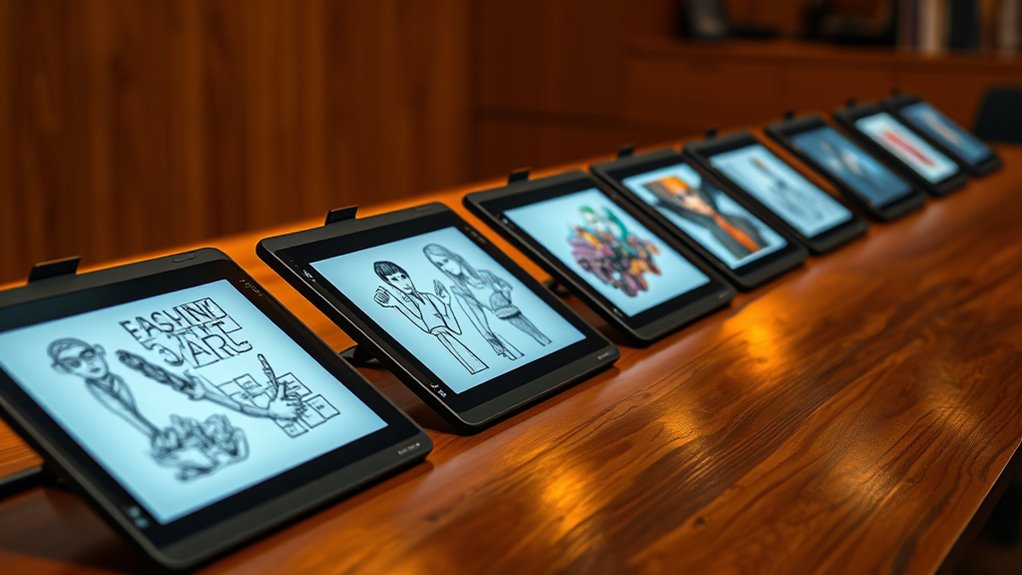

For a professional E Ink tablet for sketching, my best overall pick is the BOOX Note Air 5, which pairs a roomy 10.3-inch canvas with Android flexibility and substantial memory and storage. The BOOX Note Air6 C is a stronger fit when color matters, while the reMarkable Paper Pro suits artists who value a focused paper-like drawing experience. The main tradeoffs are color versus monochrome clarity, open app access versus a more focused workflow, and a larger drawing surface versus portability. E Ink can support concept work and studies, but it does not replace a responsive conventional graphics display for every detailed workflow. Continue reading for how the 12 options compare and which one best fits your practice.

Get the latest gadgets delivered free with Prime
- Fast, free delivery on millions of items
- Prime Video, Amazon Music and more included
- Member-only deals all year
Complete the kit



Key Takeaways
- The BOOX Note Air 5 leads for flexible professional use: its 10.3-inch display, 6GB RAM, 64GB storage, and Android approach make it the most adaptable pick in this lineup, though it is less focused than reMarkable‘s paper-first workflow.
- Color choices serve different needs: the BOOX Note Air6 C is the larger color-screen option for sketches that rely on hue, while the BOOX Tablet Go Color 7 Gen II favors compact reference use over a generous drawing area.
- Screen size shapes the drawing experience more than bundled accessories: the 10.3-inch models offer more room for gestures and composition than the 7-inch BOOX Go models, which are easier to carry but cramped for sustained sketching.
- reMarkable models prioritize a focused workspace: Paper Pro and Paper Pure options favor a paper-like, distraction-light approach, while BOOX tablets offer broader Android flexibility at the cost of a more varied software experience.
- Bundles and condition change the value equation: the reMarkable Paper Pure bundle includes a sleeve folio, while the renewed reMarkable 2 may appeal to budget-minded buyers only if they are comfortable checking condition and support details.
| reMarkable Paper Pro Move with Marker Plus |  | Best Compact Sketching Notebook | Display: 7.3-inch Canvas Color | Included stylus: Marker Plus | Spare stylus tips: 6 | VIEW ON AMAZON | See Our Full Breakdown |
| BOOX Note Air 5 10.3″ E Ink Tablet with 6GB RAM and 64GB Storage |  | Best for App-Flexible Color Sketching | Display: 10.3-inch color E Ink screen | Display technology: Kaleido 3 | RAM: 6GB | VIEW ON AMAZON | See Our Full Breakdown |
| BOOX Tablet Go 10.3 Gen II Lumi E Ink Tablet |  | Best for App-Based Creative Workflows | Screen size: 10.3 inches | Resolution: 2480 × 1860, 300 ppi | Processor: Octa-core CPU | VIEW ON AMAZON | See Our Full Breakdown |
| reMarkable Paper Pure 10.3-Inch Paper Tablet with Marker Plus and Ocean Blue Sleeve Folio |  | Best for Monochrome Precision and Document Markup | Display size: 10.3 inches | Display type: Black-and-white, third-generation | Digital ink latency: 21 ms | VIEW ON AMAZON | See Our Full Breakdown |
| reMarkable Paper Pro with Marker Plus and Basalt Book Folio |  | Best Premium Color Paper Canvas | Display: 11.8-inch Canvas Color | Included stylus: Marker Plus | Spare stylus tips: 6 | VIEW ON AMAZON | See Our Full Breakdown |
| reMarkable Paper Pure 10.3-Inch E-Ink Tablet |  | Best for Focused Monochrome Sketching | Display: 10.3-inch black-and-white E-Ink | Digital ink response: 21 ms | Model: RM92A | VIEW ON AMAZON | See Our Full Breakdown |
| BOOX Note Air6 C 10.3-inch E Ink Color Tablet with 6GB RAM and 64GB Storage |  | Best for App-Flexible Color Sketching | Display: 10.3-inch Kaleido 3 color E Ink, 4,096 colors | Resolution: 2480 x 1860 | Processor: Qualcomm 6690 | VIEW ON AMAZON | See Our Full Breakdown |
| BOOX Tablet Go Color 7 Gen II E Ink Tablet Support Active Stylus InkSense (Black) |  | Best Compact Color Sketchbook | Display: 7-inch Kaleido 3 color E Ink, 4,096 colors | Resolution: 1680 x 1264 | Processor: Octa-core | VIEW ON AMAZON | See Our Full Breakdown |
| reMarkable Paper Pro with Marker Plus |  | Best Premium Paper-Like Color Canvas | Display: 11.8-inch Canvas Color | Reading light: Adjustable | Included pen: Marker Plus with built-in eraser | VIEW ON AMAZON | See Our Full Breakdown |
| Penstar eNote 2 E-Ink Digital Notebook with Pen, 10.3-inch AI Enote Tablet |  | Best for Feature-Rich Document Work | Display: 10.3-inch HD paper-like screen | Resolution: 2480 x 1860, 300 ppi | Stylus pressure sensitivity: 8,192 levels | VIEW ON AMAZON | See Our Full Breakdown |
| reMarkable 2 Paper Tablet Digital, 10.3-inch Display with Marker Plus (Renewed) |  | Best for a Paper-Like Sketching Surface | Display: 10.3-inch e-ink | Native resolution: 1872 x 1404 | Pressure sensitivity: 2048 levels | VIEW ON AMAZON | See Our Full Breakdown |
| BOOX Tablet Go 7 B/W E Ink Tablet, 4G, 64GB, InkSense Stylus Support |  | Best Compact Connected Sketching Companion | Display: 7-inch HD ePaper | Resolution: 1680 x 1264 pixels | Stylus support: Active Stylus InkSense; stylus not included | VIEW ON AMAZON | See Our Full Breakdown |
| professional e ink tablet for sketching | Display | Operating system |
|---|---|---|
| reMarkable Paper Pro Move with | 7.3-inch Canvas Color | — |
| BOOX Note Air 5 10.3" E Ink Ta | 10.3-inch color E Ink screen | — |
| BOOX Tablet Go 10.3 Gen II Lum | — | Android 15 |
| reMarkable Paper Pure 10.3-Inc | — | — |
| reMarkable Paper Pro with Mark | 11.8-inch Canvas Color | — |
| reMarkable Paper Pure 10.3-Inc | 10.3-inch black-and-white E-Ink | — |
| BOOX Note Air6 C 10.3-inch E I | 10.3-inch Kaleido 3 color E Ink, 4,096 colors | Android 16 |
| BOOX Tablet Go Color 7 Gen II | 7-inch Kaleido 3 color E Ink, 4,096 colors | Android 13 |
| reMarkable Paper Pro with Mark | 11.8-inch Canvas Color | — |
| Penstar eNote 2 E-Ink Digital | 10.3-inch HD paper-like screen | Android 14 |
| reMarkable 2 Paper Tablet Digi | 10.3-inch e-ink | Linux |
| BOOX Tablet Go 7 B/W E Ink Tab | 7-inch HD ePaper | Android 13 |
More Details on Our Top Picks
reMarkable Paper Pro Move with Marker Plus
The 7.3-inch color display makes the Paper Pro Move the most portable sketching option here: it suits quick diagrams, annotated reading, and small studies when carrying a larger tablet is inconvenient. Its included Marker Plus and spare tips make it ready for handwriting and drawing, while handwriting conversion and note organization help turn rough ideas into searchable records. Compared with the reMarkable Paper Pro, the Move gives up substantial drawing space and an adjustable reading light for a smaller format. It also offers less flexibility than the Android-based BOOX Go 10.3 Gen II Lumi, which supports third-party apps. The tradeoff is a focused, distraction-free workflow rather than a full-featured creative tablet; full search functionality also requires a subscription. I’d choose it for portable sketch notes, not detailed, layered illustration.
Pros:- Compact 7.3-inch color screen is easier to carry than the larger tablets in this lineup.
- Paper-like writing focus supports distraction-free sketch notes.
- Marker Plus and six spare tips are included.
- Handwriting conversion and note organization help make written ideas easier to retrieve.
Cons:- Small drawing area limits detailed sketches and broad compositions.
- Full search functionality requires a subscription.
- More limited app flexibility than the Android-based BOOX Go 10.3 Gen II Lumi.
Best for: Professionals who want to capture small sketches, diagrams, and handwritten ideas during meetings or while traveling.
Not ideal for: Illustrators who need generous canvas space, advanced art apps, or room for detailed drawings.
- Display:7.3-inch Canvas Color
- Included stylus:Marker Plus
- Spare stylus tips:6
- Charging cable:USB-C
- Handwriting tools:Handwriting-to-text conversion
- Organization:Search and organize notes
- Cloud feature:Cloud sync
Our verdict“Choose the Paper Pro Move for portable color sketch notes, but pick a 10.3-inch or larger model for sustained drawing.”
BOOX Note Air 5 10.3″ E Ink Tablet with 6GB RAM and 64GB Storage
For sketchers who want a larger color canvas alongside reading and note-taking, the 10.3-inch Kaleido 3 display gives the BOOX Note Air 5 more working room than the compact reMarkable Paper Pro Move. Its 6GB RAM and 64GB storage also make it a stronger fit for keeping a substantial library of documents and creative files on the device. Color E Ink is useful for separating diagram elements or adding muted accents, but the screen looks darker and grayer than an LCD, and its slower refresh can make fast interaction feel less immediate. That matters more for active sketching than it does for static notes. Compared with the more focused reMarkable Paper Pro, the Note Air 5 favors capacity and a broader tablet-style workflow over a deliberately pared-back paper experience. I’d shortlist it for mixed work, not vivid color art.
Pros:- 10.3-inch color screen provides more sketching room than the Paper Pro Move.
- 6GB RAM and 64GB storage support a sizable local file library.
- Kaleido 3 color display can distinguish categories and add color accents to diagrams.
- E Ink is energy-efficient and suited to extended reading and static work.
Cons:- Color appears darker and grayer than on an LCD screen.
- Slower refresh can feel laggy during fast interactions.
- Limited color vibrancy and contrast constrain expressive color illustration.
Best for: Professionals who need a 10.3-inch color E Ink workspace for diagrams, annotated documents, and stored reference files.
Not ideal for: Artists who rely on vivid color, fast canvas response, or an LCD-like drawing experience.
- Display:10.3-inch color E Ink screen
- Display technology:Kaleido 3
- RAM:6GB
- Storage:64GB
- Screen characteristics:Darker, grayer appearance and slower refresh than LCD
Our verdict“Pick the Note Air 5 if you want a roomy, storage-rich color E Ink tablet for static sketches and documents rather than vivid, fast-paced art.”
BOOX Tablet Go 10.3 Gen II Lumi E Ink Tablet
The Go 10.3 Gen II Lumi is the most flexible choice in this group for sketchers who want to work across different apps and file types. Its 300 ppi, 10.3-inch display provides a crisp surface for line work and documents, while Android 15 and third-party app support let buyers build a workflow beyond a single maker’s tools. The supported InkSense Plus stylus offers 4,096 pressure levels, giving pressure-sensitive input a defined place in the drawing setup. Compared with the reMarkable Paper Pure, this BOOX model trades a more focused black-and-white paper workflow for app flexibility and a slim, lightweight build. E Ink still brings compromises: refresh artifacts can appear during fast scrolling or video, and the supplied details don’t specify battery life. I’d favor it for adaptable digital sketching, while buyers seeking a simple distraction-free notebook may prefer the Paper Pure.
Pros:- 300 ppi display delivers a detailed view for line work and document markup.
- Android 15 supports third-party apps and a more customizable workflow than the Paper Pure.
- InkSense Plus support includes 4,096 pressure levels.
- Slim 4.8 mm profile and 364 g weight make it easy to carry.
Cons:- Ghosting may remain during fast scrolling or video playback.
- Battery life is not specified in the supplied product details.
- 4GB RAM is less than the Note Air 5’s 6GB.
Best for: Creative professionals who want Android app choice, pressure-sensitive stylus support, and a lightweight 10.3-inch canvas for sketches and documents.
Not ideal for: Artists who need fast animation or video work, or buyers who prefer a simple notebook without app and refresh-mode choices.
- Screen size:10.3 inches
- Resolution:2480 × 1860, 300 ppi
- Processor:Octa-core CPU
- RAM:4GB
- Storage:64GB
- Operating system:Android 15
- Stylus support:BOOX InkSense Plus, 4,096 pressure levels
- Connectivity:Dual-band Wi-Fi and Bluetooth 5.1
- Weight and dimensions:364 g; 235 × 183 × 4.8 mm
Our verdict“Choose the Go 10.3 Gen II Lumi if app choice and stylus pressure support matter more than a tightly controlled, paper-only workflow.”
reMarkable Paper Pure 10.3-Inch Paper Tablet with Marker Plus and Ocean Blue Sleeve Folio
The Paper Pure is the straightforward pick for sketchers who work mainly in black and white and want a generous surface for handwriting, line drawings, and document markup. Its 10.3-inch third-generation monochrome display and stated 21 ms digital ink latency suit notes and controlled strokes better than the small Paper Pro Move’s cramped canvas. Unlike the color-capable reMarkable Paper Pro, the Paper Pure gives up color and an adjustable reading light; that trade makes sense when line clarity and paper-like focus matter more than colored shading. Handwriting conversion, templates, tags, folders, and integrations with Google Drive and Microsoft Word make it useful for carrying sketches into a document workflow. Some cloud features, including unlimited storage, require a Connect subscription. I’d pick it for professional notes and monochrome concepts, not color illustration or app-heavy art work.
Pros:- 10.3-inch screen gives sketches and document markups more space than the Paper Pro Move.
- 21 ms stated digital ink latency supports responsive handwriting and line work.
- Handwriting conversion, templates, tags, and folders help manage project notes.
- Google Drive and Microsoft Word integrations support document sharing workflows.
Cons:- Black-and-white display cannot represent color-coded drawings or color studies.
- Unlimited cloud storage and some features require a Connect subscription.
- Less suited to app-based creative workflows than the Android BOOX Go 10.3 Gen II Lumi.
Best for: Designers, architects, and consultants who sketch in monochrome and regularly annotate or share working documents.
Not ideal for: Artists who need color shading, a broad selection of creative apps, or cloud features without a subscription.
- Display size:10.3 inches
- Display type:Black-and-white, third-generation
- Digital ink latency:21 ms
- Included stylus:Marker Plus
- Included folio:Ocean Blue Sleeve Folio
- Handwriting tools:Handwriting-to-text conversion
- Organization:Templates, tags, and folders
- Document tools:Document markup and sharing
- Integrations:Google Drive and Microsoft Word
Our verdict“Choose the Paper Pure for a focused, large-format monochrome sketch and markup workflow; skip it if color is part of your drawing process.”
reMarkable Paper Pro with Marker Plus and Basalt Book Folio
Among these five, the Paper Pro offers the broadest dedicated paper-like canvas for color sketching: its 11.8-inch Canvas Color display leaves more room for studies and professional annotations than the 10.3-inch Paper Pure or BOOX models. The adjustable reading light and low-glare screen also make it better suited to working across changing light conditions than the smaller Paper Pro Move. Marker Plus, spare tips, and the Book Folio are included, while folders, tags, and handwriting conversion help keep creative and work documents organized. Its focused toolset is a deliberate tradeoff, though: the Android-based BOOX Go 10.3 Gen II Lumi allows third-party apps, whereas this reMarkable is built around compatible digital tools. Color E Ink also won’t match an LCD for vividness. I’d choose it for spacious, paper-centered sketching, not app-dependent illustration.
Pros:- 11.8-inch color display provides the largest drawing area among these five products.
- Adjustable reading light supports work in varied lighting.
- Low-glare screen and paper-like writing feel suit longer sketching and reading sessions.
- Marker Plus, six spare tips, and a Book Folio are included.
Cons:- Color E Ink is less vibrant than an LCD for color-focused artwork.
- Limited to compatible digital tools and apps compared with the Android BOOX Go 10.3 Gen II Lumi.
- The larger display is less compact than the Paper Pro Move.
Best for: Professionals who want a large, portable color E Ink canvas for sketching, handwritten planning, and document work.
Not ideal for: Artists who require vivid color, extensive third-party art apps, or a conventional tablet experience.
- Display:11.8-inch Canvas Color
- Included stylus:Marker Plus
- Spare stylus tips:6
- Included folio:Basalt Book Folio
- Charging cable:USB-C
- Lighting:Adjustable reading light
- Screen finish:Low-glare
- Handwriting features:Handwriting conversion
- Organization:Folders and tags
Our verdict“Choose the Paper Pro for the most spacious paper-like color sketching surface here, provided its focused software and muted E Ink color suit your workflow.”
reMarkable Paper Pure 10.3-Inch E-Ink Tablet
The reMarkable Paper Pure is the focused choice for sketchers who want a large, distraction-light canvas rather than a general-purpose Android tablet. Its 10.3-inch black-and-white display gives diagrams and line work room to breathe, while the stated 21 ms ink response supports a more immediate drawing rhythm. Handwriting-to-text and document integrations also make it useful for turning rough visual notes into shareable work. Compared with the reMarkable Paper Pro, this model gives up color and the larger screen, so it is less suited to color-coded concepts or richly illustrated references. Its tradeoff is straightforward: a dedicated writing-and-sketching feel, but fewer visual options, and some cloud and productivity features require a Connect subscription.
Pros:- 10.3-inch display provides useful space for notes, diagrams, and sketches
- 21 ms digital ink response is suited to responsive handwriting and line work
- Handwriting-to-text tools can turn written notes into editable text
- Document and productivity integrations support sharing and annotation workflows
Cons:- Black-and-white display cannot show color in artwork or reference material
- Unlimited cloud storage and some features require a Connect subscription
Best for: Sketchers and professionals who mainly draw in monochrome, annotate PDFs, and want a focused 10.3-inch digital notebook.
Not ideal for: Artists who rely on color layers or want a more versatile app platform; the screen is monochrome and some cloud features require a subscription.
- Display:10.3-inch black-and-white E-Ink
- Digital ink response:21 ms
- Model:RM92A
- Model number:RM92A-1000NW
- Warranty:1-year limited
- Included items:1
Our verdict“Choose the reMarkable Paper Pure if your sketching is mostly monochrome and focused work matters more than color or app flexibility.”
BOOX Note Air6 C 10.3-inch E Ink Color Tablet with 6GB RAM and 64GB Storage
The BOOX Note Air6 C is the most flexible pick here for sketchers who need color and want to work across Android apps. Its 10.3-inch Kaleido 3 screen displays up to 4,096 colors, giving diagrams, highlights, and reference images more visual distinction than the monochrome reMarkable Paper Pure. Android 16, 6GB RAM, and 64GB storage support a broader software and file workflow, while the included stylus means drawing can start without a separate pen purchase. That flexibility comes with the limits of color E Ink: refresh is slower than an LCD tablet, and fast-moving media is a poor fit. Compared with the reMarkable Paper Pro, the BOOX emphasizes Android app choice and stated hardware capacity, while the reMarkable offers a more purpose-built paper-like notebook workflow.
Pros:- 10.3-inch Kaleido 3 display shows up to 4,096 colors
- Android 16 and broad format support allow a flexible app and document workflow
- 6GB RAM and 64GB storage provide room for apps and working files
- Included stylus support and warm-or-cool front lighting suit varied work settings
Cons:- Color E Ink refresh is slower than LCD for fast-paced visual work
- Color appearance is constrained by E Ink and is not suited to precise color-critical art
- Battery life details are not specified
Best for: Professionals who sketch with color, annotate varied file types, and want Android apps on a mid-size E Ink canvas.
Not ideal for: Artists who need fluid animation, rapid screen updates, or vivid color matching; E Ink refresh and color appearance are limited compared with LCD.
- Display:10.3-inch Kaleido 3 color E Ink, 4,096 colors
- Resolution:2480 x 1860
- Processor:Qualcomm 6690
- RAM:6GB
- Storage:64GB
- Operating system:Android 16
- Connectivity:Wi-Fi, Bluetooth 6.0
- Battery:3,700mAh Li-ion Polymer
- Weight:Approx. 440 g
Our verdict“Pick the Note Air6 C if you want color sketching and Android flexibility on E Ink, and can accept slower refresh than a conventional tablet.”
BOOX Tablet Go Color 7 Gen II E Ink Tablet Support Active Stylus InkSense (Black)
The BOOX Tablet Go Color 7 Gen II puts portability ahead of drawing space. At 195 g with a 7-inch color E Ink screen, it is easier to carry for quick annotations, small sketches, and reading than the 10.3-inch BOOX Note Air6 C. The Kaleido 3 panel shows 4,096 colors, and Android 13 plus 64GB storage support a range of document and image formats. But the compact canvas makes detailed professional sketching cramped; this is better as a pocket reference and markup device than a main art surface. Stylus support is also not the same as a ready-to-draw bundle: the stylus is not included, and the device does not support EMR pens. I would choose the Note Air6 C for sustained drawing and this model for travel-sized, occasional pen input.
Pros:- 195 g weight makes it notably more portable than the 10.3-inch BOOX options
- Kaleido 3 display supports 4,096 colors for color-coded notes and references
- 64GB storage and broad document and image format support
- Wi-Fi and Bluetooth 5.1 provide wireless connectivity
Cons:- 7-inch display leaves limited room for detailed professional sketching
- Stylus is not included
- Does not support EMR styluses, and color E Ink can appear darker or grayer than LCD
Best for: Mobile professionals who want a lightweight color E Ink reader for brief sketches, markups, and reference viewing.
Not ideal for: Artists who make detailed or long-form sketches, or buyers who expect a stylus included and EMR compatibility.
- Display:7-inch Kaleido 3 color E Ink, 4,096 colors
- Resolution:1680 x 1264
- Processor:Octa-core
- RAM:4GB
- Storage:64GB
- Operating system:Android 13
- Connectivity:Wi-Fi, Bluetooth 5.1
- Battery:2,300mAh Li-ion Polymer
- Weight:195 g
Our verdict“Choose this BOOX for portable color reading and quick markups, not as a replacement for a full-size professional sketching surface.”
reMarkable Paper Pro with Marker Plus
The reMarkable Paper Pro is the premium notebook-style option for artists who want color on a larger E Ink canvas without shifting to an Android-centered workflow. Its 11.8-inch Canvas Color display offers more room than the 10.3-inch reMarkable Paper Pure, while Marker Plus includes a built-in eraser and six spare tips for a ready-to-work setup. The adjustable reading light helps when sketching or reviewing documents in changing conditions, and folders, tags, PDF annotation, and handwriting conversion support organized project work. Compared with the BOOX Note Air6 C, this model is more focused on a paper-like writing and document experience; the BOOX is the stronger fit for Android app flexibility. The main compromise is the proprietary Marker Plus, which is designed specifically for the Paper Pro, narrowing pen choice and reuse across devices.
Pros:- 11.8-inch color display gives sketches and annotated documents generous working space
- Marker Plus includes a built-in eraser and six spare tips
- Adjustable reading light supports use in different lighting conditions
- Folders, tags, PDF annotation, and handwriting-to-text tools support organized work
Cons:- Marker Plus is designed exclusively for the Paper Pro display
- Color E Ink is less suited to fast-changing visuals than conventional tablet displays
Best for: Illustrators and visual professionals who want a large color E Ink notebook for sketching, PDF markup, and organized handwritten work.
Not ideal for: Buyers who want to reuse a preferred third-party pen or need Android app flexibility; the Marker Plus is designed for this display.
- Display:11.8-inch Canvas Color
- Reading light:Adjustable
- Included pen:Marker Plus with built-in eraser
- Spare tips:6
- Organization:Folders and tags
- Document tools:PDF annotation and handwriting-to-text conversion
Our verdict“Choose the Paper Pro if a large, paper-oriented color canvas and included dedicated pen matter more than open app and stylus choice.”
Penstar eNote 2 E-Ink Digital Notebook with Pen, 10.3-inch AI Enote Tablet
The Penstar eNote 2 combines sketching with an unusually broad set of reading, transcription, and file tools. Its 10.3-inch, 300 ppi screen and included pressure-sensitive, no-charge stylus are aimed at precise note-taking and drawing, while split-screen reading lets users write beside a document. The stated 128GB storage and support for more than 35 file formats make it a stronger document hub on paper than the more focused reMarkable Paper Pure. Voice-to-text and handwriting conversion add ways to turn working notes into searchable or typed material. The tradeoff is that the product description does not specify an E Ink refresh response or display technology beyond its paper-like screen, making drawing performance harder to compare directly with reMarkable’s stated 21 ms response. Buyers should also distinguish the bundled stylus and folio from verified technical specifications.
Pros:- 10.3-inch screen with stated 2480 x 1860 resolution and 300 ppi
- Included stylus offers 8,192 pressure levels and does not require charging
- 128GB storage and support for more than 35 file formats suit varied document workflows
- Split-screen reading, voice-to-text, and handwriting conversion support research and note organization
Cons:- No digital ink response figure is provided for comparison with the reMarkable Paper Pure
- Display is described as black-and-white, so it cannot show color in sketches or references
- The breadth of software features may be unnecessary for buyers seeking a simple, focused sketchbook
Best for: Document-heavy professionals who want a 10.3-inch E Ink notebook with broad file support, split-screen reading, and built-in voice and handwriting tools.
Not ideal for: Sketchers who need a clearly specified pen-latency figure or a color canvas; the provided specifications do not establish either.
- Display:10.3-inch HD paper-like screen
- Resolution:2480 x 1860, 300 ppi
- Stylus pressure sensitivity:8,192 levels
- Processor:Octa-core
- RAM:4GB
- Storage:128GB
- Operating system:Android 14
- Battery:6,500mAh
- File support:More than 35 formats
Our verdict“Choose the eNote 2 if file flexibility and integrated productivity tools matter more than a documented pen-response specification or color drawing.”
reMarkable 2 Paper Tablet Digital, 10.3-inch Display with Marker Plus (Renewed)
The reMarkable 2 is the stronger fit for sketchers who want a generous, focused drawing surface rather than a small device for occasional marks. Its 10.3-inch monochrome display gives diagrams and loose studies more room than the 7-inch BOOX Tablet Go 7, while the included Marker Plus with eraser means the core drawing accessory is in the box. The low-glare screen and 2048-level pressure sensitivity suit line work, annotation, and handwritten planning. Its thin, light build also makes it easier to carry than larger color tablets such as the BOOX Note Air6 C. The tradeoff is a more constrained workflow: the listing specifies Linux and Wi-Fi, not Android or cellular access, and does not establish color drawing or an adjustable front light. Since this unit is renewed, buyers should also check its condition and support terms.
Pros:- 10.3-inch display provides more room for sketches than the BOOX Tablet Go 7
- Included Marker Plus has an eraser, so no separate stylus purchase is required
- 2048 pressure-sensitivity levels support varied line weight
- Thin 4.7 mm body and 1.1-pound weight suit mobile note-taking and drawing
Cons:- Monochrome e-ink limits color-based artwork and shaded references
- Listing does not specify a front light, so low-light sketching may be less convenient
- Renewed condition can vary, and Linux offers less app flexibility than Android tablets
Best for: Sketchers and visual note-takers who want a large monochrome canvas, a paper-like writing feel, and an included pen for portable line work.
Not ideal for: Artists who need color layers, a front light for dark rooms, broad Android app access, or the reassurance of a new-device purchase.
- Display:10.3-inch e-ink
- Native resolution:1872 x 1404
- Pressure sensitivity:2048 levels
- Stylus:Marker Plus with eraser included
- Operating system:Linux
- Connectivity:Wi-Fi
- Dimensions:9.69 x 7.4 inches
- Weight:1.1 pounds
Our verdict“Choose the renewed reMarkable 2 for a roomy, paper-like monochrome sketchpad with a pen included, but skip it if color or flexible apps are central to your art workflow.”
BOOX Tablet Go 7 B/W E Ink Tablet, 4G, 64GB, InkSense Stylus Support
The BOOX Tablet Go 7 makes the most sense for a sketcher who values portability and connected reference material over a broad drawing canvas. At about 195 g, it is easier to carry than the 1.1-pound reMarkable 2, and its Android 13 system with 4G gives it a more flexible role for reading, browsing, and viewing files away from Wi-Fi. The 7-inch screen can handle quick studies and annotations, but it feels more like a compact companion than a professional workspace beside the reMarkable 2’s 10.3-inch display. A major catch for drawing is that the InkSense stylus is not included, and support is limited to that stylus. The monochrome display also rules out color sketching, while e-ink refresh can make page changes slower than on conventional tablets.
Pros:- Approx. 195 g weight makes it substantially easier to carry than the reMarkable 2
- Android 13 supports a broader range of reading and browsing tasks
- 4G connectivity supports access to online references away from Wi-Fi
- 64GB storage, microSD slot, and wide format support help keep files accessible
Cons:- InkSense stylus is not included, adding a separate accessory requirement
- 7-inch monochrome screen is cramped for sustained professional sketching
- E-ink refresh is slower than LCD, and the display cannot show color artwork
Best for: Mobile sketchers who want a lightweight Android e-ink device for quick monochrome studies, document markup, and viewing references over cellular data.
Not ideal for: Artists who need a full-size drawing surface, included pen, color artwork, or fast screen updates for fluid visual workflows.
- Display:7-inch HD ePaper
- Resolution:1680 x 1264 pixels
- Stylus support:Active Stylus InkSense; stylus not included
- Operating system:Android 13
- Processor:Octa-core
- Memory and storage:4GB RAM, 64GB storage
- Connectivity:Wi-Fi, Bluetooth 5.1, 4G
- Dimensions and weight:156 x 137 x 6.4 mm; approx. 195 g
Our verdict“Pick the BOOX Go 7 if lightweight carrying and cellular access matter more than drawing space, but choose the reMarkable 2 for a larger sketching surface and included pen.”

How We Picked
I ranked these tablets for drawing surface, pen-centered usability, and workflow fit, not as general-purpose e-readers. Screen size and color capability matter because artists need space to develop forms and a way to judge color when their work uses it. I also weighed the listed hardware and platform: Android models with more memory and storage can offer broader app and file options, while reMarkable devices put more emphasis on a focused paper-like workspace. Bundled pens and folios count as practical conveniences, but they do not outweigh the core sketching experience.
The order reflects the balance of those needs. The BOOX Note Air 5 ranks first for its combination of a full-size canvas, listed hardware, and platform flexibility; the color Note Air6 C follows for artists who need hue, with monochrome clarity and focus as its tradeoffs. Larger reMarkable models rank well for deliberate drawing workflows, while smaller 7-inch tablets sit lower because portability comes at a clear cost in sketching room. I treat the Penstar eNote 2 and renewed reMarkable 2 as more conditional choices, since their appeal depends on software fit or comfort with a renewed device.
| professional e ink tablet for sketching | Operating system |
|---|---|
| reMarkable Paper Pro Move with | — |
| BOOX Note Air 5 10.3" E Ink Ta | — |
| BOOX Tablet Go 10.3 Gen II Lum | Android 15 |
| reMarkable Paper Pure 10.3-Inc | — |
| reMarkable Paper Pro with Mark | — |
| reMarkable Paper Pure 10.3-Inc | — |
| BOOX Note Air6 C 10.3-inch E I | Android 16 |
| BOOX Tablet Go Color 7 Gen II | Android 13 |
| reMarkable Paper Pro with Mark | — |
| Penstar eNote 2 E-Ink Digital | Android 14 |
| reMarkable 2 Paper Tablet Digi | Linux |
| BOOX Tablet Go 7 B/W E Ink Tab | Android 13 |
Factors to Consider When Choosing Professional E Ink Tablet For Sketching
Choosing an E Ink sketching tablet is less about chasing a single specification and more about matching the screen and software to the work you actually make. These broader checks can prevent a mismatch that a product list alone cannot resolve.
Choose the Canvas Before the Accessories
Screen size affects how naturally you can block shapes, make broad gestures, and keep references beside a sketch. A 10.3-inch device is generally a more workable main drawing surface than a 7-inch model, especially for composition studies or longer sessions. Smaller tablets can still suit thumbnails, quick notes, and travel, but they may force frequent zooming or scrolling. Do not let a bundled folio or pen distract from the amount of usable display you will have. If possible, compare the tablet’s dimensions with the paper or sketchbook you normally carry. Choose compactness only when portability matters more than drawing room.
Decide Whether Color Is Part of the Job
Color E Ink can help with palette studies, colored annotations, and reference images where distinguishing hues matters. Its color appearance differs from a conventional LCD or OLED display, so it may not be a reliable final judge of saturation or color accuracy. Monochrome screens can be the simpler choice for line work, value studies, and black-and-white diagrams. A common mistake is paying for color without checking whether the display’s rendering suits the intended work. If color decisions need precision, plan to verify artwork on another calibrated screen. If not, a monochrome tablet may give more attention to the drawing itself.
Match the Software to Your Existing Process
A tablet can feel capable on paper yet slow down a professional workflow if it does not handle the apps, file types, or export steps you rely on. Android models offer wider app access, but broader choice can bring setup work and differences in how apps behave on E Ink. A more focused system may make sketching and note-taking straightforward while limiting options for specialized tools. Before buying, list the formats you exchange with clients or collaborators and check how they move on and off the device. Consider whether cloud services, desktop transfer, or direct app access are part of your daily routine. The right platform is the one that removes friction from your work, not the one with the longest feature list.
Treat Pen Feel and Drawing Tools as a Workflow Test
For sketching, the included stylus is more than an accessory: its grip, controls, and available drawing tools shape how quickly you can work. Check whether the pen is included in the exact configuration you plan to buy, since bundles can differ even within one product family. Also look for the drawing behaviors you depend on, such as pressure response, erasing, layers, selection, or quick undo; do not assume every E Ink tablet handles them alike. A large display cannot make up for a toolset that interrupts your process. Artists who mainly draw with loose strokes may need different controls from those who refine layered illustrations. If possible, confirm software and pen compatibility before committing to a tablet as a primary sketchbook.
Balance E Ink’s Strengths Against Its Limits
E Ink is appealing for a paper-like, low-distraction workspace, but it is not a direct substitute for a conventional drawing monitor. Refresh behavior and grayscale or color rendering can make animation, rapid canvas movement, and fine visual review feel different from a standard screen. That does not rule it out for concepting, diagrams, studies, or planning; it means the role should be clear. A frequent buying mistake is expecting one device to serve equally well as a portable notebook, a color-proofing display, and a full digital art workstation. Decide which part of your process benefits most from E Ink, then keep another screen available for tasks it does not suit. This can make a more modest tablet a better purchase than an ambitious all-in-one choice.
Spend More Only for a Need You Can Name
Paying more makes sense when a specific benefit changes your work, such as a larger drawing surface, color display, broader app access, or a useful bundled folio. It is harder to justify an upgrade based only on a premium label or a longer feature list. Compare the exact bundle: a pen or cover included in one listing may be absent from another version of the same tablet. For a renewed device, check the seller’s condition description, return terms, battery information, and accessory status before treating it as a value option. Beginners may get more from a straightforward drawing workflow than from extra platform flexibility. Professionals should spend on the bottleneck they face most often, not on features they may rarely use.
Frequently Asked Questions
Can an E Ink tablet serve as my main professional sketching device?
It can serve as a main sketchbook for concept studies, line work, visual notes, and planning, particularly if you want a focused, paper-like workspace. It is less suited to workflows that depend on fast animation, precise color judgment, or a broad range of advanced illustration tools. Android options may fit more varied app needs, while reMarkable models lean toward a more contained drawing and note-taking experience. Before relying on one professionally, check whether its export process and file formats fit your handoff requirements. Many artists will find E Ink most useful as part of a workflow that still includes a conventional screen.
Should I choose the BOOX Note Air6 C or a monochrome 10.3-inch tablet?
Choose the Note Air6 C if colored sketches, annotations, or reference material play a regular role in your work. A monochrome model makes more sense when you mainly draw in line, grayscale, or value studies and prefer not to make color a deciding factor. Color E Ink does not look like a conventional bright display, so it should not be your only reference for final color decisions. Also compare software fit and drawing tools, rather than treating the display type as the whole choice. The better option depends on whether color helps you make decisions on the tablet or simply adds a feature you rarely use.
Is a 7-inch E Ink tablet large enough for professional sketching?
A 7-inch tablet can handle quick thumbnails, notes, and reference reading, but its limited area can make extended drawing less comfortable. You may need to zoom, pan, or simplify compositions more often than on a 10.3-inch screen. That tradeoff can be worthwhile when a pocketable device is a key part of your routine. For a primary sketching surface, a larger model is generally a safer fit, especially for gestures and page layouts. Consider the smaller size as a portable companion unless your work is mostly brief studies.
What should I check before buying a renewed reMarkable 2?
Check the condition description, return window, battery status, and whether the listed Marker Plus and cable are included in the package. Confirm that the device and accessories meet your needs rather than assuming a renewed bundle matches a new one. Also verify available software support and the file-transfer process you expect to use. A renewed model may suit a buyer who wants a focused paper-like tablet and is comfortable with some uncertainty around condition. If dependable condition and a particular accessory set matter more, compare it with the new Paper Pure or Paper Pro configurations.
Should I buy a color E Ink tablet for accurate client color work?
A color E Ink tablet can be useful for rough palette exploration and keeping colored references near your sketches, but it should not be treated as a final color-proofing monitor. E Ink color can appear different from the output on a conventional display or in print. For client deliverables where exact color matters, review the work on a suitable calibrated screen and confirm it through the client’s preferred process. If your tablet’s main job is drafting rather than approval, color may still be a practical convenience. Decide whether you need color for creative thinking or for precise sign-off; those are different requirements.
Conclusion
For most artists seeking a professional E Ink tablet for sketching, I recommend the BOOX Note Air 5 as the best overall because its 10.3-inch canvas and listed hardware support a flexible drawing and app workflow. The best premium choice is the reMarkable Paper Pro for buyers who want a focused paper-like experience and value its larger-format role in the lineup. For best value, compare the BOOX Tablet Go 10.3 Gen II Lumi with the reMarkable Paper Pure configurations based on whether Android flexibility or a focused workflow matters more; the included folio on one Paper Pure bundle adds practical convenience. The best choice for beginners is the reMarkable Paper Pure 10.3-inch model for artists who want a straightforward sketch-and-note device, while the Note Air6 C is the pick for artists who need color on a full-size screen. For specific needs, choose the BOOX Go Color 7 Gen II or Go 7 B/W when compact carry takes priority, and consider the renewed reMarkable 2 only after checking its condition and included accessories. Match the tablet to the role it will play in your art process, and keep a conventional display for tasks that demand fast motion or dependable color review.