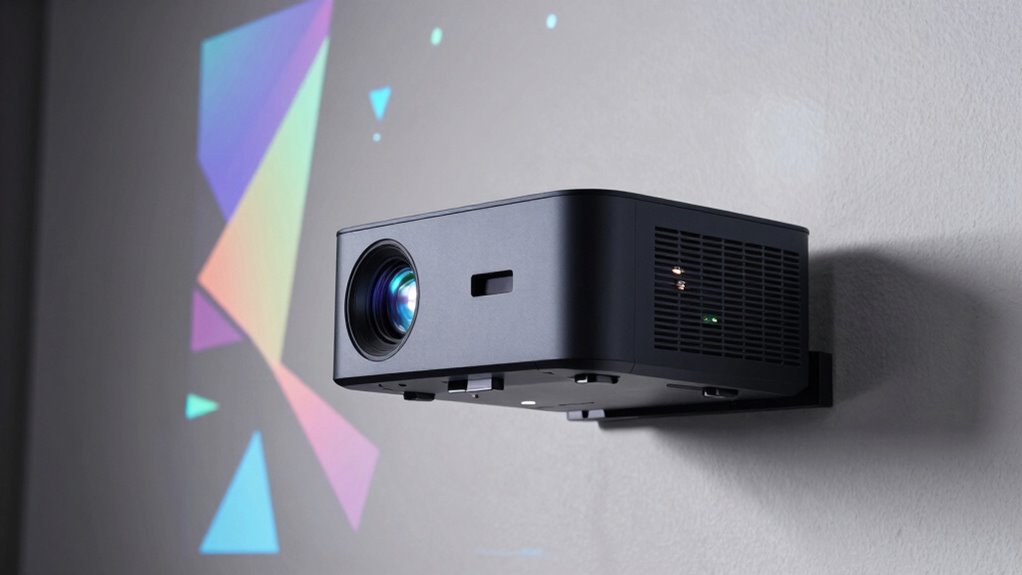

The BenQ LK936ST is my best overall pick for projection mapping, pairing 4K detail with a short-throw design suited to precise installations. For bright, large-scale work, the ViewSonic LS832WU stands out as an installation-focused ultra-short-throw option, while the Optoma GT2400HDR offers a more accessible Full HD laser alternative. Choosing among them means balancing resolution, brightness, throw distance, lens controls, and the software needed to warp and blend mapped images. A short throw can reduce shadows and projector-to-object distance, but it does not by itself provide mapping tools or guarantee a distortion-free result. Read on for the full breakdown of all 14 models and a guide to matching a projector to your space and project.

Get the latest gadgets delivered free with Prime
- Fast, free delivery on millions of items
- Prime Video, Amazon Music and more included
- Member-only deals all year
Complete the kit



Key Takeaways
- The BenQ LK936ST leads for detailed installations: its 4K resolution and short-throw format make it a stronger fit for intricate surfaces than the WXGA ViewSonic PS502W or Full HD options.
- Short throw and ultra-short throw solve different placement problems: the LS832WU and Epson LS800 can sit close to a surface, while models such as the LK936ST and Optoma UHZ35ST suit setups that need more working distance.
- Laser models are the lineup’s practical installation choices: picks such as the Optoma GT2400HDR and GT2000HDR offer lamp-free light sources, while the BenQ TH671ST provides a conventional lamp-based alternative.
- Resolution alone does not make a projector mapping-ready: mapping software, geometric correction, mounting stability, and the ability to place the image precisely all affect the final result.
- Smart home cinema features have a narrower mapping role: the XGIMI MIRA Pro, Hisense PX3-PRO, TOPTRO A2, and Optoma Photon Go bring entertainment-oriented features, but installation fit and mapping controls should guide a dedicated mapping purchase.
| LH830ST Full HD HDR Short-Throw Laser DLP Projector |  | Best for Bright House Mapping | Native resolution: 1920 x 1080 | Display type: DLP | Brightness: 4,000 ANSI lumens | VIEW ON AMAZON | See Our Full Breakdown |
| Epson EpiqVision LS800 4K PRO-UHD Ultra Short Throw Laser Projector |  | Best for High-Detail Indoor Mapping | Resolution: 3840 × 2160 | Display type: LCD, 3-chip 3LCD | Brightness: 4,000 lumens | VIEW ON AMAZON | See Our Full Breakdown |
| BenQ TH671ST 1080p Short-Throw Home Entertainment Projector |  | Best Value for Basic Mapping | Resolution: 1920 × 1080 (1080p) | Display type: DLP | Brightness: 3,000 ANSI lumens | VIEW ON AMAZON | See Our Full Breakdown |
| ViewSonic LS832WU WUXGA Ultra-Short-Throw Laser Projector |  | Best for Commercial Installations | Native resolution: 1920 × 1200 (WUXGA) | Brightness: 5,000 ANSI lumens | Display type: Laser | VIEW ON AMAZON | See Our Full Breakdown |
| XGIMI MIRA Pro 4K Ultra Short Throw Triple Laser Projector |  | Best for 4K Color and Built-In Entertainment | Native resolution: 3840 x 2160 | Display type: DLP | Brightness: 3,000 ISO lumens | VIEW ON AMAZON | See Our Full Breakdown |
| Optoma UHZ35ST Compact Short-Throw 4K UHD Laser Projector |  | Best Overall for Compact 4K Mapping | Resolution: 3840 x 2160 (4K UHD) | Brightness: 3,500 lumens | Light source: DuraCore laser | VIEW ON AMAZON | See Our Full Breakdown |
| BenQ LK936ST 4K UHD Short-Throw Laser DLP Projector |  | Best for Bright, Permanently Installed Mapping | Native resolution: 3840 × 2160 (4K UHD) | Brightness: 5,100 ANSI lumens | Display type: DLP | VIEW ON AMAZON | See Our Full Breakdown |
| ViewSonic PS502W WXGA Short Throw Projector | 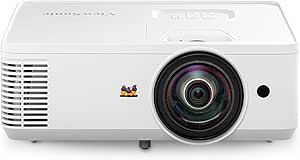 | Best Entry-Level Mapping Pick | Native resolution: 1280 × 800 WXGA | Brightness: 4,000 ANSI lumens | Throw ratio: 0.52 | VIEW ON AMAZON | See Our Full Breakdown |
| Optoma GT2400HDR Full HD Short-Throw Laser Projector |  | Best for Durable 1080p Mapping | Native resolution: 1920 × 1080 | Maximum display resolution: 3840 × 2160 input | Brightness: 4,200 lumens | VIEW ON AMAZON | See Our Full Breakdown |
| Hisense PX3-PRO Triple Laser Ultra Short Throw 4K UHD Cinema Projector |  | Best Ultra-Short-Throw Home Mapping Setup | Projection type: Ultra-short throw | Technology: Triple laser LPU | Resolution: 4K UHD | VIEW ON AMAZON | See Our Full Breakdown |
| TOPTRO A2 4K-Decoding Smart Projector with VIDAA OS |  | Best for Built-In Streaming in a Small Room | Native resolution: 1080p; supports 4K decoding | Brightness: 650 ANSI | Throw ratio: 1.0:1 | VIEW ON AMAZON | See Our Full Breakdown |
| Optoma GT2000HDR Ultra-Compact Short-Throw Full HD Laser Projector |  | Best for Bright, Frequent Mapping | Native resolution: 1920 × 1080 | Brightness: 3,500 lumens | Contrast ratio: 300,000:1 | VIEW ON AMAZON | See Our Full Breakdown |
| Optoma Photon Go ML1080UST 1080p Ultra Short Throw Laser Projector with Google TV |  | Best Portable Ultra-Short-Throw Pick | Resolution: 1920 × 1080; supports 4K input with HDR10 | Display technology: RGB triple laser | Brightness: 650 ANSI lumens | VIEW ON AMAZON | See Our Full Breakdown |
| iSinbox Short-Throw Smart Projector with Native 1080p and 4K HDR10+ Support |  | Best for Easy, Flexible Setup | Native resolution: 1080p | Supported video: 4K HDR10+ | Throw ratio: 1.1:1 | VIEW ON AMAZON | See Our Full Breakdown |
| short throw projector for projection mapping | Brightness | Native resolution | Connectivity | Throw ratio |
|---|---|---|---|---|
| LH830ST Full HD HDR Short-Thro | 4,000 ANSI lumens | 1920 x 1080 | HDMI 2.0b, USB Type-A, Ethernet/LAN | 0.496 |
| Epson EpiqVision LS800 4K PRO- | 4,000 lumens | — | Bluetooth, HDMI, USB, Wi-Fi | — |
| BenQ TH671ST 1080p Short-Throw | 3,000 ANSI lumens | — | — | 0.69–0.83 |
| ViewSonic LS832WU WUXGA Ultra- | 5,000 ANSI lumens | 1920 × 1200 (WUXGA) | HDMI, USB, VGA, 3.5 mm audio | 0.25:1 |
| XGIMI MIRA Pro 4K Ultra Short | 3,000 ISO lumens | 3840 x 2160 | Bluetooth, HDMI, USB | — |
| Optoma UHZ35ST Compact Short-T | 3,500 lumens | — | Dual HDMI, USB power, 3.5mm audio | — |
| BenQ LK936ST 4K UHD Short-Thro | 5,100 ANSI lumens | 3840 × 2160 (4K UHD) | Dual HDMI 2.0b, DisplayPort, HDBaseT | 0.81–0.89 |
| ViewSonic PS502W WXGA Short Th | 4,000 ANSI lumens | 1280 × 800 WXGA | Dual HDMI, USB-A, VGA, 3.5 mm audio | 0.52 |
| Optoma GT2400HDR Full HD Short | 4,200 lumens | 1920 × 1080 | Ethernet, HDMI, USB, VGA | — |
| Hisense PX3-PRO Triple Laser U | 3,000 ANSI lumens | — | — | — |
| TOPTRO A2 4K-Decoding Smart Pr | 650 ANSI | 1080p; supports 4K decoding | — | 1.0:1 |
| Optoma GT2000HDR Ultra-Compact | 3,500 lumens | 1920 × 1080 | — | — |
| Optoma Photon Go ML1080UST 108 | 650 ANSI lumens | — | — | — |
| iSinbox Short-Throw Smart Proj | — | 1080p | Wi-Fi 6, Bluetooth 5.4, HDMI, eARC | 1.1:1 |
More Details on Our Top Picks
LH830ST Full HD HDR Short-Throw Laser DLP Projector
For projection mapping onto a house facade or another large surface where ambient light is hard to avoid, I’d put the LH830ST ahead of the BenQ TH671ST. Its 4,000 ANSI lumens offer more brightness headroom than the BenQ’s 3,000, while the 0.496 throw ratio helps fit a substantial image into a shallow setup. Native 1080p and 93% Rec.709 coverage support clear, reasonably color-faithful visuals; horizontal and vertical keystone adjustment can help align an image when the projector cannot sit square to the surface. The laser light source is also a practical fit for installations that run for long sessions. The tradeoff is less placement certainty in the supplied data: minimum and maximum throw distances are both listed as 0.5 meters, and lamp-life details conflict between 20,000 and 30,000 hours. I’d verify the actual installation range before planning a fixed mount.
Pros:- 4,000 ANSI lumens provide more brightness headroom than the BenQ TH671ST for ambient-light settings.
- 0.496 throw ratio suits shallow installation spaces.
- 93% Rec.709 coverage supports more controlled color than basic presentation projectors.
- Laser light source is rated for long operating life.
Cons:- The listed minimum and maximum throw distances are both 0.5 meters, leaving the usable range unclear.
- Product details give conflicting light-source life figures of 20,000 and up to 30,000 hours.
- Native 1080p has less fine detail than the 4K options in this roundup.
Best for: Mapping artists projecting bright, Full HD visuals onto large outdoor or indoor surfaces from a space with limited depth.
Not ideal for: Installers who need a confirmed range of throw distances or 4K detail for close-viewed, fine-line mapping.
- Native resolution:1920 x 1080
- Display type:DLP
- Brightness:4,000 ANSI lumens
- Throw ratio:0.496
- Color coverage:93% Rec.709
- Keystone correction:Horizontal and vertical, up to ±30°
- Connectivity:HDMI 2.0b, USB Type-A, Ethernet/LAN
- Light source life:Up to 30,000 hours; another product detail lists 20,000 hours
Our verdict“Choose the LH830ST for bright Full HD mapping in a shallow setup, but confirm its actual throw range before designing a permanent installation.”
Epson EpiqVision LS800 4K PRO-UHD Ultra Short Throw Laser Projector
The Epson EpiqVision LS800 is the pick I’d favor when mapped visuals need extra detail and the projector must sit very close to the surface. Its ultra-short-throw design avoids placing equipment far back in a room, while 4K PRO-UHD pixel shifting and 10-bit HDR processing can give textured artwork and fine visual elements more definition than the 1080p BenQ TH671ST. The 3-chip 3LCD system supplies 4,000 lumens of both color and white brightness, a useful combination for colorful content in rooms that are not fully dark. Compared with the brighter 5,000-lumen ViewSonic LS832WU, though, the LS800 gives up some stated brightness and its minimum image size is already 80 inches. That large floor limits small-scale tests and compact installations. It also needs a suitable projection surface, so I’d plan the wall or screen along with the projector position.
Pros:- 4K PRO-UHD pixel shifting offers more image detail than native 1080p models such as the BenQ TH671ST.
- Ultra-short-throw placement keeps the projector close to the projection surface.
- 3-chip 3LCD provides 4,000 lumens of color and white brightness.
- 10-bit HDR processing supports nuanced tone in compatible content.
Cons:- The 80-inch minimum image size limits small-surface mapping.
- A suitable projection surface or screen is required.
- The ViewSonic LS832WU lists higher brightness at 5,000 ANSI lumens for brighter commercial settings.
Best for: Indoor mapping creators who need detailed, colorful images on an 80-inch-or-larger surface and can place the unit close to it.
Not ideal for: Artists mapping small objects or narrow surfaces, since the minimum image size is 80 inches.
- Resolution:3840 × 2160
- Display type:LCD, 3-chip 3LCD
- Brightness:4,000 lumens
- Image size:80 to 150 inches
- Light source:Laser
- Light source operating life:20,000 hours
- Contrast ratio:Over 2,500,000:1
- Connectivity:Bluetooth, HDMI, USB, Wi-Fi
Our verdict“Pick the LS800 for detailed indoor mapping on large surfaces when close placement and 4K-style image detail matter more than a small image footprint.”
BenQ TH671ST 1080p Short-Throw Home Entertainment Projector
The BenQ TH671ST makes sense for learning projection mapping or building a modest indoor setup without needing the brightness and installation features of the laser models. It can produce a 100-inch image from about five feet, and its native 1080p resolution keeps basic graphics and video looking defined at that scale. Compared with the LH830ST, it has lower brightness and a less aggressive listed throw ratio, so I’d favor the LH830ST for brighter rooms or a tighter projection space. The BenQ’s strengths are its practical connection options and broad 30-to-300-inch image-size range, which leave room to grow from small tests to larger projections. The tradeoff is a lamp-based light source with life that varies by mode, plus a single 5 W speaker that is unlikely to suit a public installation. I’d plan for external audio where sound matters.
Pros:- Native 1080p resolution is suitable for clear entry-level mapping visuals.
- Projects a 100-inch image from about five feet.
- 30-to-300-inch image-size range supports small experiments and larger setups.
- Multiple connections include two HDMI ports, VGA, USB, and RS-232.
Cons:- Its 3,000 ANSI lumens are lower than the LH830ST and ViewSonic LS832WU, limiting bright-setting headroom.
- Lamp life varies by operating mode and is not a laser light source.
- The built-in speaker is a single 5 W unit, so installations may need separate audio.
Best for: First-time mapping hobbyists and small-venue creators who want native 1080p, flexible image sizing, and several input options.
Not ideal for: Outdoor mappers or operators working in bright ambient light who need stronger brightness and a long-life laser source.
- Resolution:1920 × 1080 (1080p)
- Display type:DLP
- Brightness:3,000 ANSI lumens
- Throw ratio:0.69–0.83
- Image size:30–300 inches
- Rec. 709 coverage:>92%
- Lamp life:Up to 15,000 hours in Lampsave mode
- Weight:2.7 kg (5.95 lb)
Our verdict“Choose the TH671ST for flexible, Full HD entry-level mapping in controlled light, but look to a brighter laser model for demanding or long-running installations.”
ViewSonic LS832WU WUXGA Ultra-Short-Throw Laser Projector
For signage, venue walls, and other fixed commercial mapping jobs, I’d rank the ViewSonic LS832WU ahead of the Epson LS800 when brightness and installation control take priority over 4K detail. Its 5,000 ANSI lumens and 0.25:1 throw ratio are suited to projecting a large image from very close to the surface, which can reduce shadows from people crossing the beam. WUXGA resolution gives a little more vertical workspace than standard 1080p, while four-corner adjustment and horizontal and vertical keystone correction help align imagery on imperfect installations. LAN control also fits managed venues better than a projector that relies mainly on consumer-style connections. The tradeoff is that this is an installation-focused choice rather than a compact home-cinema unit: its 80-inch minimum image size and 170-inch maximum call for a substantial surface. The listed 100-inch projection distance also differs between product details and description, so I’d confirm placement measurements.
Pros:- 5,000 ANSI lumens give it more brightness headroom than the Epson LS800.
- 0.25:1 throw ratio supports very close placement for large images.
- Four-corner adjustment and keystone correction help with installation alignment.
- LAN control suits managed commercial setups.
Cons:- The 80-inch minimum image size makes it unsuitable for small-scale mapping.
- A 170-inch maximum image requires a large, suitable projection surface.
- The stated 100-inch projection distance differs between the description and product details.
Best for: Venue technicians and signage operators installing bright, large-format mapping with close projector placement and network control.
Not ideal for: Creators mapping small objects or working with a limited projection surface, given its 80-inch minimum image size.
- Native resolution:1920 × 1200 (WUXGA)
- Brightness:5,000 ANSI lumens
- Display type:Laser
- Throw ratio:0.25:1
- Image size:80–170 inches
- Light source life:20,000 hours
- Image adjustment:Horizontal and vertical keystone; four-corner adjustment; 0.8×–2.0× digital zoom
- Connectivity:HDMI, USB, VGA, 3.5 mm audio
Our verdict“Choose the LS832WU for bright, fixed commercial mapping with close placement and control features, after confirming the installation distance.”
XGIMI MIRA Pro 4K Ultra Short Throw Triple Laser Projector
The XGIMI MIRA Pro is the most entertainment-oriented choice here, pairing 4K resolution and RGB triple-laser color with built-in Google TV and substantial onboard audio. For projection mapping, its 110% BT.2020 color gamut is the standout: vivid, color-rich artwork can benefit from its broad stated gamut, while 1ms latency may appeal to creators using responsive interactive content. Compared with the Epson LS800, the MIRA Pro lists a smaller maximum image size of 120 inches, making it a more contained fit for rooms that cannot accommodate the Epson’s 150-inch maximum. Its 3,000 ISO lumens are also below the LS800’s 4,000-lumen specification, so I’d reserve it for spaces where ambient light is controlled. The supplied minimum throw distance of 0.5 has no unit, which complicates precise placement planning. Its built-in TV and audio are useful extras, but they matter less in a dedicated mapping rig.
Pros:- 4K resolution and RGB triple-laser technology support detailed, colorful imagery.
- 110% BT.2020 color gamut is a strong fit for color-rich mapping content.
- Google TV and 36 W Harman Kardon audio add standalone entertainment use.
- 1ms latency can suit responsive interactive content.
Cons:- 3,000 ISO lumens are below the Epson LS800’s stated 4,000 lumens.
- The maximum image size is 120 inches, smaller than the Epson LS800’s 150-inch maximum.
- The 0.5 minimum throw distance is listed without a unit, making placement harder to plan.
Best for: Home creators mapping colorful 4K visuals in a controlled-light room who also want built-in streaming and audio.
Not ideal for: Large-scale outdoor or bright-venue mappers who need higher stated brightness, a larger image, or fully specified throw measurements.
- Native resolution:3840 x 2160
- Display type:DLP
- Brightness:3,000 ISO lumens
- Color gamut:110% BT.2020
- Image size:80–120 inches
- Maximum throw distance:2 feet
- Audio:36 W Harman Kardon with Dolby Audio and DTS Virtual:X
- Connectivity:Bluetooth, HDMI, USB
Our verdict“Pick the MIRA Pro for colorful, detailed indoor mapping with convenient built-in entertainment, but choose a brighter model for large or ambient-lit installations.”
Optoma UHZ35ST Compact Short-Throw 4K UHD Laser Projector
The UHZ35ST is my strongest all-round choice here for projection mapping when space is tight but fine image detail matters. Its 4K UHD resolution gives mapped text, edges, and texture more definition than the WXGA ViewSonic PS502W, while the short-throw lens can fill a 120-inch image from about 4 feet 4 inches. The 3,500-lumen output and HDR support also suit controlled indoor installations and home entertainment. Compared with the brighter BenQ LK936ST, this Optoma is more compact and has a longer stated light-source life, but it gives up brightness for rooms with substantial ambient light. I would also verify the throw-distance requirements for the actual installation: the supplied description notes conflicting throw-distance details. Its tabletop-oriented design may limit mounting flexibility.
Pros:- 4K UHD resolution supports detailed mapped imagery and fine edges.
- Short-throw projection can produce a 120-inch image from about 4 feet 4 inches.
- DuraCore laser light source is rated for up to 30,000 hours.
- IPX6 dust resistance suits installations where airborne dust is a concern.
Cons:- At 3,500 lumens, it is less suited to bright spaces than the BenQ LK936ST.
- Provided throw-distance details are conflicting, so installation geometry needs checking.
- Stationary tabletop design may restrict mounting and alignment choices.
Best for: Projection-mapping hobbyists who need 4K detail in a compact room and can control ambient light.
Not ideal for: Installers mapping in bright venues or needing flexible positioning, since the LK936ST is brighter and offers lens shift while this model’s placement options are limited.
- Resolution:3840 x 2160 (4K UHD)
- Brightness:3,500 lumens
- Light source:DuraCore laser
- Light-source life:Up to 30,000 hours
- Short-throw distance:120-inch image from about 4 feet 4 inches
- Maximum image size:300 inches
- HDR support:HDR10, HLG
- Connectivity:Dual HDMI, USB power, 3.5mm audio
Our verdict“Choose the UHZ35ST for compact-room mapping where 4K detail and long laser life matter more than maximum brightness or installation flexibility.”
BenQ LK936ST 4K UHD Short-Throw Laser DLP Projector
For projection mapping in a venue where ambient light cannot be fully controlled, I rank the LK936ST above the more compact Optoma UHZ35ST. Its 5,100 ANSI lumens give bright mapped content more headroom, while native 4K UHD preserves detail across large surfaces. The practical advantage is installation flexibility: horizontal and vertical lens shift help position the image without relying entirely on moving the projector, and HDBaseT can support longer signal runs. That makes this a better fit for a fixed exhibit or event installation than a casual tabletop setup. The tradeoff is substantial: at 19 pounds and with a larger body, it is harder to move and tuck away than the UHZ35ST. Its stated light-source life is also shorter, at up to 20,000 hours.
Pros:- 5,100 ANSI lumens support clearer projection in spaces with ambient light.
- Native 4K UHD resolution retains detail in large mapped images.
- Horizontal and vertical lens shift ease alignment during fixed installation.
- HDBaseT and DisplayPort add connection options for installation systems.
Cons:- At 19 pounds, it is less convenient to transport or reposition than the Optoma UHZ35ST.
- Its larger 18.3 × 14.5 × 18.3-inch body demands more mounting space.
- The laser light source is rated for up to 20,000 hours, shorter than the UHZ35ST’s stated 30,000 hours.
Best for: Venue technicians and exhibit designers building fixed, bright-room mapping installations with long cable runs.
Not ideal for: Mobile creators or small-room users who need a lightweight projector; the Optoma UHZ35ST is more compact and has a longer stated light-source life.
- Native resolution:3840 × 2160 (4K UHD)
- Brightness:5,100 ANSI lumens
- Display type:DLP
- Throw ratio:0.81–0.89
- Lens shift:Horizontal ±23%; vertical ±60%
- Light-source life:Up to 20,000 hours
- Connectivity:Dual HDMI 2.0b, DisplayPort, HDBaseT
- Weight:19 pounds
Our verdict“Pick the LK936ST when brightness, native 4K, and installation adjustment matter more than compact size and portability.”
ViewSonic PS502W WXGA Short Throw Projector
The PS502W makes the list as a practical starting point for simple projection mapping, not as a choice for fine-detail work. Its 0.52 throw ratio helps place a large image close to the target, and 4,000 ANSI lumens can help maintain visibility in moderately lit classrooms or meeting rooms. Compared with the 4K Optoma UHZ35ST, the ViewSonic gives up substantial resolution, so small text, intricate textures, and precise edges will look less defined. In return, its dual HDMI, VGA, and USB connections make it easy to integrate with common presentation sources, and vertical auto-keystone can speed basic setup. The main tradeoffs are its WXGA resolution and a listed light-source life of just 4,000 hours, which make it a less compelling choice for frequent, high-detail installations.
Pros:- 0.52 throw ratio supports a large image from a short distance.
- 4,000 ANSI lumens suit moderately lit rooms.
- Dual HDMI plus VGA and USB support a range of source devices.
- Vertical auto-keystone can simplify initial setup.
Cons:- 1280 × 800 WXGA resolution offers much less detail than the 4K Optoma UHZ35ST.
- Listed light-source operating life is 4,000 hours.
- Digital keystone adjustment may not suit installations requiring precise image geometry.
Best for: Teachers, community groups, and beginners mapping large, simple graphics in classrooms or small meeting rooms.
Not ideal for: Artists mapping fine patterns or operators running frequent installations who need 4K detail or a longer stated light-source life; the Optoma UHZ35ST is a stronger fit.
- Native resolution:1280 × 800 WXGA
- Brightness:4,000 ANSI lumens
- Throw ratio:0.52
- Minimum throw distance:0.75 meters
- Maximum image size:300 inches
- Light-source operating life:4,000 hours
- Connectivity:Dual HDMI, USB-A, VGA, 3.5 mm audio
- Mounting:Tabletop or ceiling mount
Our verdict“Choose the PS502W for basic, budget-conscious mapping where short throw and easy connections matter more than fine image detail or long operating life.”
Optoma GT2400HDR Full HD Short-Throw Laser Projector
The GT2400HDR is a sensible middle ground for mapping projects that need a bright image and long operating life but do not need native 4K. Its 4,200-lumen output is higher than the UHZ35ST’s 3,500 lumens, and the laser source is rated for 30,000 hours, making it a strong candidate for recurring displays. It accepts 4K HDR input, but the native image remains 1920 × 1080; that distinction matters if mapped artwork includes fine detail. Compared with the BenQ LK936ST, it is lighter and supports tabletop, wall, or floor placement, but it does not offer the BenQ’s native 4K resolution or stated lens shift. The supplied throw range is very short, so I would check the planned image size and mounting geometry before committing.
Pros:- 4,200 lumens provide more brightness than the Optoma UHZ35ST.
- 30,000-hour laser light-source rating supports frequent use.
- Tabletop, wall, and floor mounting options allow varied placement.
- Low input lag is useful for interactive or gaming-based mapped content.
Cons:- Native resolution is 1920 × 1080; 4K compatibility does not provide native 4K detail.
- The listed throw range of 2.6 to 3.7 feet calls for careful image-size and placement checks.
- The light-source warranty is limited to five years or 12,000 hours, whichever comes first.
Best for: Small-venue operators and home creators who want bright, recurring 1080p mapping with a long-life laser source.
Not ideal for: Installers who need native 4K detail or precise lens-shift adjustment; the BenQ LK936ST is better suited to those requirements.
- Native resolution:1920 × 1080
- Maximum display resolution:3840 × 2160 input
- Brightness:4,200 lumens
- Light-source life:30,000 hours
- Throw distance:2.6–3.7 feet
- Connectivity:Ethernet, HDMI, USB, VGA
- Mounting options:Tabletop, wall, floor
- Weight:9.4 pounds
Our verdict“Choose the GT2400HDR for bright, long-running 1080p mapping, but select the BenQ LK936ST if native 4K is a requirement.”
Hisense PX3-PRO Triple Laser Ultra Short Throw 4K UHD Cinema Projector
The PX3-PRO stands apart from the other picks because its ultra-short-throw design is built around placing the projector close to the display surface, rather than projecting across a room. That can simplify a home installation where floor space is limited, and its 4K UHD resolution and broad color gamut suit colorful mapped scenes. Compared with the Optoma UHZ35ST, it offers a larger listed image range of 80 to 150 inches and built-in Google TV and Harman Kardon audio, but its stated 3,000 ANSI lumens are lower than the UHZ35ST and the brighter BenQ LK936ST. Those entertainment features are useful at home but add less value to a dedicated mapping rig. Most importantly, this unit is listed as renewed, so buyers should weigh that condition against the installation’s reliability needs.
Pros:- Ultra-short-throw design supports large images from close to the projection surface.
- 4K UHD resolution and wide color gamut suit detailed, colorful scenes.
- Image size range of 80–150 inches offers flexibility for home setups.
- Google TV and Harman Kardon speakers add standalone entertainment capability.
Cons:- Listed condition is renewed, which may not suit buyers seeking a new installation unit.
- 3,000 ANSI lumens are below the Optoma UHZ35ST and BenQ LK936ST.
- Built-in streaming and audio add limited value to a dedicated mapping system.
Best for: Home theater owners creating large, colorful projections on a nearby wall who also want streaming and built-in audio.
Not ideal for: Venue operators needing a new unit, high brightness for ambient-light conditions, or a projector focused only on installation work; the BenQ LK936ST is brighter.
- Projection type:Ultra-short throw
- Technology:Triple laser LPU
- Resolution:4K UHD
- Image size:80–150 inches diagonal
- Brightness:3,000 ANSI lumens
- Native contrast:3,000:1
- Color gamut:110% BT.2020 (approximately 151% DCI-P3)
- Condition:Renewed
Our verdict“Pick the PX3-PRO for close-placement 4K mapping in a home space where its renewed condition and lower brightness are acceptable.”
TOPTRO A2 4K-Decoding Smart Projector with VIDAA OS
The TOPTRO A2 suits casual projection mapping in a dark, compact room where simple setup and built-in entertainment matter more than high brightness. Its 1.0:1 throw ratio helps create a sizable image without placing the projector far back, while VIDAA OS and AirPlay 2 make it easy to bring up reference visuals or stream content. Compared with the Optoma GT2000HDR, however, the A2’s 650 ANSI brightness is a substantial limitation for mapping onto surfaces in ambient light; the Optoma’s 3,500 lumens make it the stronger choice for brighter spaces and more demanding installations. The A2 also decodes 4K but displays at native 1080p, so fine mapped details won’t match a native 4K projector. Its rotating stand adds placement flexibility, but this is best treated as a home-use option rather than a workhorse mapping projector.
Pros:- 1.0:1 throw ratio supports large images from relatively close placement
- VIDAA OS includes streaming apps and access to live TV channels
- AirPlay 2, Miracast, and Wi-Fi 6 offer flexible content sharing
- 200° rotating stand allows a range of viewing and projection angles
Cons:- 650 ANSI brightness is best suited to dark viewing conditions
- 4K content is decoded but displayed at native 1080p
- Smart entertainment features do not replace the installation controls needed for complex mapping
Best for: Home users mapping simple graphics or ambient visuals in a dark room who want built-in streaming, casting, and a flexible stand.
Not ideal for: Installers mapping detailed content in bright spaces or needing high brightness, native 4K detail, or precise installation optics.
- Native resolution:1080p; supports 4K decoding
- Brightness:650 ANSI
- Throw ratio:1.0:1
- HDR:HDR10
- Operating system:VIDAA Smart OS
- Audio:36W Dolby Audio; dual 18W speakers
- Casting:AirPlay 2 and Miracast
- Stand:200° rotatable
Our verdict“Choose the TOPTRO A2 for modest mapping and streaming in a dark, small room, but pick the brighter Optoma GT2000HDR for ambient-light installations.”
Optoma GT2000HDR Ultra-Compact Short-Throw Full HD Laser Projector
For projection mapping where ambient light or regular operating hours matter, I’d rank the Optoma GT2000HDR ahead of the smart portable models here. Its 3,500-lumen laser output gives mapped color and edges a better chance of holding up outside a fully dark room, while the stated short-throw placement produces a 120-inch image from 4 feet 4 inches. The DuraCore light source is rated for up to 30,000 hours, a practical advantage for installations that run often. Compared with the TOPTRO A2 and Optoma Photon Go, it gives up their integrated smart-TV convenience and portability, but gains far more brightness for projection work. Its native resolution remains 1080p, and the short-throw geometry still has to match the surface and mounting position; this is not a substitute for a dedicated ultra-short-throw model when the projector must sit immediately beside the display.
Pros:- 3,500 lumens provide substantially more brightness than the 650-ANSI portable models
- Short-throw lens can create a 120-inch image from 4 feet 4 inches
- DuraCore laser light source is rated for up to 30,000 hours
- IPX6 dust resistance and compact dimensions suit demanding installation environments
Cons:- Native 1080p resolution does not deliver 4K-level mapped detail
- Does not include the built-in smart TV platforms found on the TOPTRO A2 and Photon Go
- Its throw distance may still be too long for very tight projection setups
Best for: Mapping artists and small venues that need a bright, compact projector for repeated use in rooms that are not fully dark.
Not ideal for: Buyers who need native 4K detail, a built-in streaming platform, battery operation, or ultra-short-throw placement close to the projection surface.
- Native resolution:1920 × 1080
- Brightness:3,500 lumens
- Contrast ratio:300,000:1
- Light source:DuraCore laser
- Light source life:Up to 30,000 hours
- Short-throw projection:120-inch image from 4 feet 4 inches
- Maximum image size:300 inches
- Dust resistance:IPX6
Our verdict“Choose the GT2000HDR when brightness and long operating life matter more than built-in streaming or native 4K resolution.”
Optoma Photon Go ML1080UST 1080p Ultra Short Throw Laser Projector with Google TV
The Photon Go is the most convenient choice here when the projector must sit very close to the mapped surface and move between locations. Its 0.34–0.81-foot throw distance supports 60–100-inch images, making it easier to avoid casting a large shadow than with the TOPTRO A2’s 1.0:1 lens or the iSinbox’s 1.1:1 ratio. Automatic focus and keystone correction also reduce setup friction when the unit is repositioned. For projection mapping, though, convenience comes with limits: 650 ANSI lumens calls for a dark environment, the battery lasts up to 1.5 hours, and digital correction may not suit precision alignment as well as a fixed, carefully installed projector. The GT2000HDR is a better fit for brighter, longer-running work; the Photon Go is for portable, small-scale visuals where quick placement takes priority.
Pros:- Ultra-short-throw range allows placement close to the projection surface
- Automatic focus and keystone correction simplify setup after moving the projector
- Google TV provides built-in streaming access
- Portable 6.9-pound design includes a battery rated for up to 1.5 hours
Cons:- 650 ANSI lumens limits use in rooms with substantial ambient light
- Battery life is short for extended mapping sessions
- Native resolution is 1080p, despite support for 4K input
Best for: Artists and presenters who need a portable ultra-short-throw projector for small, temporary mappings in dim spaces.
Not ideal for: Installers creating large or bright-room mappings, or anyone who needs long battery runtime, native 4K, or high precision from a permanent setup.
- Resolution:1920 × 1080; supports 4K input with HDR10
- Display technology:RGB triple laser
- Brightness:650 ANSI lumens
- Throw distance:0.34–0.81 feet
- Image size:60–100 inches
- Battery life:Up to 1.5 hours
- Smart TV:Google TV
- Weight:6.9 pounds
Our verdict“Pick the Photon Go for quick, close-range mapping in dim spaces, not for bright venues or all-day installations.”
iSinbox Short-Throw Smart Projector with Native 1080p and 4K HDR10+ Support
The iSinbox AC311 is aimed at buyers who want placement aids and streaming built into a portable short-throw setup. Autofocus, 6D keystone correction, and obstacle avoidance can make repositioning less fiddly than with a basic projector, while its integrated 360° stand and handle suit temporary indoor or outdoor use. Its 1.1:1 throw ratio is close to the TOPTRO A2’s 1.0:1, but neither is as placement-friendly as the Photon Go’s ultra-short-throw lens when the projector has to sit near a wall. For mapping, the main caution is that automatic correction and obstacle avoidance are convenience tools, not a replacement for careful alignment on complex surfaces. The AC311 also displays at native 1080p; 4K HDR10+ support describes accepted content, not native 4K output. Its brightness is not specified in the supplied data, making it harder to judge for ambient-light work.
Pros:- 1.1:1 throw ratio supports short-distance placement in smaller rooms
- Autofocus, 6D keystone correction, and obstacle avoidance assist setup
- Built-in apps include Netflix, YouTube, Prime Video, and Disney+
- Integrated 360° stand and handle make repositioning easier
Cons:- Native resolution is 1080p; 4K HDR10+ is supported rather than displayed natively
- Supplied product data does not specify brightness, limiting comparison for ambient-light use
- Its throw ratio is not as short as the Photon Go’s ultra-short-throw range
Best for: Casual mapping users who value a portable stand, automatic setup assistance, and built-in streaming for changing locations.
Not ideal for: Installers who need a documented brightness level, native 4K output, ultra-short-throw placement, or precise manual control for intricate surface mapping.
- Native resolution:1080p
- Supported video:4K HDR10+
- Throw ratio:1.1:1
- Projection size and distance:100 inches from 7.9 feet
- Digital zoom:50–100%
- Adjustment features:Autofocus, 6D keystone correction, auto obstacle avoidance
- Connectivity:Wi-Fi 6, Bluetooth 5.4, HDMI, eARC
- Audio:Dolby-certified stereo speakers, DTS decoding
Our verdict“Choose the AC311 for portable, convenience-led mapping in smaller spaces, but favor the Photon Go for closer placement or the GT2000HDR for documented high brightness.”

How We Picked
I ranked these projectors around the demands of projection mapping rather than general home-cinema appeal. The main criteria were throw distance and placement flexibility, resolution and image detail, brightness potential for the intended environment, light-source and maintenance needs, and how well each model’s overall design suits a fixed or portable installation. I also separated installation-oriented features from smart-TV extras: built-in streaming can be convenient, but it does not replace mapping software, warping, or blending tools.
The order favors models with a strong balance of mapping-relevant image quality and installation fit, then gives room to options that excel in a narrower role, such as ultra-short placement, compact setups, or lower-resolution projection. A product’s advertised resolution or “4K” label was not treated as proof of native 4K output or mapping capability. Buyers should verify the exact model’s throw ratio, lens controls, correction features, input needs, and compatibility with their mapping workflow before committing to a permanent mount.
Factors to Consider When Choosing Short Throw Projector For Projection Mapping
Projection mapping depends on the whole imaging chain, not just the projector. I would plan the surface, viewing distance, mounting position, and software workflow before deciding which model belongs in the setup.
Set a Realistic Budget for the Whole Mapping System
The projector is only one part of a mapping setup: mounting hardware, media playback, software, cables, and surface preparation can add substantial cost and labor. A less expensive model may make sense for learning projection alignment or creating simple effects, but it can become limiting when a project needs detailed imagery or repeatable correction. Paying more is most defensible when a model’s resolution, brightness, throw geometry, or installation controls solve a specific site constraint. Avoid spending extra on entertainment features that will sit unused in a computer-driven installation. Build a test plan into the budget, including time for focus, color adjustment, and mapping calibration. If you are new to mapping, begin with a manageable surface and a workflow you can reproduce before scaling up to a complex multi-projector display.
Frequently Asked Questions
Can I use any short-throw projector for projection mapping?
Most projectors can display an image on a surface, but not every model is a good match for mapping work. You need to confirm that the throw distance fits the site and that the projector can accept the signal your mapping computer sends. Warping, blending, and detailed alignment often come from separate software, so do not assume the projector includes those functions. Check how much correction the setup needs, since major digital adjustments can affect image area or detail. A basic model can work for simple flat-wall effects, while irregular surfaces and complex installations call for closer attention to placement and correction tools.
Is ultra-short throw better than short throw for mapping?
Neither is automatically better; the right choice depends on how close the projector must sit to the target. Ultra-short throw can help when space is tight or when keeping the projector out of the audience’s way matters. Its close placement can also make small alignment changes more noticeable, so the mount and projection surface need to be particularly stable. A conventional short-throw model can provide more placement distance for some installations and may be easier to position around obstacles. Compare the specified throw ratio with your planned image size and mount location before choosing between the two designs.
Do I need native 4K for architectural projection mapping?
Native 4K can help preserve fine detail across a large image, especially when projecting text, linework, or intricate textures. Many mapping projects rely on broad colors and motion, where Full HD may be sufficient at the intended viewing distance. Check whether a projector’s 4K description refers to native resolution or signal compatibility, because those are not the same thing. Your playback computer, content files, and mapping software also need to support the target resolution. If possible, test representative content at the actual projection size before paying for more detail than the installation can show.
Will keystone correction make a projector suitable for an uneven surface?
Keystone correction can adjust the shape of a projected rectangle, but it does not replace full mapping software for a complex object or irregular facade. Some corrections are limited to basic geometry, while projection mapping usually requires control over multiple points or mesh areas. Strong digital correction can also reduce effective image detail or usable space. Check whether the projector’s built-in adjustments and your software work together for the surface you plan to map. For complex targets, plan on computer-based warping and allow time to calibrate from the final projector position.
What should I prioritize for a first projection-mapping setup?
Start with a manageable, mostly flat target and prioritize a workable throw distance, dependable signal connection, and a stable mount. A beginner gains more from repeatable alignment and straightforward mapping software than from paying for features that will not be used. Choose content and a playback device that match the projector’s supported resolution and input options. Test in the lighting conditions and on the surface you plan to use, since both can change the apparent image quality. Once the basic workflow is reliable, you can decide whether the next upgrade should be higher resolution, more brightness, ultra-short placement, or multi-projector support.
Conclusion
For a balanced installation with detailed content, I recommend the BenQ LK936ST as best overall; its 4K short-throw format gives it a clear role for demanding imagery. My best premium pick is the ViewSonic LS832WU for buyers whose setup benefits from ultra-short placement and an installation-focused design. For a more approachable laser option, the Optoma GT2400HDR is my best value direction, while the BenQ TH671ST makes sense for beginners who want a straightforward Full HD short-throw starting point and can accept a lamp-based light source. For a tight placement or a compact rig, compare the Epson LS800, Optoma UHZ35ST, and GT2000HDR against your exact throw distance and mounting needs. If the job calls for high detail, simple learning, or a close-to-surface position, choose for that requirement first; no projector in this group replaces mapping software, proper alignment, and a stable installation.
Halloween Picks

Pumpkin Halloween Fog Machine with 12-Color LEDs, Bluetooth Speaker, and Remote

Fun Costumes Creepy Twin Boys Halloween Animatronic

9 ft Halloween Inflatable Haunted Castle with Dragon and Ghost
As an affiliate, we earn on qualifying purchases.