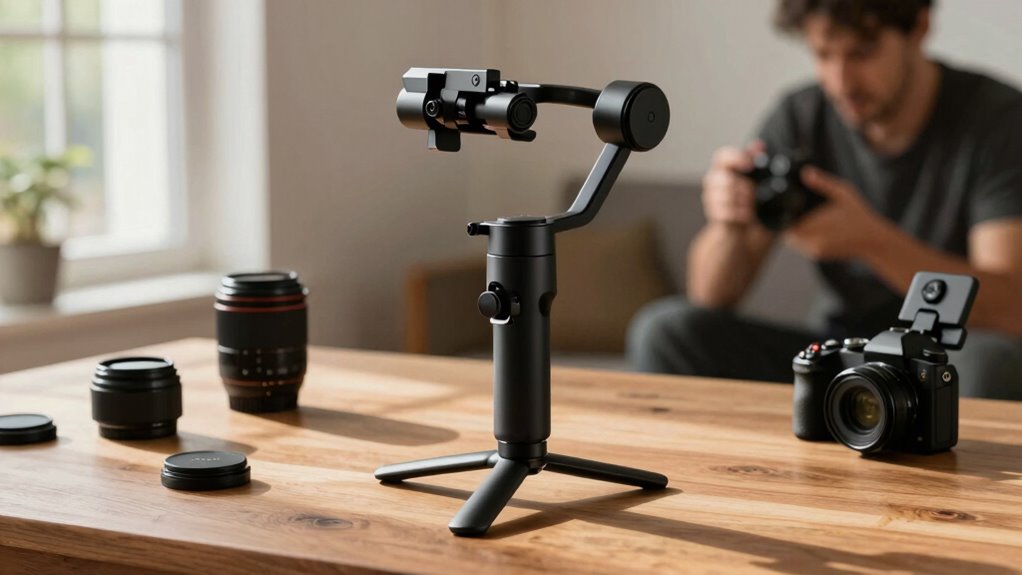

For filmmaking creators, the DJI RS 4 is my best overall pick among these 15 options: its camera-focused design suits controlled shoots and heavier mirrorless setups better than phone-first gimbals. The DJI RS 3 Mini is a more portable camera option, while the DJI Osmo Mobile 8 stands out for creators who shoot primarily on a smartphone. The key tradeoff is carrying capacity and control versus portability and a simpler setup; a phone gimbal cannot replace a camera gimbal when your rig is too heavy. I also weigh tracking features, setup demands, and how well each model fits a creator’s actual shooting style. Read on for the full breakdown and help matching a stabilizer to your camera, phone, and workflow.

Get the latest gadgets delivered free with Prime
- Fast, free delivery on millions of items
- Prime Video, Amazon Music and more included
- Member-only deals all year
Complete the kit



Key Takeaways
- The DJI RS 4 leads for filmmakers using compatible mirrorless cameras, while phone gimbals such as the Osmo Mobile 8 serve a different, lighter-weight workflow.
- The DJI RS 3 Mini is the more portable route into camera-based stabilization; a smaller gimbal is only a good trade if the mounted camera and lens fit its payload limits.
- Phone models with AI tracking can simplify solo filming, but tracking features do not make all gimbals interchangeable: mounting method, phone compatibility, and app support still matter.
- The list includes camera gimbals, smartphone gimbals, a GoPro-oriented option, and a phone rig without motorized stabilization, so buyers should first identify their filming device.
- More accessories or a creator bundle can reduce setup friction, but they add little value if the included audio, tracking, or mounting features do not match the way you shoot.
| FeiyuTech SCORP-C2 Camera Gimbal Stabilizer with AI Tracking |  | Best for Heavy Camera Rigs | Brand and model: FeiyuTech SCORP-C2 | Maximum payload: 7.72 lb (3500 g) | AI tracking range: Up to 59 ft | VIEW ON AMAZON | See Our Full Breakdown |
| FeiyuTech SCORP 2 3-Axis Gimbal Stabilizer for DSLR and Mirrorless Cameras |  | Best for Onboard Camera Control | Type: 3-axis camera gimbal stabilizer | Payload capacity: 2.5 kg | Tracking: Built-in AI tracking module | VIEW ON AMAZON | See Our Full Breakdown |
| NEEWER PA009 Phone Rig Vlogging Kit with Dual Handles |  | Best Budget-Style Handheld Phone Rig | Brand and model: NEEWER PA009 | Phone width compatibility: 2.2–4 in (56–101.5 mm) | Material: CNC aluminum alloy | VIEW ON AMAZON | See Our Full Breakdown |
| AOCHUAN Smart V3 3-Axis Phone Gimbal Stabilizer with AI Tracking |  | Best for Selfie and Live-Stream Setups | Brand and model: AOCHUAN Smart V3 | Stabilization: 3-axis | Extension rod: Listed as 51.2 inches and also as extending to 70 inches | VIEW ON AMAZON | See Our Full Breakdown |
| DJI Osmo Mobile 8 3-Axis Phone Gimbal Stabilizer |  | Best All-in-One Phone Gimbal | Brand and model: DJI Osmo Mobile 8 | Stabilization: 3-axis | Pan rotation: 360° horizontal | VIEW ON AMAZON | See Our Full Breakdown |
| DJI Osmo Mobile 7P 3-Axis Gimbal Stabilizer for iPhone and Android |  | Best Smartphone Gimbal for All-in-One Creator Tools | Brand: DJI | Stabilization: 3-axis | Compatibility: iPhone and Android smartphones | VIEW ON AMAZON | See Our Full Breakdown |
| DJI RS 4 Camera Gimbal Stabilizer |  | Best for Heavier Mirrorless Camera Setups | Model: DJI RS 4 | Payload capacity: 3 kg (6.6 lbs) | Battery runtime: Up to 12 hours with the included BG21 battery grip | VIEW ON AMAZON | See Our Full Breakdown |
| DJI RS 3 Mini Camera Gimbal Stabilizer |  | Best Lightweight Gimbal for Mirrorless Travel Kits | Model: P20M | Weight: 795 g (1.75 lbs) in portrait mode; 850 g (1.8 lbs) with horizontal arm | Tested payload: Up to 2 kg (4.4 lbs) | VIEW ON AMAZON | See Our Full Breakdown |
| DJI RS 4 Mini Combo Gimbal Stabilizer |  | Best Compact Camera Gimbal for Tracking and Fast Setup | Model: DJI RS 4 Mini (P24M) | Maximum payload: 2 kg (4.4 lbs) | Compatibility: Mirrorless cameras, vlog cameras, and smartphones | VIEW ON AMAZON | See Our Full Breakdown |
| COMITOK L7C Pro 3-Axis Smartphone Gimbal Stabilizer with AI Tracking |  | Best Foldable Smartphone Gimbal for Simple Solo Filming | Model: L7C Pro | Stabilization: 3-axis | Phone compatibility: iPhone and Android smartphones under 7 inches | VIEW ON AMAZON | See Our Full Breakdown |
| DJI Osmo Mobile 7 3-Axis Smartphone Gimbal Stabilizer |  | Best for Lightweight Everyday Filmmaking | Stabilization: 3-axis | Tracking: ActiveTrack 7.0 | Weight: 300 g | VIEW ON AMAZON | See Our Full Breakdown |
| GoPro Fluid Pro AI 3-Axis Gimbal Stabilizer with AI Subject Tracking |  | Best for Multi-Camera Flexibility | Stabilization: 3-axis | Compatibility: Mobile phones, GoPro cameras, and select compact point-and-shoot cameras | Bluetooth compatibility: GoPro HERO9 Black through HERO13 Black | VIEW ON AMAZON | See Our Full Breakdown |
| Hohem iSteady X3 SE 3-Axis Gimbal Stabilizer for iPhone and Android |  | Best Value for Remote-Controlled Phone Filming | Stabilization: 3-axis | Weight: 0.79 lb | Maximum payload: 0.66 lb | VIEW ON AMAZON | See Our Full Breakdown |
| DJI Osmo Mobile 8 Smartphone Gimbal with Mic Mini Transmitter, Infinity Black |  | Best Bundled Vlogging Kit | Stabilization: 3-axis | Pan rotation: 360° horizontal | Battery life: Up to 10 hours | VIEW ON AMAZON | See Our Full Breakdown |
| Insta360 Flow 2 Pro Phone Gimbal Stabilizer with AI Tracker, Creator Bundle, Grey |  | Best for AI Framing and Livestreams | Stabilization: 3-axis | Tracking: Native tracking for iPhone; AI Tracker for Android | Zoom tracking: Up to 15x | VIEW ON AMAZON | See Our Full Breakdown |
| gimbal stabilizer for filmmaking creator | Stabilization |
|---|---|
| FeiyuTech SCORP-C2 Camera Gimb | — |
| FeiyuTech SCORP 2 3-Axis Gimba | — |
| NEEWER PA009 Phone Rig Vloggin | — |
| AOCHUAN Smart V3 3-Axis Phone | 3-axis |
| DJI Osmo Mobile 8 3-Axis Phone | 3-axis |
| DJI Osmo Mobile 7P 3-Axis Gimb | 3-axis |
| DJI RS 4 Camera Gimbal Stabili | — |
| DJI RS 3 Mini Camera Gimbal St | — |
| DJI RS 4 Mini Combo Gimbal Sta | — |
| COMITOK L7C Pro 3-Axis Smartph | 3-axis |
| DJI Osmo Mobile 7 3-Axis Smart | 3-axis |
| GoPro Fluid Pro AI 3-Axis Gimb | 3-axis |
| Hohem iSteady X3 SE 3-Axis Gim | 3-axis |
| DJI Osmo Mobile 8 Smartphone G | 3-axis |
| Insta360 Flow 2 Pro Phone Gimb | 3-axis |
More Details on Our Top Picks
FeiyuTech SCORP-C2 Camera Gimbal Stabilizer with AI Tracking
For creators building shots around a DSLR or mirrorless camera, the SCORP-C2 is the strongest fit here: its 7.72 lb payload gives it more room for a camera-and-lens setup than the lighter FeiyuTech SCORP 2, which is rated for 2.5 kg. Its built-in face and body tracking can help solo filmmakers stay in frame, while native vertical mounting makes it easier to produce portrait footage without treating that format as an afterthought. The integrated underslung handle also gives low-angle moves a more direct grip. The tradeoff is that the supplied compatibility information names only select camera series, so I would check the exact camera and control functions before buying. It also takes under three hours to charge fully, a meaningful downtime consideration for shoot days.
Pros:- 7.72 lb payload accommodates heavier compatible camera and lens combinations.
- Built-in face and body tracking with gesture control supports solo filming.
- Native vertical mounting and an integrated underslung handle expand shooting options.
- Up to 14 hours of runtime supports long filming sessions.
Cons:- Compatibility details are limited to select camera series, so buyers should verify their exact setup.
- A full charge takes under three hours, which still requires planning between sessions.
Best for: Solo filmmakers using a compatible DSLR or mirrorless camera with a substantial lens setup who want tracking, vertical shooting, and low-angle handling in one rig.
Not ideal for: Phone-first creators or camera owners who need confirmed compatibility for an unlisted camera body; the SCORP-C2’s broad payload does not resolve the limited compatibility details.
- Brand and model:FeiyuTech SCORP-C2
- Maximum payload:7.72 lb (3500 g)
- AI tracking range:Up to 59 ft
- Battery capacity:4500 mAh
- Runtime:Up to 14 hours
- Charging:18W USB-C fast charging; full charge in under 3 hours
- Compatible camera series listed:Sony A7 series, Canon R5/R6, Nikon Z series
- Included items:Gimbal, slider, quick release plate, L-bracket base, lens support parts, hex key, tripod, and USB-C cables
Our verdict“Choose the SCORP-C2 if your priority is stabilizing a heavier compatible camera rig; choose the SCORP 2 if its lower payload better matches your setup and onboard controls matter more.”
FeiyuTech SCORP 2 3-Axis Gimbal Stabilizer for DSLR and Mirrorless Cameras
The SCORP 2 suits filmmakers who want to adjust a camera rig from the gimbal rather than rely on a phone app for every change. Its 1.3-inch touchscreen and multifunction knob put settings close at hand, while wired or Bluetooth camera control can reduce reaching for the camera during a take. Built-in AI tracking, gesture controls, and quick vertical mounting give it a creator-friendly toolkit. Compared with the SCORP-C2, its 2.5 kg payload leaves less headroom for heavier camera-and-lens combinations, but the SCORP 2 lists compatibility across Sony, Canon, Panasonic, and Nikon brands. That broader brand list is useful, though it does not guarantee every feature works with every body. App-dependent advanced settings and variable wireless compatibility make checking your exact camera setup a necessary part of the decision.
Pros:- 1.3-inch touchscreen and multifunction knob provide onboard adjustment options.
- Supports wired or Bluetooth camera control.
- Built-in AI tracking and gesture controls can support solo shooting.
- Quick-install vertical mounting helps adapt a camera setup for portrait footage.
Cons:- The 2.5 kg payload is lower than the SCORP-C2’s 7.72 lb capacity.
- Wireless control and feature support can vary by camera.
- Advanced app features require connection to the Feiyu SCORP App.
Best for: Mirrorless-camera creators with a moderate-weight rig who want touchscreen adjustments, a control knob, and flexible wired or Bluetooth camera control.
Not ideal for: Filmmakers running heavier builds near or above 2.5 kg, or buyers who expect every wireless control feature to work identically across camera models.
- Type:3-axis camera gimbal stabilizer
- Payload capacity:2.5 kg
- Tracking:Built-in AI tracking module
- Screen:1.3-inch touchscreen
- Camera control:Wired or Bluetooth
- Vertical shooting:Quick-install vertical mounting system
- App compatibility:Feiyu SCORP App
- Compatible camera brands listed:Sony, Canon, Panasonic, Nikon
Our verdict“Pick the SCORP 2 for a manageable camera rig when onboard controls are a priority, but favor the SCORP-C2 for more payload headroom.”
NEEWER PA009 Phone Rig Vlogging Kit with Dual Handles
The NEEWER PA009 is not a motorized gimbal, and that distinction matters: it adds grip, mounting points, and handling stability, but it will not deliver the active three-axis correction offered by the AOCHUAN Smart V3 or DJI Osmo Mobile 8. For creators who prefer controlled handheld movement and want to mount a microphone or light, its dual handles, two cold shoes, and 1/4-inch threads provide a practical phone-filming base. The rear slot is shaped for a Rode Wireless GO transmitter, and the rig supports both portrait and landscape orientation. Its 250 g maximum weight recommendation narrows what can be attached, and the phone must fit the stated width range. This is a simple production accessory, not a substitute for a gimbal when walking footage is the priority.
Pros:- Dual foam-coated handles provide a two-handed grip for controlled handheld movement.
- Two cold shoes and 1/4-inch threads support common filming accessories.
- Fits phones 2.2–4 inches wide and supports portrait or landscape orientation.
- Rear slot accommodates a Rode Wireless GO transmitter.
Cons:- It is a phone rig, not a motorized gimbal, so it lacks active three-axis stabilization.
- The 250 g maximum weight recommendation limits accessory-heavy setups.
- It is not water resistant.
Best for: Phone filmmakers who shoot mostly from a controlled handheld position and want dual grips plus mounting points for a microphone, light, or tripod.
Not ideal for: Creators who need motorized stabilization for walking shots, or who plan to mount accessories that push the setup beyond the 250 g recommendation.
- Brand and model:NEEWER PA009
- Phone width compatibility:2.2–4 in (56–101.5 mm)
- Material:CNC aluminum alloy
- Mounts:1/4-inch threads and two cold shoes
- Microphone compatibility:Rear slot for Rode Wireless GO transmitter
- Orientation:Vertical or horizontal
- Dimensions:2.2 × 14.6 × 5.4 in (D × W × H)
- Item weight and maximum weight recommendation:0.65 kg; 250 g maximum weight recommendation
Our verdict“Choose the PA009 for a modular, two-handed phone rig; choose the AOCHUAN Smart V3 or DJI Osmo Mobile 8 when motorized stabilization is needed.”
AOCHUAN Smart V3 3-Axis Phone Gimbal Stabilizer with AI Tracking
The Smart V3 is built for phone creators who want more reach and framing flexibility than a basic handheld stabilizer. Its telescoping extension rod, 360° pan, detachable remote, and quick-release tripod make it easier to switch between solo camera-facing clips, group shots, and stationary streams. AI tracking and gesture controls work without an app, which is a useful contrast with the DJI Osmo Mobile 8, whose listing includes intelligent tracking alongside a broader set of integrated audio and lighting features. The AOCHUAN adds an adjustable fill light, but its supplied extension measurements conflict: the specs say 51.2 inches while also describing extension to 70 inches. Phone compatibility details are sparse, too. I would verify fit and usable extension before relying on it for a specific shoot.
Pros:- AI tracking and gesture controls are listed as working without an app.
- Detachable remote and quick-release tripod support solo filming and stationary setups.
- Extension rod and 360° pan enable varied framing and selfie angles.
- Adjustable fill light adds a built-in option for close-range filming.
Cons:- The listed extension measurements conflict, with 51.2 inches and 70 inches both stated.
- The product information gives limited detail about phone compatibility.
- Compared with the DJI Osmo Mobile 8, fewer integrated audio and phone-charging features are specified.
Best for: Phone-based vloggers and livestreamers who often film themselves, need remote framing control, and value an extension rod, tripod, and built-in fill light.
Not ideal for: Creators who need clearly documented phone compatibility or confirmed extension dimensions before a shoot, or who prioritize a well-specified accessory and app ecosystem.
- Brand and model:AOCHUAN Smart V3
- Stabilization:3-axis
- Extension rod:Listed as 51.2 inches and also as extending to 70 inches
- Rotation:360° pan
- Remote control range:Up to 32.81 ft
- Tripod radius:7.09 in
- Features:AI tracking, gesture controls, adjustable fill light
- Modes:PF, F, POV, DM, L, S
Our verdict“Choose the Smart V3 for flexible selfie framing and app-free tracking, but verify phone fit and extension length if those details matter to your setup.”
DJI Osmo Mobile 8 3-Axis Phone Gimbal Stabilizer
For phone-first filmmakers who want a portable rig with fewer separate accessories, the Osmo Mobile 8 is the most complete package in this group. Its foldable design, built-in extension rod, and tripod cover travel, selfie, and stationary filming, while 360° horizontal rotation and intelligent tracking support moving subjects and repeatable framing. Integrated audio and lighting features, plus the ability to charge a connected phone while filming, give it a broader production role than the simpler NEEWER PA009 phone cage, which offers accessory mounts but no motorized stabilization. The stated up to 10-hour battery life is useful for extended sessions, though actual demands can vary with use. One practical snag for Android creators: DJI Mimo is not on Google Play, so app access requires a download from DJI’s website.
Pros:- Three-axis stabilization supports smoother phone footage than a non-motorized rig like the NEEWER PA009.
- Foldable design with a built-in extension rod and tripod covers varied shooting setups.
- Intelligent tracking, integrated audio and lighting features add creator-focused tools.
- Up to 10 hours of battery life and connected-phone charging support extended filming.
Cons:- Android users must download DJI Mimo from DJI’s website rather than Google Play.
- Designed for phones, so it is not an alternative to camera gimbals such as the FeiyuTech SCORP-C2.
Best for: Phone-based filmmakers who want a foldable three-axis stabilizer with tracking, built-in shooting accessories, and phone charging support for longer creator sessions.
Not ideal for: Android users who prefer installing apps only through Google Play, or creators seeking a camera gimbal for DSLR or mirrorless bodies rather than a phone rig.
- Brand and model:DJI Osmo Mobile 8
- Stabilization:3-axis
- Pan rotation:360° horizontal
- Battery life:Up to 10 hours
- Features:Intelligent tracking, audio reception, lighting, phone charging
- Built-in accessories:Extension rod and tripod
- Included items:Osmo Mobile 8, multifunctional module, magnetic phone clamp, USB-C to USB-C phone charging/audio cable, storage pouch, USB-C to USB-C power cable
Our verdict“Choose the Osmo Mobile 8 for a versatile, accessory-rich phone filmmaking setup, especially if DJI Mimo’s Android installation route works for you.”
DJI Osmo Mobile 7P 3-Axis Gimbal Stabilizer for iPhone and Android
I’d choose the Osmo Mobile 7P when phone filmmaking calls for more than stabilization. Its multifunctional module combines subject tracking, lighting, and audio reception, while the built-in extension rod and tripod make it easier to frame solo pieces, group shots, or higher-angle footage without packing separate supports. Compared with the COMITOK L7C Pro, the 7P offers a broader set of integrated creator tools and a stated operating time of up to 10 hours; the COMITOK is lighter and folds down compactly. The tradeoff is app setup: Android users must download DJI Mimo from DJI’s website. This is also a smartphone tool, not a substitute for the camera payload capacity of the DJI RS 4.
Pros:- Three-axis stabilization helps smooth handheld smartphone footage.
- Multifunctional module supports tracking, lighting, and audio reception.
- Built-in extension rod and tripod expand solo filming options.
- Maximum operating time is listed as 10 hours.
Cons:- Android users must download the DJI Mimo app from DJI’s website.
- Designed for smartphones, so it cannot carry a mirrorless camera setup like the DJI RS 4.
Best for: Phone-first creators who film themselves, want tracking and lighting in one setup, and need a built-in tripod and extension rod for varied framing.
Not ideal for: Mirrorless-camera filmmakers or Android users who want to install companion apps only through Google Play.
- Brand:DJI
- Stabilization:3-axis
- Compatibility:iPhone and Android smartphones
- Tracking:Native subject tracking; dual-lens enhanced tracking
- Maximum operating time:Up to 10 hours
- Built-in features:Extension rod and tripod
- Included items:Osmo Mobile 7P gimbal, Multifunctional Module, magnetic phone clamp, USB-C cables, storage pouch
Our verdict“Choose the Osmo Mobile 7P if you want a smartphone gimbal that combines stabilization with tracking, lighting, and flexible built-in framing tools.”
DJI RS 4 Camera Gimbal Stabilizer
For a creator who has moved beyond a phone rig, the DJI RS 4 is the most capable camera-focused choice in this group. Its 3 kg payload capacity accommodates mirrorless bodies with more substantial lenses, while Teflon-coated axis arms are intended to make balancing smoother. Native vertical shooting suits creators making both conventional video and portrait-format clips, though changing orientation calls for rebalancing rather than an instant format switch. Compared with the lighter DJI RS 3 Mini, the RS 4 gives you more payload headroom but is a less compact choice for travel and lighter kits. Its 12-hour stated runtime and included battery grip support longer shoots, but Android users need to download the Ronin app from DJI’s website for activation.
Pros:- Supports camera and lens combinations up to 3 kg.
- Native vertical shooting supports portrait-format production.
- Teflon-coated axis arms are designed for smoother balancing.
- Includes a BG21 battery grip with a listed runtime of up to 12 hours.
Cons:- Switching between horizontal and vertical shooting requires rebalancing.
- Android users must download the DJI Ronin app from DJI’s website.
Best for: Mirrorless filmmakers with camera-and-lens combinations up to 3 kg who need a full-size gimbal for horizontal and vertical production.
Not ideal for: Travel creators with lightweight camera kits who value compact carry more than payload capacity, or Android users who do not want to sideload the Ronin app.
- Model:DJI RS 4
- Payload capacity:3 kg (6.6 lbs)
- Battery runtime:Up to 12 hours with the included BG21 battery grip
- Vertical shooting:Native vertical shooting
- Axis arms:Teflon-coated
- Included accessories:BG21 battery grip, quick-release plate, extended grip/tripod, lens-fastening support, camera control cable, USB-C charging cable, screw kit
- Activation:DJI Ronin app required for first-time activation
Our verdict“Pick the RS 4 for heavier mirrorless rigs and longer shoots, but choose the RS 3 Mini if a smaller, lighter camera gimbal better fits your kit.”
DJI RS 3 Mini Camera Gimbal Stabilizer
The DJI RS 3 Mini makes the most sense for filmmakers who want to stabilize a mirrorless camera without carrying a full-size rig. At 795 g in portrait mode and with a tested payload up to 2 kg, it suits compact camera-and-lens combinations better than the RS 4, which is built for heavier setups. Native vertical shooting, Bluetooth shutter control, and a 1.4-inch touchscreen keep common adjustments accessible on location. That smaller form has limits: a heavier lens may push a camera kit beyond its payload range, and it lacks the automated axis locks and included tracking module supplied with the RS 4 Mini Combo. Activation and full functionality require the Ronin app, which Android users must download from DJI’s website.
Pros:- Lightweight design weighs 795 g in portrait mode.
- Supports tested payloads up to 2 kg.
- Native vertical shooting suits portrait-format videos.
- Bluetooth shutter control and a 1.4-inch touchscreen provide on-gimbal control.
Cons:- Its 2 kg payload limit rules out some heavier camera-and-lens combinations.
- DJI Ronin app is required for activation and full functionality; Android users must download it from DJI’s website.
- Does not include the RS 4 Mini Combo’s tracking module or automated axis locks.
Best for: Traveling mirrorless creators with a compact camera and lens who want a lighter gimbal with direct touchscreen controls and portrait shooting.
Not ideal for: Filmmakers using heavier camera-and-lens combinations, or those who want automated axis locks and a tracking module included.
- Model:P20M
- Weight:795 g (1.75 lbs) in portrait mode; 850 g (1.8 lbs) with horizontal arm
- Tested payload:Up to 2 kg (4.4 lbs)
- Payload range:0.4–2 kg (0.8–4.4 lbs)
- Screen:1.4-inch full-color touchscreen
- Compatibility:Mainstream mirrorless camera and lens combinations
- Included accessories:Quick-release plate, tripod, control cable, and USB-C charging cable
Our verdict“Choose the RS 3 Mini if low carry weight matters more than extra payload capacity or built-in subject tracking.”
DJI RS 4 Mini Combo Gimbal Stabilizer
The RS 4 Mini Combo is the more feature-packed compact camera option for creators who frequently film moving subjects or work alone. Automated axis locks speed up setup and packing, and the included intelligent tracking module helps keep a subject in frame without a separate operator. Its 2 kg payload and quick vertical shooting make it a fit for lighter mirrorless cameras, vlog cameras, and smartphones. Compared with the RS 3 Mini, it adds automated locks and tracking in the box; the RS 3 Mini is the simpler pick if low weight and touchscreen operation are the priorities. The RS 4 Mini’s payload ceiling limits heavier camera-and-lens combinations, and Android users must get the Ronin app from DJI’s website.
Pros:- Automated axis locks can speed up setup and packing.
- Included tracking module helps keep subjects framed.
- Quick vertical shooting supports portrait-format work.
- Combo includes a briefcase handle, tripod, and quick-release plate.
Cons:- Maximum payload of 2 kg excludes heavier camera-and-lens combinations.
- DJI Ronin app is not available on Google Play.
- More specialized tracking and setup features may be unnecessary for creators seeking a basic lightweight gimbal.
Best for: Solo creators with a lightweight camera who want subject tracking, faster setup, and support for both horizontal and vertical filming.
Not ideal for: Filmmakers using heavier camera rigs above 2 kg, or Android users who require companion apps to be available through Google Play.
- Model:DJI RS 4 Mini (P24M)
- Maximum payload:2 kg (4.4 lbs)
- Compatibility:Mirrorless cameras, vlog cameras, and smartphones
- Axis locks:Automated
- Tracking:Intelligent tracking module included
- Vertical shooting:Third-generation native vertical shooting
- Included accessories:RS Intelligent Tracking Module, Briefcase Handle, tripod, quick-release plate, cables, and screw kit
Our verdict“Choose the RS 4 Mini Combo over the RS 3 Mini if built-in tracking and automated setup matter more than keeping the feature set simple.”
COMITOK L7C Pro 3-Axis Smartphone Gimbal Stabilizer with AI Tracking
The COMITOK L7C Pro is a straightforward option for phone-first creators who want stabilization and hands-free framing in a foldable package. Face and object tracking, gesture controls, and a grip tripod support solo recording, while the no-leveling design reduces setup steps compared with camera gimbals such as the DJI RS 3 Mini. Its 0.8 lb weight and compact folded dimensions also make it easier to carry than a mirrorless rig. The tradeoff is a narrower fit: it accepts phones under 7 inches and up to 0.62 lb, so a larger or heavier phone may not work. Tracking and creative modes depend on the companion app, and the Osmo Mobile 7P offers a broader integrated toolkit with lighting and audio reception.
Pros:- Three-axis stabilization helps smooth smartphone footage.
- Face and object tracking pair with gesture controls for solo filming.
- Foldable design requires no leveling.
- Includes a grip tripod and wrist strap.
Cons:- Compatibility is limited to phones under 7 inches and up to 0.62 lb.
- Tracking and creative modes require the companion app.
- Does not include the Osmo Mobile 7P’s lighting and audio-reception functions.
Best for: Smartphone creators who want a foldable, no-leveling gimbal for face or object tracking, gesture control, and tripod-supported solo clips.
Not ideal for: Owners of phones over 7 inches or 0.62 lb, and creators who want tracking and creative modes without relying on a companion app.
- Model:L7C Pro
- Stabilization:3-axis
- Phone compatibility:iPhone and Android smartphones under 7 inches
- Maximum phone weight:0.62 lbs
- Gimbal weight:0.8 lbs
- Folded dimensions:6 x 4.3 x 1.8 inches
- Battery capacity and charging time:2600mAh; approximately 80 minutes
- Included accessories:Grip tripod, USB-C power cable, user manual, wrist strap
Our verdict“Choose the L7C Pro for a compact, app-driven phone setup with gesture controls, but favor the Osmo Mobile 7P for more integrated creator tools.”
DJI Osmo Mobile 7 3-Axis Smartphone Gimbal Stabilizer
The Osmo Mobile 7 is a strong fit for creators who want stabilized phone footage without carrying a larger camera rig. Its 300 g foldable body and built-in tripod make it easy to pack for travel or set down for a quick piece to camera, while ActiveTrack 7.0 can keep a moving subject framed. Compared with the more feature-packed DJI Osmo Mobile 8, this model is a simpler option: it lacks the listed extension rod and bundled Mic Mini transmitter, but still covers core handheld filming needs and offers up to 10 hours of operation. USB-C phone charging can help during a long shoot. The main friction is software setup for Android users, since DJI Mimo must be downloaded from DJI rather than Google Play; the separate tracking kit is also an extra purchase.
Pros:- Three-axis stabilization supports smoother walking and handheld footage.
- Lightweight, foldable design with a built-in tripod is easy to carry and set up.
- ActiveTrack 7.0 helps keep a moving subject in frame.
- Up to 10 hours of operation and USB-C phone charging support longer filming sessions.
Cons:- Android users need to download DJI Mimo from DJI’s website rather than Google Play.
- The DJI OM 7 Series Tracking Kit is sold separately.
- Compared with the Osmo Mobile 8, it lacks the listed built-in extension rod and bundled Mic Mini transmitter.
Best for: Phone-first travel creators and solo filmmakers who prioritize a light, foldable stabilizer, subject tracking, and a built-in tripod.
Not ideal for: Android creators who want app installation directly through Google Play, or vloggers seeking a bundled microphone and extension rod.
- Stabilization:3-axis
- Tracking:ActiveTrack 7.0
- Weight:300 g
- Maximum operating time:Up to 10 hours
- Charging:USB-C phone charging
- Built-in features:Tripod, foldable design, ShotGuides, One-Tap Edit
- Included items:Gimbal, Magnetic Phone Clamp 4, 50 cm USB-C to USB-C power cable, storage pouch
Our verdict“Choose the Osmo Mobile 7 for portable, straightforward phone filmmaking, and pick the Osmo Mobile 8 if you want more included vlogging hardware.”
GoPro Fluid Pro AI 3-Axis Gimbal Stabilizer with AI Subject Tracking
The GoPro Fluid Pro AI stands apart from phone-only options such as the Hohem iSteady X3 SE by supporting compatible smartphones, GoPro cameras, and select compact cameras. That flexibility makes it a better match for creators who switch capture devices but still want one stabilizer for solo shots. Its AI module tracks a person’s face or body, while the integrated fill light and gesture controls help with self-recording when there is no one behind the camera. Battery life is strongest when the gimbal runs alone—up to 18 hours—but drops to up to six hours with tracking and the light at full power, so feature-heavy shoots call for more careful planning. Bluetooth support is limited to GoPro HERO9 Black through HERO13 Black, which narrows its appeal for GoPro owners with other models.
Pros:- Works with compatible smartphones, GoPro cameras, and select compact cameras.
- AI subject tracking follows a person’s face or body.
- Integrated fill light and gesture controls support solo recording.
- Up to 18 hours of battery life when used as a gimbal without tracking and lighting.
Cons:- Bluetooth functionality is limited to GoPro HERO9 Black through HERO13 Black.
- Battery life falls to up to six hours with AI tracking and the fill light at full power.
- Its wider camera compatibility brings more setup choices than a simpler phone-only gimbal such as the Hohem iSteady X3 SE.
Best for: Creators who alternate between a compatible phone, GoPro, and select compact cameras and need built-in tracking and fill light for solo filming.
Not ideal for: Filmmakers who use GoPro models outside the listed HERO9 Black through HERO13 Black Bluetooth range, or who need long sessions with tracking and full-power lighting.
- Stabilization:3-axis
- Compatibility:Mobile phones, GoPro cameras, and select compact point-and-shoot cameras
- Bluetooth compatibility:GoPro HERO9 Black through HERO13 Black
- Battery life:Up to 18 hours gimbal only; up to 11 hours with AI tracking; up to 6 hours with tracking and fill light at 100%
- Features:AI subject tracking, integrated fill light, gesture control, device charging
- Included accessories:AI tracking module, phone mount, GoPro mounts and adapters, tripod base, USB-C cables, zippered case
- Warranty:Limited lifetime
Our verdict“Pick the Fluid Pro AI if you need one stabilizer across several compatible camera types, but choose a phone-focused model if simple smartphone operation matters more.”
Hohem iSteady X3 SE 3-Axis Gimbal Stabilizer for iPhone and Android
The Hohem iSteady X3 SE gives phone filmmakers a practical control advantage: its detachable magnetic remote can operate the gimbal from up to 32.81 feet away. That is useful for solo takes where walking back to the phone between shots would disrupt a workflow. It also folds for travel and runs for up to 11 hours, slightly longer than the 10-hour operating time listed for the DJI Osmo Mobile 7. Both are phone-focused three-axis models, but Hohem’s remote is its clearest differentiator; DJI lists ActiveTrack 7.0, while this model’s tracking and gesture tools run through the Hohem Joy app. The 0.66 lb payload limit is a real constraint for heavier phones or accessories, and creators may need time to learn the app’s more advanced functions.
Pros:- Detachable magnetic remote controls the gimbal from up to 32.81 feet away.
- Three-axis stabilization helps smooth moving footage.
- Foldable design, tripod, and storage pouch suit travel and quick setups.
- Up to 11 hours of operation with support for horizontal and vertical filming.
Cons:- Maximum payload of 0.66 lb can limit heavier phones and accessory combinations.
- Some advanced Hohem Joy app features may take time to learn.
- Compared with the DJI Osmo Mobile 7, it does not list ActiveTrack 7.0 and has a lower stated maximum payload.
Best for: Solo smartphone creators who want to start and control shots from a distance, especially for fixed-position scenes and self-recording.
Not ideal for: Filmmakers using heavier phone-and-accessory setups near or above the 0.66 lb payload limit, or those who want advanced app features with minimal setup.
- Stabilization:3-axis
- Weight:0.79 lb
- Maximum payload:0.66 lb
- Battery life:Up to 11 hours
- Charging time:2 hours
- Remote:Detachable magnetic remote; control range up to 32.81 ft
- App:Hohem Joy
- Compatibility and orientation:iPhone and Android smartphones; horizontal and vertical
- Included accessories:Tripod, storage pouch, USB Type-C charging cable, quick start guide, warranty card, remote controller
Our verdict“Choose the iSteady X3 SE if remote operation is central to your solo filming, provided your phone setup stays within its payload limit.”
DJI Osmo Mobile 8 Smartphone Gimbal with Mic Mini Transmitter, Infinity Black
The DJI Osmo Mobile 8 with Mic Mini transmitter is the most ready-to-film phone package here for creators who want more than stabilization in the box. Its 3-axis system, 360° horizontal rotation, AI subject tracking, integrated lighting and audio features, and included transmitter support a compact solo-vlogging setup. The built-in extension rod and tripod also offer more framing options than the Osmo Mobile 7, which is lighter and simpler but does not list those accessories. That extra versatility makes the Mobile 8 a stronger fit for talking-head clips, travel updates, and live streams, though it brings more components to manage. It shares the DJI Mimo Android download hurdle with the Mobile 7: the app is not available on Google Play, so Android users need to get it from DJI’s website.
Pros:- Includes a Mic Mini transmitter for a more complete vlogging setup.
- 360° horizontal rotation and AI tracking support flexible subject framing.
- Built-in extension rod and tripod enable more filming angles without separate accessories.
- Up to 10 hours of battery life with phone charging support.
Cons:- Android users must download DJI Mimo from DJI’s website rather than Google Play.
- The included audio, lighting, and framing features mean more components than the simpler Osmo Mobile 7 setup.
- The listed battery life is up to 10 hours, matching the Osmo Mobile 7 rather than extending runtime.
Best for: Phone-based vloggers and livestreamers who want a bundled microphone, lighting features, flexible framing, and a built-in tripod in one kit.
Not ideal for: Android creators who prefer installing apps only through Google Play, or travelers who want the simplest, lightest phone-gimbal setup.
- Stabilization:3-axis
- Pan rotation:360° horizontal
- Battery life:Up to 10 hours
- Built-in features:Extension rod, tripod, phone charging
- AI and production features:AI subject tracking, integrated audio and lighting features
- Included components:Mic Mini Transmitter, Multifunctional Module, Magnetic Phone Clamp, storage pouch, cables, and accessories
- Color:Infinity Black
Our verdict“Choose this Osmo Mobile 8 bundle if you want a ready-made phone-vlogging kit, and favor the Osmo Mobile 7 for a lighter, more stripped-down carry.”
Insta360 Flow 2 Pro Phone Gimbal Stabilizer with AI Tracker, Creator Bundle, Grey
The Insta360 Flow 2 Pro Creator Bundle is geared toward creators who want tracking and framing tools to handle more of the work during a solo shoot. It offers native tracking for iPhone and an included AI Tracker for Android, with multi-person framing and active zoom tracking listed among its strengths. Continuous 360-degree pan rotation also suits livestreams or moving shots that need a subject to stay in view. Compared with the Hohem iSteady X3 SE, this bundle emphasizes more advanced framing and includes a selfie stick and lighting alongside its tripod and carry case; Hohem’s clearer advantage is a detachable remote with a specified control range. Android tracking depends on the included tracker, and compatibility still varies by exact phone model, so checking device fit is part of choosing this setup.
Pros:- Native iPhone tracking and an included AI Tracker for Android support subject following across platforms.
- Multi-person framing and active zoom tracking add options for group shots and moving subjects.
- Continuous 360-degree pan rotation supports full-turn movement and livestream framing.
- Creator bundle includes a built-in tripod, selfie stick, lighting, and carry case.
Cons:- Android tracking requires the included AI Tracker rather than relying on native tracking.
- Compatibility depends on the specific smartphone model.
- Compared with the Hohem iSteady X3 SE, it does not list a detachable remote with a stated operating range.
Best for: iPhone and Android creators who film solo, livestream, or record groups and want automated framing plus a bundled tripod, selfie stick, and lighting.
Not ideal for: Buyers who need guaranteed fit across any smartphone model, or Android creators who want tracking to work without the AI Tracker accessory.
- Stabilization:3-axis
- Tracking:Native tracking for iPhone; AI Tracker for Android
- Zoom tracking:Up to 15x
- Compatibility:iPhone and Android smartphones; compatibility depends on the specific model
- Included items:AI Tracker, USB-C charge cable, magnetic phone mount, carry case
- Creator features:Multi-person framing, active zoom tracking, continuous 360-degree pan rotation
- Bundle features:Built-in tripod, selfie stick, and lighting
- Warranty:1 year
Our verdict“Choose the Flow 2 Pro Creator Bundle for phone-compatible AI framing and livestream versatility, after confirming that your specific handset is supported.”

How We Picked
I ranked these options by how well they serve filmmaking creators, not by a single spec or brand. The first distinction was device fit: camera gimbals were judged on suitability for compatible DSLR and mirrorless rigs, while smartphone and action-camera models were considered for their own compact workflows. I also weighed stabilization and control, payload or mounting practicality, setup effort, tracking features, portability, and the usefulness of included accessories.
The order reflects those tradeoffs. The DJI RS 4 ranks first as the strongest fit for a broad camera-filmmaking workflow, with the RS 3 Mini appealing when portability matters more than headroom. Phone gimbals rank according to how directly they support mobile creators, including tracking and bundled tools; they do not outrank camera models for camera-based production. The NEEWER PA009 is treated as a phone rig rather than a motorized gimbal, since dual handles and a rigging setup address a different need from three-axis stabilization. Before choosing, verify current camera, lens, and phone compatibility with the manufacturer.
Factors to Consider When Choosing Gimbal Stabilizer For Filmmaking Creators
Start with the device and shooting style you already use, then weigh the convenience a gimbal adds against its limits. These decisions often matter more than a long feature list.
Match the Stabilizer to the Camera You Actually Mount
Camera gimbals and smartphone gimbals solve different problems, so decide which device will handle most of your filming before comparing extras. For a mirrorless camera, check the combined weight of the body, lens, plate, and any accessories against the gimbal’s supported payload and balance range. A camera may fall within a stated weight limit yet still be awkward to balance if its shape or lens shifts the center of gravity. Phone users should check clamp width, case fit, and whether the controls work with their phone model. Avoid buying around a future camera upgrade unless you have verified that the gimbal will support the new body and lens combination.
Choose Portability Without Buying Too Little Headroom
A smaller stabilizer is easier to carry between locations, but reduced size can limit what you can mount and how much room you have to balance. This is why a compact camera model such as the RS 3 Mini has a different role from the RS 4, while phone gimbals favor a much lighter kit. Think about your usual lens, microphone, and other mounted accessories—not only the camera body. If your setup changes often, a little extra payload capacity can save repeated rebalancing or a second purchase. If you shoot only with a phone, carrying a camera-class gimbal may add bulk without improving your everyday workflow.
Treat Tracking as a Workflow Feature, Not a Substitute for Framing
AI tracking can help a solo creator stay in frame while presenting, demonstrating a product, or moving around a small set. It does not decide where the camera should point, how much of the scene to include, or when to change a shot. Check whether tracking depends on a companion app, a separate accessory, or specific phone compatibility, since those details affect setup and reliability. For planned camera moves or scenes with more than one subject, hands-on control and repeatable framing may matter more than automatic following. Choose tracking for the kind of solo work you regularly make, rather than as a general promise of better footage.
Budget for the Whole Shooting Setup
A stabilizer is one part of a moving camera rig, and its usefulness can depend on what else you need to mount or carry. Consider whether the kit includes the handles, tracking accessory, transmitter, or other components that suit your workflow, and check what must be purchased separately. A bundle is valuable when it saves setup time or replaces gear you already planned to buy; otherwise, extra items can become unused weight. Also leave room in your workflow for charging, transport, setup, and balancing. A simpler gimbal that is ready when you need it may be a better fit than a feature-rich kit you avoid carrying.
Decide Whether Stabilization or Rigging Is the Main Need
Not every product described as a filming support device is a motorized stabilizer. A phone rig with dual handles can give you extra grip and mounting options, but it will not deliver the active three-axis correction of a powered gimbal. That difference matters for walking shots, where hand movement can become visible, and for static or carefully controlled shots, where a rig may be enough. Think about the movement in your footage and whether you need a motorized pan, tilt, and roll system. Buying a rig when you need motion correction—or a motorized gimbal when you only need handles—can leave you with the wrong tool.
Check Setup Demands Before Choosing Advanced Controls
Camera gimbals generally ask more of the operator: the camera must be mounted and balanced, and added accessories can change that balance. Smartphone models usually make a quicker start, but app controls and tracking options can still add steps. If you switch lenses or cameras often, favor a setup that fits your real shooting routine rather than one that looks versatile on paper. New users may benefit more from a straightforward mount and clear controls than from features they will rarely access. Before committing, review the manufacturer’s compatibility guidance and plan how the gimbal will fit into your filming day.
Frequently Asked Questions
Should I choose a camera gimbal or a phone gimbal if I use both?
Base the choice on the device you use for your main, more demanding shoots. A camera gimbal is designed for compatible camera rigs, while a phone gimbal is a lighter option for mobile filming and quick solo clips. One does not automatically replace the other, since mount design, balance, and payload differ. If both devices are important, compare the cost and hassle of carrying two purpose-built tools with the limits of adapting one gimbal to both. Check the exact supported devices before purchase rather than assuming a phone or camera will fit.
Can a compact camera gimbal handle my camera with a zoom lens?
Possibly, but the camera body’s weight alone is not enough to answer that. Add the lens and every accessory mounted on the camera, then compare the total with the gimbal’s supported payload and balancing guidance. A long or front-heavy zoom can be difficult to balance even when the total weight appears acceptable. Check that the gimbal’s adjustment range gives the lens room to move without hitting the frame. If you frequently change lenses, a model with more headroom may be a safer choice than the smallest option.
Is AI tracking worth prioritizing for solo filmmaking?
It can be useful when you regularly film yourself moving through a frame, such as in tutorials or demonstrations. For locked-off interviews, carefully planned camera movement, or scenes with several people, framing control may matter more than automatic tracking. Find out whether the feature relies on a phone app or an added tracking accessory, and check compatibility with your device. Also consider whether you can set up and monitor tracking without interrupting the shoot. Treat it as a convenience for specific filming tasks, not a substitute for shot planning.
Will a phone gimbal work with my phone case and accessories attached?
Do not assume it will. Cases, clip-on lenses, microphones, and other attachments can affect clamp fit, balance, and the gimbal’s supported load. Check the manufacturer’s phone-size and weight guidance, then confirm whether your case can stay on during mounting. If you use accessories, check their placement against the gimbal arm’s movement so they do not collide while tilting or panning. When you film with a bare phone most of the time, a lighter and simpler setup may be more practical than one built around a fully accessorized rig.
Does a phone rig with handles provide the same stabilization as a three-axis gimbal?
No. Handles can make a phone easier to grip and may give you places to attach accessories, but they do not actively correct movement across three axes. A motorized gimbal is better suited to reducing unwanted movement during walking shots or deliberate camera motion. A rig can still be a useful choice for controlled filming where added grip and mounting flexibility matter more than motorized correction. Decide based on the movement in your footage, and do not treat the two product types as interchangeable.
Conclusion
For most creators filming with a compatible mirrorless camera, my best overall pick is the DJI RS 4; its camera-first role makes it the clearest choice for a more capable production rig. Choose the DJI RS 3 Mini as the best value-oriented compact camera option if portability matters and your camera setup fits its limits. For a premium phone-focused workflow, the Insta360 Flow 2 Pro Creator Bundle is the standout choice for creators who want a phone gimbal with a creator-oriented bundle; compare its included components with your existing gear before deciding. Beginners who mainly shoot on a phone should start with a straightforward option such as the DJI Osmo Mobile 7, while solo creators who rely on tracking can compare the AI-equipped phone models to find one compatible with their setup. For specific needs, choose the GoPro Fluid Pro AI for an action-camera-oriented workflow, or the NEEWER PA009 when you need a handled phone rig rather than motorized stabilization. Match the recommendation to your filming device first, then let portability, tracking, and accessories break the tie.