
TL;DR

Get the latest gadgets delivered free with Prime
- Fast, free delivery on millions of items
- Prime Video, Amazon Music and more included
- Member-only deals all year
Prebuilt AI workstations now often match or beat DIY builds on price and speed, thanks to component shortages and bulk buying. Support, reliability, and quick deployment are key advantages of prebuilt systems, while building offers full customization. Your workload and priorities decide which path suits you best.
Ever feel like the choice between building your own AI workstation and buying a prebuilt is a no-brainer? Think again. The landscape has shifted dramatically in 2026. Supply chain issues, skyrocketing component prices, and the rise of vendor-optimized systems mean that the old ‘build always costs less’ rule no longer applies. Now, it’s about speed, support, and certainty—especially when your AI projects depend on it.
Whether you’re a hobbyist, a startup, or a big enterprise, understanding the real tradeoffs can save you time, money, and headaches. This guide cuts through the hype and compares the true pros and cons of building versus buying, focusing on what matters most for your AI workload today.
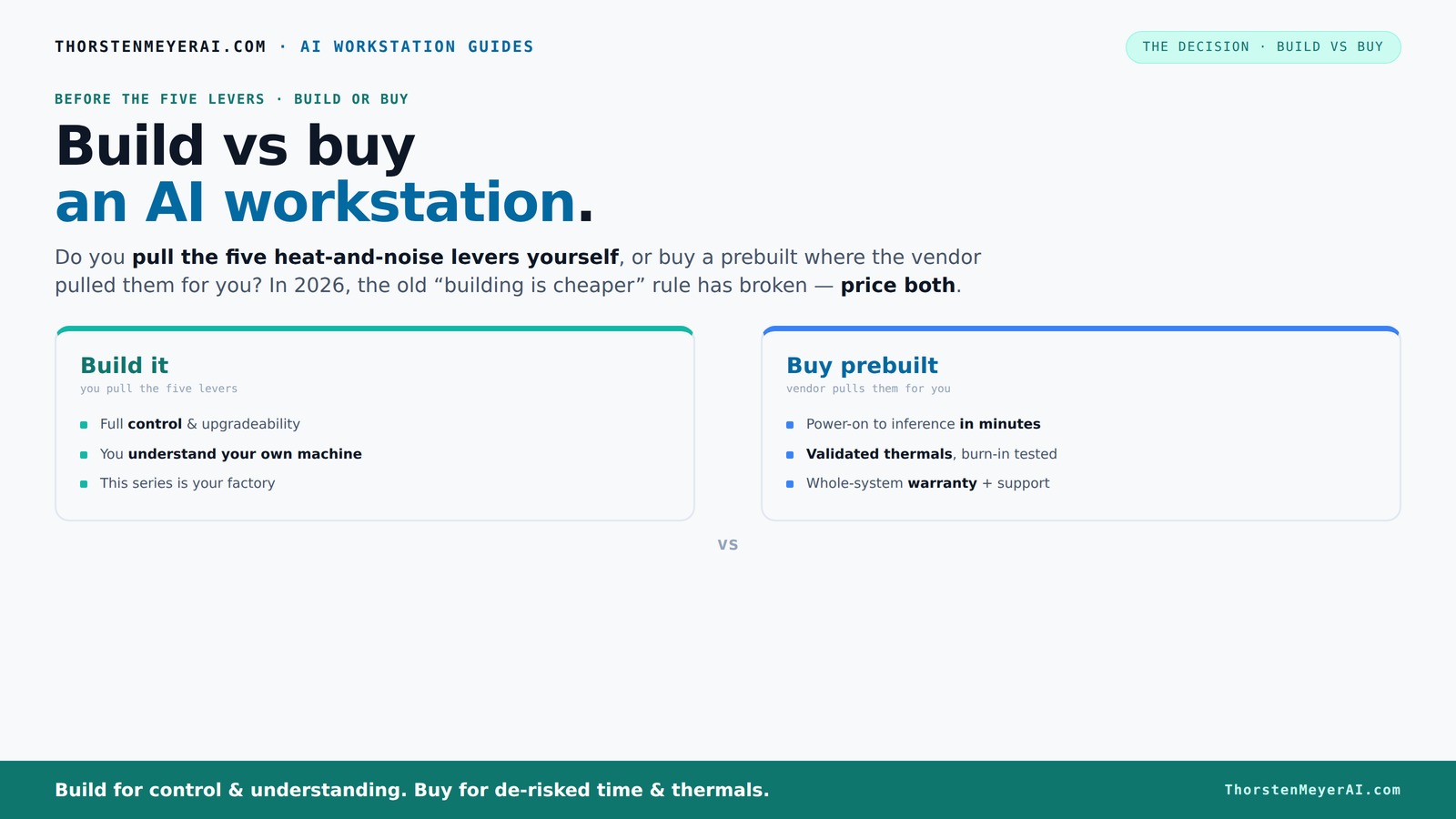
Build vs buy
an AI workstation.
The real question behind this whole series: do you pull the five heat-and-noise levers yourself, or buy a prebuilt where the vendor pulled them for you? And in 2026, the old “building is cheaper” rule has broken. Match your situation in Part 3.
Key Takeaways
- In 2026, component shortages and bulk buying make prebuilt systems often as cost-effective as DIY builds, especially for high-end AI workstations.
- Prebuilts save time with ready-to-run software, validated thermals, and comprehensive support—crucial for mission-critical AI deployments.
- Building offers maximum customization and control, but requires thermal expertise, troubleshooting skills, and time investment.
- Evaluate your workload—training, inference, or local development—and prioritize performance, support, and deployment speed accordingly.
- Always compare the total cost of ownership, including support, maintenance, and upgradeability, before choosing your path.
As an affiliate, we earn on qualifying purchases.
Why the price difference between build and buy isn’t what it used to be
Building your own AI workstation used to be the clear winner on cost. But in 2026, that’s no longer true—thanks to shortages and bulk buying. Components like GPUs, DDR5 RAM, and SSDs have surged in price by 20-50% since 2024, pushing typical DIY builds now above $1,250 before OS and software, even for mid-range setups.
Meanwhile, prebuilt vendors like BIZON and Puget Systems buy in volume, locking in lower prices. They can offer systems at or below what you'd pay piecemeal, often with better thermal performance and support included. This shift means that DIY might no longer be the obvious cost-saving choice, especially when factoring in the time and effort required to assemble and troubleshoot.
For example, a startup considering a DIY build might find that sourcing a high-end GPU like the RTX 4090 or A100, along with compatible cooling and power supplies, can quickly push costs beyond prebuilt options that already include optimized thermal design and warranty. The implication? Cost savings are no longer guaranteed by building; instead, it’s essential to compare total expenses, including time and risk.
As an affiliate, we earn on qualifying purchases.
The five levers that make or break a high-performance AI workstation
Thermal management isn’t just about keeping the hardware cool; it’s about maintaining performance, reducing noise, and extending component lifespan. For instance, undervolting a GPU reduces power draw and heat, which can prevent throttling during intensive tasks like training large models. Matching cooling solutions—be it air or water cooling—ensures that high loads don’t cause thermal throttling, which can slow down your training or inference times significantly. Optimizing airflow and fan curves helps keep temperatures low and noise manageable, especially in a busy office or server room.
Prebuilt systems come pre-tuned by engineers who have tested these levers extensively. For more insights, see Build vs Buy a Prebuilt AI Workstation. For example, a vendor like Lambda tests their systems under full load for 24–48 hours, fine-tuning fan curves and cooling solutions to ensure thermal stability and low noise. This validation means you get a system that’s optimized for sustained high performance right out of the box, reducing the risk of thermal throttling that can occur if these levers are improperly managed.
Building your own rig offers the opportunity to control these levers precisely. Learn more about building vs buying. For example, choosing a quiet GPU like the RTX A6000 and undervolting it can reduce noise by 50%, making your workspace more comfortable. Selecting a case with excellent airflow and customizing fan curves lets you balance cooling and acoustics based on your specific environment. While this control offers performance advantages, it requires knowledge, time, and ongoing adjustments—potentially turning a simple build into a complex project.
As an affiliate, we earn on qualifying purchases.
When prebuilt is your best move: speed, support, and reliability
If your priority is to get up and running quickly with minimal hassle, prebuilt systems are often the best choice. For example, a researcher needing immediate access to a GPU-accelerated workstation can order a system from Lambda or Puget, which arrives with the OS, drivers, and AI frameworks like CUDA and TensorFlow preinstalled. This means you can start training models within hours, not days or weeks spent sourcing parts, assembling, and troubleshooting.
Support and warranty are critical in professional environments. Discover options at Build vs Buy a Prebuilt AI Workstation. Vendors like Puget and Lambda offer up to 5-year support plans, including on-site repairs and troubleshooting. For instance, if a GPU fails during a critical project, you can get rapid replacement or repair, minimizing downtime. This reliability is often worth the premium, especially for mission-critical AI applications where delays cost time and money.
For complex setups like multi-GPU rigs or high-end servers, prebuilt vendors validate power delivery, cooling, and software ecosystems extensively. This reduces the likelihood of failures, thermal throttling, or compatibility issues, which can be costly and time-consuming to troubleshoot if you build yourself. Additionally, prebuilt systems often come with optimized software stacks tailored for AI workloads, saving hours of setup and configuration. For example, a preconfigured system with NVIDIA’s NVLink can provide seamless multi-GPU communication, boosting training speeds without manual tuning.
As an affiliate, we earn on qualifying purchases.
Build it yourself: control, customization, and potential savings
Building your own AI workstation isn’t just about saving money; it’s about tailoring every aspect to your specific needs. For example, if you’re training large language models, you might choose four RTX 4090 GPUs with a custom water-cooling loop to keep temperatures low and noise minimal. If you’re a content creator doing inference or smaller training tasks, a single high-end GPU like the RTX 4080 paired with 64GB of RAM might suffice, saving costs while maintaining performance.
This level of control allows you to prioritize certain features—like ultra-quiet operation for a shared workspace or maximum VRAM for large datasets. For instance, choosing a case with sound-dampening materials and customizing fan curves can make your build whisper-quiet, which is crucial if you work in a noise-sensitive environment.
However, this flexibility comes with tradeoffs. Mismatched power supplies can cause instability, and poor airflow can lead to thermal throttling or hardware failure. For example, using a low-quality power supply with multiple high-end GPUs can cause system crashes during intensive workloads. It’s essential to research compatibility and plan carefully—this is not a plug-and-play process but a strategic engineering challenge.
Comparison table: build vs buy for AI workstations
| Feature | Build | Buy (Prebuilt) |
|---|---|---|
| Price (average) | Often cheaper, but rising due to shortages | Often comparable or better, thanks to bulk buying |
| Speed to deployment | Weeks, due to sourcing and assembly | Days, ready to go |
| Support & warranty | Limited; depends on parts & assembly | Comprehensive, with vendor support |
| Customization | Full control over components | Standardized options, limited tweaks |
| Thermal optimization | DIY tuning required | Factory-validated, often water-cooled |
| Upgradeability | Flexible; swap parts easily | Depends on system design, more limited |
Which workload needs which system? Picking the right fit
Training models, running inference, or developing local LLMs all stress hardware differently. For example, training a large language model like GPT-3 requires multiple high-end GPUs with extensive VRAM, robust cooling, and a power supply capable of handling the load. In contrast, inference on smaller models, such as deploying a chatbot, can be efficiently managed with a single, well-chosen GPU, reducing costs and complexity.
Suppose you’re a researcher working on frequent model updates and fine-tuning; building your own system allows you to optimize cooling, noise, and component placement for maximum control. Conversely, if you need rapid deployment of AI services or work in a team environment where reliability is paramount, a prebuilt system offers predictable performance and support. For example, a startup deploying AI-driven customer service bots might prefer a preconfigured system with validated cooling and software ecosystem, ensuring uptime and reducing troubleshooting time.
Understanding your workload's specific hardware demands helps you choose the optimal approach—whether that’s a highly customized build for intensive training or a prebuilt for quick, reliable inference tasks.
Frequently Asked Questions
Is a prebuilt AI workstation worth it?
Yes, especially if you value quick setup, reliable thermal performance, and vendor support. Prebuilts often come with everything ready to run, reducing downtime and troubleshooting.Is building cheaper than buying prebuilt?
Not always. Due to component shortages and bulk discounts, prebuilt systems can sometimes match or beat DIY costs for high-performance setups. Always compare prices for your specific specs.How much performance do I lose with a prebuilt system?
Typically, none—if you choose a quality vendor. Many prebuilts are optimized for thermal and acoustic performance, sometimes even outperforming a DIY build if you’re inexperienced or rushed.What specs matter most for AI work?
GPU VRAM, core count, and thermal management top the list. Prioritize a powerful GPU (like RTX 4090 or A100), ample VRAM, and efficient cooling for best results.Should I prioritize one powerful GPU or multiple GPUs?
It depends on your workload. Large-scale training benefits from multiple GPUs, but inference or smaller training jobs often do fine with a single, high-quality GPU.Conclusion
In the end, the decision isn’t just about saving a few dollars—it’s about what you value: speed, certainty, or control. In 2026, many find that prebuilt AI workstations strike the best balance for most workloads, offering ready performance with less hassle. But if you love tinkering and need tailored specs, building remains a rewarding challenge.
Picture this: a quiet, powerful machine humming softly in your corner, ready to crush your AI tasks or run the latest local LLMs. Whether you build or buy, make sure it aligns with your goals, workload, and patience. The right choice powers your projects, not just your wallet.
Fall Picks
fall essentials
As an affiliate, we earn on qualifying purchases.