🔍 Read the full analysis: How To Choose Home Devices That Learn And Adapt With AI on ThorstenMeyerAI.com

Get the latest gadgets delivered free with Prime
- Fast, free delivery on millions of items
- Prime Video, Amazon Music and more included
- Member-only deals all year
TL;DR
A guide from ThorstenMeyerAI.com outlines how beginners can choose and set up smart-home devices that respond to voice commands, schedules or supported sensors. It recommends starting with one low-risk task and checking compatibility, security, privacy settings and the exact features supported by each model.
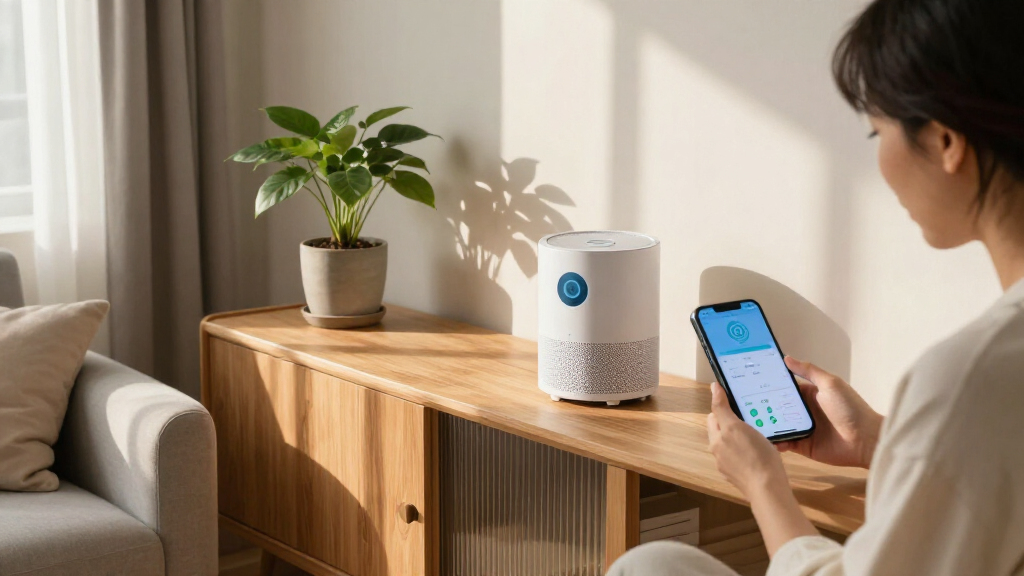
ThorstenMeyerAI.com has published a beginner guide to choosing and setting up smart-home devices that can respond to voice commands, schedules or supported sensor events. The guide focuses on a small system—such as a speaker, lights, thermostat or plug—and advises readers to check network and platform compatibility, secure accounts and review data settings before enabling automation.
The guide estimates that setting up a small system takes 45 to 90 minutes, depending on the number of devices and whether apps need updates. It recommends beginning with a single, low-risk task, such as turning on a lamp, before adding equipment that could affect safety or access, including locks, alarms and heaters.
Before buying, readers are advised to check the exact model’s platform, hub, Wi-Fi band and regional requirements. Some devices require a hub or a 2.4 GHz Wi-Fi network. Voice control does not necessarily mean a device supports every routine or AI feature offered by a home platform, the guide says; readers can also consider AI-powered devices for different household needs.
Setup instructions include downloading the manufacturer’s app from an official app store, installing available updates, connecting the device to Wi-Fi or a hub, and giving it a distinct name and room assignment. The guide also recommends a unique account password, multifactor authentication when available, and reviewing voice recordings, activity history, data sharing and cloud processing. It advises using only a verified official app and following electrical and installation instructions; some smart-home devices should work without the internet.
Compatibility and Privacy Shape Setup
The practical issue for buyers is that an “AI” label does not tell them which functions a device actually supports or where its data is processed. A product may work with a voice assistant but lack a particular automation feature; another may rely on a hub, a particular Wi-Fi band or a subscription. Checking the specific model before purchase can reduce setup problems and avoid paying for features that do not fit a household’s needs.
Privacy and security choices also affect how a connected home operates. The guide notes that some devices process commands locally, while others send voice, sensor or usage data to cloud services. Reviewing permissions and account controls before enabling those functions helps users make an informed choice about what information is collected and who can access the system.
Starting with a lamp limits the consequences of a mistaken routine while a user learns the app and platform. That caution matters more when automations involve equipment that can affect entry, heat or household safety. The guide does not establish that any particular product is safer or more effective; its recommendations are setup guidance, not independent product testing.
Products Worth Considering

LG UltraGear 34-Inch Curved QHD Gaming Monitor, 160Hz, FreeSync Premium

Amazon Kindle Paperwhite (2024) – 16GB, 7 Glare-Free Display, Waterproof

DJI Mic 2 Wireless Microphone System with 2 Transmitters, 1 Receiver, and Charging Case
As an affiliate, we earn on qualifying purchases.
A Small System, One Task at a Time
The source material is a consumer setup guide rather than a report of a product launch, regulatory action or new research finding. It describes a beginner configuration using a phone, home Wi-Fi and compatible devices, and places the work within a stated 45-to-90-minute window. The instructions cover account setup, app and firmware updates, pairing, naming devices and reviewing privacy settings.
The guide also gives product recommendations, but those are presented as the publisher’s verdicts. It says it recommends Hubitat for local, multi-protocol automation and subscription-free AI-assisted routine building; favors SwitchBot for camera-aware, chat-based control and bundled storage if its subscription and device limits suit the buyer; and describes Green as a quiet, expandable local automation base. The page discloses that it may earn commissions from qualifying Amazon purchases. These endorsements are not independently verified comparisons in the supplied material.
“We recommend Hubitat as the best overall choice when local, multi-protocol automation and subscription-free AI-assisted routine building matter more than beginner-friendly setup.”
— ThorstenMeyerAI.com, on Hubitat
Product Claims Need Model Checks
The supplied guide does not identify a publication date, test method, comparison data or independent evidence for its product rankings. It also does not provide detailed specifications for each recommended system, so readers cannot assess from this material alone which models support particular AI functions, what those functions cost or how well they perform.
Capabilities, subscriptions, supported platforms and privacy policies can vary by model, region and software version. The guide itself advises checking the exact product listing and requirements. It is also not clear from the source which devices process data locally versus in the cloud beyond its general warning that either approach may apply. Buyers should consult current manufacturer documentation for those details before purchase and before enabling data-intensive features.
Verify Requirements Before Pairing
The next step for a reader is to choose one simple automation and confirm that the device, phone, home network and platform support it. Check the manufacturer’s current requirements for any hub, Wi-Fi band, subscription and regional restrictions; then review the account and privacy controls before pairing.
After setup, confirm the device appears online and test its basic control before creating routines. For cameras, microphones, heaters, locks or alarms, follow the manufacturer’s safety instructions and check how to pause or disable the relevant function. The guide offers no follow-up testing or product updates, so current model capabilities and terms remain for buyers to verify directly.
Key Questions
What should a beginner automate first?
The guide recommends a low-risk task, such as turning a lamp on by voice or on a schedule. It advises against starting with locks, alarms, heaters or other equipment that could affect safety or access.
Do all smart-home devices use the same Wi-Fi or hub?
No. Requirements vary by device. Check the exact model’s packaging or product page for its Wi-Fi band, hub and platform compatibility; some devices need a 2.4 GHz network or a specific hub.
Does voice control mean a device supports AI routines?
Not necessarily. The guide cautions that voice control may be available even when a device does not support every routine or AI feature on a platform. Confirm the feature list for the exact model.
How can users check privacy settings?
Review settings for voice recordings, activity history, data sharing and cloud processing. Turn off functions that are not needed, check camera or microphone controls, and use household permissions to limit access.
Are the guide’s product recommendations independent test results?
The source presents them as the publisher’s verdicts and discloses Amazon affiliate earnings. The supplied material includes no testing methodology or comparative performance data, so readers should treat the rankings as publisher recommendations and verify current product details.
Source: ThorstenMeyerAI.com