Portable external hard drives remain the easiest way to add cheap storage to a laptop, console, or backup routine, but the right pick depends heavily on how much space you need and how rough your travel is. The WD 5TB My Passport takes the top spot for combining massive capacity with built-in password protection and ransomware defense at a mid-range price. If budget is the priority, the UnionSine 1TB Ultra Slim and Seagate Portable 1TB deliver dependable USB 3.0 speeds for well under the cost of premium drives. The main tradeoffs in this category are price-per-terabyte versus portability, and plastic-bodied everyday drives like the WD Elements line versus the drop-and-crush resistance of the LaCie Rugged USB-C 4TB. Keep reading for the full breakdown of all 15 drives and which one fits your setup.

Get the latest gadgets delivered free with Prime
- Fast, free delivery on millions of items
- Prime Video, Amazon Music and more included
- Member-only deals all year
Complete the kit



Key Takeaways
- The WD My Passport line ranked above the nearly identical WD Elements line because its password protection and ransomware defense software justify the small price gap — buyers who skip those features can save with Elements instead.
- The 500GB drives in this lineup (four of the fifteen) only make sense for console save-file backups or small document archives; their price-per-terabyte is roughly double that of the 4TB and 5TB options.
- The LaCie Rugged USB-C 4TB is the only drive here built for field abuse — and the only one with native USB-C — making it the clear pick for photographers and travelers despite costing more per terabyte than every WD option.
- Seagate‘s Portable drives undercut WD on price at 1TB and 2TB capacities, but WD pulled ahead at 4TB and above on value and software extras, which is why capacity tier shaped the ranking as much as brand.
- Every drive in this roundup uses spinning 5,400 RPM platters over USB 3.0 or USB-C, so real-world file speeds cluster between 100 and 130 MB/s — durability, warranty, and software, not raw speed, are what separate the picks.







| portable external hard drife | Capacity | Interface | Form Factor | Compatibility |
|---|---|---|---|---|
| WD 5TB My Passport Portable Ex | 5TB | USB 3.1 / USB 3.0 | — | — |
| UnionSine 1TB Ultra Slim Porta | 1TB | USB 3.0 | 2.5 inches | PC, Mac, gaming consoles, TVs |
| Seagate Portable 1TB External | 1TB | USB 3.0 | — | PC, Mac, PlayStation, Xbox |
| WD 6TB Elements Portable Exter | 6TB | USB 3.2 Gen 1 | 2.5 inches | Windows and Mac (reformat may be required for Mac) |
| Seagate 2TB Portable Hard Driv | 2TB | USB 3.0 | — | Windows and Mac |
| Seagate Portable 4TB External | 4 TB | USB 3.0 | 2.5 inches | Windows, Mac, PS4 |
| 500GB External Hard Drive | 500 GB | USB 3.0 & USB-C | 2.5 inches | — |
| 500 GB External Hard Drive | 500 GB | USB 2.0/3.0 | 2.5 inches | PC, Mac, PS4, Xbox One, Xbox 360 |
| 500 GB External Hard Drive | 500 GB | USB 3.0 | 2.5 inches | — |
| Western Digital 5TB Elements P | 5 TB | USB 3.2 Gen 1 / USB 3.0 | 2.5 inches portable | Windows, Mac (reformat required) |
| LaCie Rugged USB-C 4TB Portabl | 4TB | — | — | Mac & PC |
| WD 4TB Elements Portable Exter | 4TB | USB 3.2 Gen 1 / USB 3.0 | — | Windows, Mac |
| UnionSine 500GB Ultra Slim Por | 500GB | USB 3.0 | 2.5 inches | — |
| WD 2TB Elements Portable Exter | 2TB | USB 2.0 / 3.0 | 3.5 inches | — |
| WD 2TB My Passport Portable Ex | 2TB | USB 3.1 / USB 3.0 | 2.5 inches | — |
More Details on Our Top Picks
WD 5TB My Passport Portable External Hard Drive
Of everything in this roundup, the WD 5TB My Passport is the most complete package. Where the Seagate Portable 1TB and UnionSine 1TB offer raw plug-and-play simplicity, this drive adds a layer most budget options skip entirely: hardware encryption, password protection, and backup software with ransomware defense. For anyone carrying client files or personal archives in a backpack, that security layer is the difference between an inconvenience and a disaster if the drive is lost.
The tradeoff is price per terabyte. The WD 6TB Elements undercuts it on capacity and matches it on transfer speed, but gives up encryption and bundled software. The 3-year warranty also outlasts what most competitors here offer, which matters for a drive that lives in transit.
Pros:- Hardware encryption and password protection included
- Backup software with ransomware protection
- 3-year warranty, longer than most budget rivals
- 5TB balances capacity and portability
Cons:- Higher cost per terabyte than the WD Elements line
- Security software requires setup that casual users may skip
Best for: Students, freelancers, and professionals who travel with sensitive files and want security built in, not bolted on
Not ideal for: Buyers chasing maximum capacity per dollar — the Elements lineup delivers more terabytes for less money
- Capacity:5TB
- Color:Black
- Interface:USB 3.1 / USB 3.0
- Security:256-bit AES hardware encryption, password protection
- Software:WD Backup with ransomware protection
- Warranty:3 years
Our verdict“If you want one drive that covers capacity, security, and durability without compromises, this is the pick that justifies its premium.”
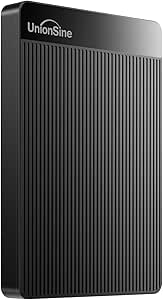
UnionSine 1TB Ultra Slim Portable External Hard Drive HDD-USB 3.0
The UnionSine 1TB competes on one axis: price. It undercuts the Seagate Portable 1TB while matching its read speeds at around 120 MB/s, and its ultra-slim chassis makes it barely noticeable in a laptop sleeve. Setup is genuinely frictionless — plug it in, drag files, done — which is all many students and casual users actually need.
What you give up becomes clear when comparing it to the WD My Passport: there’s no encryption, no backup software, no ransomware defense, and the lighter enclosure feels less prepared for life in a crowded bag. The 5400 rpm spindle is standard for the category, so real-world speeds land where you’d expect for a mechanical drive. As a cheap second drive or a first backup for non-critical files, it earns its spot; as your only copy of irreplaceable data, spend more.
Pros:- Lowest-cost entry point in the roundup
- Ultra-slim and lightweight for pockets and sleeves
- Plug-and-play with PCs, Macs, consoles, and TVs
- Read speeds up to 120 MB/s with decent heat dissipation
Cons:- No encryption or security features of any kind
- Build quality feels less durable than brand-name rivals
Best for: Students and budget-conscious buyers who need basic extra storage for media, documents, or game installs
Not ideal for: Anyone storing sensitive or irreplaceable files — there’s no encryption and the enclosure isn’t built for abuse
- Capacity:1TB
- Interface:USB 3.0
- Form Factor:2.5 inches
- Rotational Speed:5400 rpm
- Read Speed:120 MB/s
- Write Speed:103 MB/s
- Compatibility:PC, Mac, gaming consoles, TVs
- Warranty:3 years
Our verdict“A sensible cheap drive for expandable, non-critical storage — just don’t make it the guardian of anything you can’t afford to lose.”
Seagate Portable 1TB External Hard Drive HDD – USB 3.0 for PC, Mac, PlayStation, & Xbox
Console storage is where the Seagate Portable 1TB earns its keep. It’s formatted to work with PlayStation and Xbox out of the box — a genuine advantage over the WD Elements drives, which lean Windows-first — and its no-software, plug-and-play behavior is exactly what a console expects from external storage. At 190 g, it tucks behind a TV stand or into a travel case without fuss.
Compared to the UnionSine 1TB, you’re paying a small premium for a more recognizable brand and broader verified compatibility, though the raw hardware is similar. Mac users face a reformat before first use, which is annoying but standard at this price. The 1TB ceiling fills up fast with modern game installs, so heavy library builders should step up to the Seagate 4TB or the larger WD options instead.
Pros:- Works with PlayStation and Xbox without extra steps
- Plug-and-play on Windows with no software
- Light 190 g design travels easily
- Trusted brand with wide device compatibility
Cons:- 1TB is tight for modern game libraries
- Requires reformatting on Mac
Best for: Console gamers who need quick extra space for a handful of installs, and anyone wanting a dependable grab-and-go spare drive
Not ideal for: Gamers with large libraries — 1TB fills after a handful of modern titles; also awkward for Mac users who don’t want to reformat
- Capacity:1TB
- Interface:USB 3.0
- Rotational Speed:7200 RPM
- Read Speed:120 MB/s
- Compatibility:PC, Mac, PlayStation, Xbox
- Weight:190 g
- Dimensions:4.61″ L x 3.15″ W x 0.58″ H
Our verdict“The easiest low-hassle storage add-on for console players, provided 1TB covers your install list.”
WD 6TB Elements Portable External Hard Drive for Windows and Mac
When the question is raw capacity per dollar, the WD 6TB Elements is the answer in this lineup. It delivers more storage than the WD My Passport 5TB at a lower price, with USB 3.2 Gen 1 connectivity that keeps large photo and video backups moving at respectable mechanical-drive speeds. For photographers, video editors, and families archiving years of footage, that extra terabyte matters more than software extras.
The compromise is everything the My Passport includes that this drive doesn’t: no encryption, no password protection, no bundled backup utility. It’s a blank slate — you bring your own backup strategy. Compared to the Seagate 2TB Portable, the value scaling is dramatic, but the plastic 2.5-inch enclosure means it deserves a protective case if it travels often. Think of it as a warehouse, not a bodyguard.
Pros:- Best cost-per-terabyte among the larger drives here
- 6TB handles years of photos, video, and system backups
- USB 3.2 Gen 1 keeps transfers brisk for a mechanical drive
- Plug-and-play with Windows and Mac
Cons:- No encryption or backup software included
- Plastic enclosure needs a case for frequent travel
Best for: Photographers, video editors, and households who need to archive large media libraries without paying premium prices
Not ideal for: Travelers carrying confidential data — there’s no security layer, and the plastic shell isn’t ruggedized
- Capacity:6TB
- Interface:USB 3.2 Gen 1
- Form Factor:2.5 inches
- Enclosure:Plastic
- Compatibility:Windows and Mac (reformat may be required for Mac)
- Color:Black
Our verdict“The smart buy when capacity outranks features — just plan your own backup routine and skip the security expectations.”
Seagate 2TB Portable Hard Drive USB 3.0
Simplicity is the whole pitch of the Seagate 2TB Portable. There’s no software to install, no account to create — you plug it in and drag files onto it, and that’s the entire workflow. For relatives who find backup tools confusing, or anyone who wants a set-it-and-forget-it second copy of documents and photos, that minimalism is a feature, not a shortfall.
Where it sits in the lineup is between the Seagate Portable 1TB and the WD 6TB Elements: double the console-and-laptop-friendly capacity of the former, without the archive-scale headroom of the latter. Compared to the UnionSine, it trades a few dollars for stronger brand reliability, but it shares the same bare-bones approach — no encryption, no bundled utilities. If your backup plan is ‘drag my folders over once a week,’ this fits it perfectly.
Pros:- Genuinely zero-setup drag-and-drop backups
- 2TB is comfortable headroom over 1TB models
- Works with both Windows and Mac
- Lightweight and easy to move between computers
Cons:- No security features or backup software
- 2TB ceiling feels small next to the 5–6TB options
Best for: Non-technical users and families who want a no-software, drag-and-drop backup drive for documents and photos
Not ideal for: Power users wanting automation, encryption, or room to grow — none of that lives here
- Capacity:2TB
- Interface:USB 3.0
- Setup:Plug-and-play, no software required
- Compatibility:Windows and Mac
- Backup Method:Drag-and-drop file transfer
Our verdict“The right drive for people who will actually back things up only if the process stays dead simple.”
Seagate Portable 4TB External Hard Drive HDD – USB 3.0
Among the high-capacity options in this lineup, this Seagate stands out for price-per-gigabyte — 4TB at a price point that undercuts the similarly sized LaCie Rugged USB-C 4TB by a wide margin. The tradeoff is durability: you get a standard plastic shell rather than the LaCie’s drop protection, so this makes more sense for a desk-to-laptop-bag drive than a throw-in-the-trunk workhorse. Compared with the WD 4TB Elements, the Seagate runs at a quoted 7200 RPM class, which helps sustain around 120 MB/s reads for large photo and video backups. File transfers of a full media library won’t feel sluggish.
The catch is that it ships without backup software or hardware encryption, so it’s best paired with your OS’s built-in backup tools. Anyone handling sensitive client files may want the password protection found on the WD My Passport line instead.
Pros:- 4TB of capacity at an excellent price-per-gigabyte
- Plug-and-play on Windows and Mac with no drivers
- Compact 2.5-inch, 260g design travels easily in a laptop bag
- Works with PS4 for game storage
Cons:- No included software or hardware encryption
- Standard plastic enclosure with no shock or drop protection
- Warranty terms are not clearly specified
Best for: Students and home users who want to back up an entire laptop, photo library, or media collection in one shot without spending much
Not ideal for: Users who need built-in encryption or backup software out of the box — this drive ships bare of both
- Capacity:4 TB
- Interface:USB 3.0
- Rotational Speed:7200 RPM
- Read Speed:120 MB/s
- Form Factor:2.5 inches
- Weight:260 g
- Compatibility:Windows, Mac, PS4
Our verdict“Buy this if you want the most terabytes per dollar for whole-computer backups and don’t need ruggedness or security features.”
500GB External Hard Drive, Compact Portable USB 3.0/USB-C
The standout feature here is dual USB 3.0 and USB-C connectivity, which nearly every other budget drive in this roundup — including the Seagate Portable and both competing 500GB models — lacks. If your laptop only has USB-C ports, that means one less dongle rattling around your bag, and the included carrying pouch adds a small but genuine layer of scratch protection the others skip. The quoted 550 MB/s read figure should be taken with skepticism on a spinning disk, but real-world transfers over the 5 Gbps link are dependable for documents, photos, and game archives.
Where it falls short is capacity: at 500GB, the Seagate Portable 4TB offers eight times the storage for not much more money. This model makes the most sense for portability-first buyers who shuttle the same working files between devices rather than archiving everything.
Pros:- Both USB-C and USB 3.0 connectors in one drive — no dongles needed
- Lightweight with an included carrying pouch
- Bus-powered with no external power required
- Works with PS4, PCs, and Macs out of the box
Cons:- Only 500GB of usable capacity
- Cannot store or run native PS5 or Xbox Series X|S games
- Formatted capacity is noticeably below the stated 500GB
Best for: Owners of USB-C-only laptops and MacBooks who need a small, pocketable drive for working files and documents without carrying an adapter
Not ideal for: Media hoarders and video editors — 500GB fills up fast, and formatted capacity is even lower
- Capacity:500 GB
- Interface:USB 3.0 & USB-C
- Rotational Speed:7200 rpm
- Data Transfer Rate:5 Gbps
- Cache:256 MB
- Form Factor:2.5 inches
Our verdict“This is the pick for modern USB-C laptop owners who value connector convenience and portability over raw capacity.”
500 GB External Hard Drive – Portable, Ultra Slim, USB 3.0, Compatible with Windows, Mac, PS4, Xbox One, Xbox 360 – Silver
Compared with the other 500GB drive in this roundup from the same category, this one differentiates itself on ruggedized basics: shock resistance and dust resistance, plus a clearly stated 1-year warranty — something the Seagate Portable 4TB doesn’t even publish. For a budget drive that will live in a backpack next to controllers and cables, those small protections matter more than they sound. The silver plastic shell also hides scuffs better than glossy black finishes.
Be realistic about the internals: a 5400 RPM disk with roughly 100 MB/s reads is fine for game storage on a PS4 or Xbox One, but it can’t run current-gen titles directly, and Mac users must reformat before first use. If you’re storing a large digital game library rather than a handful of titles, stepping up to the Seagate 2TB Portable is the smarter spend.
Pros:- Shock-resistant and dust-resistant enclosure
- Includes a defined 1-year warranty
- Compatible with a very wide device list including older consoles
- Slim, lightweight, and hot-swappable
Cons:- Only 500GB of capacity
- Requires reformatting for Mac use
- 5400 RPM spindle with modest ~100 MB/s read speeds
Best for: Gamers on PS4, Xbox One, or Xbox 360 who need a cheap secondary drive to offload a handful of games or saves
Not ideal for: PS5 and Xbox Series X|S owners — current-gen games can’t run from this drive
- Capacity:500 GB
- Interface:USB 2.0/3.0
- Rotational Speed:5400 rpm
- Read Speed:100 MB/s
- Form Factor:2.5 inches
- Warranty:1 year
- Compatibility:PC, Mac, PS4, Xbox One, Xbox 360
Our verdict“A sensible cheap pick for legacy-console gamers and casual users who want basic protection and a real warranty at a low price.”
500 GB External Hard Drive – Portable USB 3.0 Slim HDD for Windows, Mac, PS4, Xbox One, Xbox 360
This is the most beginner-friendly of the 500GB trio here, mainly because it ships with a quick start guide and cable included, so a first-time buyer can be backing up within minutes of opening the box. Its documented 133 MB/s read and 103 MB/s write speeds actually edge out the silver shock-resistant 500GB model on paper, which makes it the slightly better choice for frequent file shuttling between a desktop and laptop. At 0.35 lbs, it’s the kind of drive that genuinely disappears in a coat pocket.
The compromises are familiar: 500GB caps you to essential backups rather than full media archives, Mac users need to reformat, and current-gen console games won’t run from it. If you outgrow it quickly, the WD 2TB My Passport adds password protection and four times the space for a modest premium — but as a low-commitment first drive, this one is hard to argue with.
Pros:- Includes quick start guide and USB cable for true out-of-box setup
- Solid documented speeds (133 MB/s read, 103 MB/s write)
- Featherlight at 0.35 lbs and genuinely pocketable
- Broad compatibility with PCs, Macs, and older consoles
Cons:- 500GB capacity fills quickly for media-heavy users
- Cannot run PS5 or Xbox Series X|S games directly
- Requires formatting before Mac use
Best for: First-time buyers who want an inexpensive, no-fuss drive to learn backup habits on before committing to something bigger
Not ideal for: Anyone with an established photo or video archive — the 500GB ceiling will be hit within months
- Capacity:500 GB
- Interface:USB 3.0
- Rotational Speed:5400 rpm
- Read Speed:133 MB/s
- Write Speed:103 MB/s
- Weight:0.35 lbs
- Form Factor:2.5 inches
Our verdict“The right first external drive: cheap, simple, and fast enough to build good backup habits before upgrading later.”
Western Digital 5TB Elements Portable External Hard Drive
When raw capacity is the priority, this WD sits near the top of this roundup, offering 5TB in a bus-powered 2.5-inch chassis — only the 6TB Elements sibling in the same lineup goes bigger. Compared with the Seagate Portable 4TB, the extra terabyte matters for people juggling multiple full-system backups, and WD’s Elements line has a long track record for reliability that budget-brand 500GB drives in this guide simply can’t match. Plug-and-play on Windows works immediately, and USB 3.2 Gen 1 keeps transfers at the same practical ceiling as every other spinning drive here — around 120–140 MB/s in real use.
The drawbacks mirror the Seagate’s: no bundled backup software, no encryption, and no password protection, which is exactly where the WD 5TB My Passport justifies its higher price. Mac users will also need to reformat. Choose this when capacity per dollar beats features.
Pros:- Massive 5TB capacity in a portable bus-powered design
- WD’s strong reliability reputation in the Elements line
- USB 3.2 Gen 1 keeps transfers on par with the fastest spinning drives here
- True plug-and-play on Windows with no drivers
Cons:- No included backup software or encryption features
- Requires reformatting for Mac use
- Still limited to USB 3.2 Gen 1 speeds, not newer USB standards
Best for: Photographers, video editors, and households consolidating years of media archives onto one dependable drive
Not ideal for: Users who want built-in encryption and backup software — the My Passport line covers that for a bit more money
- Capacity:5 TB
- Interface:USB 3.2 Gen 1 / USB 3.0
- Form Factor:2.5 inches portable
- Compatibility:Windows, Mac (reformat required)
- Setup:Plug and play
Our verdict“The best choice when you need maximum trusted capacity for backups and archives and can handle security through other means.”
LaCie Rugged USB-C 4TB Portable External Hard Drive
Most drives in this roundup ask you to baby them; this one does not. The drop, shock, dust, and rain resistance is the entire reason to pay more here, because a failed drive in the field costs far more than the price gap at checkout. Compared with the WD 4TB Elements, which offers the same capacity for less, the LaCie trades away value for survivability — a fair swap if your bag gets thrown into truck beds or hiking packs. The USB-C connection also future-proofs it against newer laptops better than the USB-A-only WD models. The tradeoff beyond price: there’s no bundled backup or encryption software, so it leans purely on physical toughness rather than data security.
Pros:- Drop, shock, dust, and rain resistance built into the enclosure
- USB-C connectivity suits modern laptops without adapters
- Full 4TB capacity matched by only a couple of drives in this lineup
- Works across Mac and PC without reformatting headaches
Cons:- Premium price driven by the rugged build, not by speed or features
- No included backup software or hardware encryption
Best for: Photographers, videographers, and field workers who move large 4TB archives through environments where drops and weather are realistic risks
Not ideal for: Desk-bound users — if the drive lives next to a desktop, the WD 4TB Elements delivers the same capacity noticeably cheaper
- Capacity:4TB
- Connectivity:USB-C
- Protection:Drop, shock, dust, rain resistant
- Compatibility:Mac & PC
- Drive Type:Portable HDD
Our verdict“Buy this only if your storage genuinely goes into harm’s way; everyone else gets more value from the cheaper WD alternatives.”
WD 4TB Elements Portable External Hard Drive
When the goal is maximum terabytes per dollar, this is the pick that makes the rest of the lineup look expensive. It undercuts the LaCie Rugged 4TB considerably while matching capacity, and unlike the WD 2TB My Passport it skips security software entirely — that’s the tradeoff that keeps the price down. USB 3.2 Gen 1 speeds handle photo and video backups without long waits, and plug-and-play operation means there’s nothing to install or configure before dragging files over. The aluminum-free plastic shell feels budget-grade, and buyers who want ransomware defense or password protection will need to supply their own encryption tools.
Pros:- Strong price-per-terabyte against every other 4TB option here
- USB 3.2 Gen 1 transfer speeds keep large backups manageable
- True plug-and-play on both Windows and Mac
- Compact, lightweight body that travels easily
Cons:- No bundled backup or security software of any kind
- Plain plastic enclosure offers no drop or weather protection
- Bus-powered operation means it depends on the host device’s USB port
Best for: Budget-conscious buyers who want 4TB of straightforward backup storage without paying for rugged casings or software bundles
Not ideal for: Anyone carrying sensitive files — the absence of encryption and backup software is a real gap compared with the My Passport line
- Capacity:4TB
- Interface:USB 3.2 Gen 1 / USB 3.0
- Compatibility:Windows, Mac
- Plug and Play:Yes
- Drive Type:Portable HDD
Our verdict“The smart choice when capacity matters more than protection — just bring your own backup software.”
UnionSine 500GB Ultra Slim Portable External Hard Drive HDD
This is the cheapest realistic entry point in the roundup, and its role is simple: first external drive for light use. Against the Seagate Portable 1TB, it costs less but holds half the data — a reasonable trade for students or console owners who just need game saves and documents off their devices. The ultra-slim chassis with heat-dissipation stripes genuinely helps during long transfer sessions, and read speeds up to 125MB/s over USB 3.0 are respectable at this price tier. A three-year warranty from a lesser-known brand is a welcome confidence signal. The 500GB ceiling fills up fast with modern games, though, and there’s no security software to speak of.
Pros:- Lowest-cost entry into portable storage in this lineup
- Genuinely slim and light with cooling stripes that help sustained transfers
- Works with PCs, Macs, consoles, and even televisions
- Three-year manufacturer warranty is generous for the price
Cons:- 500GB capacity is tight for modern games and video collections
- 5400 RPM spindle speed lags noticeably on large multi-file transfers
- No encryption or password protection included
Best for: Students and casual users who need an affordable, pocket-thin drive for documents, photos, and modest game libraries
Not ideal for: Media hoarders and video editors — 500GB disappears quickly next to the 4TB WD Elements at a modest price jump
- Capacity:500GB
- Interface:USB 3.0
- Read Speed:Up to 125 MB/s
- Write Speed:Up to 103 MB/s
- Form Factor:2.5 inches
- Rotational Speed:5400 RPM
- Compatible Devices:Desktop, Laptop, Gaming Console, Television
- Warranty:3 years
Our verdict“A low-risk starter drive that earns its spot on price and portability — as long as 500GB covers your actual library.”
WD 2TB Elements Portable External Hard Drive
This one occupies an awkward but useful middle ground: 2TB of reliable WD storage at a mid-tier price, aimed at buyers who find 500GB too small but don’t need the 4TB+ monsters. Where the UnionSine 500GB targets minimalists and the WD 4TB Elements targets archivists, this suits a game console owner or household backup that needs breathing room without excess. USB 3.0 speeds at up to 5 Gbps keep installs and file moves reasonable, and compatibility spans desktops, laptops, and consoles. The honest catch: per-terabyte, it costs more than its bigger 4TB and 6TB siblings in this same roundup, so it only makes sense when 2TB genuinely matches the need.
Pros:- Trusted WD reliability with broad PC, Mac, and console compatibility
- USB 3.0 interface supports up to 5 Gbps transfer rates
- Compact footprint fits easily beside a console or laptop
- Simple setup with no software install required
Cons:- Worse price-per-terabyte than the larger WD Elements models
- 5400 RPM mechanical speed feels slow when moving large game files
- 2TB fills quickly with modern console game sizes
Best for: Console players and home users who want a dependable 2TB expansion without overpaying for capacity they won’t fill
Not ideal for: Cost-per-GB optimizers — the 4TB Elements in this lineup delivers double the storage for a smaller proportional price jump
- Capacity:2TB
- Interface:USB 2.0 / 3.0
- Data Transfer Rate:Up to 5 Gbps
- Form Factor:3.5 inches
- Rotational Speed:5400 RPM
- Compatible Devices:Desktop, Laptop, Gaming Console
- Color:Black
Our verdict“A sensible 2TB middle ground for console and household backups, provided you’ve checked the 4TB price first.”
WD 2TB My Passport Portable External Hard Drive
This is the only drive in the batch where data protection is the headline, not an afterthought. Hardware encryption and password protection mean a lost drive doesn’t become an identity-theft event, and the bundled backup software with ransomware defense puts it a class above the WD Elements line, which ships with nothing. Compared directly with the WD 2TB Elements, you’re paying a modest premium purely for that security stack — worth it for anyone carrying tax records, client files, or work documents. The aluminum-look enclosure feels more premium too. The compromises: the same 2TB cap as its Elements sibling, transfer speeds that drag on multi-hundred-gigabyte jobs, and full backup features requiring a software download rather than shipping on the drive.
Pros:- 256-bit hardware encryption with password protection out of the box
- Included backup software with ransomware defense
- Slim, pocketable design with a premium-feel enclosure
- Three-year warranty backing the whole package
Cons:- 2TB capacity is modest next to the 4TB options at similar prices
- Transfer speeds feel slow during large bulk backups
- Full backup feature set requires downloading WD’s software first
Best for: Professionals and anyone transporting sensitive files who needs encryption, passwords, and ransomware defense built in
Not ideal for: Large-library media users — 2TB caps out quickly, and the security premium buys nothing if the files are just games and movies
- Capacity:2TB
- Interface:USB 3.1 / USB 3.0
- Hardware Encryption:Yes
- Password Protection:Yes
- Form Factor:2.5 inches
- Compatible Devices:Desktop, Laptop, Tablet
- Enclosure:Aluminum
- Warranty:3 years
Our verdict“The clear pick when file security matters more than raw capacity — skip it if you’re only storing entertainment.”

How We Picked
I evaluated each drive against four buyer-facing criteria: price per terabyte, build quality and portability, software and warranty extras, and cross-device compatibility with Windows, Mac, PlayStation, and Xbox setups. Because all fifteen drives are spinning-disk USB models with similar transfer speeds, the ranking hinges on value density and reliability rather than benchmark numbers. Drives that bundle backup utilities, hardware-level security, or multi-year warranties scored higher than bare-bones alternatives at the same capacity.
The ordering also reflects real buyer segments. High-capacity picks (4TB–6TB) lead the list because they deliver the best long-term value, mid-range workhorses fill the middle, and the small 500GB models sit at the bottom for a specific reason: their cost per gigabyte is nearly double the larger drives, and they duplicate what cheaper 1TB options do better. Where two drives are nearly identical — such as the WD My Passport and WD Elements families — the deciding factors were included software, security features, and street price at each capacity.
Factors to Consider When Choosing Portable External Hard Drives
Beyond the specific models above, a few category-wide principles will help you avoid overspending or buying a drive that fails to fit your workflow. Portable external hard drives look interchangeable on a spec sheet, but capacity tier, connector type, and durability expectations change which one actually makes sense for you.Price Per Terabyte Beats Sticker Price
The single most common mistake in this category is buying small. A 500GB drive often costs only $10–20 less than a 1TB model, and a 1TB model frequently costs half of what a 4TB drive does per gigabyte. Because drive enclosures, cables, and controllers account for a fixed cost regardless of capacity, the sweet spot in this roundup sits at 4TB to 5TB, where price-per-terabyte bottoms out. If you are backing up a laptop or expanding a game console, buy more capacity than you think you need — fill rates always run faster than expected, and upgrading later means buying a second drive rather than swapping a component.
Spinning Drives Versus the SSD Question
Every drive in this roundup is a mechanical hard drive, and that is a deliberate fit for the category: you get 4–6TB for the price of a 1TB portable SSD. The tradeoff is speed and shock tolerance. A spinning drive tops out around 100–130 MB/s and should never be bounced around while running, whereas an SSD is five to ten times faster and immune to drop damage. My guidance: use a portable HDD for backups, media libraries, and archives where capacity matters most, and reserve SSDs for active editing projects or frequent travel with rough handling. If your budget only stretches to one device, the HDD’s capacity advantage usually wins.
Connectors and Console Compatibility
Most drives here use USB 3.0 with a Type-A plug, which works everywhere but may need an adapter or hub on modern laptops that only have USB-C ports — only the LaCie Rugged offers native USB-C. Console owners should also verify formatting: PlayStation and Xbox consoles will reformat a drive on first use, which wipes any pre-installed Windows software or files. Mac users face the reverse issue, since most drives ship formatted for Windows and need reformatting to work natively with Time Machine. None of these are dealbreakers, but knowing your target device before you buy prevents a frustrating first hour.
Backup Software and Security Extras
Buyers routinely ignore bundled software until they need it, and it is a genuine differentiator between otherwise identical drives. WD’s My Passport line includes 256-bit hardware encryption and ransomware defense, while the Elements line includes none of it — a distinction that matters if the drive travels with tax documents, client files, or personal photos. Seagate’s utilities focus on scheduled backup rather than security, and budget brands like UnionSine typically ship with no software at all. If you are pairing the drive with a service like Backblaze, note that some backup plans require the drive to stay connected and powered, which favors drives with efficient power management.
Durability, Warranty, and Realistic Lifespans
Portable HDDs are the most fragile storage you can buy, so warranty length is a decent proxy for manufacturer confidence. WD and Seagate back their drives with two-year warranties, while the LaCie Rugged extends to three and adds shock, dust, and pressure resistance for field use. Regardless of brand, treat any single spinning drive as one copy of your data, never the only copy — a drive that lives in a backpack should pair with a second backup at home or in the cloud. The buyers who lose data are almost never the ones who picked the wrong brand; they are the ones who trusted one plastic-encased platter with irreplaceable files.
Frequently Asked Questions
Is a 500GB portable hard drive worth buying in 2026?
Only in narrow situations. Four of the fifteen drives in this comparison are 500GB models, and their price-per-gigabyte runs roughly double the 4TB and 5TB options, so they are poor value as general storage. They do make sense if you need a dedicated console save-file backup, a small drive for documents that travels constantly, or a cheap scratch disk for one specific task. For anything else, spending slightly more on a 1TB UnionSine or Seagate doubles your space for a small premium. My rule: if the drive will hold anything you cannot replace, skip 500GB entirely.
WD My Passport or WD Elements — which should I buy?
They use the same underlying hardware, so the difference is entirely in the extras. My Passport includes hardware encryption, password protection, and ransomware defense, plus WD’s backup software; Elements is a bare drive formatted for Windows at a lower price. If the drive will hold personal or work files and ever leave your desk, the small premium for My Passport’s security features is money well spent. If you are reformatting it for a console, a NAS-adjacent use, or plain media storage, Elements delivers identical performance for less. That logic is why both appear in this roundup at different capacity tiers.
Can I use one of these drives with both a PlayStation/Xbox and a PC?
Yes, but not simultaneously and not without reformatting. Consoles erase and reformat the drive on first connection, which destroys any partitions or files already present, so do this before loading anything onto the drive. Once formatted for PlayStation or Xbox, the console treats it as game storage, and a PC will not read it without another reformat. The practical setup is to dedicate the drive to one console, or keep two partitions if you use a PC tool that supports it. Drives like the Seagate Portable line are marketed for consoles precisely because this multi-platform dance is the main friction point.
How long do portable external hard drives typically last?
A well-treated portable HDD commonly lasts four to six years, with warranty coverage of two to three years being the manufacturer’s implicit estimate of the reliable window. Failures cluster around two risks: physical shock while the platters are spinning, and sustained heat in enclosed spaces. Powering the drive through an unpowered USB hub also shortens its life. The LaCie Rugged’s drop rating addresses the first risk directly, but even it is not immune to mechanical wear. Plan to replace a portable HDD every few years and never let it be the only copy of anything valuable.
Do I need USB-C, or is USB 3.0 enough?
Because these are all mechanical drives, USB 3.0 is not the bottleneck — the spinning platters max out below what either connection can carry, so real-world speeds are similar across the lineup. USB-C matters for convenience, not speed: it means no dongle on modern MacBooks and many current Windows laptops, which is why the LaCie Rugged’s native USB-C justifies part of its premium for travelers. If your machines still have Type-A ports, every USB 3.0 drive here connects directly and performs identically. Buy for the ports you actually own today, and grab a cheap adapter only when your hardware changes.
Conclusion
For best overall, the WD 5TB My Passport is the strongest all-around choice: enormous capacity, security software, and a proven track record at a fair price. The best value pick is the WD 6TB Elements for pure price-per-terabyte among full-size capacities, with the UnionSine 1TB Ultra Slim taking the budget crown at the entry level. For best premium, the LaCie Rugged USB-C 4TB stands alone with its shock-resistant shell, native USB-C, and longer warranty — the right spend for photographers, students, and anyone whose drive lives in a bag. Beginners should start with the Seagate Portable 1TB: it is cheap, plug-and-play on nearly everything, and forgiving of first-time setup mistakes. For specific needs, console owners get the most utility from the 2TB WD Elements or Seagate Portable, while travelers carrying sensitive files should move straight to the My Passport’s encryption or the LaCie’s durability. Whatever you choose, treat whichever drive you buy as one copy of your data — pair it with a second backup and the capacity headroom to grow into.