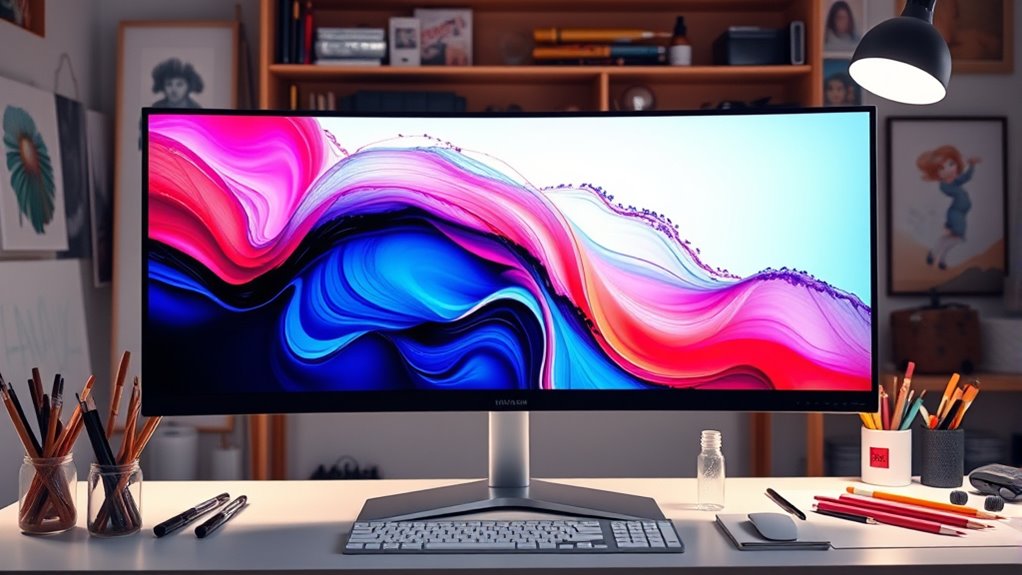

For artists seeking the highest resolution possible, an 8k monitor offers unprecedented clarity and detail. The ASUS ProArt PA32QCV stands out as the best overall choice thanks to its 6K display quality and professional color accuracy. The LG 32U990A-S impresses with its Nano IPS technology and Thunderbolt 5, making it ideal for high-end workflows. However, these monitors come with tradeoffs like high cost and limited availability of true 8k options. Continue reading for a detailed breakdown of the top contenders and what makes each suitable for different artist needs.

Get the latest gadgets delivered free with Prime
- Fast, free delivery on millions of items
- Prime Video, Amazon Music and more included
- Member-only deals all year
Complete the kit



Key Takeaways
- The highest resolutions like 8k significantly enhance fine detail in digital artwork, but require powerful hardware and scaling considerations.
- Color accuracy and wide gamuts are critical for professional artists; models with true professional-grade color support outperform consumer options.
- Most 8k monitors are still in the early stages of availability, often offering 6K or 6.5K as practical alternatives with similar benefits.
- Size and ergonomics matter: larger screens provide more workspace, but can also increase cost and desk space requirements.
- Connectivity options like Thunderbolt 4/5 and USB-C influence workflow efficiency, especially for Mac users or those with high-bandwidth needs.
| ASUS ProArt PA329CRV 32-Inch 4K HDR Professional Monitor for Mac |  | Best Overall for High-Quality 4K HDR Creatives | Display Size: 31.5 inches | Resolution: 3840 x 2160 (4K UHD) | Display Technology: LED LCD | VIEW ON AMAZON | See Our Full Breakdown |
| ASUS ProArt PA32QCV 32-Inch 6K DCI-P3 Thunderbolt 4 Monitor for Mac |  | Best Premium 6K for Professional Color-Critical Work | Display Size: 32 inches | Resolution: 6016 x 3384 (6K) | Color Gamut: 98% DCI-P3, 100% sRGB | VIEW ON AMAZON | See Our Full Breakdown |
| ASUS ProArt PA279CRV 27-Inch 4K UHD HDR Professional Monitor for Mac |  | Best Compact 4K HDR for Creative Professionals | Display Size: 27 inches | Resolution: 3840 x 2160 (4K UHD) | Color Gamut: 99% DCI-P3, 99% Adobe RGB | VIEW ON AMAZON | See Our Full Breakdown |
| ASUS ProArt PA169CDV 15.6 Inch 4K USB-C Portable Monitor |  | Best Portable 4K for Artists On-the-Go | Display Size: 15.6 inches | Resolution: 3840 x 2160 (4K UHD) | Color Gamut: 100% sRGB | VIEW ON AMAZON | See Our Full Breakdown |
| G32X 32’’ UHD 6K Monitor |  | Best Versatile 6K for Creative and Professional Use | Display Size: 32 inches | Resolution: 6016 x 3384 pixels | Color Gamut: 98% DCI-P3 | VIEW ON AMAZON | See Our Full Breakdown |
| LG 32U990A-S 32-Inch Ultrafine 6K Nano IPS Professional Monitor with Thunderbolt 5 |  | Best Overall for High-Resolution Creative Work | Display Size: 32 inches | Resolution: 6144 x 3456 (6K) | Color Coverage: 99.5% Adobe RGB, 98% DCI-P3 | VIEW ON AMAZON | See Our Full Breakdown |
| Acer ProDesigner PE320QXT 31.5″ 6K Touch Monitor, QD-IPS |  | Best for Touch-Enabled Creative Control | Display Size: 31.5 inches | Resolution: 6K (6144 x 3456) | Color Coverage: 99% Adobe RGB, 99% DCI-P3 | VIEW ON AMAZON | See Our Full Breakdown |
| 8k monitor for artist | Display Size | Resolution | Color Gamut | Connectivity |
|---|---|---|---|---|
| ASUS ProArt PA329CRV 32-Inch 4 | 31.5 inches | 3840 x 2160 (4K UHD) | 98% DCI-P3 | — |
| ASUS ProArt PA32QCV 32-Inch 6K | 32 inches | 6016 x 3384 (6K) | 98% DCI-P3, 100% sRGB | Dual Thunderbolt 4, HDMI 2.1, DisplayPort 1.4 |
| ASUS ProArt PA279CRV 27-Inch 4 | 27 inches | 3840 x 2160 (4K UHD) | 99% DCI-P3, 99% Adobe RGB | USB-C with 96W Power Delivery |
| ASUS ProArt PA169CDV 15.6 Inch | 15.6 inches | 3840 x 2160 (4K UHD) | 100% sRGB | USB-C |
| G32X 32’’ UHD 6K Monitor | 32 inches | 6016 x 3384 pixels | 98% DCI-P3 | — |
| LG 32U990A-S 32-Inch Ultrafine | 32 inches | 6144 x 3456 (6K) | — | Thunderbolt 5, HDMI 2.1, DisplayPort 2.1, USB-C |
| Acer ProDesigner PE320QXT 31.5 | 31.5 inches | 6K (6144 x 3456) | — | USB-C, HDMI, DisplayPort |
More Details on Our Top Picks
ASUS ProArt PA329CRV 32-Inch 4K HDR Professional Monitor for Mac
This monitor excels in delivering precise color with 98% DCI-P3 coverage and factory calibration, making it ideal for detailed art and design work. Compared to the G32X, it offers a more color-accurate display but at a slightly lower resolution, which might limit ultra-fine detail work. Its extensive connectivity, including USB-C with 96W Power Delivery, supports seamless integration into professional workflows. The large 32-inch screen provides ample workspace, but the high power draw and heavy weight mean it requires a sturdy desk setup. The 60Hz refresh rate is sufficient for most creative tasks but less suitable for fast-paced animation or gaming. Overall, this pick makes the most sense for artists prioritizing color fidelity and connectivity in a large format.Pros:- High color accuracy with factory calibration and 98% DCI-P3 coverage
- Extensive connectivity including USB-C with 96W Power Delivery
- Large 32-inch HDR display suitable for detailed creative work
Cons:- High power consumption at 96W
- Heavy and requires significant desk space
- Limited to 60Hz refresh rate, not ideal for gaming
Best for: Professional artists and designers needing precise color accuracy and HDR support in a large format.
Not ideal for: Gamers or fast-paced video editors who require higher refresh rates and lower latency.
- Display Size:31.5 inches
- Resolution:3840 x 2160 (4K UHD)
- Display Technology:LED LCD
- Brightness:1370.4 lumens
- Color Gamut:98% DCI-P3
- HDR Support:VESA DisplayHDR400
Our verdict“This monitor is best suited for professionals seeking a large, color-accurate HDR display for detailed digital art and design.”
ASUS ProArt PA32QCV 32-Inch 6K DCI-P3 Thunderbolt 4 Monitor for Mac
The PA32QCV offers a stunning 6K resolution with 98% DCI-P3 and 100% sRGB coverage, standing out for its exceptional detail and color precision, especially compared to the 4K options. Its Thunderbolt 4 connectivity provides fast data transfer and power delivery, streamlining professional workflows. The ergonomic adjustments and 5-year warranty add value for those working long hours. While its high price and large size might be a barrier for some, this monitor is designed specifically for color-precision tasks like high-end editing or printing. The limited availability of models with such resolution at this size makes it a rare find, although it’s less suitable for casual use or gamers due to its focus on color accuracy. This pick is perfect for artists who need the ultimate resolution and connectivity for professional-grade work.Pros:- Exceptional 6K resolution for ultra-fine detail
- Versatile connectivity including Thunderbolt 4 and HDMI 2.1
- Ergonomic design with extensive adjustments and long warranty
Cons:- Premium cost limits accessibility for some users
- Large footprint requires ample desk space
- Limited target audience; overkill for basic needs
Best for: High-end creative professionals and studios needing ultra-high resolution and flexible connectivity.
Not ideal for: Casual hobbyists or those with limited desk space due to its size and premium price.
- Display Size:32 inches
- Resolution:6016 x 3384 (6K)
- Color Gamut:98% DCI-P3, 100% sRGB
- Connectivity:Dual Thunderbolt 4, HDMI 2.1, DisplayPort 1.4
- Power Delivery:Up to 96W
- Warranty:5 years
Our verdict“Ideal for professionals demanding the highest resolution and flexible connectivity in a color-accurate display.”
ASUS ProArt PA279CRV 27-Inch 4K UHD HDR Professional Monitor for Mac
The PA279CRV provides a sharp 4K display with 99% DCI-P3 and Adobe RGB coverage, making it a reliable choice for detailed color work. Its factory calibration and Delta E < 2 ensure consistent color accuracy, comparable to larger models like the PA32QCV but in a smaller footprint. With extensive connectivity options, including USB-C with 96W Power Delivery, it offers a versatile setup for creative workflows. The ergonomic stand supports full adjustments, and the monitor supports daisy chaining for multiple displays. However, its smaller size means less workspace, and its high price might be prohibitive for casual artists. The 60Hz refresh rate is adequate for most artistic tasks but falls short for gaming or fast animation work. This monitor suits artists who need a compact, color-accurate display without sacrificing quality.Pros:- High-resolution 4K display with professional color coverage
- Factory calibrated with Delta E < 2 for color precision
- Versatile connectivity, including USB-C with 96W Power Delivery
Cons:- Smaller size limits workspace compared to 32-inch models
- High price for a non-gaming monitor
- Limited to 60Hz refresh rate
Best for: Professional artists and designers working in limited space but requiring high-quality 4K color fidelity.
Not ideal for: Gamers or those prioritizing high refresh rates for fast-paced editing or gaming.
- Display Size:27 inches
- Resolution:3840 x 2160 (4K UHD)
- Color Gamut:99% DCI-P3, 99% Adobe RGB
- HDR:Yes
- Connectivity:USB-C with 96W Power Delivery
- Display Technology:LED LCD
Our verdict“This monitor is perfect for artists needing a high-quality, compact 4K display with professional color accuracy.”
ASUS ProArt PA169CDV 15.6 Inch 4K USB-C Portable Monitor
The PA169CDV stands out for its portability, offering a 15.6-inch 4K display with 100% sRGB coverage and factory calibration, making it suitable for artists who need high accuracy while mobile. Its IPS panel ensures vibrant colors from wide angles, and the inclusion of Wacom EMR technology provides precise pen input, rivaling larger professional tablets. The industry-standard PANTONE validation ensures professional color fidelity. Compared with larger monitors like the PA32QCV, this model sacrifices size for mobility but still offers excellent color accuracy. Its reliance on external power and limited connectivity options mean it’s best suited for those with minimal setup needs. It’s an excellent choice for artists seeking a portable secondary display or sketching device.Pros:- High-resolution 4K display with 100% sRGB coverage
- Wacom EMR pen support for precise drawing
- Industry-standard color validation (PANTONE, Calman)
Cons:- No internal battery, depends on external power
- Limited to USB-C connectivity, may need adapters
- Relatively high price for a portable monitor
Best for: Artists and designers needing a portable, color-accurate monitor for fieldwork or travel.
Not ideal for: Desk-bound professionals who require large screens or high refresh rates for animation or gaming.
- Display Size:15.6 inches
- Resolution:3840 x 2160 (4K UHD)
- Color Gamut:100% sRGB
- Calibration:Calman Verified, PANTONE Validated
- Connectivity:USB-C
- Panel Type:IPS
Our verdict“This portable monitor offers professional-grade color accuracy and pen support for artists who work on the move.”
G32X 32’’ UHD 6K Monitor
The G32X offers a 6K resolution with 98% DCI-P3 and a sizable 32-inch screen, making it a compelling choice for artists who need ultra-fine detail and vibrant colors. Compared to the ASUS PA32QCV, it emphasizes a higher resolution but maintains a similar color gamut. Its ergonomic stand with multiple adjustments improves comfort during long sessions, and eye-care features reduce fatigue. The 60Hz refresh rate isn’t suitable for fast gaming or animation, but for static or slow-moving creative work, it’s adequate. Its heavier build and premium price might restrict some setups, but the high pixel density and color accuracy are hard to match. This monitor appeals to artists wanting a large, high-resolution display with flexible mounting options for professional editing and detailed visualization.Pros:- High-resolution 6K IPS panel for ultra-fine detail
- Vibrant color reproduction with 98% DCI-P3 coverage
- Ergonomic stand with multiple adjustment options
Cons:- Limited to 60Hz refresh rate, less ideal for gaming
- Heavy and large, requiring sturdy mounting
- Premium price may be out of reach for casual users
Best for: Artists and professionals requiring ultra-high resolution and vibrant color in a sizable display with ergonomic flexibility.
Not ideal for: Gamers or users needing high refresh rates for fast-paced applications.
- Display Size:32 inches
- Resolution:6016 x 3384 pixels
- Color Gamut:98% DCI-P3
- Brightness:500 cd/m²
- Contrast Ratio:1500:1
- Refresh Rate:60 Hz
Our verdict“This monitor is best for artists and professionals who prioritize extreme detail and vibrant colors in a large, adjustable display.”
LG 32U990A-S 32-Inch Ultrafine 6K Nano IPS Professional Monitor with Thunderbolt 5
The LG 32U990A-S stands out as the most comprehensive choice for artists seeking exceptional image quality combined with versatile connectivity. Its 6K resolution delivers stunning detail, making it ideal for large-scale, high-precision projects. Compared with the Acer PE320QXT, which offers touch support but slightly lower color accuracy, this LG monitor prioritizes color fidelity and contrast, perfect for color-critical tasks. The inclusion of Thunderbolt 5 and multiple ports ensures seamless integration into professional workflows, especially for those who need daisy chaining or fast data transfer. However, its high price and large footprint may limit potential buyers with smaller desks or tighter budgets. This monitor is best suited for professionals who require top-tier resolution and connectivity without compromise.
Pros:- Stunning 6K resolution with ultra-precise detail
- Vibrant, accurate colors with 99.5% Adobe RGB coverage
- Versatile connectivity including Thunderbolt 5 and HDMI 2.1
- Deep blacks and high contrast thanks to Nano IPS Black technology
Cons:- High price point may be prohibitive for some users
- Large size demands a spacious desk setup
- Overkill for users with less demanding resolution needs
Best for: Artists and designers needing the highest resolution and connectivity options for detailed, color-accurate work
Not ideal for: Casual hobbyists or those with limited workspace, due to its size and premium price
- Display Size:32 inches
- Resolution:6144 x 3456 (6K)
- Color Coverage:99.5% Adobe RGB, 98% DCI-P3
- Contrast Ratio:2000:1
- HDR:DisplayHDR 600
- Connectivity:Thunderbolt 5, HDMI 2.1, DisplayPort 2.1, USB-C
Our verdict“This monitor is an excellent choice for professional artists who prioritize resolution and color accuracy over budget or space constraints.”
Acer ProDesigner PE320QXT 31.5″ 6K Touch Monitor, QD-IPS
The Acer ProDesigner PE320QXT offers a unique combination of high-resolution display and touch support, setting it apart from non-touch options like the LG 32U990A-S. Its 6K resolution ensures sharp details, while the 10-point touch and stylus support cater to artists who prefer direct, intuitive interaction—ideal for retouching, sketching, or annotating. Compared with the LG monitor, which focuses more on color accuracy and connectivity, the Acer emphasizes interactive workflows, making it suitable for artists who blend traditional digital art with touchscreen precision. Its ergonomic stand and single USB-C connection simplify setup, but the absence of a stylus included and the higher price might pose challenges. This monitor makes the most sense for artists who want an immersive, interactive creative environment with top-tier resolution.
Pros:- High-resolution 6K display with vibrant, accurate colors
- Touch support with 10-point multi-touch and stylus compatibility
- Built-in webcam and noise-reducing microphones for multimedia workflows
- Ergonomic stand with extensive tilt, swivel, and height adjustments
Cons:- Stylus not included, adding extra cost for accessories
- Premium price may be limiting for some buyers
- Limited compatibility info for non-Windows environments
Best for: Digital artists, illustrators, or retouchers who benefit from touch input and stylus support integrated into a high-resolution display
Not ideal for: Users who do not require touch or stylus input, or those on a tighter budget, since its premium features come at a higher cost
- Display Size:31.5 inches
- Resolution:6K (6144 x 3456)
- Color Coverage:99% Adobe RGB, 99% DCI-P3
- Color Accuracy:Delta E <1
- Touch Support:10-point
- Connectivity:USB-C, HDMI, DisplayPort
Our verdict“This monitor is ideal for artists who want an interactive, high-resolution workspace and are willing to invest in enhanced productivity features.”

How We Picked
I evaluated these monitors based on resolution, color accuracy, build quality, connectivity, and value for artists. Since true 8k displays are still emerging, I prioritized models that offer the highest practical resolution (6K to 8K) with professional-grade color support, such as Adobe RGB or DCI-P3. I also considered usability factors like screen size, ergonomics, and connectivity options, which are vital for creative workflows. Monitors were ranked according to how well they balance these features with price, durability, and user reviews, aiming to identify options that cater to high-end artistic needs without overpaying for features that may be unnecessary for some users.| 8k monitor for artist | Connectivity |
|---|---|
| ASUS ProArt PA329CRV 32-Inch 4 | — |
| ASUS ProArt PA32QCV 32-Inch 6K | Dual Thunderbolt 4, HDMI 2.1, DisplayPort 1.4 |
| ASUS ProArt PA279CRV 27-Inch 4 | USB-C with 96W Power Delivery |
| ASUS ProArt PA169CDV 15.6 Inch | USB-C |
| G32X 32’’ UHD 6K Monitor | — |
| LG 32U990A-S 32-Inch Ultrafine | Thunderbolt 5, HDMI 2.1, DisplayPort 2.1, USB-C |
| Acer ProDesigner PE320QXT 31.5 | USB-C, HDMI, DisplayPort |
Factors to Consider When Choosing 8k Monitor For Artists
Choosing an 8k monitor for art involves more than just pixel count. To maximize your investment, consider factors that influence your workflow, color fidelity, and future-proofing. Here are key aspects to keep in mind when selecting a high-resolution display for creative work.Resolution and Practical Benefits
While true 8k monitors offer incredible detail, many current options hover around 6K or 6.5K, offering most of the benefits at a lower cost. Consider whether your hardware can support 8k workflows smoothly, as rendering, exporting, and even basic editing at such high resolutions demand powerful GPUs. For most artists, high-quality 6K displays provide excellent detail without the extreme hardware requirements of true 8k, making them a more practical choice today.
Color Accuracy and Gamut
Artists should prioritize monitors with professional color spaces like Adobe RGB or DCI-P3, ensuring colors are precise and consistent. This is especially important for print or film work. Many 8k models include factory calibration and hardware calibration options, which are worth extra consideration. Poor color reproduction can undermine the benefits of high resolution, so don’t overlook this aspect when comparing options.
Size and Ergonomics
Size impacts workspace and comfort. Larger screens—around 32 inches or more—maximize the benefits of high resolution by providing more room for detailed work. However, bigger screens also mean higher costs and more desk space. Adjustable stands, VESA compatibility, and screen curvature can significantly improve usability, especially during long creative sessions.
Connectivity and Workflow Compatibility
High-bandwidth connections like Thunderbolt 4 or USB-C are vital for seamless integration with modern Macs and high-performance PCs. They also facilitate daisy-chaining multiple devices or external drives. Confirm compatibility with your existing hardware, as missing or limited connections can reduce the monitor’s utility and increase setup complexity.
Price and Future-Proofing
Expect to pay a premium for true 8k monitors, with many models priced well above typical professional displays. Balance your current needs with potential future upgrades; investing in a monitor with the latest connectivity and color features can extend its relevance. Keep in mind that software support for 8k workflows is still evolving, so assess whether your software ecosystem fully benefits from higher resolutions.
Frequently Asked Questions
Will my computer hardware support an 8k monitor?
Supporting an 8k monitor requires a high-end GPU with ample VRAM and bandwidth. Many consumer-grade GPUs struggle with native 8k output, so check the specific requirements for your hardware before purchasing. For artists working at 6K or 6.5K, mid-range professional cards may suffice, but true 8k workflows demand the latest hardware, often found in flagship models from Nvidia or AMD.
Is an 8k monitor necessary for digital art?
While 8k offers unparalleled detail, most artists find 6K or 6.5K resolution sufficient for high-quality work. The key is color fidelity and workspace size, which can be more impactful than raw resolution. An 8k monitor makes sense if your project involves extremely fine detail, large prints, or future-proofing, but it’s not a strict necessity for all digital artists.
How important is color calibration in high-resolution monitors?
Color calibration is vital for professional artists to ensure accurate, consistent colors across devices and print outputs. Many high-end 8k monitors include hardware calibration tools, which help maintain color fidelity over time. Neglecting calibration can lead to mismatched colors, negating some benefits of a high-resolution display, so verify calibration features before buying.
Are there any downsides to using an 8k monitor?
Yes, high-resolution monitors tend to be more expensive and demand more from your hardware, which can lead to increased costs overall. Additionally, scaling some applications for 8k can cause interface issues or performance slowdowns. Not all creative software fully supports 8k yet, so check compatibility with your main tools before investing heavily.
What is the best size for an 8k monitor for artists?
Most artists will find 32 inches to be an ideal size, balancing detail, workspace, and cost. Larger screens, like 34 inches or more, enhance the benefits of high resolution but also raise price and space requirements. Smaller options, around 27 inches, may not fully exploit 8k’s benefits but can still offer excellent performance if space is limited.
Conclusion
For general high-end digital artists, the ASUS ProArt PA32QCV offers a balance of resolution, color accuracy, and connectivity, making it the best overall choice. Those prioritizing cutting-edge connectivity and ultra-high detail might prefer the LG 32U990A-S with its Nano IPS and Thunderbolt 5. Budget-conscious creatives should consider high-quality 6K alternatives, while beginners or those with limited space may opt for smaller, more affordable models. Ultimately, your ideal monitor depends on your specific workflow, hardware compatibility, and whether you need true 8k or can work effectively at slightly lower resolutions.