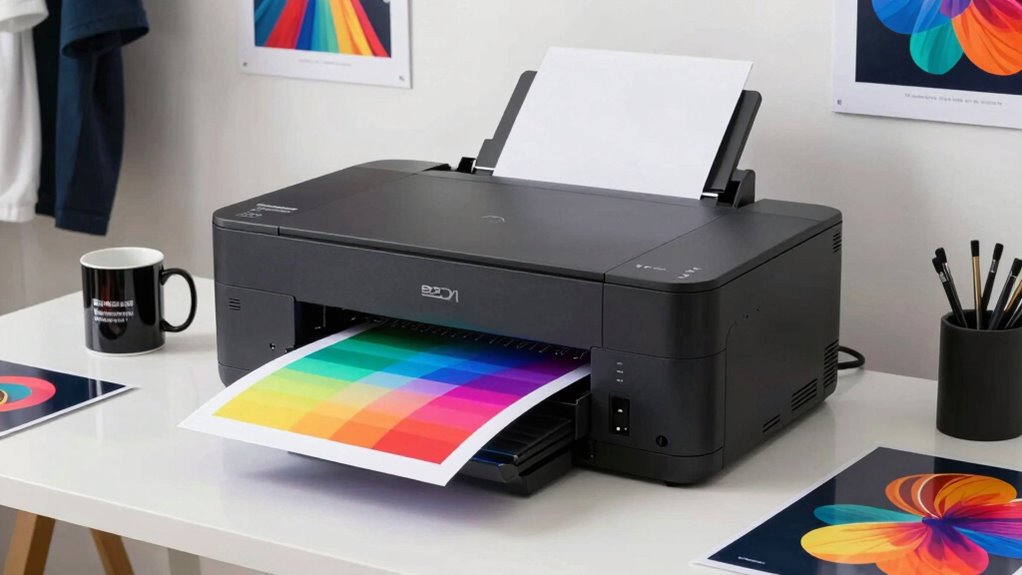
If you want to sell art prints on mugs, t-shirts, and tote bags, a dye sublimation printer for art merchandise is the heart of your production setup. My top pick is the Epson SureColor F570 24-Inch Bundle, which handles wide-format transfers with genuine Epson dye-sub ink and a roll feeder built for volume. For smaller budgets, the Epson SureColor F170 offers genuine dye-sub output on letter-size paper, while the Brother SP-1 bundles are the friendliest on-ramp for beginners making smaller craft items. The main tradeoff in this category is print width and ink cost versus upfront price: most printers here use the same core CMYK dye-sub process, but bundle quality, paper size limits, and software support vary widely. Keep reading for the full breakdown.

Get the latest gadgets delivered free with Prime
- Fast, free delivery on millions of items
- Prime Video, Amazon Music and more included
- Member-only deals all year
Complete the kit



Key Takeaways
- Only three print engines dominate this list — Epson F170/F570, Brother SP-1, and Sawgrass SG500 — so your real decision is about bundle contents, print width, and ink economics, not brand differences alone.
- The Epson SureColor F570 is the only true wide-format option here; every other printer caps at 8.5 x 11 or 13 x 19 inches, which limits oversized art prints and all-over apparel transfers.
- Starter bundles with included paper, ink, and software (like the Brother SP-1 Deluxe and Sawgrass SG500 kits) reduce first-project friction but cost more per print than refillable super-tank designs like the Pinckney.
- Sawgrass SG500 stands alone for its color management software, which matters most for artists whose brand depends on matching screen colors to finished merchandise.
- Several products in this roundup are near-duplicates (three F170 bundles, four SP-1 kits); the differences come down to bundled accessories, so compare kit contents carefully before paying extra.
| Epson SureColor F570 24-Inch Desktop Dye Sublimation Printer Bundle |  | Best Overall for Professional Art Merchandise | Printer type: Dye sublimation | Maximum media size: 24 inches x 100 feet | Print resolution: 1200 x 1200 dpi | VIEW ON AMAZON | See Our Full Breakdown |
| Brother SP-1 Sublimation Printer Starter Bundle |  | Best Complete Starter Kit | Printer type: Dye-sublimation | Ink set: CMYK, 47 ml each | Sublimation paper: 160 sheets, 8.5 x 11 in | VIEW ON AMAZON | See Our Full Breakdown |
| Pinckney Cartridge-Free Super-Tank Sublimation Printer Bundle with Ink for Heat Transfers, Wide Format up to 13 x 19 Inches |  | Best Value for Wide-Format Printing | Printer type: Dye sublimation (converted super-tank) | Max print size: 13″ x 19″ (rear-feed tray) | Sublimation ink contents: Black 127 mL; Cyan 85 mL; Magenta 85 mL; Yellow 85 mL | VIEW ON AMAZON | See Our Full Breakdown |
| Brother SP1 Sublimation Printer for DIY Crafts |  | Best for App-Driven Craft Workflows | Model: Brother SP1 | Type: Dye-sublimation printer | Compatibility: Artspira app (iOS/Android) | VIEW ON AMAZON | See Our Full Breakdown |
| Epson SureColor F170 Dye-Sublimation Printer |  | Best Compact Dedicated Sublimation Printer | Printer type: Dye sublimation | Maximum media size: 8.5 inches wide | Resolution: 5760 x 1440 dpi | VIEW ON AMAZON | See Our Full Breakdown |
| Epson SureColor F170 Dye-Sublimation Printer (C11CJ80201) Bundle with Ethernet Cable, USB Cable, Fiber Cloth |  | Best Bare-Bones Starter | Model: Epson SureColor F170 (C11CJ80201) | Ink Type: Genuine Epson dye-sublimation ink | Design: Compact, desktop-friendly | VIEW ON AMAZON | See Our Full Breakdown |
| Brother SP-1 Dye-Sublimation Printer Deluxe Bundle |  | Best Complete Starter Kit | Printer Type: Dye-sublimation | Included Ink: CMYK, 47 ml each | Sublimation Paper: 300 ProSub sheets + 10 Brother sheets, 8.5 × 11 in | VIEW ON AMAZON | See Our Full Breakdown |
| Brother SP-1 Dye-Sublimation Printer with CMYK Ink, Transfer Sheets, and Artspira Software |  | Best for App-Based Designers | Printer Type: Dye sublimation | Resolution: 1200 × 1200 dpi | Ink Colors: Black, cyan, magenta, yellow | VIEW ON AMAZON | See Our Full Breakdown |
| Epson SureColor F170 Dye-Sublimation Printer with Starter Bundle |  | Best Value for Small Businesses | Model: Epson SureColor F170 (SCF170) | Print Technology: Dye-sublimation | Printhead: Epson PrecisionCore with Precision Droplet Control | VIEW ON AMAZON | See Our Full Breakdown |
| Pinckney Cartridge-Free Super-Tank Sublimation Printer with Ink Bundle, Scanner & Copier (White) |  | Best Budget All-in-One | Printer Type: Sublimation Super-Tank All-in-One (converted ET-2800/ET-2803) | Functions: Print, scan, copy | Connectivity: Wireless | VIEW ON AMAZON | See Our Full Breakdown |
| Epson SureColor F170 Dye-Sublimation Printer Bundle |  | Best for High-Volume Art Print Runs | Printer Type: Dye Sublimation | Maximum Resolution: 5760 x 1440 dpi | Maximum Media Width: 8.5 inches | VIEW ON AMAZON | See Our Full Breakdown |
| Sawgrass SG500 Sublimation Printer with 31 mL Inks and Paper Bundle |  | Best for Long Banners and Oversized Transfers | Printer Type: Dye Sublimation | Ink Colors: Cyan, Magenta, Yellow, Black | Maximum Resolution: 1200 x 1200 dpi | VIEW ON AMAZON | See Our Full Breakdown |
| dye sublimation printer for art merchandise | Printer type | Connectivity | Dimensions |
|---|---|---|---|
| Epson SureColor F570 24-Inch D | Dye sublimation | Wireless, USB, Ethernet | 32 x 38 x 10 inches (D x W x H) |
| Brother SP-1 Sublimation Print | Dye-sublimation | Wi-Fi and Ethernet | — |
| Pinckney Cartridge-Free Super- | Dye sublimation (converted super-tank) | — | 20"D x 14"W x 10"H |
| Brother SP1 Sublimation Printe | — | — | — |
| Epson SureColor F170 Dye-Subli | Dye sublimation | Wireless, USB, Ethernet | 13.7 x 14.8 x 7.4 inches |
| Epson SureColor F170 Dye-Subli | — | Ethernet, USB | — |
| Brother SP-1 Dye-Sublimation P | Dye-sublimation | Wi-Fi and Ethernet | — |
| Brother SP-1 Dye-Sublimation P | Dye sublimation | Wi-Fi, Ethernet | 17 × 13.5 × 6.3 in (D × W × H) |
| Epson SureColor F170 Dye-Subli | — | — | — |
| Pinckney Cartridge-Free Super- | Sublimation Super-Tank All-in-One (converted ET-2800/ET-2803) | Wireless | — |
| Epson SureColor F170 Dye-Subli | Dye Sublimation | Wi-Fi, USB, Ethernet | 13.7D x 14.8W x 7.4H inches |
| Sawgrass SG500 Sublimation Pri | Dye Sublimation | Wi-Fi | 17.25 x 15.75 x 8.5 inches |
More Details on Our Top Picks
Epson SureColor F570 24-Inch Desktop Dye Sublimation Printer Bundle
For artists selling merchandise at scale, the SureColor F570 stands out for its 24-inch roll and sheet capability, which opens the door to oversized art prints, all-over shirt graphics, and batch production runs that smaller machines simply can’t handle. The PrecisionCore MicroTFP printhead paired with nozzle verification keeps long print runs consistent — a real advantage when a single flawed transfer sheet wastes both ink and a blank. Compared with the Epson SureColor F170, this model trades compactness and budget-friendliness for professional layout, nesting, and color control through Epson Edge Print Pro, meaning less wasted media when arranging multiple designs per sheet. The tradeoffs are real: it weighs 151 pounds, demands LTL freight delivery, and its 1 ppm black-and-white copy speed is glacial if you expect multifunction behavior. This is a dedicated production tool, not a casual craft printer.
Pros:- Handles roll and sheet media up to 24 inches wide for oversized art merchandise
- 50-sheet auto-feed tray and built-in cutter support unattended batch production
- Professional software with layout, nesting, and color controls reduces wasted media
- PrecisionCore printhead with nozzle verification keeps long runs consistent
Cons:- Shipment requires LTL freight and a valid phone number for delivery scheduling
- Prints only, with a listed black-and-white copy speed of just 1 page per minute
- Massive footprint and weight compared with desktop alternatives
Best for: Artists and small merchandise businesses producing large-format or high-volume sublimation transfers professionally
Not ideal for: Hobbyists and home crafters — the footprint, weight, and freight delivery are overkill for occasional mug or tote projects
- Printer type:Dye sublimation
- Maximum media size:24 inches x 100 feet
- Print resolution:1200 x 1200 dpi
- Sheet capacity:50 sheets
- Connectivity:Wireless, USB, Ethernet
- Display:LCD touchscreen
- Dimensions:32 x 38 x 10 inches (D x W x H)
- Weight:151 pounds
Our verdict“The F570 is the pick for sellers who need wide-format output and production reliability, provided they have the space and budget for a dedicated professional machine.”
Brother SP-1 Sublimation Printer Starter Bundle
What separates this SP-1 bundle from the standalone Brother SP1 for DIY Crafts is everything in the box: a full CMYK ink set, 160 sheets of sublimation paper, 50 blanks, and four widths of heat-resistant tape. For an artist making their first merchandise pieces, that means day-one printing without sourcing supplies separately — though a heat press is still required to finish transfers. Compared with the Epson SureColor F170, the Brother leans on the Artspira app ecosystem across Windows, Mac, and mobile, making design workflows friendlier for app-first creators, while Epson counters with finer 5760 x 1440 resolution for detail-heavy artwork. The 47 ml ink bottles keep running costs reasonable for CMYK-only output, but artists needing photographic gradients may find the four-color limit restrictive compared with wider-gamut options like the Sawgrass SG500.
Pros:- Complete bundle with printer, ink, paper, 50 blanks, and heat-resistant tape
- Wi-Fi and Ethernet connectivity with Windows, Mac, and app support
- Versatile enough for shirts, mugs, tote bags, and similar merchandise
- Full 47 ml CMYK ink set included from the start
Cons:- Requires separate heat-transfer equipment to produce finished products
- CMYK-only ink set limits color gamut for photographic artwork
Best for: First-time sublimation sellers who want a printer, ink, paper, blanks, and tape in a single purchase
Not ideal for: Detail-obsessed fine artists, since CMYK-only output and app-dependent workflows limit color range and control
- Printer type:Dye-sublimation
- Ink set:CMYK, 47 ml each
- Sublimation paper:160 sheets, 8.5 x 11 in
- Sublimation blanks:50-piece set
- Heat-resistant tape:4 rolls (0.125, 0.25, 0.50, 1 in widths)
- Connectivity:Wi-Fi and Ethernet
- Compatibility:Windows, Mac, Artspira app
Our verdict“This is the smartest entry point for sellers who want to start printing merchandise immediately without piecing together supplies.”
Pinckney Cartridge-Free Super-Tank Sublimation Printer Bundle with Ink for Heat Transfers, Wide Format up to 13 x 19 Inches
This converted super-tank printer is the cheapest route to 13″ x 19″ transfers, a size the Brother SP-1 bundles can’t touch with their letter-size limits. The refillable tank system — with a massive 127 ml black bottle — drives per-transfer ink costs far below cartridge-based rivals like the Epson F170, which matters enormously once merchandise orders ramp up. It even doubles as a scanner and copier with a 250-sheet tray and ADF, functions no other printer in this lineup offers. The compromises deserve honesty: this is a third-party converted unit, so the original manufacturer warranty likely won’t apply, and quality control on converted machines is inherently less predictable than a purpose-built dye-sub printer. Sublimation output is also restricted to polyester-coated substrates, and the ink sometimes ships separately from the printer.
Pros:- Wide-format 13″ x 19″ printing at a fraction of dedicated wide-format printer costs
- Cartridge-free super tanks with 127 ml black and 85 ml color inks keep running costs low
- No-syringe, no-mess ink filling
- Built-in scanner, copier, ADF, and 250-sheet tray add everyday office functionality
Cons:- Converted third-party unit, so the base manufacturer warranty may not apply
- Sublimation output limited to polyester-coated substrates only
- Ink may arrive separately from the printer, delaying first projects
Best for: Budget-conscious sellers who need oversized 13 x 19 transfers and low ink costs per print
Not ideal for: Buyers who want factory warranty protection and purpose-built reliability — the converted-unit status makes support uncertain
- Printer type:Dye sublimation (converted super-tank)
- Max print size:13″ x 19″ (rear-feed tray)
- Sublimation ink contents:Black 127 mL; Cyan 85 mL; Magenta 85 mL; Yellow 85 mL
- Paper capacity:250 sheets (front tray)
- Scanner:Flatbed with ADF, up to 8.5″ x 14″
- Screen:2.7″ color touchscreen
- Copy speed (B&W):17 pages per minute
- Dimensions:20″D x 14″W x 10″H
Our verdict“If big transfers and low ink costs matter more to you than warranty peace of mind, this bundle delivers wide-format capability at an unmatched price.”
Brother SP1 Sublimation Printer for DIY Crafts
The standalone SP1 makes the most sense for artists who already own a heat press and blanks and just need a fast, dependable printer tied into a design-friendly app ecosystem. Artspira’s library of over 100 sublimation designs plus image-import tools that convert photos into poster-style drawings lowers the creative barrier compared with the software-free experience of the Epson SureColor F170, which offers no mobile support at all. Prints transfer into colors that survive repeated wash cycles — a genuine selling point for apparel merchandise where fading kills repeat customers. The tradeoffs are structural: the app is mandatory rather than optional, a heat press must be bought separately (unlike the fuller SP-1 Starter Bundle, which at least includes blanks and tape), and the 120V US-only power rating means international use voids the warranty entirely.
Pros:- Fast printing speeds suited to quick-turnaround custom orders
- Vibrant transfers that withstand multiple wash cycles
- Artspira app includes 100+ designs plus image import and conversion tools
- Backed by Brother’s established reliability record
Cons:- Heat press required and sold separately
- Cannot be used without the Artspira app
- US-only at 120V; other use voids the warranty
Best for: App-first crafters who already own a heat press and want guided design tools for mugs, tumblers, and shirts
Not ideal for: Buyers without a heat press or those who dislike app-dependent workflows — both are hard requirements here
- Model:Brother SP1
- Type:Dye-sublimation printer
- Compatibility:Artspira app (iOS/Android)
- App storage:Up to 20 saved printing images
- Ink:Brother Genuine Sublimation Ink
- Heat press:Required, sold separately
- Voltage:120V (US only)
Our verdict“A solid choice for design-app-loving makers who have pressing equipment already, as long as they accept the app-lock-in and US-only restrictions.”
Epson SureColor F170 Dye-Sublimation Printer
The F170 occupies a smart middle ground: it’s a purpose-built dye-sub printer from a major manufacturer, avoiding the warranty gamble of the converted Pinckney super-tank, while staying compact at 16 pounds and 13.7 inches wide. Its 5760 x 1440 dpi resolution out-resolves the F570’s 1200 x 1200 output on paper, making it a strong match for detailed artwork on mugs, ornaments, and small apparel panels. The 150-sheet auto-feed tray with a dust-resistant cover beats the Brother SP1’s smaller capacity for batch work, and genuine Epson ink ships in the box. The limitations define its niche: media maxes out at 8.5 inches wide, there’s no mobile device support at all — a stark contrast to the app-centric Brother — and the listing warns it can’t be returned once inks are loaded, so the purchase is essentially final.
Pros:- Compact 16-pound design fits small studios and desktops
- High 5760 x 1440 dpi resolution captures fine artwork detail
- 150-sheet auto-feed tray with dust-resistant cover for batch jobs
- Full set of genuine Epson sublimation ink included
Cons:- No mobile device connectivity, limiting flexible workflows
- Cannot be returned once inks are loaded, according to the listing
- Media limited to 8.5 inches wide
Best for: Artists with limited workspace who want brand-backed reliability and fine detail on small merchandise
Not ideal for: Mobile-first creators and anyone needing prints wider than 8.5 inches — neither is possible on this machine
- Printer type:Dye sublimation
- Maximum media size:8.5 inches wide
- Resolution:5760 x 1440 dpi
- Sheet capacity:150 sheets
- Connectivity:Wireless, USB, Ethernet
- Dimensions:13.7 x 14.8 x 7.4 inches
- Weight:16 pounds
- Supported OS:macOS, Windows (no mobile support)
Our verdict“The F170 is the dependable letter-size workhorse for detail-focused artists who value Epson support over app convenience or wide-format capability.”
Epson SureColor F170 Dye-Sublimation Printer (C11CJ80201) Bundle with Ethernet Cable, USB Cable, Fiber Cloth
This bundle strips the SureColor F170 down to the essentials: the printer plus cables and a cleaning cloth. Compared with the F170 Starter Bundle, you lose the sublimation paper, inks beyond what ships in the box, and thermal tape, which keeps the entry cost down but means a second shopping trip before your first mug ships. What you do get is genuine Epson dye-sub ink and a PrecisionCore printhead, which produce noticeably cleaner gradients than converted tank printers like the Pinckney Super-Tank — and without that machine’s clogging headaches. Ethernet and USB connectivity make it dependable in a shared studio space where Wi-Fi gets congested. The tradeoff is straightforward: this is a dedicated dye-sub machine, so it can’t pull double duty as an everyday document printer.
Pros:- Genuine Epson dye-sub ink delivers vibrant, accurate color for merchandise transfers
- Compact desktop footprint fits tight home-office spaces
- Ethernet and USB connectivity for stable wired printing
- Fast print speeds with simple setup and Epson software
Cons:- Purpose-built for dye-sublimation only — no general printing use
- Bundle omits sublimation paper and thermal tape that competing bundles include
Best for: Budget-conscious artists who already own sublimation paper and blanks and just need a reliable dedicated printer
Not ideal for: Complete beginners who need paper, tape, and blanks included — the Brother SP-1 Deluxe Bundle covers that instead
- Model:Epson SureColor F170 (C11CJ80201)
- Ink Type:Genuine Epson dye-sublimation ink
- Design:Compact, desktop-friendly
- Connectivity:Ethernet, USB
- Media Support:Sublimation transfer paper for fabrics and rigid materials
- Bundle Includes:Ethernet cable, USB cable, fiber cloth
Our verdict“Buy this if you already have consumables on hand and want Epson print quality without paying for accessories you don’t need.”
Brother SP-1 Dye-Sublimation Printer Deluxe Bundle
Of all the sublimation packages here, this one comes closest to a true open-the-box-and-sell setup. Alongside the Brother SP-1 printer, you get a full CMYK ink set at 47 ml per color, 310 sheets of sublimation paper, 50 blanks ready to press, four widths of heat-resistant tape, design resources, and tools. Compare that to the SP-1 bundle with just 10 sheets — this kit lets a first-time seller produce inventory on day one without ordering anything else. Compared with the Epson F170 Starter Bundle, the blanks and tape give it the edge for crafters, though Epson retains an advantage in printhead precision for photographic detail. Wi-Fi plus Ethernet, and the Artspira design app, round out a package aimed squarely at people who want guidance as much as hardware.
Pros:- Includes 310 sublimation sheets and 50 blanks for immediate production
- Full 47 ml CMYK ink set included upfront
- Four tape widths handle everything from keychains to oversized shirts
- Wi-Fi and Ethernet connectivity with Windows, Mac, and app support
Cons:- Costs more than printer-only SP-1 bundles due to the extensive accessories
- CMYK-only ink limits color gamut versus higher-end dedicated sublimation printers
Best for: First-time sublimation sellers who want printer, ink, paper, blanks, and tools in a single purchase
Not ideal for: Experienced sublimation studios that already stock blanks and paper and would rather pay only for the printer
- Printer Type:Dye-sublimation
- Included Ink:CMYK, 47 ml each
- Sublimation Paper:300 ProSub sheets + 10 Brother sheets, 8.5 × 11 in
- Sublimation Blanks:50 pieces
- Heat-Resistant Tape:4 rolls (0.125, 0.25, 0.50, 1 in widths)
- Connectivity:Wi-Fi and Ethernet
- Software:Artspira Design Software App
- Compatibility:Windows, Mac, and app
Our verdict“The most complete launch package in the lineup — ideal if you want to start pressing merchandise the day it arrives.”
Brother SP-1 Dye-Sublimation Printer with CMYK Ink, Transfer Sheets, and Artspira Software
Same Brother SP-1 hardware as the Deluxe Bundle, but pared back to the basics: printer, four 47 ml ink bottles, 10 sheets of paper, and the Artspira app with 100 built-in designs. That last item is the real differentiator. Where the Epson F170 bundles assume you arrive with finished artwork, Artspira gives illustrators a place to sketch, refine, and send designs straight to the printer over Wi-Fi — a workflow that suits artists who work from an iPad rather than a desktop with design software. The 1200 × 1200 dpi resolution is fine for tote bags and mugs but falls short of Epson’s PrecisionCore output for fine-line art prints. Print-only functionality is no real loss here since sublimation work rarely needs a scanner, but heavy producers will burn through 10 sheets almost immediately.
Pros:- Artspira app with 100 designs lowers the barrier for artists without design software
- Full CMYK ink set with generous 47 ml bottles included
- Wi-Fi and Ethernet connectivity across Windows, Mac, and mobile
- Compact 17-inch footprint fits small craft stations
Cons:- Only 10 sheets of sublimation paper included — a day’s supply for active sellers
- 1200 × 1200 dpi resolution trails Epson’s output for fine detail work
Best for: App-centric artists and hobbyists who design on a tablet and want wireless printing with guided templates
Not ideal for: High-volume sellers who need bulk paper and blanks — the SP-1 Deluxe Bundle serves them better
- Printer Type:Dye sublimation
- Resolution:1200 × 1200 dpi
- Ink Colors:Black, cyan, magenta, yellow
- Ink Volume:47 ml per color
- Included Paper:10 sheets, 8.5 × 11 in
- Connectivity:Wi-Fi, Ethernet
- Software:Artspira app with 100 designs
- Dimensions:17 × 13.5 × 6.3 in (D × W × H)
Our verdict“The right pick if your creative workflow lives in an app and you value design tools over bundled supplies.”
Epson SureColor F170 Dye-Sublimation Printer with Starter Bundle
This is the F170 bundle I’d point most small merchandise businesses toward. You get the printer, a full set of genuine Epson sublimation inks with OEKO-TEX ECO PASSPORT certification, two paper sizes including the longer 8.5″ × 14″ sheets, and thermal tape — everything the bare-cable F170 bundle omits, at a mid-pack price. The certification matters commercially: it gives apparel sellers a defensible answer on ink safety for wearable goods, something the Pinckney converted tank printer can’t offer with third-party inks. The 150-sheet dust-resistant auto-feed tray out-produces any Brother SP-1 bundle here for batch runs, and auto-stop ink bottles make refills clean. Two caveats: no mobile printing support, and once inks are loaded the unit can’t be returned — a one-way commitment worth knowing before unboxing.
Pros:- OEKO-TEX certified inks suit wearable and apparel merchandise
- 150-sheet dust-resistant auto-feed tray supports batch production
- Auto-stop ink bottles make refills mess-free
- Includes two paper sizes plus thermal tape and starter kit
Cons:- No mobile device connectivity — Windows and macOS only
- Non-returnable once inks are loaded, removing any trial period
Best for: Small-business sellers producing apparel and mugs in volume who need certified inks and a large paper capacity
Not ideal for: Casual crafters who print from a phone or tablet — the lack of mobile support makes the Brother SP-1 the friendlier choice
- Model:Epson SureColor F170 (SCF170)
- Print Technology:Dye-sublimation
- Printhead:Epson PrecisionCore with Precision Droplet Control
- Paper Capacity:150-sheet dust-resistant auto-feed tray
- Ink Certification:OEKO-TEX ECO PASSPORT
- Ink Refill:Auto-stop ink bottles
- Included Paper:8.5″ × 11″ and 8.5″ × 14″ JPPlus sublimation paper
- Compatibility:Windows, macOS (mobile not supported)
Our verdict“The best balance of price, supplies, and print quality for sellers turning art into salable merchandise regularly.”
Pinckney Cartridge-Free Super-Tank Sublimation Printer with Ink Bundle, Scanner & Copier (White)
Unlike everything else in this lineup, the Pinckney is a converted EcoTank-style printer — a regular all-in-one refilled with sublimation ink — and that changes the math entirely. The upside: huge ink volume (127 ml black, 85 ml per color), a built-in scanner and copier no dedicated machine here offers, and a low running cost per print that undercuts the Epson F170 bundles over time. The 5760 × 1440 dpi resolution also looks excellent on paper. The downsides are real, though: prints appear dull until heat-pressed, which confuses newcomers, and the printhead is prone to clogging, demanding regular nozzle checks that a native dye-sub machine like the F170 largely avoids. Third-party ink also means no OEKO-TEX certification for apparel sellers. It’s the cheapest path into sublimation — with the most maintenance attached.
Pros:- Massive included ink supply keeps per-print costs very low
- Built-in scanner and copier add flexibility no dedicated sublimation printer here provides
- High 5760 × 1440 dpi resolution captures fine art detail
- Cartridge-free tanks with auto-fill nozzle avoid syringe mess
Cons:- Prone to nozzle clogging and needs routine maintenance to stay reliable
- Prints look flat on paper and only show true color after pressing, which can mislead beginners
Best for: Budget-conscious hobbyists who want sublimation plus scanning and copying at the lowest cost per print
Not ideal for: Business sellers needing certified inks and dependable daily output — Epson’s F170 is the safer production choice
- Printer Type:Sublimation Super-Tank All-in-One (converted ET-2800/ET-2803)
- Functions:Print, scan, copy
- Connectivity:Wireless
- Ink Contents:Black 127 ml; cyan, magenta, yellow 85 ml each
- Max Resolution:5760 × 1440 dpi
- Supported Paper Sizes:Letter, Legal, Executive, A4, A6, 4×6, 5×7, 8.5×47.2 in, and more
- Warranty:1-year limited
Our verdict“The most affordable entry into sublimation for patient hobbyists — skip it if your business depends on uptime.”
Epson SureColor F170 Dye-Sublimation Printer Bundle
This option stands out for volume economics rather than raw speed. The high-capacity ink bottles with auto-stop filling translate directly into a lower cost per print, which matters when you are pressing dozens of mugs or tote bags from a single artwork. Compared with the Sawgrass SG500, the F170’s 5760 x 1440 dpi PrecisionCore printhead delivers noticeably finer detail on intricate linework and gradients — a real advantage for art merchandise where buyers judge image sharpness up close. The closed, dust-resistant 150-sheet tray also reduces prep time during batch runs, something the smaller Brother SP-1 bundles can’t match. The tradeoff is patience: at roughly 1 page per minute in black and white, this is not a fast machine, and once ink is loaded the unit can’t be returned. Ethernet support makes it a good fit for shared studio workflows.
Pros:- PrecisionCore printhead with Precision Droplet Control produces sharp, gallery-quality detail
- High-capacity auto-stop ink bottles keep cost per transfer low and refills mess-free
- Dust-resistant 150-sheet closed tray supports long unattended batch runs
- Wi-Fi, USB, and Ethernet connectivity with Windows, macOS, Android, and iOS support
- Full set of genuine Epson sublimation ink included in the bundle
Cons:- Very slow copy speed at 1 page per minute in black and white
- Cannot be returned once inks are loaded due to leak and skin irritation risk
- No support for direct email printing or camera connections
Best for: Art sellers producing high-volume runs of mugs, tiles, and apparel transfers who need low ink costs and print-shop reliability
Not ideal for: Impatient makers or hobbyists who print occasionally — slow copy speeds and a no-return policy once ink is loaded make it a commitment
- Printer Type:Dye Sublimation
- Maximum Resolution:5760 x 1440 dpi
- Maximum Media Width:8.5 inches
- Sheet Capacity:150 sheets
- Connectivity:Wi-Fi, USB, Ethernet
- Dimensions:13.7D x 14.8W x 7.4H inches
- Weight:15.8 pounds
- Warranty:Limited warranty
Our verdict“This pick makes the most sense for artists scaling up merchandise production who prioritize print quality and ink economics over speed.”
Sawgrass SG500 Sublimation Printer with 31 mL Inks and Paper Bundle
Where the Epson SureColor F170 tops out at letter-width media, the SG500’s bypass tray stretches prints to 8.5 × 51 inches — the difference between a standard t-shirt transfer and a full-length fabric banner or tall wrap-around tumbler print. For art merchandise specifically, that length advantage opens up product categories most desktop sublimation printers simply can’t reach. Print speed is another clear separation: at 10 color pages per minute, it outpaces the F170’s slower output when you’re filling orders. The included CMYK SubliJet UHD ink set and Sawgrass design software lower the learning curve for artists who want to go from digital file to heat press without wrestling third-party RIP software. The tradeoff is a lower 1200 × 1200 dpi resolution, so ultra-fine detail prints look better from the Epson, and the 110/120V power restriction limits it to North American studios.
Pros:- Bypass tray supports prints up to 8.5 × 51 inches for banners and tall drinkware wraps
- Fast output at 10 color ppm and 25 black-and-white ppm
- Includes CMYK SubliJet UHD ink set and paper to start printing immediately
- Print head auto-maintenance and Wi-Fi connectivity reduce daily upkeep
- Handles both hard and soft sublimation projects
Cons:- Limited to 110/120V North American outlets — unusable overseas without conversion
- Standard media width capped at 8.5 inches
- 1200 × 1200 dpi resolution trails the Epson F170 for fine detail
Best for: Merch makers producing tall drinkware wraps, banners, and oversized apparel transfers who need length beyond standard letter size
Not ideal for: International buyers on 220/240V power, or artists whose work depends on ultra-fine photographic detail at higher resolutions
- Printer Type:Dye Sublimation
- Ink Colors:Cyan, Magenta, Yellow, Black
- Maximum Resolution:1200 x 1200 dpi
- Media Size:Up to 8.5 x 14 in; up to 8.5 x 51 in with bypass tray
- Print Speed:10 color ppm / 25 black-and-white ppm
- Connectivity:Wi-Fi
- Dimensions:17.25 x 15.75 x 8.5 inches
- Power Compatibility:110/120V US and North American outlets
Our verdict“Choose the SG500 if oversized transfers and faster throughput matter more than maximum resolution — skip it if you print outside North America.”

How We Picked
I evaluated each printer through the specific lens of art merchandise production: print quality and color accuracy for reproducing artwork, print width since merchandise formats range from coasters to oversized shirts, ink system economics because sublimation ink is a recurring cost that dwarfs the printer price over time, and bundle completeness — whether included paper, ink, and software let you start producing immediately or require extra purchases.
I also weighed software and workflow support, since color management tools separate hobbyist results from sellable merchandise, and durability for production use, favoring models with roll feeders and higher duty cycles for sellers planning regular output. Because this lineup contains multiple bundles of the same underlying printers, I ranked based on which kit offers the best combination of hardware capability and usable accessories — that’s why the wide-format F570 leads and the leaner duplicates rank lower.
| dye sublimation printer for art merchandise | Printer type |
|---|---|
| Epson SureColor F570 24-Inch D | Dye sublimation |
| Brother SP-1 Sublimation Print | Dye-sublimation |
| Pinckney Cartridge-Free Super- | Dye sublimation (converted super-tank) |
| Brother SP1 Sublimation Printe | — |
| Epson SureColor F170 Dye-Subli | Dye sublimation |
| Epson SureColor F170 Dye-Subli | — |
| Brother SP-1 Dye-Sublimation P | Dye-sublimation |
| Brother SP-1 Dye-Sublimation P | Dye sublimation |
| Epson SureColor F170 Dye-Subli | — |
| Pinckney Cartridge-Free Super- | Sublimation Super-Tank All-in-One (converted ET-2800/ET-2803) |
| Epson SureColor F170 Dye-Subli | Dye Sublimation |
| Sawgrass SG500 Sublimation Pri | Dye Sublimation |
Factors to Consider When Choosing Dye Sublimation Printer For Art Merchandise
Before choosing a printer from this roundup, step back and think about what you’ll actually sell and how often. The differences between these models matter far less than matching the printer to your merchandise mix and production volume.Print Width Determines Your Product Catalog
The single biggest constraint in this category is maximum media width, and it’s the mistake I see most often from first-time buyers. A letter-size printer limits you to small flat items, 11-ounce mugs, and infant apparel — anything larger, like 15-ounce mugs with wraps, adult-size all-over prints, or 13 x 19 art reproductions, physically won’t fit. The 13 x 19 inch class covers most Etsy-style merchandise comfortably, while 24-inch roll-fed models open the door to oversized prints, sublimated banners, and batch production of many small items on a single sheet. My advice: list every product you plan to sell in the next year, measure the largest transfer any of them requires, and buy one size class above that. Upgrading later means buying a whole new printer, not just wider paper.
Ink Cost Per Print Matters More Than Printer Price
Sublimation ink is where your money actually goes over the life of the machine, and the pricing structures here differ dramatically. Cartridge-free super-tank designs like the Pinckney offer the lowest cost per print, which matters if you’re producing dozens of mugs weekly. Proprietary cartridge systems like Sawgrass charge a premium per milliliter but bundle color management that reduces wasted misprints — a hidden saving that’s hard to quantify until you’ve ruined a batch of blanks. A common mistake is comparing only sticker prices: a cheap printer with expensive ink becomes the costliest option within months of regular production. Estimate your monthly print volume before buying, then multiply ink cost per print by that volume to see the real one-year cost of each system.
Color Management Is What Makes Art Look Like Art
For merchandise featuring your own artwork, color fidelity isn’t a luxury — it’s the difference between a five-star review and a refund request. Sublimation colors shift during heat pressing, and without proper ICC profiles, bright digital art can come out muddy or oversaturated on polyester. Sawgrass built its reputation largely on printer-level color management software that handles this automatically, while Epson’s genuine dye-sub systems rely on carefully designed profiles that work well with standard substrates. If you print other artists’ work or sell color-critical pieces like watercolor reproductions, factor software into your decision as heavily as hardware. Generic third-party inks without profiles are the false economy of this category: the savings vanish with the first box of unsellable prints.
Bundle Contents: What You Actually Need on Day One
Half of this roundup consists of bundles built around identical printers, so learning to read kit contents is a genuine buying skill. The accessories that matter are sublimation paper (the single most consumed supply), enough ink to get past the break-in period, and design software access — Brother’s Artspira inclusion is a real differentiator for crafters without a design program. Cables and fiber cloths are filler that some bundles use to justify higher prices; both cost pennies and shouldn’t influence your choice. Watch for bundles that include only a token sheet count of paper, which delays your first real production run by a week. The right bundle is the one where every included item replaces something you’d otherwise buy separately at full price.
Matching the Printer to Your Merchandise Mix
Different substrates stress printers differently, and your product lineup should steer the purchase. Mug and tumbler sellers print thousands of small sheets, so ink cost and print speed dominate — a super-tank or roll-fed machine wins even if it’s overkill on width. Apparel sellers need width and consistent color across large areas, pointing toward 13 x 19 or 24-inch models. If your merchandise is mixed and evolving, prioritize versatility over specialization: a mid-size printer with affordable ink covers more future pivots than a cheap narrow one. Beginners testing the market should honestly assess whether a modest starter bundle covers their first hundred sales before investing in production-grade hardware, because many sellers discover their best-selling product isn’t what they originally planned to make.
Genuine Ink Versus Third-Party: The Risk Calculation
Every printer in this roundup can technically run third-party sublimation ink, and the price difference is tempting — but the calculation changes with your business stage. For practicing and prototyping, generic ink is a reasonable way to learn without guilt. Once you’re selling, inconsistent batches, clogged print heads, and voided warranties become business risks rather than inconveniences. Genuine ink systems from Epson and Sawgrass cost more per print but deliver batch-to-batch consistency, which is what keeps a repeat customer’s second order matching their first. A middle path worth considering: buy the printer whose genuine ink you can afford long-term, rather than buying up in hardware and economizing in ink. Your merchandise is only as reliable as the least consistent link in your supply chain.
Frequently Asked Questions
Can I use a regular inkjet printer with sublimation ink instead of buying a dedicated printer?
You can convert some inkjets, but I’d advise against it for anyone selling art merchandise. Converted printers use generic ink without validated color profiles, so colors shift unpredictably between presses, and the conversion typically voids the warranty on day one. Dedicated dye-sub printers like the Epson F170 or Sawgrass SG500 ship with print heads tuned for sublimation ink viscosity and include ICC profiles that translate your digital artwork into press-ready output. The cost gap between a converted printer and an entry-level dedicated unit has narrowed enough that the consistency and warranty protection of a purpose-built machine makes more sense for anyone producing sellable goods. Conversion is best left to hobbyists experimenting at home, not merchants building a brand.
Is a letter-size printer enough, or do I need 13 x 19 or wider?
It depends entirely on your product list, so write it down before deciding. Letter size (8.5 x 11) covers standard mugs, small coasters, keychains, and kids’ apparel, which happens to be most of a typical starter merchandise catalog. The 13 x 19 class — covered here by the Pinckney super-tank — becomes necessary for adult all-over shirts, larger tumblers, 12-inch square art tiles, and full-size tote bags. Roll-fed 24-inch machines like the Epson F570 also let you gang multiple small designs onto one sheet, which speeds up batch production considerably. If you’re unsure, one size class larger than your current needs is usually the safer purchase, since print width can’t be upgraded later.
Why do several bundles in this roundup have the same printer at different prices?
Because accessory kits, not the printers, are the variable — four Brother SP-1 bundles and three Epson F170 bundles appear here with different paper counts, ink supplies, and software inclusions. When comparing them, value the items you’d genuinely buy anyway: sublimation paper in meaningful quantities, extra ink, and design software like Brother’s Artspira. Discount filler such as a single USB cable or cleaning cloth, which costs almost nothing separately. A useful exercise is pricing the standalone printer plus the supplies you actually need, then comparing that total against each bundle. Sometimes the leaner kit wins even when the deluxe version looks like more boxes on the doorstep.
How important is the Sawgrass color management software for art prints?
For most merchandise sellers it’s a genuine advantage rather than marketing fluff. Sublimation chemistry shifts colors during heat pressing, and Sawgrass’s software builds corrections in automatically, which is why the SG500 remains popular with artists despite higher ink costs. If your artwork uses precise brand colors, gradients, or skin tones, this automation saves both misprints and the learning curve of manual ICC profile management. That said, Epson’s genuine dye-sub inks perform well with standard profiles, so a seller producing bold graphic designs or text-based merch may never notice the difference. The software matters most for color-critical fine art reproduction and least for simple logo-style designs.
What else do I need to buy beyond the printer to start making merchandise?
Budget for a heat press above everything else — a quality flat press is often as expensive as the printer itself, and sublimation simply doesn’t work with a household iron. You’ll also need blank substrates with a polyester coating or polyester-blend fabric, since sublimation ink bonds only to polyester; cotton shirts and uncoated mugs will not accept the transfer. Sublimation-specific paper runs out faster than new sellers expect, so start with a larger quantity than any bundle includes. Finally, a lint roller, heat-resistant tape, and butcher paper for protecting your press round out the essential kit. Most starter bundles in this roundup cover the printing side but not the pressing side, so plan the full budget accordingly.
Conclusion
For most artists building a merchandise business, the Epson SureColor F570 24-Inch Bundle is the best overall pick — its wide format, roll feeding, and genuine dye-sub ink give it headroom that no letter-size machine can match. The Epson SureColor F170 with Starter Bundle takes best value for sellers with a small-format product list, pairing genuine Epson ink with enough supplies to start producing immediately. At the premium end, the Sawgrass SG500 with ink and paper bundle justifies its cost through color management software that protects your artwork’s fidelity across every product. Beginners get the smoothest entry through the Brother SP-1 bundles with Artspira software, which trade print width for guided workflows and complete starter kits. For high-volume small-item sellers, the Pinckney cartridge-free super-tank is the specific-need pick, delivering the lowest ink cost per print in this lineup — ideal when mug and tumbler production is your core business. Match the printer to your product list and volume, and any of these can carry a real merchandise operation.
Halloween Picks
halloween
As an affiliate, we earn on qualifying purchases.