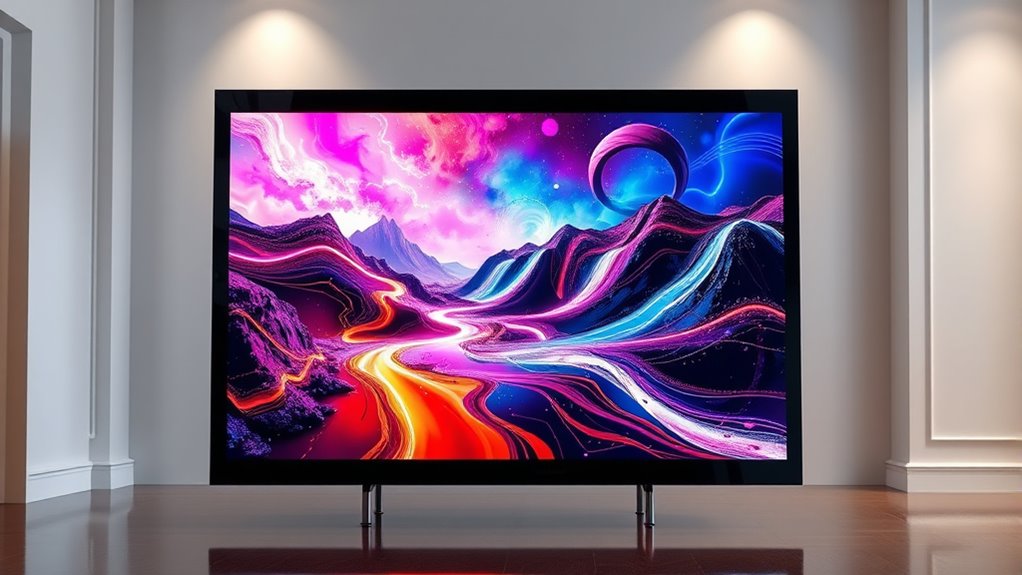

Choosing an interactive smart frame for digital art means deciding what “interactive” should do for you: make art easy to change, play motion content, or connect a large display to a library and voice controls. My leading picks serve very different versions of that goal. The Canvia 24-Inch Smart Digital Canvas offers the most complete wall-art experience, with a matte Full HD screen, app playlists, and ambient-light adjustment. The SwitchBot 13.3-inch AI Art Frame is a better fit for quiet, cordless display and simple image updates, while the Canvia Kinetic suits people who want video playback and USB-C uploads without Wi-Fi.

Get the latest gadgets delivered free with Prime
- Fast, free delivery on millions of items
- Prime Video, Amazon Music and more included
- Member-only deals all year
The main tradeoff is between screen fidelity and low-maintenance display. Backlit Full HD screens show more detail and motion, but need a power connection or frequent charging. SwitchBot’s e-ink models are glare-free and can stay visible without power, but their colors and resolution are restrained. I rank these frames by how well their display, controls, content workflow, and power setup serve digital art at home—not by treating every smart feature as equally useful.
Complete the kit



Key Takeaways
- The Canvia 24-inch canvas is the strongest wall-art choice if you want a large matte Full HD screen, app playlists, ambient-light adjustment, and Alexa support—but it needs a corded outlet.
- SwitchBot’s 13.3-inch e-ink frame is the best balance of wireless convenience and visible artwork, provided you accept muted color and coarse detail.
- The Canvia Kinetic is the only listed pick centered on Full HD video playback and offline USB-C uploads; its battery lasts up to four hours, not months.
- The 31.5-inch SwitchBot gives e-ink artwork more wall presence than its smaller sibling, though its low-resolution image is better viewed from about four feet away.
- The 7.3-inch SwitchBot works best as a compact personal display, not as a high-detail art screen; subscription-based AI generation is optional rather than required for displaying personal photos.
| Canvia 24-Inch Smart Digital Canvas Frame with Full HD Display |  | Best Overall for Connected Wall Art | Display size: 24 inches | Resolution: 1080p | Storage: 16 GB | VIEW ON AMAZON | See Our Full Breakdown |
| SwitchBot AI Art Frame 13.3″ Electronic Ink Picture Frame |  | Best Overall E-Ink Pick | Display size: 13.3 inches | Display technology: Six-color electronic ink | Image character: Paper-like, low resolution, non-glare | VIEW ON AMAZON | See Our Full Breakdown |
| Canvia Kinetic Digital Art Frame – Smart Picture Frame for Full HD Video, Photos & Images, Acrylic, 4 GB Memory, Battery Powered |  | Best for Video and Offline Uploads | Resolution: 1080p | Aspect ratio: 16:9 | Content types: Video, photos, and images | VIEW ON AMAZON | See Our Full Breakdown |
| SwitchBot AI Art Frame 31.5-Inch Electronic Ink Display |  | Best Large E-Ink Frame | Display size: 31.5 inches | Display technology: Six-color electronic ink | Battery: Rechargeable 2,000 mAh | VIEW ON AMAZON | See Our Full Breakdown |
| SwitchBot AI Art Frame 7.3-Inch Electronic Ink Picture Frame |  | Best Compact Personal Display | Display size: 7.3 inches | Resolution: 800 × 480 | Aspect ratio: 4:3 | VIEW ON AMAZON | See Our Full Breakdown |
| interactive smart frame for digital art | Display size | Connectivity | Resolution | Storage |
|---|---|---|---|---|
| Canvia 24-Inch Smart Digital C | 24 inches | Wi-Fi | 1080p | 16 GB |
| SwitchBot AI Art Frame 13.3" E | 13.3 inches | Wi-Fi and Bluetooth for initial pairing | — | — |
| Canvia Kinetic Digital Art Fra | — | USB-C / USB; no Wi-Fi | 1080p | 4 GB in product title; 4–8 GB in specifications |
| SwitchBot AI Art Frame 31.5-In | 31.5 inches | Wi-Fi and Bluetooth | — | — |
| SwitchBot AI Art Frame 7.3-Inc | 7.3 inches | — | 800 × 480 | 0.64 MB; up to 10 images locally |
More Details on Our Top Picks
Canvia 24-Inch Smart Digital Canvas Frame with Full HD Display
I rank the Canvia 24-inch Smart Digital Canvas first because it brings the most useful mix of scale, picture detail, and changing content to a digital-art setup. Its 1080p matte screen gives artwork more definition than the SwitchBot e-ink frames, and its ambient-light adjustment helps the displayed image respond to the room instead of appearing like a bright tablet mounted on a wall. App playlists and access to an art library make rotation simpler than manually replacing a single image.
That connected, room-focused design is a better fit for a permanent display than the Canvia Kinetic, which emphasizes short-term portability and USB-C transfers. The 24-inch model also supports personal media and NFTs, plus Alexa, so it can serve as a changing canvas rather than a screen limited to one collection. Its 16 GB of storage is more generous than the Kinetic’s stated 4–8 GB range.
The tradeoff is physical freedom: this is a corded frame, so outlet placement and cable management matter. The included art-library subscription lasts one year, but continued access terms are not specified here; I would check those terms before relying on the library as a long-term source. Buyers who want a truly cordless display should choose one of the SwitchBot frames, while anyone prioritizing video use and offline uploads may prefer the Kinetic. For a connected, large-format art frame, though, Canvia offers the broadest everyday toolkit in this group.
Pros:- 24-inch Full HD matte display with ambient-light adjustment
- App playlists can rotate art, photos, and videos
- 16 GB storage and support for personal media and NFTs
- Alexa compatibility adds a voice-control option
Cons:- Corded power limits where the frame can be installed
- Art-library access beyond the included first year is not clearly specified
- Larger display requires more wall space than the SwitchBot options
Best for: People who want a sizeable, app-controlled digital canvas for scheduled artwork, personal images, or NFTs and can place it near an outlet.
Not ideal for: Buyers who need battery-powered placement, want clearly defined long-term art-library access, or prefer a paper-like screen without illumination.
- Display size:24 inches
- Resolution:1080p
- Storage:16 GB
- Aspect ratio:1.78:1
- Connectivity:Wi-Fi
- Power:Corded electric
- Control:App and voice; Alexa compatible
- Screen finish:Anti-glare matte
Our verdict“I recommend the Canvia 24-inch canvas for buyers who want a connected, detailed wall display and can accommodate a power cord.”
SwitchBot AI Art Frame 13.3″ Electronic Ink Picture Frame
For buyers who would rather see a calm, paper-like image than a bright screen, the SwitchBot 13.3-inch AI Art Frame is my e-ink choice. Its six-color display is non-glare and does not emit blue light, making it a different kind of digital-art surface from Canvia’s backlit Full HD canvas. The key benefit is not sharper color; it is a display that can sit in a room without looking like a luminous monitor.
The wireless battery design also changes where it can go. SwitchBot lists up to two years of battery life at one refresh each week, and the battery-powered setup is far less restrictive than the corded Canvia 24-inch frame. Wi-Fi, app uploads, and Alexa give it convenient controls, while local storage for up to 10 images keeps a small selection on the frame. Compared with the 7.3-inch SwitchBot, this size is more convincing as a visible piece of wall art; compared with the 31.5-inch model, it asks for less wall space.
Image limitations are real. Low resolution and coarse pixels make detailed artwork less convincing up close, and the colors are muted beside a backlit screen. The optional AI art generation requires a subscription, so I would treat it as an extra rather than the reason to buy. This pick is best for a handful of changing images in a room where glare and cables are bigger concerns than fine texture or saturated color.
Pros:- Paper-like, non-glare six-color e-ink display
- Wireless battery operation with stated life up to two years at one weekly refresh
- App uploads and Alexa compatibility simplify image changes
- Stores up to 10 images locally
Cons:- Low resolution and coarse pixels limit close-up detail
- Muted e-ink color cannot match the Canvia Full HD screen
- AI art generation requires an optional subscription
Best for: People seeking a medium-size, low-glare art frame with app updates, Alexa support, and long intervals between charging.
Not ideal for: Anyone who wants crisp fine-art detail, vivid color, video playback, or a large screen for viewing across a room.
- Display size:13.3 inches
- Display technology:Six-color electronic ink
- Image character:Paper-like, low resolution, non-glare
- Battery:Rechargeable 2,000 mAh
- Stated battery life:Up to two years at one refresh per week
- Connectivity:Wi-Fi and Bluetooth for initial pairing
- Local storage:Up to 10 images
- Smart control:SwitchBot app and Alexa
Our verdict“I’d choose this SwitchBot when quiet, cordless display matters more than vivid color or fine image detail.”
Canvia Kinetic Digital Art Frame – Smart Picture Frame for Full HD Video, Photos & Images, Acrylic, 4 GB Memory, Battery Powered
The Canvia Kinetic has a clear niche: it plays Full HD video as well as still art, and lets owners load content through USB-C without relying on an internet connection. That makes it more suitable than the SwitchBot e-ink frames for animated artwork, short clips, or a display that needs to work without cloud access. Its touchscreen and acrylic construction add a more hands-on character than the mostly app-and-voice-driven SwitchBot models.
Compared with the Canvia 24-inch canvas, this is the portable and offline-oriented option, not the stronger permanent wall-art hub. It has no Wi-Fi or cloud backup, and internal memory is limited: the listing describes 4 GB in the product name and 4–8 GB in the specifications, so I would not buy it for a large library. The battery lasts up to four hours, a useful window for a temporary display or presentation but a poor match for leaving artwork on a wall all day without a cable.
The Kinetic therefore earns its place through format flexibility, not sheer convenience. Full HD playback gives it an image advantage over SwitchBot’s coarse e-ink screens, but the battery constraint means its portable promise has limits. NFT display support may appeal to collectors, though buyers should weigh that against the absence of online syncing. If still artwork is the priority and the frame will stay installed, I prefer the connected Canvia 24-inch; if the goal is a compact display for video files moved directly from a computer, this model is the more fitting choice.
Pros:- Plays Full HD video as well as photos and still artwork
- USB-C uploads work without internet access
- Battery operation allows temporary placement away from an outlet
- Supports NFT artwork and has a touchscreen
Cons:- Battery life is limited to about four hours
- No Wi-Fi or cloud backup for content
- Listed storage is limited and described inconsistently as 4 GB or 4–8 GB
Best for: People who want Full HD video and still images in a battery-powered frame, with direct USB-C transfers and no internet requirement.
Not ideal for: Buyers who expect all-day battery operation, Wi-Fi syncing, cloud backup, or substantial built-in storage.
- Resolution:1080p
- Aspect ratio:16:9
- Content types:Video, photos, and images
- Connectivity:USB-C / USB; no Wi-Fi
- Battery life:Up to 4 hours
- Storage:4 GB in product title; 4–8 GB in specifications
- Touchscreen:Yes
- Supported content:Includes NFT artwork support
Our verdict“I’d pick the Kinetic for offline video playback and direct uploads, not as a set-and-forget wall frame.”
SwitchBot AI Art Frame 31.5-Inch Electronic Ink Display
The 31.5-inch SwitchBot is the option I’d choose when a large, low-glare surface matters more than pixel-level detail. Like the smaller SwitchBot models, it uses six-color e-ink, app control, Wi-Fi, Bluetooth, and Alexa. Its defining difference is scale: it can occupy more of a wall without the constant glow of a conventional display, while retaining the long battery-life claim of up to two years at one refresh per week.
Compared with the 13.3-inch SwitchBot, this model gives artwork greater presence and is easier to read as a focal point from across a room. It also avoids the corded placement constraint of the Canvia 24-inch. But size does not fix the e-ink panel’s limits. The manufacturer recommends viewing from about four feet away, a useful clue that the coarse pixels are not meant for close inspection. The Canvia’s 1080p screen is the better choice for visible detail, richer color, or video.
One unusual advantage is that images remain visible when the battery is depleted. That does not make the frame fully independent of charging for updates, but it means a low battery does not immediately turn the wall display blank. The disadvantages are the same ones that matter across the SwitchBot family: muted color, limited image detail, and a subscription requirement for AI art generation. I place it below the 13.3-inch model because its larger footprint makes the image limitations more noticeable as a purchase tradeoff, even though it is the better e-ink choice for a broad wall area.
Pros:- Large 31.5-inch display creates more wall presence than smaller e-ink options
- Non-glare six-color e-ink does not use a bright backlight
- Images remain visible when the battery is depleted
- App, Wi-Fi, Bluetooth, and Alexa support simplify updates
Cons:- Low resolution and coarse pixels call for viewing from about four feet or farther
- Colors look muted beside a conventional Full HD display
- AI art generation requires an additional subscription
Best for: People who want a large cordless artwork display with a matte, paper-like look and can view it from several feet away.
Not ideal for: Buyers who expect a detailed 31.5-inch image, bright saturated color, motion content, or a screen suited to close viewing.
- Display size:31.5 inches
- Display technology:Six-color electronic ink
- Battery:Rechargeable 2,000 mAh
- Stated battery life:Up to two years at one refresh per week
- Local storage:Up to 10 images
- Connectivity:Wi-Fi and Bluetooth
- Smart-home support:Alexa
- Recommended viewing distance:About 4 feet (1.2 m) or more
Our verdict“I recommend this model for large-scale e-ink display, as long as the buyer values a calm surface over fine detail.”
SwitchBot AI Art Frame 7.3-Inch Electronic Ink Picture Frame
The 7.3-inch SwitchBot is the most compact way into this group’s e-ink approach. It keeps the same essential appeal as the 13.3-inch model—glare-free six-color display, wireless operation, app control, Alexa, and a long stated interval between charges—but suits a small personal display better than a main-room canvas. A 4:3 image shape also makes it a natural fit for many photos and square-ish compositions.
Its 800 × 480 resolution and 0.64 MB storage make the intended role especially important. The frame can store up to 10 images, but it is not a place to inspect fine brushwork or show richly colored digital paintings at close range. The 13.3-inch SwitchBot is a stronger middle-ground choice for wall art, while the 31.5-inch model better fills a large wall. The Canvia Kinetic has a clearer Full HD picture, though it trades this frame’s long-life e-ink behavior for a battery that lasts about four hours.
The 7.3-inch model’s chief advantage is that it stays small, quiet, and cordless; its images can remain visible even after the battery runs down. Wi-Fi, Bluetooth, app, remote, and voice control offer several ways to update or manage it. But I would not mistake that control flexibility for high-end image quality. The optional AI art subscription adds a creative route, yet personal photos can be displayed without making that service the centerpiece. Choose it for a modest, low-glare image you want to change now and then, not for a detailed centerpiece.
Pros:- Compact 7.3-inch e-ink display is glare-free and non-illuminated
- Wireless battery design has a stated life of up to two years at one weekly refresh
- Images can remain visible after the battery is depleted
- App, remote, and Alexa control offer flexible image management
Cons:- 800 × 480 resolution limits fine detail
- Muted e-ink color is less vivid than the Canvia screens
- Very limited stated storage capacity
Best for: People who want a compact, low-glare frame for a small selection of photos or simple artwork with app and voice controls.
Not ideal for: Anyone shopping for a large focal-point display, detailed artwork reproduction, vivid color, or video playback.
- Display size:7.3 inches
- Resolution:800 × 480
- Aspect ratio:4:3
- Display technology:Six-color electronic ink
- Battery:Rechargeable 2,000 mAh
- Stated battery life:Up to two years at one refresh per week
- Storage:0.64 MB; up to 10 images locally
- Connectivity and control:Wi-Fi, Bluetooth, app, remote, and Alexa
Our verdict“I’d choose this SwitchBot for a small, low-maintenance photo or art display, not for a high-detail digital canvas.”

How We Picked
I ranked these products around the job implied by interactive digital art: displaying artwork attractively while making it practical to change, curate, or personalize. I looked at screen type and size first, because they determine whether a frame favors lifelike detail, motion, or a calm paper-like image. I then compared how each model handles updates, connectivity, power, and content storage.
That approach puts the Canvia 24-inch canvas first for its balance of scale, Full HD resolution, app control, and ambient-light response. SwitchBot’s frames earn their positions for their unusual low-power e-ink approach, but image quality and color are clear limitations. The Kinetic frame ranks for a narrower use: portable video and offline transfers. I have not treated AI generation, NFT support, voice control, or a bundled art library as automatic advantages; each matters only if it fits the buyer’s preferred workflow. I also distinguish included capabilities from ongoing services, since Canvia’s library terms and SwitchBot’s AI subscription can affect how buyers use the frame over time.
| interactive smart frame for digital art | Connectivity |
|---|---|
| Canvia 24-Inch Smart Digital C | Wi-Fi |
| SwitchBot AI Art Frame 13.3" E | Wi-Fi and Bluetooth for initial pairing |
| Canvia Kinetic Digital Art Fra | USB-C / USB; no Wi-Fi |
| SwitchBot AI Art Frame 31.5-In | Wi-Fi and Bluetooth |
| SwitchBot AI Art Frame 7.3-Inc | — |
Factors to Consider When Choosing Interactive Smart Frame For Digital Art
I’d start by deciding whether your art should behave like a screen or a printed picture. That choice narrows this lineup faster than any smart-home feature: Canvia favors definition and video, while SwitchBot favors a non-glare image that can stay displayed with very little power.
Choose display character before size
A Full HD display such as the Canvia 24-inch canvas is the better match for sharp details, saturated imagery, and video. Its matte finish helps with reflections, and its ambient-light response supports a more room-aware display. E-ink frames such as the SwitchBots make a different promise: artwork looks more like a static print than a glowing screen. That softer, muted rendering can be comfortable in a bright room, but it will not reproduce subtle detail as clearly. If you are buying for detailed digital paintings, give resolution priority. If you want a quiet image that does not shine at night, e-ink may suit you better.
Match frame size to viewing distance
The 31.5-inch SwitchBot can make a larger wall statement than the 13.3-inch version, but its recommended viewing distance of about four feet matters because the coarse pixels show their limits nearby. The 7.3-inch model is better treated as a small personal display than a focal-point canvas. Canvia’s 24-inch 1080p screen offers a more balanced size-and-detail combination for a room display. I would measure both the wall area and the typical viewing distance before choosing: a larger frame is not automatically a better art frame if the image will be inspected close up.
Be realistic about battery use
Battery claims depend on how often the displayed image refreshes. SwitchBot states up to two years at one refresh per week, a schedule suited to slowly changing art rather than frequent animation or daily image swaps. The images can remain visible after the battery is depleted, but updating still depends on the frame being powered. Canvia Kinetic is a different case: up to four hours of battery life supports temporary placement or a short presentation, not a permanently cordless display. Canvia’s 24-inch canvas uses corded power, so it makes most sense where an outlet and tidy cable route are available.
Compare how you will add and manage art
For connected curation, Canvia’s app playlists and art library make rotating content the central workflow; personal media and NFTs are also supported. The included library subscription is time-limited, and the supplied details do not define ongoing access, so I would not assume it stays available unchanged. SwitchBot offers app uploads, Wi-Fi, Alexa, and storage for up to 10 local images, a simpler arrangement for a small collection. Kinetic suits an offline workflow: move files through USB-C and play them without Wi-Fi, while accepting limited storage and no cloud backup.
Treat AI, voice, and NFT features as optional
Features only help when they match what you will actually use. SwitchBot’s optional AI art generation requires a subscription; it is not needed to display personal photos. Alexa support makes updates or control more convenient for voice-assistant households, but it does not improve image quality. Canvia’s NFT support may matter to digital-art collectors, yet its practical value depends on how they manage and display their collection. I would choose the frame for its display and update method first, then treat those extra capabilities as a tie-breaker.
Frequently Asked Questions
Which frame is best for detailed digital artwork?
I would choose the Canvia 24-inch canvas for detailed artwork among these five, because its 1080p display offers more image definition than the low-resolution SwitchBot e-ink models. It is also a better fit than the Kinetic if you want a wall-mounted art display with playlists and ambient-light adjustment. The tradeoff is corded power; if avoiding cables matters more than detail, consider SwitchBot and accept its softer image.
Are SwitchBot’s AI art frames usable without an AI subscription?
Yes. The listed SwitchBot models can display personal photos and uploaded images without subscribing to AI art generation. The subscription applies to the optional AI-created artwork feature, not the basic act of displaying personal content. I would treat the subscription as an extra creative service and choose a SwitchBot frame only if its e-ink screen, battery behavior, and image quality suit your needs.
Can any of these frames display video?
The Canvia Kinetic is the clearest choice for video: it supports Full HD video playback and accepts transfers over USB-C without an internet connection. The supplied details for the Canvia 24-inch frame also list video as a supported content type. The SwitchBot models are described as e-ink frames for artwork and photos, so I would not select them for motion content.
Which option is best if I do not have an outlet near the display?
The SwitchBot e-ink frames are the strongest fit for an outlet-free location because they use rechargeable batteries and are rated for up to two years at one refresh per week. Their images can remain visible after battery depletion, although a charged frame is needed for updates. Canvia Kinetic is also battery-powered, but its stated runtime is only about four hours, so it is better for temporary use than an always-on installation.
Does a larger e-ink frame show more detail?
Not necessarily. The 31.5-inch SwitchBot gives artwork more physical presence than the smaller SwitchBot frames, but its low resolution and coarse pixels remain a limitation; the recommended viewing distance is about four feet or more. If fine detail is your priority, the Canvia 24-inch Full HD canvas is a better fit. Choose the large SwitchBot for a broad, paper-like display rather than sharper reproduction.
Conclusion
My recommendation depends on what you want the frame to do. For a connected wall-art hub with Full HD detail, playlists, ambient-light adjustment, and Alexa, I would choose the Canvia 24-inch canvas—provided a corded installation works. For a cordless, low-glare display, the SwitchBot 13.3-inch is the most balanced e-ink pick; choose the 31.5-inch model when wall presence matters and you can view it from a distance. The 7.3-inch SwitchBot is best for compact personal display rather than detailed art.
If video and offline file transfers lead your list, choose the Canvia Kinetic, while keeping its four-hour battery life and limited storage in mind. Across the lineup, I would not buy on AI generation or NFT support alone. Start with the screen you want to live with—bright and detailed, or paper-like and low-power—then match the size, content workflow, and power setup to the room.
Fall Picks
fall essentials
As an affiliate, we earn on qualifying purchases.