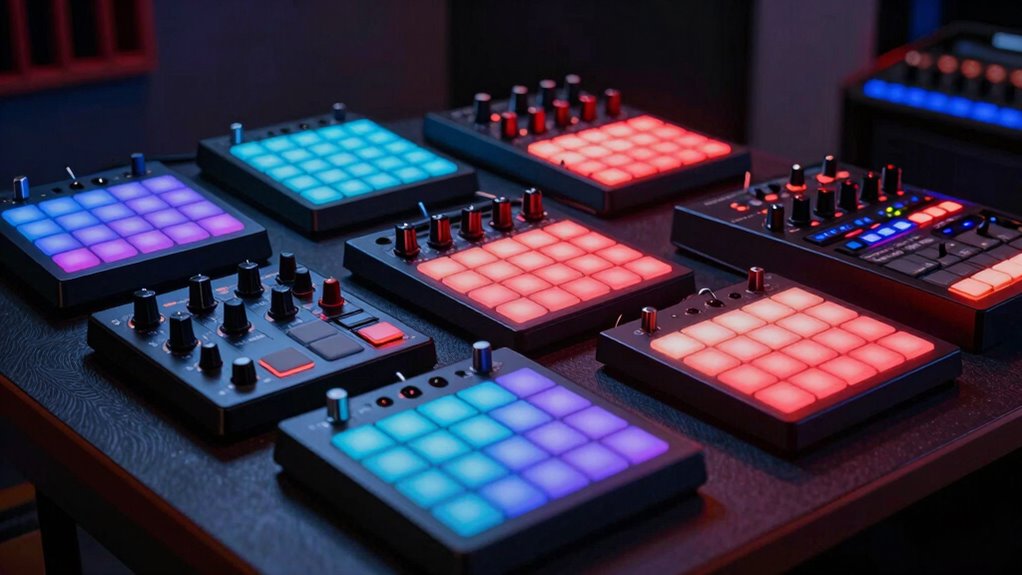
For an interactive sound installation, the right MIDI controller needs to make changing parameters clear, repeatable, and practical in the space where it will run. I rank the Novation Launch Control XL 3 first for its broad hands-on layout and MIDI connections, while the Melbourne Instruments ROTO-CONTROL is the standout for motorized recall and readable labels. The Donner STARRYCTRL adds wireless flexibility, and the DEERSYNC M-BRIO-4FADE keeps the setup focused on long fader moves and saved layers. The main tradeoff is between control density, physical feedback, and freedom from a cable: no single option leads in all three.

Get the latest gadgets delivered free — and shop member deals
- Fast, free delivery on millions of items
- Access to Prime Big Deal Days deals on October 6–7
- Prime Video, Amazon Music and more included
Complete the kit



Key Takeaways
- Choose the Novation Launch Control XL 3 if an installation needs faders, encoders, assignable buttons, custom modes, and MIDI ports for hardware integration.
- Choose the Melbourne Instruments ROTO-CONTROL when motorized knobs, labeled screens, and repeatable parameter recall matter more than having many controls at once.
- Choose the Donner STARRYCTRL for a wireless setup with many assignable controls, but plan for charging and check how its wireless connection fits the installation.
- Choose the DEERSYNC M-BRIO-4FADE if four long faders and on-device MIDI CC setup are more useful than a large bank of encoders and buttons.
- For unattended or visitor-operated installations, compare the controller’s connection method, stored mappings, feedback, and recovery workflow—not just its number of controls.
| Novation Launch Control XL 3 USB MIDI Control Surface |  | Best Overall — broad hands-on control for software and hardware installations | Connectivity: USB Type-C | MIDI ports: MIDI In, Out, and Out 2/Thru | Controls: 8 faders, 24 endless encoders, 16 customizable buttons | VIEW ON AMAZON | See Our Full Breakdown |
| Melbourne Instruments ROTO-CONTROL Motorized MIDI Controller |  | Best for Parameter Recall — motorized knobs and readable control labels | Connectivity: USB | Controls: 8 touch-sensitive motorized knobs | Modes: MIX, PLUGIN, MIDI with Motion Recorder | VIEW ON AMAZON | See Our Full Breakdown |
| Donner STARRYCTRL Wireless MIDI Controller |  | Best Wireless Option — a wide control layout without a required USB tether | Connectivity: Wireless; USB Type-C | Controls: 43 assignable buttons, 8 faders, 8 knobs | Battery: Rechargeable 780 mAh lithium battery | VIEW ON AMAZON | See Our Full Breakdown |
| DEERSYNC M-BRIO-4FADE MIDI CC Controller with Four 100 mm Faders |  | Best for Simple Fader Gestures — direct control with saved layers | Connectivity: USB | Faders: 4 × 100 mm | Additional controls: Two rotary encoder buttons with LED indicators | VIEW ON AMAZON | See Our Full Breakdown |
| midi controller for interactive sound installation | Connectivity | Controls | Supported software | Warranty |
|---|---|---|---|---|
| Novation Launch Control XL 3 U | USB Type-C | 8 faders, 24 endless encoders, 16 customizable buttons | Ableton Live, Logic Pro, Cubase, HUI | 3 years |
| Melbourne Instruments ROTO-CON | USB | 8 touch-sensitive motorized knobs | Ableton Live, Bitwig Studio, Logic Pro | Limited 1-year manufacturer warranty |
| Donner STARRYCTRL Wireless MID | Wireless; USB Type-C | 43 assignable buttons, 8 faders, 8 knobs | Ableton Live, FL Studio, Cubase, Logic Pro, Studio One, Bitwig, Reaper, Cakewalk | — |
| DEERSYNC M-BRIO-4FADE MIDI CC | USB | — | — | 365 days |
More Details on Our Top Picks
Novation Launch Control XL 3 USB MIDI Control Surface
The Launch Control XL 3 earns my top spot because it gives an installation designer a balanced set of physical control types: eight faders, 24 endless encoders, and 16 customizable buttons. That layout can separate continuous movements, incremental parameter changes, and discrete actions across a single surface. For a piece with several layers of sound or visitor-accessible functions, that flexibility is more useful than simply maximizing one kind of control.
Its up to 15 Custom Modes and eight user templates support distinct mappings for different scenes, instruments, or operating states. MIDI In, Out, and Out 2/Thru also make it a stronger fit than the USB-only ROTO-CONTROL and M-BRIO-4FADE for setups that include compatible external hardware. The OLED display adds a visual reference, though it is not the same as having a label screen for every control. Compared with the ROTO-CONTROL, this model offers more simultaneous controls but lacks motorized knobs and their physical parameter recall.
The tradeoff is its plastic construction and the need to plan mappings carefully: a large surface can be confusing if each control does not have a clear role. Its supplied software may also be limited to Lite or LE versions, so I would check what is included against the software already in the installation. It makes most sense when the piece needs many assigned controls or a bridge between a computer and MIDI hardware; for a minimal fader-based interface, the DEERSYNC is more direct.
Pros:- Eight faders, 24 endless encoders, and 16 customizable buttons support varied interaction designs.
- Up to 15 Custom Modes and eight user templates allow separate mappings for different scenes or tasks.
- MIDI In, Out, and Out 2/Thru support compatible external hardware as well as computer-based setups.
- OLED display and broad stated DAW support help with setup and operation.
Cons:- Plastic construction may be less reassuring for rough public-facing use than a metal-bodied option.
- No motorized knobs, so physical control positions do not automatically reflect recalled parameters.
- USB connection is required for computer-based operation.
Best for: Installations that need a versatile control surface for several software mappings, DAW parameters, or compatible external MIDI hardware.
Not ideal for: Buyers who need motorized control recall, a wireless setup, or a minimal surface with only a few long faders.
- Connectivity:USB Type-C
- MIDI ports:MIDI In, Out, and Out 2/Thru
- Controls:8 faders, 24 endless encoders, 16 customizable buttons
- Display:OLED
- Custom mappings:Up to 15 Custom Modes; 8 user templates
- Supported software:Ableton Live, Logic Pro, Cubase, HUI
- Weight and material:2.1 pounds; plastic
- Warranty:3 years
Our verdict“I would choose the Launch Control XL 3 for the widest range of installation mappings, especially when software and external MIDI hardware share the same control surface.”
Melbourne Instruments ROTO-CONTROL Motorized MIDI Controller
The ROTO-CONTROL is the most distinctive choice here for installations where the controller needs to show and physically reflect changing parameter states. Its eight touch-sensitive motorized knobs can move to recalled positions, while high-resolution screens display control labels. That pairing can make a changing sound system easier to understand than a bank of unlabeled knobs, especially when an operator needs to take over after a scene change.
Its MIX, PLUGIN, and MIDI modes give the controller more than one role, and the Motion Recorder adds a way to work with movements rather than only fixed values. The stated support for Ableton Live, Bitwig Studio, and Logic Pro suits common computer-based environments. Against the Launch Control XL 3, the ROTO-CONTROL provides more direct physical recall and per-control labeling, but gives up the Novation’s greater number of faders, encoders, buttons, and hardware MIDI ports. Compared with the M-BRIO-4FADE, it is better suited to an installation with changing assignments than one built around four simple linear gestures.
The constraint is clear: eight knobs are still eight controls. A complex installation may need additional controllers or careful use of modes, and the supplied description specifies USB connectivity rather than a wireless option. I would favor it where operators need clear labels and changing parameter states; for visitors who should have many simultaneous, plainly differentiated actions, the Launch Control XL 3 offers more physical controls.
Pros:- Motorized knobs can reflect recalled parameter positions rather than leaving controls at stale values.
- High-resolution screens provide readable control labels.
- MIX, PLUGIN, and MIDI modes support different control workflows.
- Motion Recorder and storage for over 16,000 assignments support flexible mappings.
Cons:- Eight knobs provide fewer simultaneous controls than the Launch Control XL 3 or STARRYCTRL.
- USB connectivity does not provide the wireless placement option offered by the Donner.
- Its screen and motor features may be unnecessary for a simple installation built around fixed fader gestures.
Best for: Installations with changing parameter assignments where screen labels and motorized position recall can help operators track the active state.
Not ideal for: Setups that need many controls at once, wireless operation, or direct MIDI hardware ports.
- Connectivity:USB
- Controls:8 touch-sensitive motorized knobs
- Modes:MIX, PLUGIN, MIDI with Motion Recorder
- Displays:High-resolution screens with control labels
- Assignment storage:Over 16,000 assignments
- Supported software:Ableton Live, Bitwig Studio, Logic Pro
- Included accessories:USB-C power supply, USB-C cable, carry bag, cable tie
- Warranty:Limited 1-year manufacturer warranty
Our verdict“I recommend the ROTO-CONTROL when clear labels and motorized parameter recall matter more than maximizing the number of physical controls.”
Donner STARRYCTRL Wireless MIDI Controller
For a sound installation where the operator position or controller placement makes a cable inconvenient, the Donner STARRYCTRL is the only wireless choice in this group. It combines 43 assignable buttons, eight faders, and eight knobs, so it can handle both direct gestures and a range of software commands. LED position indicators are useful when a physical control might otherwise sit at a value that differs from the software parameter, though they do not provide the motorized recall of the ROTO-CONTROL.
The stated compatibility spans PC, Mac, Android, and iOS, with support for a long list of DAWs and Mackie Control Universal mapping. This gives it a different strength from the M-BRIO-4FADE: the Donner offers more varied physical controls and wireless operation, while the DEERSYNC focuses on four long faders and on-device CC customization. Its rechargeable 780 mAh battery makes cable-free placement possible, but adds an operational task that the USB-only controllers do not have.
I would not treat “wireless” as proof that a particular installation will be dependable at every distance or in every environment; the supplied details do not specify a wireless protocol or range. For a public piece, check connection behavior, charging access, and what happens after a disconnection before fixing the controller in place. The plastic body is another reason I would protect it from hard knocks. It is the right pick when cable reduction and a broad layout matter, but the wired Launch Control XL 3 is a more grounded choice for hardware integration and a permanently cabled system.
Pros:- Wireless operation can reduce cable clutter and allow more flexible placement.
- 43 assignable buttons, eight faders, and eight knobs offer a broad set of interaction types.
- LED position indicators help communicate control positions.
- Mackie Control Universal support and compatibility with desktop and mobile platforms broaden its use.
Cons:- The rechargeable battery requires a charging plan for ongoing installation use.
- Plastic construction may need protection in busy public spaces.
- The supplied details do not state wireless range or protocol, so the intended connection should be checked.
Best for: Installations where cable-free controller placement is useful and the workflow needs a mix of assignable buttons, faders, and knobs.
Not ideal for: Unattended installations with no practical charging routine, or buyers who need documented MIDI hardware ports and a wired-only connection.
- Connectivity:Wireless; USB Type-C
- Controls:43 assignable buttons, 8 faders, 8 knobs
- Battery:Rechargeable 780 mAh lithium battery
- Compatibility:PC, Mac, Android, iOS
- Supported software:Ableton Live, FL Studio, Cubase, Logic Pro, Studio One, Bitwig, Reaper, Cakewalk
- Mapping:Mackie Control Universal support
- Charging:USB-C
- Material:Plastic
Our verdict“I would pick the STARRYCTRL when wireless placement is a real installation need and battery upkeep can be built into the operating plan.”
DEERSYNC M-BRIO-4FADE MIDI CC Controller with Four 100 mm Faders
The DEERSYNC M-BRIO-4FADE suits installations designed around a small number of clear, continuous gestures. Its four 100 mm faders provide more physical travel than the Launch Control XL 3’s 60 mm faders, which can make gradual adjustments feel easier to map as a visible, deliberate movement. Two rotary encoder buttons add a little extra control without changing the product’s main identity: this is a focused fader surface, not a dense command center.
A useful distinction is that MIDI CC messages can be customized on the device, with no editor software or drivers required for that setup. Eight saved layers give a compact controller a way to hold different assignment sets. That is appealing when an installation has a handful of modes and the person configuring it wants less dependence on a computer-based editor. The aluminum body also contrasts with the plastic Donner and Novation units, though material alone does not establish how a unit will withstand a particular public environment.
Compared with the Launch Control XL 3, the M-BRIO-4FADE sacrifices control variety and external MIDI ports for long faders and simpler onboard CC changes. Compared with the ROTO-CONTROL, it lacks motorized recall and labeled screens, so it is less suited to parameters that change behind the physical controls. It also requires USB, as does the ROTO-CONTROL and Novation. I would choose it for a deliberately simple interface; anyone building a layered, multi-parameter instrument should expect to need another controller or a more expansive surface.
Pros:- Four 100 mm faders suit gradual, visibly legible control gestures.
- On-device MIDI CC customization avoids a separate editor workflow.
- Eight preset layers provide stored mappings for different uses.
- Aluminum body and compatibility with desktop and mobile platforms support varied setups.
Cons:- Four faders and two encoder buttons offer fewer control types than the Novation or Donner.
- USB connectivity is required, with no wireless option listed.
- No motorized controls or labeled display are specified for tracking changing parameter values.
Best for: Designers who want a compact interface centered on four long fader movements and saved MIDI CC layers.
Not ideal for: Installations that need many simultaneous parameters, labeled recall, wireless placement, or MIDI hardware ports.
- Connectivity:USB
- Faders:4 × 100 mm
- Additional controls:Two rotary encoder buttons with LED indicators
- Presets:8 layers with memory
- MIDI setup:On-device MIDI CC customization
- Compatible platforms:macOS, Windows, iOS, Android
- Material and weight:Aluminum; 1.9 pounds
- Warranty:365 days
Our verdict“I recommend the M-BRIO-4FADE for installations whose interaction design is intentionally built around a few long, easy-to-read fader gestures.”
How We Picked
I ranked these controllers by how well their stated features address the practical demands of interactive sound installations: assigning parameters to physical controls, communicating a control’s purpose, supporting repeatable setups, and fitting a fixed or changing installation layout. A controller can have a generous control count and still be a poor choice if its connection, feedback, or mapping approach does not suit the way a piece will be operated.
The Launch Control XL 3 takes the lead because its combination of faders, endless encoders, buttons, custom modes, and MIDI ports serves software-only and hybrid rigs. I placed the ROTO-CONTROL close behind for installations that benefit from motorized parameter recall and screen labels, though eight knobs offer a more focused layout. The STARRYCTRL earns its place for wireless flexibility and a large control set, with battery upkeep as a real operational cost. The M-BRIO-4FADE is the most specialized pick: excellent for a four-fader interaction design, less versatile when a piece needs many simultaneous controls.
I used the supplied product details rather than assuming unlisted features such as wireless protocols, standalone operation, enclosure durability, or automatic recovery after power loss. Those details can matter in public spaces, so I call out where buyers should verify their intended workflow before installation.
| midi controller for interactive sound installation | Connectivity | Supported software |
|---|---|---|
| Novation Launch Control XL 3 U | USB Type-C | Ableton Live, Logic Pro, Cubase, HUI |
| Melbourne Instruments ROTO-CON | USB | Ableton Live, Bitwig Studio, Logic Pro |
| Donner STARRYCTRL Wireless MID | Wireless; USB Type-C | Ableton Live, FL Studio, Cubase, Logic Pro, Studio One, Bitwig, Reaper, Cakewalk |
| DEERSYNC M-BRIO-4FADE MIDI CC | USB | — |
Factors to Consider When Choosing Midi Controller For Interactive Sound Installations
I would choose an installation controller by working backward from the interaction: what should a person touch, what should that control change, and how will the system communicate its current state? A controller that suits a performance desk may not suit a public-facing piece with unfamiliar operators.
Match the control shape to the interaction
Faders make continuous changes visible, which can be helpful when a visitor is meant to blend two sounds or move a parameter gradually. The M-BRIO-4FADE’s 100 mm travel favors this approach, while the Launch Control XL 3 offers eight shorter faders alongside encoders and buttons. Knobs fit compact, repeatable adjustments; the ROTO-CONTROL adds motorized movement when recalled positions matter. Buttons are better for discrete triggers, muting, or switching actions, but they need clear labels and careful mapping to avoid surprises.
Plan for changing values and operator handoffs
A physical control can become misleading if software changes its value while the control stays put. The ROTO-CONTROL addresses that issue with motorized knobs and screen labels. The STARRYCTRL has LED position indicators, while endless encoders on the Launch Control XL 3 avoid a fixed knob position in the same way a traditional absolute knob might. The supplied details do not establish every controller’s pickup or takeover behavior, so I would test how mappings behave after a scene change before allowing public use.
Choose the connection for the installed environment
USB is a straightforward choice when the controller can sit near the host computer and a cable can be secured. The Launch Control XL 3 has MIDI In, Out, and Out 2/Thru, making it the clearest fit here for compatible hardware connections. The STARRYCTRL offers wireless operation for flexible placement, but its battery and unspecified wireless range call for a practical connection check. Do not assume a controller is standalone or that a wireless connection will suit the venue unless those details are confirmed for the actual setup.
Keep mapping and recovery understandable
For a fixed installation, document what each control does and what each layer or mode changes. The Launch Control XL 3 supports multiple Custom Modes and user templates; the ROTO-CONTROL stores over 16,000 assignments; the Donner and DEERSYNC provide their own saved or layered workflows. More mappings can expand what a controller can do, but they can also make handoffs harder. I would keep visitor-facing controls consistent and reserve mode changes for a trained operator unless the mode state is clearly communicated.
Treat durability and maintenance as part of the choice
The supplied product information lists an aluminum body for the DEERSYNC and plastic bodies for the Novation and Donner, but that alone does not establish suitability for every public space. Consider how the controller will be mounted, whether its controls can be bumped, and how cables or charging access will be protected. The ROTO-CONTROL includes a carry bag, while the Donner requires a charging routine for wireless use. For any permanent installation, plan access for cleaning, troubleshooting, and replacing or reconnecting equipment.
Frequently Asked Questions
Which controller is the best all-around choice for an interactive sound installation?
I rank the Novation Launch Control XL 3 first for broad installation work because it combines faders, endless encoders, customizable buttons, multiple custom modes, and MIDI ports. It can suit software mappings and compatible external MIDI hardware. If an installation depends more on motorized recall than on a large control count, the ROTO-CONTROL may be the better fit.
Which option is best when physical controls need to reflect changing software values?
The Melbourne Instruments ROTO-CONTROL is the clearest match in this group because its eight knobs are motorized and its screens display control labels. The STARRYCTRL’s LED indicators offer position feedback, but the supplied details do not describe motorized movement. I would still check the target software and mapping behavior before relying on any controller for scene changes.
Is a wireless MIDI controller a good choice for a permanent installation?
It can be, when cable-free placement solves a real layout problem and the installation has a routine for charging and checking the connection. The Donner STARRYCTRL is the only wireless model in this comparison, but its stated details do not specify wireless range or protocol. I would confirm performance in the actual space and decide how the piece will behave if the battery runs low or the connection drops.
Which controller works best for a simple fader-based interaction?
The DEERSYNC M-BRIO-4FADE is the most focused choice for four long fader gestures, with 100 mm faders and on-device MIDI CC customization. The Launch Control XL 3 also has faders but adds many more controls and mappings, making it a better fit for a broader interface. If four movements are all the piece needs, the DEERSYNC keeps the control layout more deliberate.
What should I check before installing a MIDI controller for public use?
Check the required host device, connection method, mapping persistence, control behavior after a scene change, and how the installation recovers after power or connection loss. Confirm whether a battery needs regular charging, whether the unit can be mounted securely, and whether visitors can understand the labels and available actions. I would also test the complete signal path with the intended software and hardware rather than relying on general compatibility claims alone.
Conclusion
For most installations needing a flexible central surface, I would start with the Novation Launch Control XL 3: it offers the broadest mix of controls and the strongest stated hardware connectivity. Pick the ROTO-CONTROL if labeled, motorized parameter recall is the main need; choose the STARRYCTRL when wireless placement outweighs battery upkeep; and choose the M-BRIO-4FADE for a deliberately simple interface built around four long fader gestures. Before committing, I would confirm mapping behavior and connection reliability in the actual installation, since those details shape the visitor experience as much as the controller itself.
Halloween Picks
halloween
As an affiliate, we earn on qualifying purchases.