TL;DR
The supplied source compares eight drawing tablets across screen-based, screenless and standalone designs, highlighting tradeoffs in workspace, portability, controls and software setup. It does not establish 2027 availability, pricing or independent test results, so the recommendations should be treated as a buying guide based on the listed specifications.
A buying guide identifies eight drawing tablets for digital artists, ranging from computer-connected pen displays to compact screenless tablets and standalone Android devices. The comparison says the HUION Kamvas 13 (Gen 3) is its best overall screen-based pick, but the source does not verify 2027 availability, pricing or performance through independent testing.

Get the latest gadgets delivered free with Prime
- Fast, free delivery on millions of items
- Prime Video, Amazon Music and more included
- Member-only deals all year
The guide organizes the options by setup and intended use. It favors the Kamvas 13 (Gen 3) for artists who want to draw on a display with dual dial controls, while the HUION Inspiroy H1060P is presented as a value choice for people who already use a computer and prefer a larger screenless work area. Both require a separate compatible device to run drawing software.
For portable use without a computer, the guide lists the Frunsi RubensTab T11 Pro and PicassoTab A10 as standalone options. It also includes the compact HUION Inspiroy H640P, the wired Wacom Intuos Small, and two XP-Pen Artist 13.3 Pro V2 entries. The source describes the XP-Pen listings as closely related and advises checking their exact specifications and included accessories.
Specifications in the source include a 13.3-inch display for the Kamvas and XP-Pen models, a 10-by-6.25-inch active area for the H1060P, and a 6-by-4-inch area for the H640P. The guide lists tilt support and color coverage for XP-Pen models, but provides differing gamut figures across its sections. These are source-listed specifications, not independently verified measurements.
Choose a drawing tablet for your workflow
Eight options span pen displays, screenless tablets and standalone devices. Treat the guide as a starting point: it does not confirm 2027 availability, current prices or independent test results.
Match the setup to your work
The main choice is whether to draw on a display, use a separate computer screen, or work on a standalone device.
Draw on screen
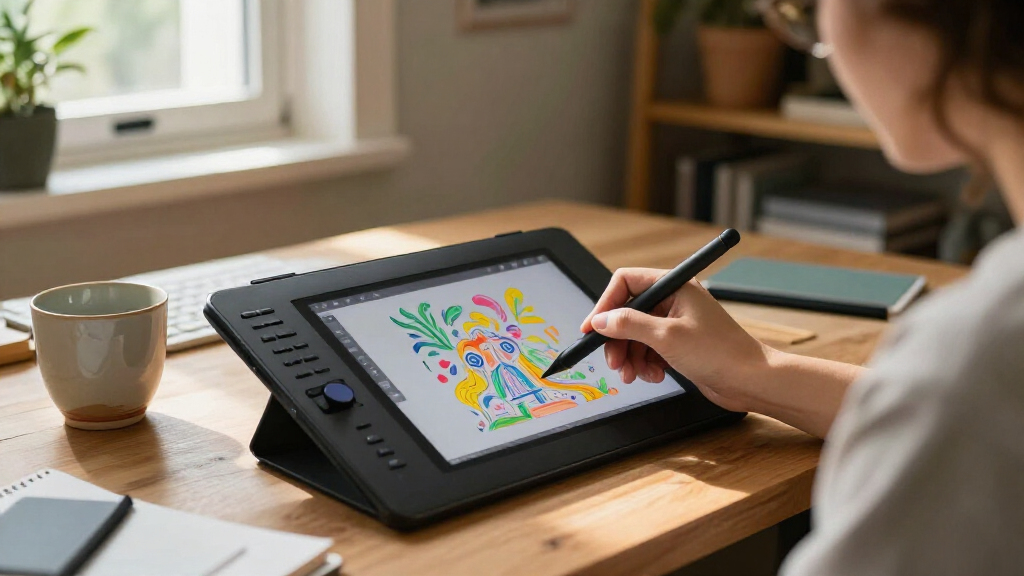
The Kamvas 13 (Gen 3) is the guide’s overall pick, with a display and dual dial controls. It needs a compatible device to run drawing software.
Use a computer display
The H1060P offers a larger listed active area than the compact H640P. Both need a separate screen and computer.
Work without a computer
The Frunsi RubensTab T11 Pro and PicassoTab A10 are listed as standalone options. Check app compatibility for your workflow.
What to check before buying
Confirm the exact model and bundle against current manufacturer or retailer listings.
- Check device, connection and software compatibility.
- Compare active area, display specifications and shortcut controls.
- Confirm the included pen, stand and other accessories.
- For standalone tablets, verify that your intended art apps run on the device.
Treat specifications with care
The supplied guide includes specifications but does not establish independent measurements or real-world performance.
- XP-Pen models have a 13.3-inch display.
- The two H-series active areas are specified.
- XP-Pen listings include differing color-gamut figures.
- Whether all options will be available in 2027.
- Current prices and stock.
- Exact differences between the XP-Pen entries.
- Independent results for latency, durability or display accuracy.
Choosing the Right Drawing Setup
The main decision is whether an artist wants to draw directly on a screen, use a pen surface while looking at a computer monitor, or work on a standalone device. Each setup affects cost, portability and software access, though the source provides no comparable prices with which to quantify the cost differences.
Workspace size and shortcut controls also shape the choice. The H1060P’s listed 10-by-6.25-inch area is larger than the H640P’s 6-by-4-inch area, while the compact model is lighter and easier to carry according to the guide. For artists who rely on desktop applications, a standalone Android tablet may not offer the same software options. That limitation is raised by the source, but it does not name or test specific apps.
Products Worth Considering

Apple AirPods Pro (2nd Generation) Wireless Earbuds with USB-C MagSafe Charging Case

Amazon Kindle Paperwhite (2024) – 16GB, 7 Glare-Free Display, Waterproof

DJI Mini 3 Drone with DJI RC and 3-Axis Gimbal
As an affiliate, we earn on qualifying purchases.
Three Ways to Draw Digitally
The products fall into three broad categories. Pen displays show the drawing beneath the stylus but connect to a computer or, where compatible, an Android device. Screenless pen tablets connect to a separate screen and can offer a larger drawing surface at a compact size. Standalone tablets combine a screen and computing hardware, so supported drawing tasks do not require a separate computer.
The guide names the Kamvas 13 (Gen 3), two XP-Pen Artist 13.3 Pro V2 entries, and the standalone Frunsi and PicassoTab models among its selections. It also notes that model names alone may not clarify differences between the two XP-Pen listings. Buyers would need to compare the exact version, accessories, compatibility and specifications before making a purchase.
“The main tradeoff is between drawing directly on a display, using a more affordable pen tablet with a separate computer screen, or paying for a self-contained tablet.”
— The buying guide
Availability and Test Evidence
The source does not state when the guide was published, provide current prices, or confirm that all eight products will remain available in 2027. It also does not explain a testing method or provide independent performance results. Buyers cannot use it alone to establish real-world latency, durability, display accuracy or value for money.
There are also specification differences within the source. For the XP-Pen Artist 13.3 Pro V2, one section lists 125% sRGB, 107% Adobe RGB and 95% Display P3; another lists 123% sRGB and 88% NTSC. The material does not explain whether these figures refer to separate configurations or different measurement claims. The exact distinctions between the two XP-Pen entries, and the PicassoTab A10’s full specifications, are not supplied in the excerpt.
Check Models Before Buying
Before purchasing, compare the exact model and bundle against current manufacturer or retailer listings. Confirm device and software compatibility, connection requirements, included stand and pen, active area, and display specifications. For the standalone options, check whether the intended art applications run on the device and whether their features fit the planned workflow.
Current pricing, stock and any revisions to the listed models remain to be checked. A later update to the guide would need dated listings and consistent specification sources to establish which options are available and how the two XP-Pen entries differ.
Key Questions
Which tablet does the guide recommend overall?
It names the HUION Kamvas 13 (Gen 3) as its best overall pen display, citing its screen and dual dials. The source does not provide independent test results or current pricing.
Which listed tablets work without a computer?
The guide describes the Frunsi RubensTab T11 Pro and PicassoTab A10 as standalone tablets. App compatibility and the full specifications for the PicassoTab are not established in the supplied material.
What is the difference between the H640P and H1060P?
Both are screenless pen tablets that use a separate computer display. The H640P has a listed 6-by-4-inch active area; the H1060P has a larger 10-by-6.25-inch area and is described as having programmable controls.
Are the two XP-Pen Artist 13.3 Pro V2 entries different models?
The source calls them closely related listings but does not clearly establish the differences. It recommends checking the exact specifications and included accessories for each listing.
Source: Thorsten Meyer AI